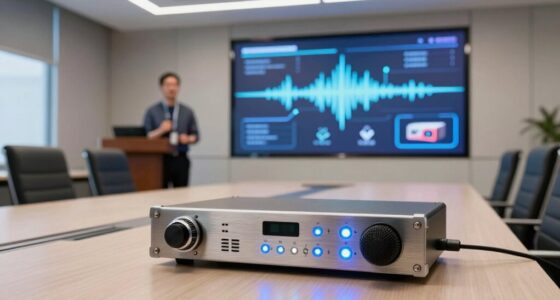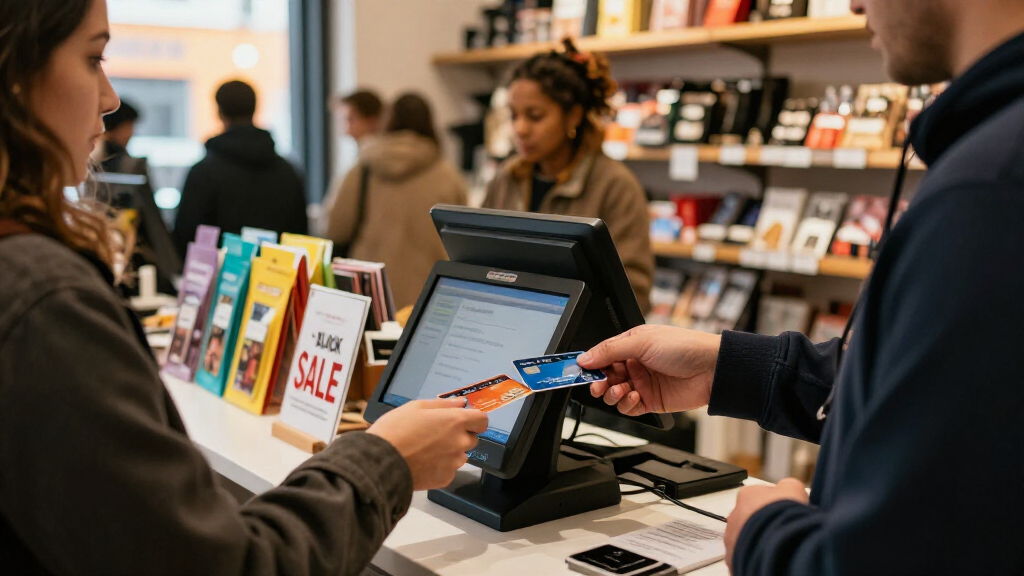
For Black Friday, the Square Register (2nd Generation) is my best overall pick for retailers who want a dedicated checkout setup, while the SumUp POS Lite stands out for a compact counter and the M9 Android POS System for its dual-screen layout. The right choice depends on more than the terminal: a bundled printer, scanner, and cash drawer can simplify setup, but a large all-in-one system may take up space or tie you to software that does not fit your store. Before buying, check how the system handles your payment processing, inventory, and backup procedures during a busy sales rush. I compare all 15 options below so you can match the hardware and setup to your Black Friday needs.

Get business pricing on office and shipping supplies
- Business-only prices and quantity discounts
- Tax-exempt purchasing
- Multiple users, one account, clear invoices
Key Takeaways
- Dedicated checkout hardware leads the shortlist: Square Register is the strongest overall fit for buyers who want a purpose-built register rather than assembling a counter setup from separate components.
- Bundled accessories reduce setup work, not every operating cost: Several retail packages include a scanner, printer, and cash drawer, but buyers still need to check software terms, payment processing, and compatibility.
- Dual displays serve a specific checkout purpose: The M9’s two 15.6-inch screens can help customers follow transactions, but the larger footprint may be a poor match for compact counters.
- Screen size alone does not predict Black Friday readiness: A fast, clear workflow and reliable payment setup matter more in a rush than choosing the largest display in this lineup.
- Compact models trade counter space for fewer bundled components: SumUp POS Lite and the 11.6-inch all-in-one suit smaller work areas, while full retail bundles are better for stores needing more checkout hardware in one package.
| Square Register (2nd Generation) Point-of-Sale System |  | Best Overall | Brand: Square | Model: A-SKU-0908 | Display: Dual touchscreens | VIEW LATEST PRICE | See Our Full Breakdown |
| Datio POS Base Station and Cash Register for iPad |  | Best for Existing Datio Users | Brand: Datio POS | Product type: POS base station and cash register | Compatible software: Datio POS software | VIEW LATEST PRICE | See Our Full Breakdown |
| Retail Point of Sale System with 15-Inch Touchscreen PC, CRE Software, Printer, Scanner, Cash Drawer, and Two-Line Display |  | Best Complete Retail Bundle | Brand: The Perfect POS | Touchscreen: 15 inches | Operating system: Windows 10 Pro | VIEW LATEST PRICE | See Our Full Breakdown |
| M9 Android 11 POS System with Dual 15.6-Inch Touchscreens and 58mm Thermal Printer |  | Best for a Dual-Screen Counter | Brand and model: POS STORE M9 | Operating system: Android 11 | Main display: 15.6-inch Full HD touchscreen, 1920 × 1080 | VIEW LATEST PRICE | See Our Full Breakdown |
| Volcora 15.6-Inch Windows 11 Professional POS Terminal, Black |  | Best Hardware-Only Windows Terminal | Operating system: Windows 11 Professional | Processor: Intel Core i5 | Memory: 4 GB RAM | VIEW LATEST PRICE | See Our Full Breakdown |
| Retail POS System with 15-Inch Touchscreen, Customer Display, Thermal Printer, Cash Drawer, Scanner, and POS Software |  | Best for Avoiding Monthly Software Fees | Touchscreen: 15 inches | Customer display: 11.6 inches | Processor: Listed as Intel Celeron and I5; specification is inconsistent | VIEW LATEST PRICE | See Our Full Breakdown |
| Retail Point of Sale System with 15-Inch Touchscreen PC |  | Best for QuickBooks Desktop Users | Touchscreen PC: 15 inches | Operating system: Windows 10 Pro | Included hardware: Thermal printer, barcode laser scanner, 16-inch cash drawer, and mini keyboard | VIEW LATEST PRICE | See Our Full Breakdown |
| SmartPOS-129 All-in-One POS System for Small Businesses |  | Best for Processor Flexibility | Cashier display: 15-inch touchscreen | Customer display: 15-inch promo display | Included hardware: Cash drawer, thermal printer, and handheld 2D barcode scanner | VIEW LATEST PRICE | See Our Full Breakdown |
| ZHONGJI SET03 Retail POS System with Touchscreen, Receipt Printer, Scanner, and POS Software |  | Best for Fee-Free Retail Tools | Main display: 15 inches; 1024 × 768 | Secondary display: 11.6 inches; 1366 × 768 | Processor: Intel i5 | VIEW LATEST PRICE | See Our Full Breakdown |
| All-in-One POS System with 15.6-Inch Touchscreen and Receipt Printer |  | Best for Offline Checkout | Main screen: 15.6-inch touchscreen; 1366 × 768 | Memory and storage: 8 GB memory; 128 GB SSD | Customer display: 8-bit LED screen | VIEW LATEST PRICE | See Our Full Breakdown |
| Touchscreen POS System for Restaurants and Bars with Software, Cash Drawer, and Printers |  | Best for Restaurant and Bar Workflows | Display: 17-inch touchscreen | Operating system: Linux | Included components: PC controller, POS software, cash drawer, receipt printer, kitchen order printer | VIEW LATEST PRICE | See Our Full Breakdown |
| SumUp POS Lite 13-Inch Touchscreen Point-of-Sale System |  | Best for Compact, Flexible Checkout | Screen size: 13 inches | Stand material: Die-cast aluminum | Software: Pre-installed POS software with automated updates | VIEW LATEST PRICE | See Our Full Breakdown |
| All-in-One POS System with 11.6-Inch Touchscreen, Receipt Printer and Barcode Scanner |  | Best Compact Windows All-in-One | Model: ZHONGJI A20-AMD-R2314 | Display: 11.6-inch touchscreen | Processor: AMD R2314 | VIEW LATEST PRICE | See Our Full Breakdown |
| SmartPOS NX2 All-in-One POS System for Small Businesses |  | Best for Offline-Ready Retail Checkout | Cashier display: 15.6-inch touchscreen | Customer display: 11-inch customer-facing display | Included hardware: Cash drawer, thermal receipt printer, and 2D barcode scanner | VIEW LATEST PRICE | See Our Full Breakdown |
| All-in-One POS Cash Register with 14-Inch Touchscreen, Dual-Core i5, 4GB RAM, 64GB SSD, Printer and Cash Drawer |  | Best for Buyers Bringing Their Own POS Software | Processor: Dual-core i5 | Memory and storage: 4GB RAM and 64GB SSD | Operating system: Windows 10 | VIEW LATEST PRICE | See Our Full Breakdown |
| black friday point of sale system | Operating system |
|---|---|
| Square Register | — |
| Datio POS Base Station and Cas | — |
| Retail Point of Sale System wi | Windows 10 Pro |
| M9 Android 11 POS System with | Android 11 |
| Volcora 15.6-Inch Windows 11 P | Windows 11 Professional |
| Retail POS System with 15-Inch | Windows 10 |
| Retail Point of Sale System wi | Windows 10 Pro |
| SmartPOS-129 All-in-One POS Sy | — |
| ZHONGJI SET03 Retail POS Syste | — |
| All-in-One POS System with 15. | — |
| Touchscreen POS System for Res | Linux |
| SumUp POS Lite 13-Inch Touchsc | — |
| All-in-One POS System with 11. | Windows 10 |
| SmartPOS NX2 All-in-One POS Sy | — |
| All-in-One POS Cash Register w | Windows 10 |
More Details on Our Top Picks
Square Register (2nd Generation) Point-of-Sale System
For a Black Friday checkout rush, I’d put the Square Register (2nd Generation) first because its dual touchscreens give staff and customers separate views, while built-in software covers sales, inventory, and customer management. Its offline selling capability can help keep transactions moving if a connection drops, and the IP54-rated design adds some protection against dust and spills in a busy counter area. Compared with the Datio POS Base Station, Square bundles its POS software rather than requiring a separate software subscription; compared with the CRE retail bundle, it is much lighter and less hardware-heavy. The tradeoff is a corded setup and less flexibility around the hardware: it is approved only for use in its intended country. I’d check regional compatibility before making it the centerpiece of a seasonal sales setup.
Pros:- Dual touchscreens provide separate operator and customer views.
- Built-in software supports sales, inventory, and customer management.
- Offline selling can keep checkout available during connectivity interruptions.
- IP54-rated design resists everyday dust and spills.
Cons:- Requires a corded power source.
- Hardware is approved only for use in its intended country.
Best for: Retailers and service businesses seeking an integrated checkout with customer-facing display, built-in business tools, and offline sales capability.
Not ideal for: Businesses that need a battery-powered register or plan to use the hardware outside its approved country.
- Brand:Square
- Model:A-SKU-0908
- Display:Dual touchscreens
- Connectivity:Bluetooth, USB cable, Wi-Fi
- Power:Corded electric
- Weight:12.6 pounds
- Device compatibility:POS, smartphone, tablet
- Protection:IP54-rated design
Our verdict“Choose Square for a ready-to-run, dual-screen checkout with offline sales support, provided its regional hardware approval fits your business.”
Datio POS Base Station and Cash Register for iPad
The Datio POS Base Station is a fit for shops, salons, and quick-service counters that specifically want the Datio software workflow: inventory tracking, sales reports, associate tracking, item options, and discounts are available through that platform. Its payment flexibility is useful for a Black Friday operation with mixed checkout needs: the system can handle cash, Worldpay processing, or an existing credit card terminal. Compared with the Square Register, though, this is not a self-contained software-and-hardware package. Datio requires a monthly software subscription, works only with Datio POS software, and does not include the Fire tablet. That means more setup decisions before the seasonal rush, and the 16-inch-square base takes substantial counter space. I’d choose it when Datio is already part of the plan, not as a general-purpose register for buyers still comparing platforms.
Pros:- Software supports inventory, sales reporting, and associate tracking.
- Handles item modifiers, options, and discounts.
- Can be configured for cash, Worldpay processing, or an existing card terminal.
- Designed for retail, salon, and quick-service counter workflows.
Cons:- Requires a Datio POS software subscription.
- Works only with Datio POS software.
- Fire tablet is not included, adding a separate hardware requirement.
Best for: Retailers, salons, and quick-service businesses already committed to Datio POS and needing support for item options, discounts, and associate tracking.
Not ideal for: First-time POS buyers seeking included software and tablet hardware, or businesses that want freedom to switch POS platforms.
- Brand:Datio POS
- Product type:POS base station and cash register
- Compatible software:Datio POS software
- Software subscription:Required
- Payment options:Cash, Worldpay processing, or existing credit card terminal
- Dimensions:16 × 16 × 12 inches
- Weight:13 pounds
- Tablet included:No
Our verdict“Pick Datio if your business already wants its software and payment setup; skip it if you need a more complete, platform-flexible package like Square Register.”
Retail Point of Sale System with 15-Inch Touchscreen PC, CRE Software, Printer, Scanner, Cash Drawer, and Two-Line Display
When Black Friday preparation means replacing several checkout components at once, this CRE retail bundle has a clear advantage: the touchscreen PC, receipt printer, barcode scanner, cash drawer, keyboard, and two-line customer display arrive as one retail-focused package. Cash Register Express tracks inventory, sales, returns, and employees, and its QuickBooks Desktop integration can suit retailers who already rely on that accounting workflow. Compared with the Volcora Windows 11 terminal, this bundle includes the key checkout peripherals and POS software rather than leaving software selection to the buyer. Compared with Square Register, it is a more traditional, component-rich station, but also much heavier at 40 pounds. Its retail orientation may not map neatly to restaurant service, and setup still takes planning despite the included 60 days of support. I’d favor it for a fixed retail counter, not a compact or frequently moved checkout.
Pros:- Bundle includes touchscreen PC, printer, scanner, cash drawer, keyboard, and customer display.
- CRE software tracks inventory, sales, returns, and employees.
- Integrates with QuickBooks Desktop.
- Includes 60 days of setup and training support and a one-year hardware warranty.
Cons:- Retail-focused software and hardware may not suit restaurant workflows.
- The 40-pound bundle is cumbersome to move or reposition.
- Windows 10 Pro is the specified operating system.
Best for: Independent retailers assembling a full checkout station with barcode scanning, cash handling, customer display, and QuickBooks Desktop support.
Not ideal for: Restaurants, mobile sellers, or small shops that cannot spare counter and storage space for a 40-pound hardware bundle.
- Brand:The Perfect POS
- Touchscreen:15 inches
- Operating system:Windows 10 Pro
- POS software:Cash Register Express (CRE)
- Included hardware:Thermal receipt printer, USB barcode scanner, 16-inch cash drawer, USB mini keyboard, two-line customer display
- Weight:40 pounds
- Support:60 days of standard care for setup and training
- Hardware warranty:1 year
- Accounting integration:QuickBooks Desktop
Our verdict“Choose this bundle for a fixed retail checkout that needs its core peripherals in one package, rather than a lighter all-in-one like Square Register.”
M9 Android 11 POS System with Dual 15.6-Inch Touchscreens and 58mm Thermal Printer
The M9 POS system puts two large 15.6-inch displays and a thermal receipt printer into one counter unit, making it a space-conscious option for businesses that want both operator and customer screens without a separate printer. Its Full HD main display and multiple USB ports give retailers or food-service counters room to connect accessories such as scanners and cash drawers. Compared with the CRE retail bundle, the M9 has a more consolidated footprint and a second large screen; compared with Square Register, however, its second display only mirrors the main screen, and the supplied details do not specify POS software or wireless connectivity. Those gaps matter during a Black Friday setup: buyers need to confirm software and network plans before relying on it for a busy checkout. I’d shortlist it for a wired, Android-based counter where screen size and integrated printing lead the priorities.
Pros:- Two 15.6-inch Full HD touchscreens provide generous viewing and input space.
- Integrated 58mm thermal printer reduces separate hardware on the counter.
- Six USB ports plus COM, VGA, LAN, and speaker connections support peripherals.
- Compact all-in-one design helps organize a fixed checkout.
Cons:- Second display operates in mirror mode rather than showing a separate customer interface.
- Wireless connectivity is not listed.
- POS software is not specified in the product details.
Best for: Retail, restaurant, and hotel operators who want a wired Android counter terminal with a large second display and built-in receipt printing.
Not ideal for: Businesses that need a distinct customer-facing interface, specified wireless networking, or included POS software details.
- Brand and model:POS STORE M9
- Operating system:Android 11
- Main display:15.6-inch Full HD touchscreen, 1920 × 1080
- Second display:15.6-inch touchscreen; mirror mode
- Memory and storage:4GB RAM, 64GB ROM
- Printer:Integrated 58mm thermal printer
- Ports:6 USB 2.0, 1 COM, 1 VGA, 1 speaker output, 1 LAN, 1 DC power input
- Warranty:1 year
Our verdict“Choose the M9 when large mirrored screens and built-in printing matter more than wireless options or a separate customer display interface.”
Volcora 15.6-Inch Windows 11 Professional POS Terminal, Black
The Volcora 15.6-inch terminal suits buyers who want a Windows POS computer and prefer to choose their own software and peripherals. Its Intel Core i5 processor, Windows 11 Professional, and mix of USB, serial, HDMI, and Ethernet connections offer a flexible base for compatible checkout equipment. That makes it a different proposition from the CRE retail bundle, which supplies POS software, a scanner, printer, and cash drawer; Volcora keeps the buyer in control but leaves those purchases and compatibility checks to them. It also lacks the Square Register’s specified built-in sales, inventory, and customer-management software. The limited lifetime warranty and US-based support are useful ownership considerations, but 4GB of RAM is modest, and the listing describes a 128GB hard drive without identifying included POS software. I’d choose it for a planned Windows setup, not an out-of-the-box Black Friday station.
Pros:- Windows 11 Professional and Intel Core i5 provide a familiar PC-based platform.
- Four USB ports, two serial ports, HDMI, and Ethernet offer varied peripheral connections.
- Metal base supports a fixed countertop setup.
- Includes a limited lifetime warranty and US-based support.
Cons:- POS software is not specified as included, so buyers must select and configure it.
- Printer, scanner, and cash drawer are not listed among the included items.
- 4GB of RAM may limit headroom for demanding multitasking.
Best for: Businesses with a chosen Windows POS platform or IT support that need a touchscreen terminal with legacy serial and standard USB connections.
Not ideal for: New retailers who need software, a receipt printer, scanner, and cash drawer supplied as one ready-to-set-up bundle.
- Operating system:Windows 11 Professional
- Processor:Intel Core i5
- Memory:4 GB RAM
- Storage:128 GB hard drive
- Display:15.6-inch capacitive touchscreen, 1366 × 768
- Ports:4 USB, 2 serial, 1 HDMI
- Other connectivity:Ethernet, audio input, DC 12V power input
- Warranty:Limited lifetime warranty
Our verdict“Pick Volcora for a configurable Windows POS foundation if you already have a software and peripheral plan; choose the CRE bundle for a more complete retail station.”
Retail POS System with 15-Inch Touchscreen, Customer Display, Thermal Printer, Cash Drawer, Scanner, and POS Software
For a retailer who wants a ready-to-check-out bundle without a recurring POS software charge, this package combines the main counter hardware with activated software described as lifetime use. The 11.6-inch customer display, cash drawer, scanner, and receipt printer mean fewer separate components to source than with the All-in-One POS System with 15.6-Inch Touchscreen and Receipt Printer, which does not include software. Its six USB ports and HDMI, VGA, and LAN connections also leave room for peripherals. The tradeoff is less certainty about the computing platform: the processor is listed as both Intel Celeron and I5, so buyers should confirm the configuration before ordering. Windows 10 is another aging-platform concern. I’d choose this for its bundled, fee-free software, not for buyers who prioritize current hardware or clear specifications.
Pros:- Includes touchscreen PC, customer display, printer, cash drawer, scanner, and activated POS software.
- Software is described as lifetime use with no monthly fees.
- Six USB ports plus HDMI, VGA, LAN, and audio connections support added peripherals.
- Keyboard, mouse, and thermal paper rolls are included.
Cons:- Processor information conflicts between Intel Celeron and I5 in the listing.
- Runs Windows 10, which buyers seeking a newer platform may want to avoid.
- A 22-pound bundle is less convenient to move than lighter terminal-only options.
Best for: Independent retailers who want a complete checkout bundle and prefer software without a monthly fee.
Not ideal for: Retailers who need a clearly specified processor or want a newer operating system than Windows 10.
- Touchscreen:15 inches
- Customer display:11.6 inches
- Processor:Listed as Intel Celeron and I5; specification is inconsistent
- Memory and storage:8 GB RAM; 128 GB SSD
- Operating system:Windows 10
- Included checkout hardware:3 1/8-inch thermal printer, stainless steel cash drawer, and handheld scanner
- Ports:6 USB, 1 HDMI, 1 VGA, 1 LAN, and 2 audio outputs
- Dimensions and weight:14.5 x 10 x 14 inches; 22 pounds
Our verdict“Choose this bundle if fee-free software and a full set of checkout components matter more than a clearly documented processor or newer Windows version.”
Retail Point of Sale System with 15-Inch Touchscreen PC
This bundle is the clearest fit here for a shop that already relies on QuickBooks Desktop and wants inventory, sales, returns, and employee tracking tied to its checkout workflow. Its 15-inch touchscreen arrives with a printer, barcode scanner, cash drawer, and mini keyboard, while remote setup and training can help a team get started. Compared with the fee-free software included with the Retail POS System with 15-Inch Touchscreen and Customer Display, this option uses a monthly CRE or Aisle POS subscription. That recurring commitment may be worthwhile for a retailer seeking cloud-based management and the stated accounting integration, but it changes the long-term cost picture. Setup and training support is listed for only 30 days, so stores needing ongoing hands-on assistance should ask what comes after that period.
Pros:- Includes a 15-inch touchscreen PC, thermal printer, barcode scanner, cash drawer, and mini keyboard.
- Software covers inventory, sales, returns, and employee tracking.
- QuickBooks Desktop integration and cloud-based management are listed.
- Remote setup and training are included.
Cons:- CRE or Aisle POS software requires a monthly subscription.
- Setup and training support is listed for only 30 days.
- Windows 10 Pro may not suit buyers seeking a newer operating system.
Best for: Small retailers using QuickBooks Desktop who want inventory and employee tools alongside a complete touchscreen checkout bundle.
Not ideal for: Businesses avoiding recurring software charges or expecting setup and training support beyond the listed 30-day period.
- Touchscreen PC:15 inches
- Operating system:Windows 10 Pro
- Included hardware:Thermal printer, barcode laser scanner, 16-inch cash drawer, and mini keyboard
- Printer paper size:80 mm
- Software:CRE Monthly / Aisle POS Retail Monthly
- Software functions:Inventory, sales, returns, employee tracking, and cloud-based management
- Integration:QuickBooks Desktop
- Support and warranty:30 days of standard setup and training support; 2-year warranty
Our verdict“Pick this bundle if QuickBooks Desktop integration and guided setup justify an ongoing software subscription for your store.”
SmartPOS-129 All-in-One POS System for Small Businesses
The SmartPOS-129’s defining advantage is its stated compatibility with more than 50 card processors. That breadth can give a small business more choice when selecting or changing payment processing, while the matching 15-inch cashier touchscreen and customer-facing display create a prominent counter setup. The bundle also includes a drawer, 2D scanner, and thermal printer, plus an initial setup call and Retail360 mobile app for product and price-book management. Compared with the lighter ZHONGJI SET03, this is a much larger, heavier installation: the listed dimensions are 21 x 22 x 35 inches and weight is 53.9 pounds. It also does not specify a POS software package in the supplied details, so buyers should confirm software, processing terms, and compatibility before committing. This makes most sense for a fixed counter where processor choice is a priority.
Pros:- Lists integration with more than 50 card processors.
- Includes matching 15-inch cashier and customer-facing displays.
- Bundles a cash drawer, thermal printer, and handheld 2D barcode scanner.
- Includes an initial setup call and access to the Retail360 mobile app.
Cons:- At 53.9 pounds, it is cumbersome to relocate.
- The 21 x 22 x 35-inch footprint may take substantial counter or floor space.
- The provided details do not identify included POS software.
Best for: Small businesses with a permanent checkout counter that want broad card-processor options and mobile product or price-book management.
Not ideal for: Pop-up sellers, compact shops, or businesses that need a clearly specified POS software package and a lightweight terminal.
- Cashier display:15-inch touchscreen
- Customer display:15-inch promo display
- Included hardware:Cash drawer, thermal printer, and handheld 2D barcode scanner
- Card processor integrations:More than 50
- Mobile app:Retail360 for product and price-book management
- Dimensions:21 x 22 x 35 inches
- Weight:53.9 pounds
- Setup:Initial setup call included
Our verdict“Choose the SmartPOS-129 for a fixed retail counter where processor flexibility and dual 15-inch displays matter more than a compact footprint.”
ZHONGJI SET03 Retail POS System with Touchscreen, Receipt Printer, Scanner, and POS Software
The ZHONGJI SET03 pairs a specified Intel i5 processor with 8 GB RAM and a 128 GB SSD, giving buyers a clearer hardware description than the Retail POS System with 15-Inch Touchscreen that lists conflicting processor details. Its software covers checkout, inventory, reporting, and promotions without a monthly fee, which suits retailers who want more than basic payment handling but want to avoid a recurring software bill. A built-in receipt printer and 11.6-inch secondary display also keep common checkout tasks and customer-facing promotions together. The compromise is the 15-inch main screen’s 1024 × 768 resolution, which is modest beside the 1366 × 768 screen on the All-in-One POS System with 15.6-Inch Touchscreen and Receipt Printer. At 17.6 pounds, it is also a fixed-counter system rather than a portable register.
Pros:- Includes MSJ POS software for checkout, inventory, reporting, and promotions with no monthly fees.
- Specified Intel i5 processor, 8 GB RAM, and 128 GB SSD.
- Built-in thermal printer and desktop scanner reduce separate hardware needs.
- Secondary display can show product, discount, or advertising information.
Cons:- Main display resolution is 1024 × 768.
- At 17.6 pounds, it is less suited to mobile or pop-up checkout.
- The 15-inch main display is smaller than the 15.6-inch screen on some alternatives.
Best for: Independent retailers who want inventory, reporting, and promotion tools without a monthly software fee, plus a secondary customer display.
Not ideal for: Businesses that prioritize a higher-resolution main screen or need a POS system that is easy to carry between locations.
- Main display:15 inches; 1024 × 768
- Secondary display:11.6 inches; 1366 × 768
- Processor:Intel i5
- Memory and storage:8 GB RAM; 128 GB SSD
- Printer:Built-in 3 1/8-inch thermal receipt printer
- Included accessories:Desktop scanner, keyboard, mouse, and 10 rolls of thermal paper
- Software:MSJ POS software; no monthly fees
- Weight:17.6 pounds
Our verdict“Choose the SET03 if fee-free retail software and a customer-facing secondary display outweigh screen resolution and portability.”
All-in-One POS System with 15.6-Inch Touchscreen and Receipt Printer
This system stands apart for businesses that need transactions to keep moving when the network is unavailable: the listing says it can process transactions locally without a network connection. Its 15.6-inch touchscreen, built-in 58 mm thermal printer, customer display, scanner, and cash box cover key counter hardware, while multiple ports give buyers options for peripherals. Compared with the SmartPOS-129, it has a smaller stated footprint in spirit and a much lower listed weight, though that product’s dimensions and weight describe a substantially larger dual-display setup. The main catch is that POS software is not included; compatibility with various cash-register programs does not remove the work of choosing and configuring one. Buyers should also confirm how their selected software handles offline transactions and syncing. This is a hardware-focused pick, not a ready-to-run software bundle.
Pros:- Can process transactions locally without a network connection, according to the listing.
- Built-in 58 mm thermal printer saves separate counter space.
- Includes customer display, scanner, and cash box.
- Six USB ports plus Ethernet, VGA, serial, and audio connections support peripherals.
Cons:- POS software is not included, so buyers must select and configure a compatible program.
- The 1366 × 768 screen resolution may fall short of buyers seeking a sharper display.
- The customer display is listed as an 8-bit LED screen, with limited detail about its capabilities.
Best for: Retailers or food-service operators who need local transaction capability during network outages and already have POS software in mind.
Not ideal for: First-time POS buyers seeking an included, configured software system or a high-resolution display.
- Main screen:15.6-inch touchscreen; 1366 × 768
- Memory and storage:8 GB memory; 128 GB SSD
- Customer display:8-bit LED screen
- Printer:Built-in 58 mm thermal receipt printer
- Connectivity:Dual-band Wi-Fi; 100 Mbps Ethernet
- Ports:6 USB, 1 Ethernet, 1 VGA, 1 serial, and 2 audio
- Included accessories:Scanner and cash box
- Software and offline use:Software not included; local transaction processing without a network connection is listed
Our verdict“Pick this hardware-first system if offline local transactions are a priority and you are prepared to supply and configure the POS software.”
Touchscreen POS System for Restaurants and Bars with Software, Cash Drawer, and Printers
For a Black Friday rush at a restaurant or bar, this package’s strongest advantage is that it arrives with the core checkout and order-routing hardware: a 17-inch touchscreen, cash drawer, receipt printer, and kitchen printer. Its software supports quick-service sales, bar tabs, and table tabs, so it suits venues handling more than straightforward retail transactions. Compared with the SumUp POS Lite, it is a fuller fixed-station setup, with a larger screen and a kitchen printer, but it is also far heavier and less suited to a compact counter. The Linux-based controller may be a mismatch for businesses that depend on software designed for another operating system. Setup assistance and an ongoing help line can make deployment less of a solo project, though the included support does not change the system’s substantial footprint.
Pros:- Includes a cash drawer, receipt printer, and kitchen order printer.
- 17-inch touchscreen gives staff a larger surface for navigating orders.
- Supports quick-service, bar-tab, and table-tab workflows.
- Includes premium setup assistance and ongoing help-line access.
Cons:- At 37.7 pounds, the package is cumbersome to move between locations.
- Linux may not support software or workflows that require another operating system.
Best for: Restaurants, bars, and quick-service counters that want a bundled station with separate receipt and kitchen printing.
Not ideal for: Pop-up sellers or businesses that need a lightweight, easy-to-move system, or operators whose required POS software runs on a different operating system.
- Display:17-inch touchscreen
- Operating system:Linux
- Included components:PC controller, POS software, cash drawer, receipt printer, kitchen order printer
- Connectivity:Cable or Wi-Fi to router or modem
- Supported workflows:Quick service, bar tabs, and table tabs
- Support:30 days of premium support and remote assistance; help line thereafter
- Package dimensions:18 x 17 x 17 inches
- Item weight:37.7 pounds
Our verdict“Choose this for a fixed restaurant or bar station that needs kitchen printing and tab support in one package, not for portable selling.”
SumUp POS Lite 13-Inch Touchscreen Point-of-Sale System
The SumUp POS Lite suits sellers who want a compact touchscreen station without committing to a fixed monthly fee or binding contract. Its 13-inch display and die-cast aluminum stand make it a smaller-counter alternative to the restaurant-focused 17-inch touchscreen package in this roundup, though that larger system includes a cash drawer and two printers. Here, the supplied details focus on the screen, stand, and pre-installed software, so buyers should check what other checkout hardware they need before planning a Black Friday setup. Automated software updates reduce the work of keeping the POS current, while the stated card-reader fee of 2.6% plus 10 per transaction means processing costs still apply. This is a flexible fit for sellers who value a lighter hardware footprint over an all-in-one bundle.
Pros:- 13-inch touchscreen fits more compact counters than larger fixed POS stations.
- Die-cast aluminum stand provides a sturdy base.
- POS software comes pre-installed with automated updates.
- No fixed monthly fee or binding contract.
Cons:- Card-reader payments carry a stated fee of 2.6% plus 10 per transaction.
- The described package does not include a cash drawer or printer.
Best for: Small retailers, market vendors, and seasonal sellers who want a compact touchscreen POS without a fixed monthly fee or contract.
Not ideal for: Businesses that need a complete checkout bundle with a cash drawer, receipt printer, or kitchen printer included.
- Screen size:13 inches
- Stand material:Die-cast aluminum
- Software:Pre-installed POS software with automated updates
- Payment processing fee:2.6% + 10 per card-reader payment
- Monthly fees:No fixed monthly fees
- Contract:No binding contract
- Package dimensions:15.05 x 12.01 x 5 inches
- Item weight:6.11 pounds
Our verdict“Pick the SumUp for a compact, contract-free touchscreen setup, provided you have a plan for payment processing and any extra checkout hardware.”
All-in-One POS System with 11.6-Inch Touchscreen, Receipt Printer and Barcode Scanner
This system brings a touchscreen, built-in thermal receipt printer, and barcode scanner into one unit, a practical combination for busy Black Friday counters where separate peripherals take up space. Its Windows 10 platform and software tools for billing, orders, customer records, invoicing, reports, and promotions give it a broader administrative feature set than the more stripped-back SumUp POS Lite. The tradeoff is a smaller 11.6-inch screen, which may feel cramped when staff are juggling products and orders at speed. It also lacks an included cash drawer, unlike the SmartPOS NX2, so the advertised all-in-one convenience does not cover every checkout need. No recurring software fees and a two-year manufacturer warranty may appeal to buyers seeking a self-contained software package, but confirm the chosen retail or restaurant version suits the business.
Pros:- Combines an 11.6-inch touchscreen, thermal printer, and barcode scanner.
- Includes retail or restaurant software with billing, order, customer, and reporting tools.
- Software is listed with no recurring fees.
- Includes a two-year manufacturer warranty.
Cons:- Cash drawer is not included and must be sourced separately.
- The 11.6-inch screen may feel restrictive during busy, multi-item transactions.
Best for: Small retailers or service businesses that want a Windows-based touchscreen with integrated scanning and receipt printing.
Not ideal for: High-volume counters that need a larger display or buyers who want a cash drawer included in the same package.
- Model:ZHONGJI A20-AMD-R2314
- Display:11.6-inch touchscreen
- Processor:AMD R2314
- Memory:8 GB RAM
- Storage:128 GB SSD
- Operating system:Windows 10
- Printer and scanner:Built-in 80 mm thermal receipt printer and integrated barcode scanner
- Software and warranty:MSJ POS software for retail or restaurant use; no recurring fees; 2-year manufacturer warranty
Our verdict“Choose this compact Windows option if integrated scanning and printing matter more than a large screen or bundled cash drawer.”
SmartPOS NX2 All-in-One POS System for Small Businesses
Among these options, the SmartPOS NX2 is the strongest fit for retailers who need a complete checkout station that can keep selling during an internet outage. It bundles a cashier touchscreen, customer-facing display, cash drawer, thermal printer, and 2D barcode scanner, then syncs offline sales to the cloud when connectivity returns. That resilience is a meaningful Black Friday advantage over systems whose descriptions do not specify offline processing. It also offers more than 50 payment processor integrations, giving buyers more choice than a system tied to a narrower payment setup. Compared with the ZHONGJI all-in-one POS, it includes a cash drawer and a second display, but its 47.4-pound weight makes it a less portable counter solution. A compatible PAX payment terminal is separate, and some advanced services are optional.
Pros:- Includes cashier and customer-facing displays, cash drawer, printer, and 2D barcode scanner.
- Supports offline sales and syncs data to the cloud when connectivity returns.
- Offers integrations with more than 50 payment processors.
- POS software is included without a required subscription; Retail360 mobile app supports product and price updates.
Cons:- Compatible PAX payment terminal is provided separately.
- At 47.4 pounds, the system is suited to a fixed counter rather than frequent transport.
- Some advanced features and services are optional.
Best for: Independent retailers with fixed checkout counters who need offline sales support, customer-facing display, and flexibility in payment processors.
Not ideal for: Mobile sellers or businesses that need a payment terminal included and want every advanced feature bundled from the start.
- Cashier display:15.6-inch touchscreen
- Customer display:11-inch customer-facing display
- Included hardware:Cash drawer, thermal receipt printer, and 2D barcode scanner
- Payment processor integrations:More than 50
- Connectivity:Wi-Fi or LAN
- Offline processing:Supported; data syncs to the cloud when connection is restored
- Software:Included with no subscription required; Retail360 mobile app
- Item weight:47.4 pounds
Our verdict“Choose the NX2 for a well-equipped retail counter that needs offline selling and processor choice, but budget for a separate compatible payment terminal.”
All-in-One POS Cash Register with 14-Inch Touchscreen, Dual-Core i5, 4GB RAM, 64GB SSD, Printer and Cash Drawer
This register is aimed at businesses that already have compatible POS software and want a Windows 10 station with a cash drawer, built-in printer, and dedicated keyboard. It can process transactions without an internet connection, which may help keep checkout moving during a connection interruption; check that the software you choose supports the offline workflow you need. Compared with the SmartPOS NX2, this package includes a customer display and drawer but does not include POS software or the NX2’s stated processor integrations and cloud syncing. Its 14-inch touchscreen and multiple ports offer a practical set of connection options, while the 4GB RAM and 64GB SSD make it a less compelling choice for demanding software or heavy multitasking. The included hardware is useful, but software selection and compatibility remain the buyer’s responsibility.
Pros:- Includes a 14-inch touchscreen, customer display, thermal printer, and cash drawer.
- Dedicated 101-key keyboard can suit operators who prefer physical keys.
- Can process transactions without an internet connection.
- Six USB ports plus Ethernet, VGA, serial, and audio connections support peripherals.
Cons:- POS software is not included, so buyers must source and check compatibility themselves.
- 4GB RAM may limit performance with demanding software or multitasking.
- The 58 mm printer is narrower than the 80 mm printer in the ZHONGJI all-in-one system.
Best for: Small shops that already use compatible Windows POS software and want a register with a drawer, printer, keyboard, and offline transaction capability.
Not ideal for: First-time POS buyers seeking an included software package, or businesses running resource-intensive software that may outgrow 4GB of RAM.
- Processor:Dual-core i5
- Memory and storage:4GB RAM and 64GB SSD
- Operating system:Windows 10
- Displays:14-inch HD LED capacitive touchscreen and 8-digit customer display
- Printer:Built-in 58 mm thermal printer
- Included accessories:Cash drawer and 101-key keyboard
- Ports:6 USB, 1 Fast Ethernet, 1 VGA, 1 serial, and 2 audio
- Internet requirement:Can process transactions without an internet connection
Our verdict“Pick this register if you already have compatible POS software and want bundled checkout hardware, but skip it if you need a ready-to-run software package.”
How We Picked
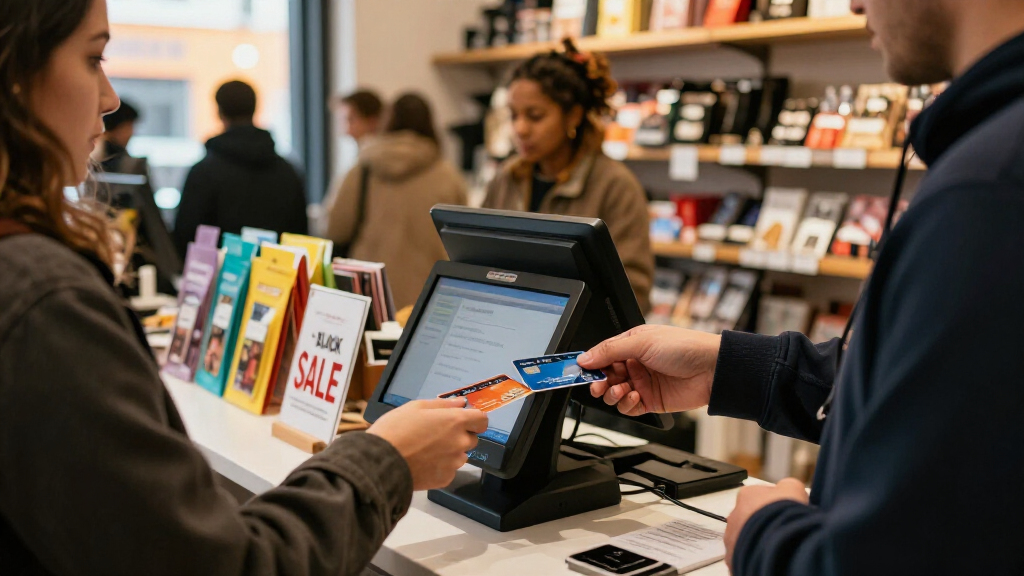
I ranked these systems around the demands of a high-volume retail day: checkout workflow, included hardware, screen usability, and flexibility. I gave more weight to options that appear ready to support a conventional counter setup or clearly serve a distinct need, such as customer-facing display use or a compact footprint. I also considered whether the hardware profile makes sense for retail, restaurants, or small businesses rather than treating every terminal as interchangeable.
Because the product list does not provide consistent details about payment rates, software plans, connectivity, or support, I do not assume those are included or equivalent. That uncertainty affects the ranking: a broad hardware bundle can save setup effort, but it does not automatically beat a better-matched system. Before purchase, buyers should verify compatibility, recurring fees, payment processing, warranty, and Black Friday delivery timing.
| black friday point of sale system | Operating system |
|---|---|
| Square Register | — |
| Datio POS Base Station and Cas | — |
| Retail Point of Sale System wi | Windows 10 Pro |
| M9 Android 11 POS System with | Android 11 |
| Volcora 15.6-Inch Windows 11 P | Windows 11 Professional |
| Retail POS System with 15-Inch | Windows 10 |
| Retail Point of Sale System wi | Windows 10 Pro |
| SmartPOS-129 All-in-One POS Sy | — |
| ZHONGJI SET03 Retail POS Syste | — |
| All-in-One POS System with 15. | — |
| Touchscreen POS System for Res | Linux |
| SumUp POS Lite 13-Inch Touchsc | — |
| All-in-One POS System with 11. | Windows 10 |
| SmartPOS NX2 All-in-One POS Sy | — |
| All-in-One POS Cash Register w | Windows 10 |
Factors to Consider When Choosing Black Friday Point Of Sale Systems
Choosing a Black Friday POS is partly a hardware decision and partly a readiness decision. I would start with the checkout flow you need on your busiest day, then confirm the software and payment details that can make a promising terminal workable—or rule it out.
Match the Checkout Setup to Your Store
A clothing shop, convenience store, and restaurant do not need the same checkout workflow, even if each can run on a touchscreen. Retailers may need barcode scanning and quick item lookup, while food businesses may prioritize order entry, modifiers, and kitchen workflows. Buying a system because its listing says “POS” can leave you with hardware that does not support the way staff actually ring up sales. Map the path from item selection to receipt before choosing a terminal. If staff must switch between screens or search for common products, the bottleneck will remain during a rush. Pick a system whose intended use matches your transactions, not just your industry label.
Treat the Bundle as a Checklist, Not a Guarantee
A package with a printer, scanner, and cash drawer can reduce the number of separate purchases and compatibility checks. It can also hide a mismatch: a scanner may not suit your product labels, a printer may use a format your workflow does not need, or the software may require a separate subscription. Write down every component your counter needs, then confirm each item is included and supported by the POS software. Ask whether peripherals connect directly or require adapters, and check what happens if one component fails. A complete-looking bundle is valuable only when the parts work together in your actual setup. A smaller package may be the better buy if it lets you choose compatible equipment yourself.
Confirm Payment Processing Before the Sale
The terminal and the payment processor are separate parts of the buying decision. A system may handle sales entry while requiring a specific processor, account, or configuration for card payments. Before committing, verify accepted payment types, transaction fees, payout timing, and whether you can use an existing merchant account. Those details affect operating costs far more than a screen-size difference. Ask how the system behaves if the internet connection drops, including whether transactions can be queued and what limits apply. Do not assume offline operation is available simply because the device is a full POS terminal.
Plan for Black Friday Traffic and Failure Points
For a busy sale, the weakest part of the setup may be the network, printer, or staff workflow rather than the touchscreen. Check whether your store’s Wi-Fi can support the terminal and other devices, and consider a tested backup connection if payment continuity matters. Keep spare receipt paper and identify how staff can finish a transaction if the printer or scanner stops working. A second register can help, but only if inventory and payment records stay coordinated across stations. Practice common tasks before the sales event, including returns, voids, discounts, and low-stock handling. New hardware bought shortly before Black Friday leaves little time to fix configuration or training problems.
Measure Counter Space and Customer Visibility
A large display can improve readability and provide room for staff to manage orders, but it also claims more counter space. A second screen may give customers a clearer view of totals or transaction prompts, though the benefit depends on placement and checkout design. Measure the counter, including room for a cash drawer, bags, and products awaiting checkout, before selecting a large all-in-one unit. Compact terminals are easier to place in tight shops or pop-up locations, but they may need separate peripherals to deliver a full register workflow. Think about cable routing and screen angle as well as the device’s listed dimensions. The right footprint leaves the checkout area usable when several people are working at once.
Compare Total Ownership Costs and Support
The purchase decision should include software charges, payment processing, accessories, setup, and ongoing support—not just the hardware package. Ask whether inventory, employee permissions, reporting, and multi-register tools are part of the software or require an added plan. Check warranty coverage and how repairs or replacements are handled, since a failed terminal during peak season can interrupt sales. A system with a lower upfront commitment may cost more over time if key functions carry recurring fees. Conversely, paying for capabilities your shop will not use adds complexity without helping checkout. Get the full terms in writing before treating a bundle as a complete operating solution.
Frequently Asked Questions
Should I buy a new POS system right before Black Friday?
Buy early enough to configure the system, connect peripherals, and train staff before the sales rush. A new terminal may need software setup, payment account approval, inventory import, or network troubleshooting. Run test transactions and practice refunds, discounts, and receipt printing before using it with customers. If there is not enough time for those checks, keeping a proven system for the event may be safer than installing unfamiliar hardware. Confirm the return window and support availability before ordering.
Can I use one of these systems with my current payment processor?
Compatibility depends on the specific POS model, its software, and the processor’s supported integrations. Do not assume that a terminal with a card-payment workflow accepts an existing merchant account. Ask the seller or software provider for the exact processor requirements, supported payment devices, and any account restrictions. Also compare transaction fees and payout timing before switching systems. If keeping your processor is a priority, make written compatibility confirmation a condition of purchase.
Is a POS bundle with a printer, scanner, and cash drawer a better buy?
A bundle is useful when its components match your checkout process and are confirmed to work with the included software. It can save time sourcing separate devices, which matters when preparing for a seasonal rush. However, included hardware does not tell you whether the software has recurring fees or whether the peripherals meet your needs. Check scanner compatibility with your labels, printer type and supplies, and drawer connection before choosing. If you already own compatible equipment, a less complete package may avoid unnecessary duplication.
Do I need a dual-screen POS for Black Friday?
A customer-facing screen can make totals and prompts easier for shoppers to follow, and it may suit a high-throughput counter where the display is visible. It is not a substitute for a clear checkout process or reliable payment handling. Dual-screen systems also take more room and may add setup requirements, so measure your counter and check how the customer display is used by the software. A single-screen option can be a better fit for a small shop or temporary checkout station. Choose the second screen for a clear workflow benefit, not simply because it adds another display.
What should I verify before relying on a POS during a network outage?
Ask whether the system supports offline transactions, which payment types remain available, and what transaction limits or risks apply. Some systems may let staff record sales but not authorize every card payment while disconnected. Confirm how transactions sync afterward and how inventory or duplicate charges are handled. Test the process before Black Friday rather than relying on a listing’s general connectivity claims. A backup connection and a staff procedure for outages can reduce disruption, but neither replaces checking the provider’s specific rules.
Conclusion
For a broad retail counter setup, I’d start with the Square Register (2nd Generation) as the best overall pick in this lineup. The best value depends on whether a bundled retail system includes the accessories and software terms your store actually needs; compare the CRE package and the other 15-inch bundles against your current equipment before choosing. For a premium, customer-facing checkout, the M9’s dual-display design is the standout, provided you have space for it. Beginners should favor a clearly matched, bundled setup and confirm payment processing and software costs before ordering rather than choosing by screen size alone. For a compact counter, consider SumUp POS Lite or the 11.6-inch all-in-one; for restaurant or bar workflows, focus on the dedicated restaurant-and-bar system and verify its ordering and payment features. The best Black Friday choice is the one you can configure and rehearse before peak traffic begins.