

Business automation tools fall into two camps: platforms that connect your apps and move data for you, and the learning resources that teach you to wield those platforms well. My best overall pick is Microsoft Power Automate, because it combines low-code cloud flows with desktop automation and fits almost any company already living in the Microsoft ecosystem. Zapier paired with ChatGPT stands out for small businesses that want fast, no-code wins without an IT department, while Smartsheet automation is the stronger choice when your workflows live inside projects and spreadsheets. The main tradeoff you’ll face is power versus simplicity — enterprise platforms scale but demand setup effort, while no-code tools are quick but hit ceilings on complex logic. Keep reading for the full breakdown of all 14 options.

Get business pricing on office and shipping supplies
- Business-only prices and quantity discounts
- Tax-exempt purchasing
- Multiple users, one account, clear invoices
Key Takeaways
- Power Automate dominates this roundup because it covers both cloud and desktop automation with minimal code, but its depth means beginners should expect a real learning curve — which is exactly why two dedicated Power Automate books made the list.
- No-code options like Zapier, Gemini Gems, and ChatGPT-based agent guides are the fastest path to value for solopreneurs, yet every one of them hits a wall with multi-step approvals and complex conditional logic.
- AI agents are the defining trend of 2026: four separate titles in this lineup cover agentic AI, and the best of them focus on narrow, repetitive work (support, data entry, ops) rather than vague ‘AI everything’ promises.
- Smartsheet and Zoho CRM are the strongest picks when automation needs to stay attached to structured business processes — blueprints, approvals, and dashboards — rather than freeform app connections.
- The cheapest resources in this roundup are prompt packs and tool directories; they’re useful supplements but can’t replace the step-by-step workflow-building guides if you actually need to implement automation.
| AI Automation Without Coding: 50 Practical AI Workflows + 100 Automation Prompts |  | Best for Immediate Results | Format: Paperback / eBook | Workflows included: 50 practical AI workflows | Prompts included: 100 automation prompts | VIEW LATEST PRICE | See Our Full Breakdown |
| A Beginner’s Guide to Smartsheet | 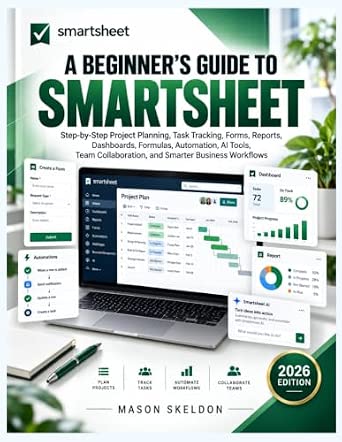 | Best Platform-Specific Starter | Format: Paperback / eBook | Platform covered: Smartsheet | Topics: Project planning, task tracking, forms, reports, dashboards, formulas, automation, AI tools, collaboration | VIEW LATEST PRICE | See Our Full Breakdown |
| Agentic AI for Beginners |  | Best Conceptual Foundation | Format: Paperback / eBook | Core topics: AI agents, autonomous workflows, multi-agent systems, automation, AI-powered applications | Experience level: Beginner | VIEW LATEST PRICE | See Our Full Breakdown |
| Workflow Automation with Microsoft Power Automate |  | Best for Enterprise Platforms | Format: Paperback / eBook (Packt) / eBook | Platform covered: Microsoft Power Automate | Focus: Business process automation and digital transformation | VIEW LATEST PRICE | See Our Full Breakdown |
| 1000 AI Tools Directory 2026 |  | Best Discovery Reference | Format: Paperback / eBook | Tools listed: 1,000 AI tools | Categories: Business, productivity, content creation, marketing, coding, design, research, automation | VIEW LATEST PRICE | See Our Full Breakdown |
| Agentic AI for Solopreneurs: Build Smart No Code Systems with AI Agents to Save Time and Scale Your Business |  | Best for One-Person Businesses | Format: Kindle eBook | Target Audience: Solopreneurs and beginners | Approach: No-code AI agent systems | VIEW LATEST PRICE | See Our Full Breakdown |
| Workflow Automation with Microsoft Power Automate: Design and scale AI-powered cloud and desktop workflows using low-code automation |  | Best for Enterprise Teams | Format: Print and digital book | Platform Covered: Microsoft Power Automate | Automation Types: Cloud flows and desktop (RPA) workflows | VIEW LATEST PRICE | See Our Full Breakdown |
| The Ultimate Guide to Smartsheet Automation: Harnessing Automation to Reduce Manual Tasks and Increase Efficiency |  | Best for Smartsheet Workflows | Format: Kindle eBook | Platform Covered: Smartsheet | Focus Areas: Task automation, manual work reduction, efficiency | VIEW LATEST PRICE | See Our Full Breakdown |
| AI Agents for Business Automation: Building Agents That Handle Support, Data Entry, and Ops Work |  | Best for Technical Builders | Format: Kindle eBook | Target Audience: Technical readers and developers | Core Technology: Large language models and agent engineering | VIEW LATEST PRICE | See Our Full Breakdown |
| Mastering Power Automate Cloud Flows: Catch Requests, Route Approvals, and Send Reminders Without Code or Admin Rights |  | Best for Everyday Office Automation | Format: Kindle eBook | Platform Covered: Microsoft Power Automate (cloud flows) | Requirements: No coding or admin rights needed | VIEW LATEST PRICE | See Our Full Breakdown |
| The Zoho CRM Automation Handbook: Design Intelligent Workflows, Blueprints, and Business Processes |  | Best for CRM-Focused Teams | Format: Digital guide (Kindle) | Platform Focus: Zoho CRM | Core Topics: Workflows, Blueprints, business process design | VIEW LATEST PRICE | See Our Full Breakdown |
| No-Code Automation Mastery for Small Businesses with AI: How to Leverage Zapier and ChatGPT to Save Time, Cut Costs, and Scale Effortlessly |  | Best Value for Small Teams | Format: Digital guide (Kindle) | Tools Covered: Zapier, ChatGPT | Coding Required: None | VIEW LATEST PRICE | See Our Full Breakdown |
| How to Use AI Agents for Your Business: Build Your First AI Team with ChatGPT, Automation, and No-Code Tools |  | Best for AI Agent Builders | Format: Digital guide (Kindle) | Tools Covered: ChatGPT plus no-code automation platforms | Core Topics: AI agents, building an AI team, delegation workflows | VIEW LATEST PRICE | See Our Full Breakdown |
| Mastering Google Gemini Gems for Business Automation: A Step-by-Step Guide to Creating AI Assistants That Streamline Tasks, Improve Efficiency, and Scale Digital Workflows Across Any Industry |  | Best Single-Ecosystem Pick | Format: Digital guide (Kindle) | Platform Focus: Google Gemini (Gems) | Core Topics: Custom AI assistants, task automation, workflow scaling | VIEW LATEST PRICE | See Our Full Breakdown |
| business automation tool | Format |
|---|---|
| AI Automation Without Coding: | Paperback / eBook |
| A Beginner’s Guide to Smartshe | Paperback / eBook |
| Agentic AI for Beginners | Paperback / eBook |
| Workflow Automation with Micro | Paperback / eBook (Packt) / eBook |
| 1000 AI Tools Directory 2026 | Paperback / eBook |
| Agentic AI for Solopreneurs: B | Kindle eBook |
| Workflow Automation with Micro | Print and digital book |
| The Ultimate Guide to Smartshe | Kindle eBook |
| AI Agents for Business Automat | Kindle eBook |
| Mastering Power Automate Cloud | Kindle eBook |
| The Zoho CRM Automation Handbo | Digital guide (Kindle) |
| No-Code Automation Mastery for | Digital guide (Kindle) |
| How to Use AI Agents for Your | Digital guide (Kindle) |
| Mastering Google Gemini Gems f | Digital guide (Kindle) |
More Details on Our Top Picks
AI Automation Without Coding: 50 Practical AI Workflows + 100 Automation Prompts
Most automation books teach theory first and action later — this one flips that order. With 50 ready-to-run workflows and 100 copy-paste prompts, it delivers something the lineup’s conceptual titles, like Agentic AI for Beginners, don’t: things a reader can implement the same afternoon. This pick makes the most sense for someone who wants output, not education.
The tradeoff is depth. Compared with Workflow Automation with Microsoft Power Automate, which builds genuine platform expertise, this book is a recipe collection rather than a skill builder. Once the 50 workflows run out, readers won’t have the underlying logic to invent their own. It also skips technical explanations entirely, so debugging a broken prompt is left to trial and error.
Pros:- 50 workflows ready to implement without coding
- 100 reusable prompts provide immediate practical value
- Zero technical background required
- Fastest path from reading to doing in this roundup
Cons:- Minimal technical explanation limits transferable skills
- Workflows may feel generic without customization guidance
- No coverage of specific platforms like Power Automate or Zapier
Best for: Busy small-business owners and solo professionals who want quick, no-code automation wins without a learning curve
Not ideal for: Readers who want to understand automation architecture well enough to build custom systems — this is a prompt library, not a curriculum
- Format:Paperback / eBook
- Workflows included:50 practical AI workflows
- Prompts included:100 automation prompts
- Coding required:None
- Experience level:Beginner to intermediate
- Focus:General business task automation
Our verdict“Buy this if you want automation results this week; skip it if you’re building a long-term automation skill set.”
A Beginner’s Guide to Smartsheet
Where most entries in this roundup teach automation in the abstract, this book commits fully to a single platform — and that focus pays off for the right reader. Step-by-step instruction across the entire Smartsheet surface, from forms and dashboards to formulas and automation, makes it the gentlest on-ramp here for someone whose company already runs on Smartsheet.
Compared with The Ultimate Guide to Smartsheet Automation elsewhere in this lineup, this title trades depth for breadth: it covers collaboration, reporting, and AI tools alongside automation, making it a better first book but a redundant second one. The tradeoff is that advanced users will find the automation chapters thin, and readers not already committed to Smartsheet get no transferable skills — everything here is locked to one subscription product.
Pros:- Covers the full Smartsheet feature set, not just automation
- Genuinely beginner-friendly step-by-step structure
- Includes AI tools and collaboration features alongside core workflows
- Practical orientation toward real project management tasks
Cons:- Skills don’t transfer to other automation platforms
- Too basic for experienced Smartsheet admins or power users
- Requires a Smartsheet subscription to apply anything
Best for: New Smartsheet users at companies that already subscribe, who need to get productive across the whole platform quickly
Not ideal for: Teams evaluating automation platforms — this teaches Smartsheet only, and advanced users will outgrow it fast
- Format:Paperback / eBook
- Platform covered:Smartsheet
- Topics:Project planning, task tracking, forms, reports, dashboards, formulas, automation, AI tools, collaboration
- Experience level:Beginner
- Instruction style:Step-by-step tutorials
- Coding required:None
Our verdict“The clear first book for Smartsheet-based teams, but a dead end for anyone shopping across platforms.”
Agentic AI for Beginners
This is the roundup’s big-picture book. It explains AI agents, autonomous workflows, and multi-agent systems — concepts that the workflow-driven titles like AI Automation Without Coding skip entirely. For a manager or strategist trying to understand what agentic AI actually is before budgeting for it, this orientation-first approach beats prompt collections.
The tradeoff is that breadth here comes at the cost of doing. Compared with Workflow Automation with Microsoft Power Automate, which walks through a concrete platform, this book stays one level up, offering conceptual grounding without hands-on implementation. That makes it an excellent first read and a weak only read: someone who finishes it will know the vocabulary of agentic AI but won’t have built anything. Advanced readers will find the treatment too introductory to justify the time.
Pros:- Clear introduction to AI agents and multi-agent systems
- Covers autonomous workflows, a topic most entries here ignore
- Accessible to readers with no technical background
- Strong conceptual framing for evaluating AI tooling
Cons:- Little hands-on implementation guidance
- Content is too introductory for developers or AI practitioners
- Concepts may date quickly in a fast-moving field
Best for: Managers, consultants, and strategists who need to understand agentic AI concepts before making build-or-buy decisions
Not ideal for: Hands-on builders who want working systems — this book explains the landscape rather than walking through builds
- Format:Paperback / eBook
- Core topics:AI agents, autonomous workflows, multi-agent systems, automation, AI-powered applications
- Experience level:Beginner
- Coding required:None
- Approach:Conceptual overview with practical framing
- Audience:Business readers exploring AI agents
Our verdict“Read this to understand agentic AI before buying anything else in this roundup — just don’t expect it alone to automate your business.”
Workflow Automation with Microsoft Power Automate
Among books in this lineup, this one offers the most serious professional credential-building path. Microsoft Power Automate is the backbone of enterprise business automation, and this guide treats it accordingly — covering process automation strategy and digital transformation with minimal code, rather than prompt tricks or tool directories. Compared with Mastering Power Automate Cloud Flows, which drills into specific flow patterns, this title is the broader foundation: strategy and best practices over recipe-level detail.
The tradeoffs are real, though. Everything is locked to the Microsoft ecosystem, so compared with the platform-agnostic AI Automation Without Coding, readers without Microsoft 365 licenses get nothing usable. The digital-transformation framing also skews toward larger organizations — a five-person startup will find the change-management material heavier than their problems warrant.
Pros:- Teaches a platform with genuine enterprise career value
- Covers strategy and best practices, not just button-clicking
- Minimal-code approach keeps it accessible to non-developers
- Addresses scaling and digital transformation, not just single flows
Cons:- Fully dependent on the Microsoft 365 ecosystem
- Enterprise framing may overwhelm very small teams
- Ambiguous audience level — some chapters assume prior Power Platform familiarity
Best for: Ops and IT staff in Microsoft-based organizations who need to automate real business processes and build durable platform skills
Not ideal for: Solo founders and small teams outside the Microsoft ecosystem — the content presumes licenses and enterprise context they won’t have
- Format:Paperback / eBook (Packt) / eBook
- Platform covered:Microsoft Power Automate
- Focus:Business process automation and digital transformation
- Coding requirement:Minimal code
- Experience level:Intermediate business users
- Ecosystem:Microsoft 365 / Power Platform
Our verdict“The pick for professionals automating inside Microsoft environments; everyone else should choose a platform-neutral title.”
1000 AI Tools Directory 2026
Every other book in this roundup teaches one platform or one methodology. This one answers a different question: which of the thousands of AI tools available is worth a closer look? Spanning business, marketing, coding, design, and automation categories, it works as a shopping map before committing to any deeper investment — a reader unsure whether they need Smartsheet, Power Automate, or an agent framework could use this to orient first.
But a directory is not a guide. Compared with A Beginner’s Guide to Smartsheet, which teaches mastery of one tool, this offers breadth at the expense of substance: no detailed reviews, no compatibility notes, and no implementation help. The 2026 edition will also age fast, since AI tools launch and die monthly. Its value is as a short-lived reference you consult once, not a book you return to.
Pros:- Enormous scope across business, marketing, design, coding, and automation
- Saves hours of independent tool research
- Useful for benchmarking what categories of AI tooling exist
- Current 2026-edition listings
Cons:- No in-depth reviews or guidance on choosing between tools
- Content will quickly become outdated
- Volume without curation can overwhelm rather than help
Best for: Business owners and marketers early in their automation journey who don’t yet know which tools or categories fit their needs
Not ideal for: Anyone who has already chosen a platform — deeper titles in this lineup will serve them far better than a catalog
- Format:Paperback / eBook
- Tools listed:1,000 AI tools
- Categories:Business, productivity, content creation, marketing, coding, design, research, automation
- Edition:2026
- Depth per tool:Directory listing, no detailed reviews
- Coding required:None
Our verdict“A reasonable first purchase for the undecided; a waste of shelf space for anyone who already knows their platform.”
Agentic AI for Solopreneurs: Build Smart No Code Systems with AI Agents to Save Time and Scale Your Business
Most automation books assume you have a team, an IT budget, or at least a colleague to delegate to. This one doesn’t, and that’s its whole value proposition. It frames agentic AI around the reality of a solopreneur: too many hats, too little time, no coding background. Compared with AI Agents for Business Automation, which targets developers and ops teams, this stays firmly in no-code territory and keeps the vocabulary accessible.
The tradeoff is depth. Where the developer-focused titles get into LLM engineering principles, this book stays conceptual — you’ll finish it with a clear mental map of what to automate, but fewer step-by-step build instructions than you’d get from No-Code Automation Mastery for Small Businesses with AI. Read it as a strategy primer, not a technical manual, and it does its job well.
Pros:- Genuinely beginner-friendly language with no assumed technical background
- Focuses on time-saving automation scenarios specific to one-person businesses
- Frames AI agents around scaling a business without hiring
- Practical no-code strategies rather than abstract AI theory
Cons:- Lacks detailed technical instructions for actually building systems
- Names no specific tools or platforms, so follow-through requires other resources
Best for: Solo founders and freelancers who want a plain-English strategy for delegating work to AI agents without touching code
Not ideal for: Readers who want hands-on build tutorials — the lack of specific tools and technical walkthroughs will leave developers unsatisfied
- Format:Kindle eBook
- Target Audience:Solopreneurs and beginners
- Approach:No-code AI agent systems
- Focus Areas:Task automation, time savings, business scaling
- Technical Level:Beginner, non-technical
- Practical Content:No-code automation strategies and frameworks
Our verdict“A strategy-first read for solopreneurs who need direction on what to automate, not a build manual.”
Workflow Automation with Microsoft Power Automate: Design and scale AI-powered cloud and desktop workflows using low-code automation
This is the most professionally scoped title in the lineup. It treats Power Automate as what it actually is inside most organizations — an enterprise workflow platform — and covers both cloud and desktop (RPA) automation with AI capabilities layered in. Compared with Mastering Power Automate Cloud Flows, which narrows to specific flow patterns like approvals and reminders, this book aims at the design-and-scale level: architecture, governance, and building automations that survive contact with a real company.
That ambition is also its weakness. Beginners will find the pacing technical, and the absence of real-world case studies means you’re often learning patterns in the abstract rather than seeing them applied to a named industry scenario. For anyone already working inside the Microsoft 365 ecosystem, though, it’s the most complete Power Automate resource in this roundup by a wide margin.
Pros:- Covers both cloud flows and desktop robotic process automation in one resource
- Addresses scaling and design architecture, not just single-flow builds
- Integrates AI-powered capabilities into low-code workflows
- Suited to real organizational environments with governance needs
Cons:- Technical enough to overwhelm readers new to Power Automate
- No real-world case studies to ground the patterns in context
Best for: Business analysts and IT staff in Microsoft 365 shops who need to design automations that scale across departments
Not ideal for: Automation newcomers — the enterprise framing and technical depth assume familiarity with business process concepts
- Format:Print and digital book
- Platform Covered:Microsoft Power Automate
- Automation Types:Cloud flows and desktop (RPA) workflows
- Technical Level:Intermediate to advanced
- Approach:Low-code design and scaling
- AI Features:AI-powered workflow capabilities
- Publisher Style:Professional technical guide
Our verdict“The deepest Power Automate option here, best for teams automating at organizational scale rather than individuals building their first flow.”
The Ultimate Guide to Smartsheet Automation: Harnessing Automation to Reduce Manual Tasks and Increase Efficiency
If your company already runs on Smartsheet, generic automation books only get you halfway — you still have to translate every concept back into Smartsheet’s own automation engine. This book skips that translation step entirely, going straight to reducing manual tasks inside the platform you already use. Compared with A Beginner’s Guide to Smartsheet, which spreads its attention across project planning, formulas, and dashboards, this title is single-purpose: automation and efficiency.
That focus cuts both ways. There’s little here for anyone not already invested in the Smartsheet ecosystem, and the content leans technical enough that first-time Smartsheet users may struggle before the automation chapters pay off. No detailed feature specifications are listed either, so expect a strategies-and-techniques book rather than a reference manual. For operations teams drowning in manual sheet updates, it earns its place through specificity alone.
Pros:- Dedicated entirely to Smartsheet automation rather than generic workflow theory
- Directly targets manual-task reduction and efficiency gains
- Practical strategies suited to everyday operational work
- Deeper on automation than broader Smartsheet beginner guides
Cons:- Content can be technical for Smartsheet newcomers
- Lacks detailed specifications, screenshots, or feature documentation
Best for: Project coordinators and operations staff who live in Smartsheet daily and want to cut repetitive sheet management work
Not ideal for: Teams on other platforms — every page is Smartsheet-specific, so Zapier or Power Automate users get nothing transferable
- Format:Kindle eBook
- Platform Covered:Smartsheet
- Focus Areas:Task automation, manual work reduction, efficiency
- Technical Level:Intermediate
- Approach:Strategy-driven automation guidance
- Best Use Case:Optimizing existing Smartsheet workflows
Our verdict“The obvious pick if Smartsheet is your system of record and manual updates are eating your week.”
AI Agents for Business Automation: Building Agents That Handle Support, Data Entry, and Ops Work
This is the most engineering-oriented title in the batch. Rather than teaching a specific platform, it tackles the underlying question of how to build AI agents that reliably handle customer support, data entry, and operational work — the unglamorous back-office tasks where most business hours actually disappear. Compared with Agentic AI for Solopreneurs, which stays at strategy level, this book gets into LLM engineering principles and assumes you can follow technical reasoning.
That makes it the wrong first book but the right second one. Readers without prior AI knowledge will hit a wall quickly, and the absence of reviews or documented examples means you’re trusting the framework on its own logic. Still, if you’ve outgrown prompt collections like AI Automation Without Coding and want to understand how agents work under the hood — not just which buttons to click — this is the bridge between no-code books and actual implementation.
Pros:- Grounded in real business functions: support, data entry, and ops workflows
- Teaches engineering principles behind agent behavior, not just tool menus
- Covers large language model integration for practical automation
- Goes deeper than no-code or prompt-based alternatives
Cons:- Requires prior AI knowledge to follow comfortably
- Few documented reviews or examples to validate the approaches
Best for: Developers and technically minded operations leads who want to build custom AI agents rather than configure off-the-shelf tools
Not ideal for: Non-technical readers — the LLM engineering content assumes prior AI knowledge that casual learners won’t have
- Format:Kindle eBook
- Target Audience:Technical readers and developers
- Core Technology:Large language models and agent engineering
- Focus Areas:Support automation, data entry, operations
- Technical Level:Advanced
- Approach:Engineering principles for building AI agents
Our verdict“The pick for builders who want to understand and construct AI agents themselves instead of renting them from a no-code platform.”
Mastering Power Automate Cloud Flows: Catch Requests, Route Approvals, and Send Reminders Without Code or Admin Rights
There’s a specific kind of office worker this book was written for: the one who sees a bottleneck in approvals or request handling but can’t get IT to help and doesn’t have admin rights. This title’s promise — catch requests, route approvals, send reminders, no code — is exactly that scenario, and it’s narrower and more immediately usable than the broader Workflow Automation with Microsoft Power Automate, which is aimed at people designing organization-wide systems.
The narrowness is deliberate and mostly a strength: you get practical, copy-this-pattern examples for common approval and notification workflows rather than architecture theory. The tradeoff is ceiling. Once your needs extend beyond cloud flows — desktop automation, complex integrations, governance — this book runs out of road, and some sections still read as advanced for true beginners. As a first Power Automate book for an individual contributor, though, it’s the fastest route from problem to working flow.
Pros:- Requires no coding and no admin rights to apply the techniques
- Targets high-frequency pain points: approvals, requests, and reminders
- Includes practical, copyable examples rather than theory
- Much faster on-ramp than enterprise-scale Power Automate guides
Cons:- Limited to cloud flows — no desktop automation coverage
- Some content still feels advanced for complete beginners
Best for: Individual employees who want to automate approvals, request tracking, and reminders without waiting on IT
Not ideal for: Teams needing desktop RPA or enterprise-scale workflow design — the scope stops at individual cloud flows
- Format:Kindle eBook
- Platform Covered:Microsoft Power Automate (cloud flows)
- Requirements:No coding or admin rights needed
- Focus Areas:Request capture, approval routing, reminders
- Technical Level:Beginner to intermediate
- Approach:Practical pattern-based examples
Our verdict“The best entry point for office workers who need one working approval or reminder flow this week, not a career in automation.”
The Zoho CRM Automation Handbook: Design Intelligent Workflows, Blueprints, and Business Processes
Most titles in this roundup teach general-purpose automation, but this handbook goes deep on a single platform: Zoho CRM. That narrow focus is its greatest strength. Where No-Code Automation Mastery for Small Businesses with AI skims across Zapier and ChatGPT at a beginner level, this guide digs into Zoho Blueprints and workflow design — the process-level automation features that generic books never touch. For a sales or operations team already paying for Zoho, translating those features into enforced sales stages and automated follow-ups delivers far more value than another overview of AI tools.
The tradeoff is obvious: if your stack runs on HubSpot, Salesforce, or even Microsoft tools, the Power Automate titles in this lineup will serve you better. There’s also little coverage of AI agents, so teams chasing that wave should look elsewhere.
Pros:- Deep platform-specific coverage of Zoho Blueprints and workflow design
- Teaches process enforcement, not just task automation
- Written for both CRM users and developers, so admins and builders both benefit
- Translates automation concepts directly into sales and pipeline outcomes
Cons:- Locked to one vendor — nearly useless outside the Zoho ecosystem
- No coverage of AI agents or modern LLM-driven automation
- Lacks verified reader feedback or pricing transparency
Best for: Sales and operations teams already committed to Zoho CRM who want to enforce processes rather than just speed them up
Not ideal for: Businesses on other CRM platforms — nearly every chapter is Zoho-specific and won’t transfer
- Format:Digital guide (Kindle)
- Platform Focus:Zoho CRM
- Core Topics:Workflows, Blueprints, business process design
- Audience Level:Intermediate CRM users and developers
- AI Coverage:Minimal
- Cross-Platform Use:No — Zoho-specific
Our verdict“Buy this only if Zoho CRM is your system of record; everyone else should pick a platform-agnostic guide from this list.”
No-Code Automation Mastery for Small Businesses with AI: How to Leverage Zapier and ChatGPT to Save Time, Cut Costs, and Scale Effortlessly
This is the most practical entry point for a small business owner who wants automation results this month, not a hobby project. Pairing Zapier with ChatGPT is a proven, affordable combo, and the book frames everything around outcomes buyers actually care about: saving time and cutting operational costs. Compared with How to Use AI Agents for Your Business, which leans into the newer and still-messy world of agent teams, this guide sticks to tools that are stable, cheap, and documented.
The compromise is depth. It won’t teach you blueprint-level process design the way the Zoho CRM Automation Handbook does, and larger organizations will find the Zapier pricing model breaks down at scale. But for a five-person team drowning in repetitive admin work, that’s not the problem this book is solving.
Pros:- Focuses on affordable, widely adopted tools (Zapier, ChatGPT)
- Outcome-driven framing around cost savings and time recovery
- Requires zero coding background
- Faster path to first working automation than agent-focused books
Cons:- Light on technical depth — power users will outgrow it quickly
- Zapier’s pricing model can become expensive as automation volume grows
- Limited treatment of security, permissions, and error handling
Best for: Small business owners and solo operators who want quick, no-code wins using mainstream tools they can afford
Not ideal for: Mid-size and enterprise teams — Zapier’s per-task pricing and shallow governance don’t scale well
- Format:Digital guide (Kindle)
- Tools Covered:Zapier, ChatGPT
- Coding Required:None
- Core Topics:Task automation, cost reduction, scaling operations
- Audience Level:Beginner small business owners
- AI Coverage:ChatGPT-focused
Our verdict“The smartest low-risk starting point for small teams, as long as you accept it’s a launchpad rather than a reference manual.”
How to Use AI Agents for Your Business: Build Your First AI Team with ChatGPT, Automation, and No-Code Tools
This pick occupies the forward-looking slot in the lineup: instead of automating single tasks, it teaches you to assemble an AI team where agents handle ongoing roles. That framing is what separates it from No-Code Automation Mastery for Small Businesses with AI, which treats automation as a series of one-off Zapier connections. If you’ve already built basic workflows and want delegation rather than task-chaining, this is the natural next step.
Be honest about the risks, though. Agentic tooling is evolving fast, so parts of any book on this topic age poorly, and this one leans conceptual — step-by-step guidance exists, but advanced builders will want deeper technical treatment, possibly the Agentic AI for Beginners title elsewhere in this roundup for theory. It’s also less prescriptive about specific platforms than the Gemini-focused guide that follows.
Pros:- Covers the emerging agent-team model, not just one-off workflows
- Combines ChatGPT with no-code tools for accessible builds
- Step-by-step structure keeps first projects achievable
- Scales conceptually — thinking in roles, not tasks
Cons:- Fast-moving subject matter means content can date quickly
- Too conceptual for experienced developers wanting architecture-level detail
- No pricing or platform comparison to ground tool choices
Best for: Owners and operators who already automate basics and want AI agents taking on standing responsibilities
Not ideal for: Absolute beginners, who should start with task-level automation before managing agent teams
- Format:Digital guide (Kindle)
- Tools Covered:ChatGPT plus no-code automation platforms
- Core Topics:AI agents, building an AI team, delegation workflows
- Coding Required:None
- Audience Level:Beginner to intermediate
- Best Pairing:Follows a task-automation primer like the Zapier guide
Our verdict“A worthwhile bet for readers ready to graduate from triggers and actions to genuine AI delegation.”
Mastering Google Gemini Gems for Business Automation: A Step-by-Step Guide to Creating AI Assistants That Streamline Tasks, Improve Efficiency, and Scale Digital Workflows Across Any Industry
If your business already lives in Google Workspace, this is the most efficient path to automation in this batch. Focusing on Gemini Gems — custom AI assistants you configure for recurring jobs — the book delivers tightly scoped, step-by-step builds rather than broad theory. That’s a real contrast with How to Use AI Agents for Your Business, which stays platform-flexible but vaguer as a result. Here, every instruction maps to a tool you already have open in a browser tab.
The flip side of that focus is ecosystem lock-in. Teams standardized on Microsoft 365 get nothing from Gems and should choose one of the Power Automate titles instead. And because Gems are a newer Google feature, capabilities shift with little warning, so some steps may drift from the page. Within Google-first shops, though, this beats the generic AI directories in this roundup on actionability.
Pros:- Step-by-step instructions tied to one accessible tool
- Works across industries with adaptable assistant templates
- No additional software spend for Workspace subscribers
- More immediately actionable than platform-agnostic AI guides
Cons:- Deep Google ecosystem dependency limits portability
- Gems is a fast-changing feature, so instructions may go stale
- No verified reader reviews to vouch for accuracy or depth
Best for: Google Workspace-heavy businesses that want custom AI assistants without buying new software
Not ideal for: Microsoft 365 shops — the entire book depends on Google’s Gemini ecosystem
- Format:Digital guide (Kindle)
- Platform Focus:Google Gemini (Gems)
- Core Topics:Custom AI assistants, task automation, workflow scaling
- Industry Applicability:Cross-industry
- Audience Level:Beginner to intermediate
- Prerequisite:Google Workspace / Gemini access
Our verdict“The clear choice for Google-native teams; everyone else should match this guide to their actual tech stack or skip it.”

How We Picked
I ranked these options by asking the question a buyer actually faces: how quickly can this get a real workflow running, and how far can it scale once it works? That meant judging each on ease of adoption, depth of automation capability (conditional logic, approvals, multi-step flows), integration breadth with the apps a business already uses, and value relative to cost and learning time. Tools and guides tied to established ecosystems — Microsoft, Smartsheet, Zoho — scored well on reliability and long-term viability, while no-code and AI-agent options were judged on speed to first result and how gracefully they handle complexity.
The ranking order reflects a simple logic: platforms that balance power and accessibility sit at the top, specialist tools that excel within one ecosystem fill the middle, and lightweight resources — directories, prompt collections, and thinner guides — sit lower because they inform your automation journey rather than carry it. Where two options cover the same platform, I favored the one with clearer implementation steps over the one with broader but shallower coverage.
| business automation tool | Format |
|---|---|
| AI Automation Without Coding: | Paperback / eBook |
| A Beginner’s Guide to Smartshe | Paperback / eBook |
| Agentic AI for Beginners | Paperback / eBook |
| Workflow Automation with Micro | Paperback / eBook (Packt) / eBook |
| 1000 AI Tools Directory 2026 | Paperback / eBook |
| Agentic AI for Solopreneurs: B | Kindle eBook |
| Workflow Automation with Micro | Print and digital book |
| The Ultimate Guide to Smartshe | Kindle eBook |
| AI Agents for Business Automat | Kindle eBook |
| Mastering Power Automate Cloud | Kindle eBook |
| The Zoho CRM Automation Handbo | Digital guide (Kindle) |
| No-Code Automation Mastery for | Digital guide (Kindle) |
| How to Use AI Agents for Your | Digital guide (Kindle) |
| Mastering Google Gemini Gems f | Digital guide (Kindle) |
Factors to Consider When Choosing Business Automation Tools
Choosing a business automation tool is less about finding the most powerful option and more about matching the tool to your team’s skills, your existing software stack, and the specific processes that drain the most hours. Before committing to anything in this roundup, work through the factors below — they explain most of the mistakes I see buyers make.
Match the Tool to Your Existing Ecosystem
The single biggest predictor of automation success is whether the tool plays natively with software you already run. If your company lives in Microsoft 365, Power Automate connects to Outlook, Teams, SharePoint, and Excel without friction, and fighting against that gravity with a third-party tool usually means paying for connectors and maintaining brittle workarounds. The same logic applies to Zoho users, who get far more from native blueprints and workflow automation than from an outside platform, and to teams whose operations already run through Smartsheet. A common mistake is choosing a tool because of a flashy feature list, then discovering that half your apps require premium connectors or unsupported API calls. Audit your stack first, then pick the automation layer that speaks its language.
Be Honest About Your Team’s Technical Skills
There’s a wide gap between ‘no-code’ marketing and what actually happens when a non-technical employee opens a workflow builder. Zapier and Gemini Gems genuinely deliver on drag-and-drop simplicity, which makes them ideal first steps for solopreneurs and small teams. Power Automate, by contrast, sits in the low-code middle ground — approachable, but with enough depth that expressions, conditions, and error handling can stump casual users. That gap is precisely why step-by-step guides earn their place in this roundup: the tool is only half the purchase, and the learning resource determines how fast your team reaches competence. Budget for training time as seriously as you budget for licenses, because abandoned half-built flows are the most expensive automation outcome of all.
Decide Between AI Agents and Traditional Workflows
Traditional workflow automation follows explicit rules: when X happens, do Y. AI agents interpret, decide, and act with flexibility — powerful for support triage, data entry, and research, but riskier when accuracy matters more than adaptability. The mistake I see most often is deploying agents on processes that were never documented in the first place; an agent automating a badly defined process just makes bad outcomes faster. A sensible pattern from this roundup: use rule-based flows (Power Automate, Zapier, Smartsheet) for structured, repetitive processes, and layer AI agents only where judgment or language handling genuinely adds value. Businesses that start narrow — one agent, one task, measured results — consistently outperform those that try to automate broadly on day one.
Calculate the Real Cost Beyond Licenses
Subscription price is the visible cost, but the hidden costs decide value: connector fees, per-run limits, admin time, and the hours spent maintaining flows when apps change their APIs. Zapier’s pricing scales with task volume, which works brilliantly for light use and gets expensive quickly at high volume — a threshold many small businesses cross within a year. Power Automate is often bundled into Microsoft 365 plans, making it effectively free for basic flows, which is a genuine advantage if you already hold those licenses. For the guides in this roundup, the real cost is opportunity cost: a cheap prompt pack that saves no implementation time is worth less than a pricier book that gets one workflow live in a weekend. Always price the outcome, not the sticker.
Plan for Governance and Scale From the Start
Automation has a way of multiplying: one successful flow begets ten, and within a year a company can have hundreds running with no documentation, no owner, and no way to know which ones still work. Enterprise-grade platforms handle this better — Power Automate’s admin center and Smartsheet’s controlled dashboards exist precisely for this problem — while no-code tools tend to accumulate shadow automation faster than anyone notices. Even small teams should establish basic rules early: name flows descriptively, document what each one does, and review them quarterly. Buyers who skip this step usually rediscover the problem during an audit, a staff departure, or a silent failure that went unnoticed for months. Scale isn’t just volume; it’s whether the system survives the person who built it.
Know When a Guide Beats a Tool
Several entries in this roundup are books and directories rather than platforms, and knowing when each serves you is a genuine buying decision. Directories of AI tools are useful for discovery — finding a niche app for one task — but they go stale fast and won’t implement anything. Implementation guides, particularly the Smartsheet and Power Automate titles, pay for themselves by shortening the gap between ‘licensed the software’ and ‘automated the process,’ which for most teams is weeks of fumbling otherwise. The right sequence for most buyers is: pick the platform based on your stack and skills, then buy the focused guide for that platform, and use directories only for gap-filling. Buying all three types at once usually means reading none of them.
Frequently Asked Questions
Should I start with Zapier or Power Automate if my team is small and non-technical?
For a small, non-technical team, Zapier is the faster starting point because its trigger-and-action model can be understood in an afternoon, and the Zapier-plus-ChatGPT guide in this roundup is built exactly for that audience. Power Automate makes more sense if you already pay for Microsoft 365, since basic flows are included in plans you may already own, effectively making your first automations free. The tradeoff is that Power Automate’s learning curve is steeper — expressions, connectors, and error handling take real study, which is why the dedicated step-by-step books rank highly here. A practical rule: if your first automation needs to exist this week, start with Zapier; if you can invest a month and want a platform that scales into enterprise workflows, learn Power Automate.
Are AI agents actually ready to run business processes in 2026, or is that hype?
They’re ready for a narrower set of tasks than the marketing suggests, and the strongest guides in this roundup are honest about that. Agents perform reliably on repetitive, well-bounded work: sorting support tickets, extracting data from documents, drafting first-pass responses, and monitoring dashboards. They become risky on processes requiring consistent accuracy, financial decisions, or customer-facing judgment without human review. The pattern that works in practice is a hybrid — agents handle the volume, rule-based flows handle the precision, and a human approves anything consequential. If a book or vendor promises fully autonomous operations with no oversight, treat that as a red flag rather than a roadmap.
Is it worth buying a book about a tool when free documentation exists?
Free documentation tells you what a feature does; a good guide tells you what to build with it, in what order, and what mistakes to avoid. That difference matters most with layered platforms like Smartsheet and Power Automate, where official docs are organized by feature rather than by business outcome, and beginners commonly waste weeks connecting features without a working process. The guides in this roundup that earn their price are the ones structured around real workflows — approvals, reminders, data routing — that you can copy and adapt. Skip books that are essentially feature lists wearing a cover, and skip any guide for a tool you haven’t committed to yet. A focused book for your chosen platform is almost always a better purchase than a broad directory of everything.
What’s the biggest mistake businesses make when adopting automation?
The most common and costly mistake is automating a broken process instead of fixing it first. Automation multiplies whatever it’s given, so a workflow built on a messy approval chain or inconsistent data entry simply produces the same chaos at higher speed and lower visibility. The second mistake, closely related, is going too broad too early — attempting to automate a dozen processes at once instead of proving value on one high-frequency, low-judgment task. Teams that pick a single painful process, automate it properly, measure the hours saved, and only then expand tend to build durable automation cultures. The tools in this roundup all work; the failure point is almost always sequencing and process clarity, not software capability.
Do I need different automation tools for different departments, or can one platform handle everything?
One platform can handle most of it, which is why ecosystem-aligned picks like Power Automate and Smartsheet rank at the top of this roundup — their breadth across approvals, data, notifications, and reporting reduces the number of systems you must learn and govern. The exception is specialized depth: a sales team running Zoho CRM will get far better results from native blueprints than from forcing a general platform into CRM logic, and marketing teams often benefit from purpose-built AI content workflows. The practical architecture for most businesses is one central automation platform plus one or two specialists where the payoff justifies it. What you want to avoid is the opposite — five overlapping tools each automating fragments of the same process, which creates integration debt that eventually costs more than the automation saves.
Conclusion
My recommendations map cleanly to buyer type. For best overall, Microsoft Power Automate wins on the strength of its cloud and desktop coverage, Microsoft 365 integration, and room to scale — pair it with the cloud flows guide if approvals and reminders are your first targets. For best value, the Zapier and ChatGPT no-code guide delivers working automations at the lowest total cost, and it’s the smartest first purchase for solopreneurs watching every dollar. The premium route belongs to Smartsheet automation paired with its dedicated handbook: higher investment, but unmatched for teams that need governed, dashboard-driven process automation. Beginners should start with either the beginner-friendly Smartsheet guide or the agentic AI primer, both of which assume zero background and build confidence before complexity. For specific needs: Zoho CRM users should go straight to the CRM Automation Handbook, ops teams drowning in support and data entry will get the most from the business-focused AI agents guide, and solopreneurs building a one-person automation stack are best served by the agentic AI title written for exactly that situation. Whatever you choose, automate one process first, prove the time savings, and let the results justify the next purchase.
Fall Picks
fall essentials
As an affiliate, we earn on qualifying purchases.