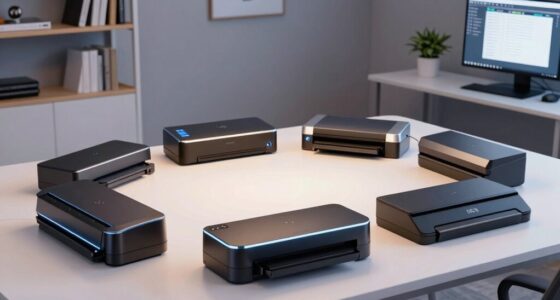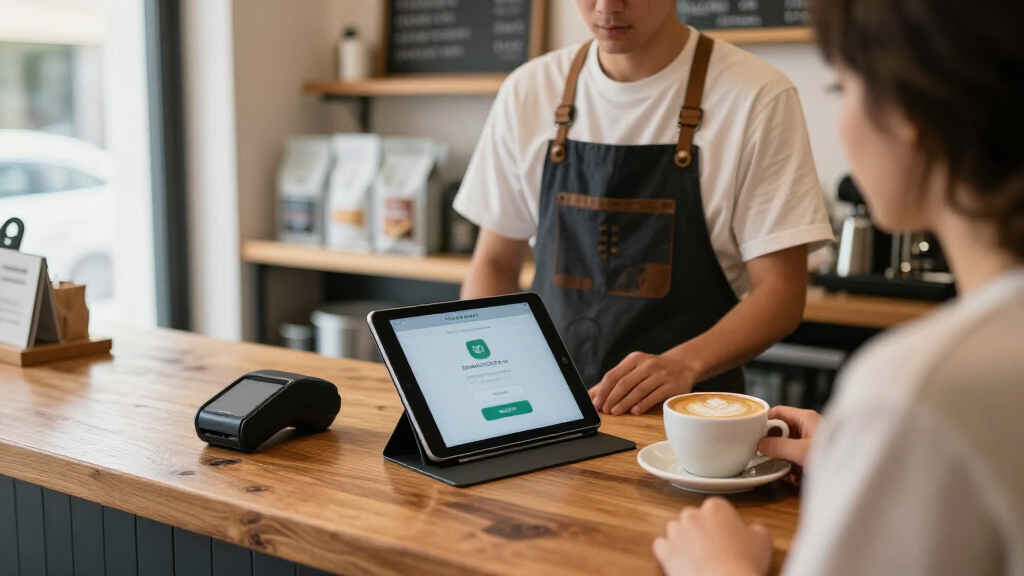

Shopping for tablet stands for point of sale means balancing three things that rarely coexist: theft protection, smooth customer-facing rotation, and a base stable enough to survive a busy counter. The Mount-It! Anti-Theft Tablet Kiosk takes my best overall spot because it locks the tablet in place while still letting you swivel the screen toward customers for card signatures and tip prompts. If you run a Square setup, the Square Stand (2nd Generation) is the obvious pick — but only for iPad users, since its hardware integration is unmatched while its device compatibility is the narrowest here. For smaller counters, the MAX SMART Weighted Base stand delivers commercial stability without the bulk or the lock. Read on for the full breakdown, including which stands actually fit your tablet size and which ones you should skip.

Get business pricing on office and shipping supplies
- Business-only prices and quantity discounts
- Tax-exempt purchasing
- Multiple users, one account, clear invoices
Key Takeaways
- Locking kiosk stands like the Mount-It! Anti-Theft and EHO 360° earned the top spots because theft resistance matters more than adjustability in most retail environments — an unlocked stand is a stolen tablet in high-traffic spaces.
- The Square Stand is unbeatable for Square users on USB-C iPads, but it is the least versatile pick here; anyone running Toast, Clover, or non-iPad hardware should skip it entirely.
- Weighted bases separated the stable stands from the wobbly ones — the MAX SMART and LOXP models stayed planted during aggressive tapping, while lighter aluminum docks like the KABCON shifted on smooth counters.
- 360° rotation is the most common feature in this lineup (7 of 10 stands offer it), but lockable or tension-controlled rotation, as on the AboveTEK Retail Kiosk, outperforms free-spinning bases for signature capture.
- Folding travel stands like the KABCON are genuinely useful for pop-ups and markets but are the wrong choice for permanent checkout counters — they lack both security and base weight.
| Mount-It! Anti-Theft Tablet Kiosk Countertop Stand, Universal Retail Fit, Black |  | Best for High-Security Retail | Brand: Mount-It! | Tablet Size Compatibility: 7.9″–11″ tablets | Clamp Width Range: 5″–7.125″ | VIEW LATEST PRICE | See Our Full Breakdown |
| MAX SMART Tablet Stand for POS with Weighted Base |  | Best Value for Simple Checkout Setups | Tablet Size Compatibility: 6″–13.5″ (bracket fit range 6.6″–9.6″) | Case Thickness Limit: Less than 0.5 inch | Rotation: 360 degrees | VIEW LATEST PRICE | See Our Full Breakdown |
| AboveTEK Retail Kiosk iPad Stand, 360° Rotating Commercial POS Tablet Stand for 6″-13″ Tablets (Black) |  | Best for Portable and Multi-Location Use | Compatible Screen Sizes: 6″–13″ tablets | Device Width/Height Range: 6.6″–9.6″ | Max Case Thickness: 0.5 inch | VIEW LATEST PRICE | See Our Full Breakdown |
| EHO 360° Rotating Tablet Kiosk Stand with Weighted Base, Universal Holder for 6″-13″ Tablets |  | Best for Mixed-Device Workplaces | Compatible Devices: iPads, Samsung Galaxy Tab, Microsoft Surface, Lenovo Tab, Pixel Slate, most 6″–13″ tablets | Material: Alloy steel, polycarbonate | Mounting Type: Spring-loaded clamp | VIEW LATEST PRICE | See Our Full Breakdown |
| AboveTEK Business Kiosk Aluminum Tablet Stand, 360° Swivel Holder for 4″-15.6″ Tablets, Phones & Portable Monitors |  | Best Premium Build and Broadest Compatibility | Color: Grey | Material: Aluminum | Compatible Device Size: 4″–15.6″ (tablets, phones, portable monitors) | VIEW LATEST PRICE | See Our Full Breakdown |
| AboveTEK Retail Kiosk iPad Stand – 360° Rotating Commercial POS Tablet Stand for 6″-13″ Tablets (White) |  | Best for Cashier-and-Customer Checkout Flow | Color: White | Screen Compatibility: 6″-13″ tablets | Device Width/Height Range: 6.6″-9.6″ | VIEW LATEST PRICE | See Our Full Breakdown |
| Square Stand for iPad (2nd Generation, USB-C) |  | Best Integrated POS System | Model: 2nd Generation | Connector: USB-C | Compatibility: iPad 10th gen; iPad Pro 11″ (1st-4th gen); iPad Air (4th/5th gen); iPad Air 11″ (M2) | VIEW LATEST PRICE | See Our Full Breakdown |
| LOXP Adjustable Tablet Stand with 360° Rotating Base and Heavy-Duty Metal Base |  | Best for Mixed-Device Workspaces | Color: Black | Compatible Devices: 4.7″-16.9″ tablets, phones, and portable monitors | Max Case Thickness: 0.8 inches | VIEW LATEST PRICE | See Our Full Breakdown |
| 360° Rotating Aluminum Tablet Stand for 7-13″ Tablets – Retail Kiosk & POS Display Holder, Black |  | Best Value Commercial Build | Compatible Devices: 7-13″ tablets (iPad Pro/Air/mini, Surface Pro/Go, Galaxy Tab, Kindle, iPhone) | Mounting Type: Desktop holder stand | Material: Aluminum (plastic clamp) | VIEW LATEST PRICE | See Our Full Breakdown |
| KABCON Tablet Stand Holder, Adjustable Multi-Angle Foldable Aluminum Dock for 4″-14″ Tablets and Phones |  | Best Portable Backup Register | Brand: KABCON | Model: KAP-7XN | Compatible Devices: 4″-14″ tablets and phones | VIEW LATEST PRICE | See Our Full Breakdown |
| tablet stands for point of sale | Rotation | Color | Material |
|---|---|---|---|
| Mount-It! Anti-Theft Tablet Ki | 360° | — | — |
| MAX SMART Tablet Stand for POS | 360 degrees | — | — |
| AboveTEK Retail Kiosk iPad Sta | 360° rotatable base | Black | — |
| EHO 360° Rotating Tablet Kiosk | 360° | — | Alloy steel, polycarbonate |
| AboveTEK Business Kiosk Alumin | 360° swivel | Grey | Aluminum |
| AboveTEK Retail Kiosk iPad Sta | 360° rotatable base | White | — |
| Square Stand for iPad | — | — | — |
| LOXP Adjustable Tablet Stand w | 360 degrees | Black | Metal with silicone pads |
| 360° Rotating Aluminum Tablet | 360 degrees | Black/Gray | Aluminum (plastic clamp) |
| KABCON Tablet Stand Holder | — | — | Aluminum, plastic, rubber |
More Details on Our Top Picks
Mount-It! Anti-Theft Tablet Kiosk Countertop Stand, Universal Retail Fit, Black
If your tablet lives on a counter where the public can reach it, security matters more than flexibility, and this stand is built around that reality. The TORX anti-theft bolts and bolt-down base option put it in a different category than the MAX SMART or EHO stands, which are stable but can simply be picked up and walked away with. The tradeoff is strict: no cases allowed, so your tablet has to run bare, and you’ll need to measure carefully against the 5″–7.125″ clamp range before buying. Compared with the AboveTEK aluminum kiosk stand, which swallows devices up to 15.6″, the Mount-It! covers a narrower 7.9″–11″ range — but for a checkout terminal that needs to stay put all day, that narrower focus pays off in rigidity and theft deterrence.
Pros:- TORX anti-theft bolts and optional bolt-down base deter theft in public spaces
- Full 130° tilt range plus 360° rotation for portrait or landscape
- Integrated cable routing keeps charging cords hidden and tamper-resistant
- Lifetime warranty with US-based support
- Includes three silicone pad thicknesses for a snug, scratch-free fit
Cons:- Not compatible with tablets in cases — bare devices only
- Narrower device range than competitors (7.9″–11″), requiring careful measurement
Best for: Retailers and restaurant owners running self-service or customer-facing terminals in high-traffic areas where tablet theft is a real concern
Not ideal for: Anyone who keeps their tablet in a protective case — the clamp requires a bare tablet, and ruggedized cases simply won’t fit
- Brand:Mount-It!
- Tablet Size Compatibility:7.9″–11″ tablets
- Clamp Width Range:5″–7.125″
- Clamp Height Range:7.87″–9.68″
- Tilt Range:+20°/-110° (130° total)
- Rotation:360°
- Security:TORX anti-theft bolts, bolt-down base option
- Stand Height:11.2 inches
- Warranty:Lifetime
Our verdict“This is the pick for businesses that need a tablet to survive unattended public use — everyone else can save hassle with a case-friendly stand.”
MAX SMART Tablet Stand for POS with Weighted Base
Not every checkout needs a bolted-down kiosk — sometimes you just need a tablet to sit still, spin toward the customer for a signature, and not tip over when someone taps too hard. That’s the whole job here, and the weighted anti-tipping base handles it well. Compared with the AboveTEK Retail Kiosk stand, the MAX SMART is the more straightforward proposition: no folding arm, no quick-detach hardware, just a 360° pivot and a stable footprint that saves counter space. The 6″–13.5″ bracket range is generous for the price point, though you’ll need to confirm your side dimensions fall within the 6.6″–9.6″ bracket span. The real limitation is adjustability — there’s no tilt or height adjustment, so if your counter is unusually tall or your POS app demands an angled view, the EHO kiosk stand with its multi-angle hinge is the better fit.
Pros:- Weighted base resists tipping during customer interaction
- Smooth 360° rotation for flipping between staff and customer views
- Wide 6″–13.5″ tablet compatibility with two included bracket sizes
- Compact footprint works on tight checkout counters
Cons:- No tilt or height adjustment limits ergonomic positioning
- Case thickness capped at under 0.5″, forcing removal of bulkier protective cases
Best for: Small shops, salons, and cafés that want a no-frills rotating POS stand at a budget-friendly price
Not ideal for: Businesses that need angle adjustability for signature capture or ergonomics — this stand rotates but doesn’t tilt
- Tablet Size Compatibility:6″–13.5″ (bracket fit range 6.6″–9.6″)
- Case Thickness Limit:Less than 0.5 inch
- Rotation:360 degrees
- Base:Weighted, anti-tipping
- Included Brackets:Two sizes
- Use Cases:POS, retail, reception, trade shows
Our verdict“A sensible, fuss-free choice when you need reliable rotation and stability without paying for features you won’t use.”
AboveTEK Retail Kiosk iPad Stand, 360° Rotating Commercial POS Tablet Stand for 6″-13″ Tablets (Black)
Trade shows, pop-up stalls, and farmers-market vendors have different needs than a fixed retail counter — the stand has to travel. The AboveTEK’s quick attach/detach holder and folding arm make it the most portable option in this lineup, collapsing down far more conveniently than the Mount-It! kiosk, which is designed to be bolted in place and left there. Setup at a new location takes seconds rather than minutes, and the weighted base still holds steady through a busy day of customer signatures. The fit logic mirrors the MAX SMART: clips grab devices between 6.6″ and 9.6″ on a side, with cases under 0.5″ thick. That means ruggedized cases are out, and if you’re running a Microsoft Surface or anything with unusual dimensions, the EHO’s dual spring-loaded holders give you more mounting flexibility.
Pros:- Quick attach/detach holder makes packing up and relocating fast
- Folding arm collapses for easy transport between venues
- 360° base rotation for instant cashier-to-customer flipping
- Weighted base supports heavier tablets through busy service
Cons:- Clips only accept cases under 0.5″ thick
- No security features for unattended public placements
Best for: Vendors and businesses that move their POS station between locations — trade shows, markets, and pop-up events
Not ideal for: Unattended self-service kiosks — there’s no anti-theft hardware, so it shouldn’t be left accessible to the public overnight
- Compatible Screen Sizes:6″–13″ tablets
- Device Width/Height Range:6.6″–9.6″
- Max Case Thickness:0.5 inch
- Rotation:360° rotatable base
- Orientation:Landscape and portrait
- Base:Weighted for stability
- Color:Black
Our verdict“The go-to choice when your point of sale travels with you — skip it if your tablet sits unattended in public reach.”
EHO 360° Rotating Tablet Kiosk Stand with Weighted Base, Universal Holder for 6″-13″ Tablets
If your business runs a mix of iPads, Galaxy Tabs, and Surface devices — or swaps tablets between stations — the EHO’s two interchangeable spring-loaded holders solve a problem the single-bracket stands can’t. Rather than one clamp with fixed tolerances, you get mounting options that adapt across brands, which makes it the most flexible fit in this lineup after the giant AboveTEK aluminum stand. The laptop-grade hinge rated for 10,000+ cycles is the standout durability claim: in a restaurant where the screen gets tilted between order-taking and customer payment dozens of times daily, hinge failure is a real failure mode, and neither the MAX SMART nor the AboveTEK retail stand makes an equivalent claim. Note that you must check your tablet’s side dimensions against the 6.6″–9.6″ holder range — screen size alone won’t tell you if it fits.
Pros:- Two interchangeable holders accommodate iPads, Galaxy Tabs, Surfaces, and most 6″–13″ tablets
- Hinge tested for 10,000+ adjustment cycles for long-term durability
- 360° rotation plus multi-angle adjustment for varied viewing positions
- Weighted alloy steel base with non-slip rubber pads stays planted during tapping
Cons:- Holder compatibility spans 6.6″–9.6″, so side dimensions must be verified per holder
- No case-friendly spec published, so thicker cases may not mount securely
Best for: Offices and restaurants running several different tablet models that need one stand style across all stations
Not ideal for: Anyone wanting a minimalist counter look — the plastic-and-steel design reads as functional rather than polished
- Compatible Devices:iPads, Samsung Galaxy Tab, Microsoft Surface, Lenovo Tab, Pixel Slate, most 6″–13″ tablets
- Material:Alloy steel, polycarbonate
- Mounting Type:Spring-loaded clamp
- Rotation:360°
- Hinge Durability:Tested for 10,000+ cycles
- Item Weight:1.5 pounds
- Dimensions:7.1 x 8.3 x 8.9 inches
Our verdict“The right pick when one stand needs to serve many different tablets — overkill if your whole fleet is a single iPad model.”
AboveTEK Business Kiosk Aluminum Tablet Stand, 360° Swivel Holder for 4″-15.6″ Tablets, Phones & Portable Monitors
The 4″–15.6″ device range here isn’t just marketing breadth — it means this stand can hold a phone for a queue-busting order station today and a portable monitor as a self-order kiosk tomorrow, something no other pick in this roundup can do. The aluminum construction also sets it apart: where the EHO mixes plastic and steel and the MAX SMART leans on a basic weighted base, this one feels like furniture that belongs on a customer-facing counter. The 220° folding arm plus 360° swivel covers essentially any viewing angle, and the included Allen key lets you dial in tension so heavy tablets don’t drift. That said, big devices bring big responsibility — you may find yourself re-tightening the arm periodically once a 13″ tablet is mounted, and the utilitarian grey design looks industrial in a home setting.
Pros:- Broadest compatibility in the lineup: 4″ phones through 15.6″ portable monitors
- Full aluminum construction with rubber-padded brackets to protect devices
- 360° swivel and 220° folding arm cover nearly any viewing angle
- Charging cable access holes and Allen key for tension adjustment
Cons:- Heavier tablets may need periodic manual tightening to stay in position
- Bulky business-kiosk design looks out of place in home or boutique settings
Best for: Businesses that want one premium stand for everything from phones to 15″ portable monitors at POS and reception stations
Not ideal for: Home users or d écor-sensitive front desks — the size and kiosk styling are built for commercial spaces
- Color:Grey
- Material:Aluminum
- Compatible Device Size:4″–15.6″ (tablets, phones, portable monitors)
- Rotation:360° swivel
- Folding Range:220°
- Base Type:Weighted, rubber padded
- Cable Management:Wire holes for charging access
- Includes:Allen key for tension adjustment
Our verdict“The premium, do-everything stand for businesses that want maximum device flexibility and build quality — as long as it lives on a commercial counter.”
AboveTEK Retail Kiosk iPad Stand – 360° Rotating Commercial POS Tablet Stand for 6″-13″ Tablets (White)
This AboveTEK stand stands out for the one thing that matters most at a busy register: instant screen flipping. The 360° swivel base lets a cashier take payment, then spin the display toward the customer for signatures or receipts without reaching over the counter. Compared with the LOXP Adjustable Tablet Stand, which also rotates but was built for general desk use, this model leans into commercial reality with a weighted base that stays planted even when large 13-inch tablets get tapped all day.
The tradeoffs are real, though. The rubber clips cap out at 0.5-inch case thickness, so ruggedized cases are out, and the white finish — while attractive in a bright boutique — tends to show grime in high-traffic cafés and food service environments. The black version of this same AboveTEK stand solves the dirt problem, which is why this white model makes the most sense for design-conscious retail spaces with lighter traffic.
Pros:- 360° swivel makes cashier-to-customer handoffs effortless
- Fits everything from 6-inch phones to 13-inch tablets
- Weighted base keeps large tablets stable during constant tapping
- Push-button quick release for overnight storage
Cons:- Rubber clips only accept cases under 0.5″ thick
- White finish shows dirt and scuffs in busy retail settings
Best for: Boutique retail and salon owners who need to rotate the screen between staff and customers many times per day in a clean, modern space
Not ideal for: Food trucks, cafés, and greasy or high-traffic counters — the white finish shows wear fast and thin clips won’t fit bulky protective cases
- Color:White
- Screen Compatibility:6″-13″ tablets
- Device Width/Height Range:6.6″-9.6″
- Max Case Thickness:0.5″
- Rotation:360° rotatable base
- Base:Weighted for stability
- Attachment:Quick push-button release
Our verdict“Choose this if checkout involves constant face-to-face screen sharing and you want the counter to look clean — skip it for messy, high-traffic food service.”
Square Stand for iPad (2nd Generation, USB-C)
The Square Stand plays a different game than every other pick here. While the AboveTEK kiosk stand is a universal holder for any tablet, this is a purpose-built payment terminal — reader, stand, and POS software fused into one countertop unit. That integration is the entire value proposition: no dangling card readers, no tangled dongles, and setup that takes minutes rather than a service appointment.
Two capabilities separate it from the universal stands in this roundup. First, offline payment processing keeps you selling during internet outages (transactions must upload within 24 hours). Second, the USB-C version can run off the iPad’s own battery during a power cut. The catch is equally clear: compatibility is limited to specific USB-C iPad models, and you still have to buy the iPad separately. If your tablet isn’t on the list, this pick simply isn’t an option regardless of how good the hardware is.
Pros:- Built-in payment reader eliminates external hardware and cords
- Offline mode keeps sales running during internet outages
- Runs off iPad battery during power loss
- Handles payments, online store, and daily reporting in one device
Cons:- Works only with a short list of USB-C iPad models
- Requires a separate iPad purchase
- Offline transactions must upload within 24 hours
Best for: Small businesses already committed to the Square ecosystem who want a clean, all-in-one register with built-in payments and reporting
Not ideal for: Anyone running Android tablets, older iPads, or a different POS platform — the hardware lock-in is absolute
- Model:2nd Generation
- Connector:USB-C
- Compatibility:iPad 10th gen; iPad Pro 11″ (1st-4th gen); iPad Air (4th/5th gen); iPad Air 11″ (M2)
- Payments:Built-in, no external reader required
- Offline Mode:Yes (upload within 24 hours)
- Battery Backup:Runs off iPad battery (USB-C version)
- Setup:Self-install with free Square POS app
Our verdict“If you want a register rather than a stand — and own a compatible iPad — this is the most complete point-of-sale solution in the lineup.”
LOXP Adjustable Tablet Stand with 360° Rotating Base and Heavy-Duty Metal Base
The LOXP earns its spot on range alone: it accepts everything from a 4.7-inch phone to a 16.9-inch portable monitor, and its 0.8-inch case clearance doubles what the AboveTEK kiosk stand allows. That makes it the practical choice for businesses that don’t run one standardized tablet — a register iPad mini on Monday, a Surface for inventory on Tuesday, a phone running a mobile POS app during rush hours.
The dual adjustable hinges add height and tilt control that fixed kiosk stands like the EHO don’t offer, and it folds flat for anyone moving between locations. Where it falls short of dedicated POS stands is security and rigidity: there’s no anti-theft hardware like the Mount-It! kiosk provides, and the folding mechanism introduces slight wobble compared with one-piece commercial bases. It’s a versatile generalist rather than a hardened retail tool.
Pros:- Handles devices from 4.7″ phones to 16.9″ portable monitors
- 0.8″ case clearance fits thick protective cases
- Dual hinges allow height and tilt adjustment beyond fixed kiosks
- Folds flat for transport between locations
Cons:- No anti-theft or locking features for unattended use
- Folding joints feel less rock-solid than one-piece commercial stands
- Not designed for laptops
Best for: Owners who juggle multiple devices and cases at one counter, or pop-up vendors who need a stand that folds down and travels
Not ideal for: Unattended kiosks or self-checkout stations — no locking mechanism means the tablet walks off if the counter is left alone
- Color:Black
- Compatible Devices:4.7″-16.9″ tablets, phones, and portable monitors
- Max Case Thickness:0.8 inches
- Rotation:360 degrees
- Mounting Type:Tabletop
- Material:Metal with silicone pads
- Special Features:Adjustable, foldable, swivel, hands-free
Our verdict“The best pick when one stand needs to hold many different devices — but add security elsewhere if tablets stay out unattended.”
360° Rotating Aluminum Tablet Stand for 7-13″ Tablets – Retail Kiosk & POS Display Holder, Black
This stand occupies the sweet spot between cheap desktop docks and expensive locking kiosks. The full aluminum frame gives it the look and rigidity of commercial hardware like the AboveTEK Business Kiosk, but at a more accessible tier, and the 360° swivel base covers the same cashier-to-customer rotation that makes those pricier models appealing. Compared with the KABCON dock, which shares the adjustable-tightness design, this one is better suited to a counter because its footprint and swivel base are built for retail rather than desk viewing.
The compromise is in the details: the clamp that actually grips your tablet is plastic, not aluminum, and adjusting joint tension requires the included 4mm Allen wrench — fine for a set-and-forget register, annoying if staff constantly reposition the screen. For a fixed checkout station, that setup-and-forget nature is actually a feature, not a flaw.
Pros:- Aluminum frame with commercial kiosk styling
- Full 360° rotation with adjustable viewing angles
- Broad 7-13″ compatibility including Surface and Galaxy Tab
- Joint tension adjustable for set-and-forget stability
Cons:- Tablet clamp is plastic rather than aluminum
- Tightness adjustments require the included Allen wrench
- No security hardware for unattended use
Best for: Budget-conscious shop owners who want commercial-grade swivel hardware at a single fixed register
Not ideal for: Staff who need to constantly reposition the screen — the Allen-wrench adjustments become a daily frustration
- Compatible Devices:7-13″ tablets (iPad Pro/Air/mini, Surface Pro/Go, Galaxy Tab, Kindle, iPhone)
- Mounting Type:Desktop holder stand
- Material:Aluminum (plastic clamp)
- Rotation:360 degrees
- Adjustment:4mm Allen wrench (included)
- Dimensions:7.48 x 7.48 x 9 inches
- Color:Black/Gray
Our verdict“The smart middle path if you want kiosk-style durability and swivel at a single checkout spot without paying locking-kiosk prices.”
KABCON Tablet Stand Holder, Adjustable Multi-Angle Foldable Aluminum Dock for 4″-14″ Tablets and Phones
The KABCON is the lightweight option in a lineup full of weighted counter anchors. At 2 pounds and fully foldable, it’s the stand you toss in a bag for a farmers market booth, trade show, or temporary second checkout lane — something neither the MAX SMART weighted POS stand nor the bolted-down kiosks can do. Its 4-14 inch device range covers nearly any tablet a mobile business would carry, and the multi-angle hinge holds tablets in both orientations at eye level, which most cheap folding docks can’t manage without sagging.
Just don’t mistake it for a primary register stand. The plastic clamp is the same weak point as the 360° Aluminum Stand above, and like that model it needs a 4mm Allen wrench for tension adjustments — not something you want to fiddle with mid-shift. There’s no anti-theft protection at all, so it’s best treated as a portable, attended-use tool rather than a permanent fixture.
Pros:- Folds flat and weighs only 2 pounds for travel
- Aluminum body holds tablets up to 14 inches steady
- Multi-angle adjustments support both portrait and landscape
- 1-year manufacturer warranty
Cons:- Plastic clamp is the durability weak point
- Allen wrench required for every tension adjustment
- No theft deterrence for unattended displays
Best for: Market vendors, caterers, and event sellers who need a stable tablet mount that packs into a bag between jobs
Not ideal for: Permanent retail counters — it lacks the weighted base, security, and rigidity of dedicated POS kiosks
- Brand:KABCON
- Model:KAP-7XN
- Compatible Devices:4″-14″ tablets and phones
- Material:Aluminum, plastic, rubber
- Weight:2 pounds
- Mounting Type:Foldable desktop dock
- Adjustment:4mm Allen wrench (included)
- Orientations:Vertical and horizontal
- Warranty:1 year manufacturer
Our verdict“A dependable travel register stand for off-site selling — just don’t ask it to anchor a permanent checkout counter.”
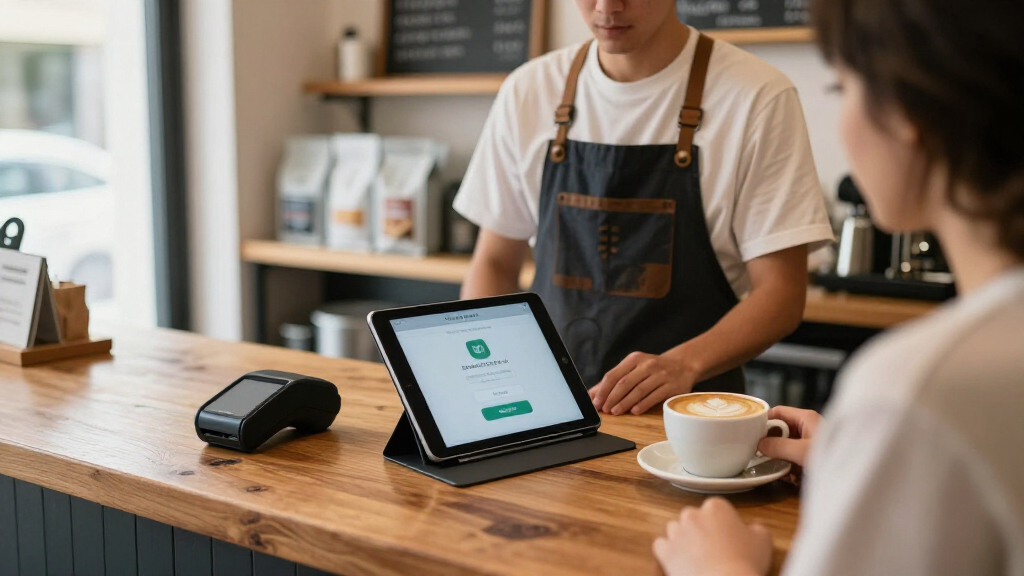
How We Picked
I evaluated each stand against the demands of an actual checkout counter, not a desk. That meant prioritizing anti-theft hardware (locks, enclosed mounts, cable-routing), base stability under repeated tapping and swiping, rotation quality for customer-facing signature and tip screens, and device compatibility across the 4″–15.6″ range most POS setups use. I also weighed installation burden — stands requiring permanent counter drilling scored differently than drop-in weighted bases — and whether the stand blocks charging ports, card readers, or camera access.
The ranking reflects a simple hierarchy: secure, stable, full-rotation kiosk stands sit at the top because they handle the widest range of retail environments. Ecosystem-specific stands like the Square Stand rank highly within their niche but lose points on versatility. Lightweight adjustable docks rank lower for fixed counters but earn their place for mobile and pop-up sellers who need portability over protection.
| tablet stands for point of sale | Color | Material |
|---|---|---|
| Mount-It! Anti-Theft Tablet Ki | — | — |
| MAX SMART Tablet Stand for POS | — | — |
| AboveTEK Retail Kiosk iPad Sta | Black | — |
| EHO 360° Rotating Tablet Kiosk | — | Alloy steel, polycarbonate |
| AboveTEK Business Kiosk Alumin | Grey | Aluminum |
| AboveTEK Retail Kiosk iPad Sta | White | — |
| Square Stand for iPad | — | — |
| LOXP Adjustable Tablet Stand w | Black | Metal with silicone pads |
| 360° Rotating Aluminum Tablet | Black/Gray | Aluminum (plastic clamp) |
| KABCON Tablet Stand Holder | — | Aluminum, plastic, rubber |
Factors to Consider When Choosing Tablet Stands For Point Of Sale
Before picking a stand, it helps to understand what actually separates a good POS mount from a desk accessory. These are the factors that influenced my ranking — and the ones buyers most often get wrong.Theft Protection Is Not Optional in Retail
The single most common mistake is treating a POS stand like a display accessory. In any environment where customers can reach the counter — restaurants, salons, retail floors — an unlocked tablet is an easy target, and replacement costs go beyond hardware when your payment terminal goes down mid-shift. Locked kiosk enclosures and stands with security screws or cable-routing add friction that deters opportunistic theft. If your counter is staffed at all times, a weighted base without a lock may be acceptable; if the tablet is ever visible but unattended, buy a locking stand. Also check whether the lock mechanism blocks access to the power button or charging port — the best designs let staff charge and reset the tablet without unlocking the enclosure.
Rotation Quality Determines Checkout Speed
Nearly every stand here advertises 360° rotation, but the implementations differ in ways that affect daily use. Free-spinning bases feel smooth in a demo but can drift during aggressive tapping, forcing staff to re-center the screen constantly. Tension-controlled or detented rotation holds position under pressure, which matters when customers sign with a finger or a stylus. Think through your actual checkout flow: if the customer turns the screen for every transaction, rotation becomes the most-touched mechanism in your store, and cheap hinges are the first failure point. A stand that rotates smoothly today but loosens after three months is a worse buy than a stiffer one that stays tight.
Base Weight and Mounting Options
Stability comes from mass and contact area, and a surprising number of stands get this wrong. A weighted base of several pounds keeps the stand planted when customers press on the screen; hollow aluminum bases slide on laminate counters the moment things get busy. Your options are essentially drop-in weighted bases (portable, no counter damage), adhesive or screw-down mounting (permanent, theft-resistant, ruins the counter), and drilling-required kiosk plates (most secure, least flexible). Mobile vendors should insist on weighted, non-permanent bases. Fixed storefronts should accept drilling — it doubles as theft protection. Also measure your counter depth before buying: deep kiosk stands can overhang narrow counters and create a tipping hazard.
Compatibility With Your POS Ecosystem
Check two compatibility layers before purchasing. First, screen size and thickness: universal clamps handle a range of tablets but may not fit ruggedized cases, while sized enclosures fit precisely but lock you into one device. If you upgrade tablets every two years, a universal holder protects that investment better than a fitted kiosk. Second, ecosystem: the Square Stand integrates card readers and payment hardware directly, which is a real advantage if you’re committed to Square — and a complete dealbreaker if you’re not. Also verify the stand leaves clearance for your card reader, barcode scanner, and charging cable, since some kiosk enclosures cover ports that budget POS setups rely on.
Counter Real Estate and Aesthetics
Stand footprint is easy to overlook until it crowds your register area. Full kiosk stands can occupy six inches or more of counter depth, which forces compromises on cramped checkout counters. White stands like the AboveTEK Retail Kiosk in white read as cleaner in salons and cafés but show scuffs and dust faster than black equivalents in high-traffic retail. Folding stands collapse to almost nothing but sacrifice the presence and stability that signal a professional checkout. Match the stand to your space honestly: a slightly smaller stable stand beats an oversized one you constantly bump.
When to Pay More — and When Not To
Premium pricing in this category buys locking hardware, heavier bases, and better pivot mechanisms — all of which matter for permanent, high-traffic installs. If you’re a market vendor, food truck, or event seller, those premiums are wasted; a foldable aluminum dock and attention to your own device handling serve you better at a fraction of the commitment. Mid-priced weighted stands hit the sweet spot for most small businesses, delivering commercial stability without drilling into a leased counter. The mistake to avoid is paying premium money for features you can’t use — like a drill-mount kiosk stand when your landlord prohibits counter modifications.
Frequently Asked Questions
Do I need a locking stand, or is a weighted base enough?
It depends on whether the tablet is ever unattended in customer reach. A weighted base solves the physics problem — keeping the stand from tipping or sliding — but does nothing to stop someone lifting the tablet out of its holder. Locking kiosk stands with enclosed frames or security screws address theft directly, and models like the Mount-It! Anti-Theft and EHO combine both approaches. If your counter is staffed continuously and in sight of the register, a weighted base is a reasonable compromise. In self-checkout areas, outdoor markets, or restaurants where tablets sit on tables overnight, a lock is cheap insurance against losing both the device and your payment capability mid-business-day.
Is the Square Stand worth it if I might switch POS systems later?
Only if you’re confident you’ll stay on Square for the life of the stand. The Square Stand’s strength is integration — it connects Square’s card reader hardware, manages cabling, and presents a clean professional checkout that generic stands can’t replicate. The tradeoff is that it’s built exclusively for specific USB-C iPads and Square’s ecosystem, so switching to Toast, Clover, or Lightspeed makes the stand useless. If there’s a realistic chance you’ll change systems, a universal rotating kiosk stand like the AboveTEK Retail Kiosk gives you 80% of the polish with none of the lock-in. But if Square is central to your business, the dedicated stand is genuinely better at its job than any universal option here.
Will a universal tablet stand fit my tablet with a case on it?
Sometimes — and this is where returns happen. Universal clamp-style holders adjust across a wide size range, but their clamps typically open to around 12–14mm of thickness, which many rugged or battery cases exceed. Fitted kiosk enclosures are even stricter, since they’re designed around bare tablets and won’t close around a case at all. Before buying, measure your cased tablet’s width, height, and thickness and compare against the holder’s stated range, not just the screen size. If you use a protective case for a reason — drops, battery life — look for stands with adjustable arms that grip the edges rather than enclosures that must fit precisely.
Can I use one of these stands for a self-service kiosk where customers operate the tablet themselves?
Yes, but customer-operated setups change the requirements considerably. Customers tap harder, rotate the screen carelessly, and occasionally try to remove the tablet, so you need a locking enclosure, tension-controlled rotation rather than free spin, and a heavy or mounted base. The Mount-It! Anti-Theft and EHO kiosk stands are built for exactly this scenario, while lightweight adjustable docks will drift and wobble under public use. You should also mount the stand at customer height and angle — countertop stands work for standing adults but not for seated or wheelchair-accessible service without adjusting counter height. Finally, route the charging cable through the stand itself so it can’t be unplugged by curious hands.
What’s the difference between the cheap rotating stands and the more expensive ones?
The differences show up after a few months, not on day one. Budget rotating stands typically use lighter bases, plastic pivot components, and stamped metal — all fine until daily customer rotation wears the mechanism loose and the screen stops holding its angle. Higher-priced stands put the money into base weight, metal ball-bearing or detent rotation, lockable pivots, and cable management, which keeps the stand tight and professional-looking through thousands of transactions. For a stand that gets swiveled fifty times a day, the pivot mechanism is the part that decides lifespan. If your stand mostly stays facing one direction, a cheaper model holds up fine; if customers rotate it constantly, the upgrade pays for itself in durability and appearance.
Conclusion
The right choice comes down to where your tablet lives and who touches it. For best overall, the Mount-It! Anti-Theft Tablet Kiosk wins on the combination of theft protection, stability, and customer-facing rotation that most retail counters need. The MAX SMART Weighted Base stand is my best value pick — commercial-grade stability without the kiosk price or permanent mounting. For beginners and casual setups, the KABCON foldable aluminum dock is the easiest entry point, ideal if you’re testing mobile payments at markets before committing to counter hardware. The best premium choice is the Square Stand (2nd Generation) — but only for committed Square users on USB-C iPads, where its ecosystem integration justifies the cost. For specific needs: the EHO 360° Kiosk suits self-service stations, the AboveTEK Business Kiosk handles oversized tablets and portable monitors up to 15.6″, the LOXP adjustable stand fits counters where you need flexible viewing angles, and the AboveTEK white Retail Kiosk is the pick for salons and cafés where aesthetics matter. Whatever you choose, match the stand to your theft risk and counter space first — those two factors eliminate more options than any feature list.
Fall Picks
fall essentials
As an affiliate, we earn on qualifying purchases.