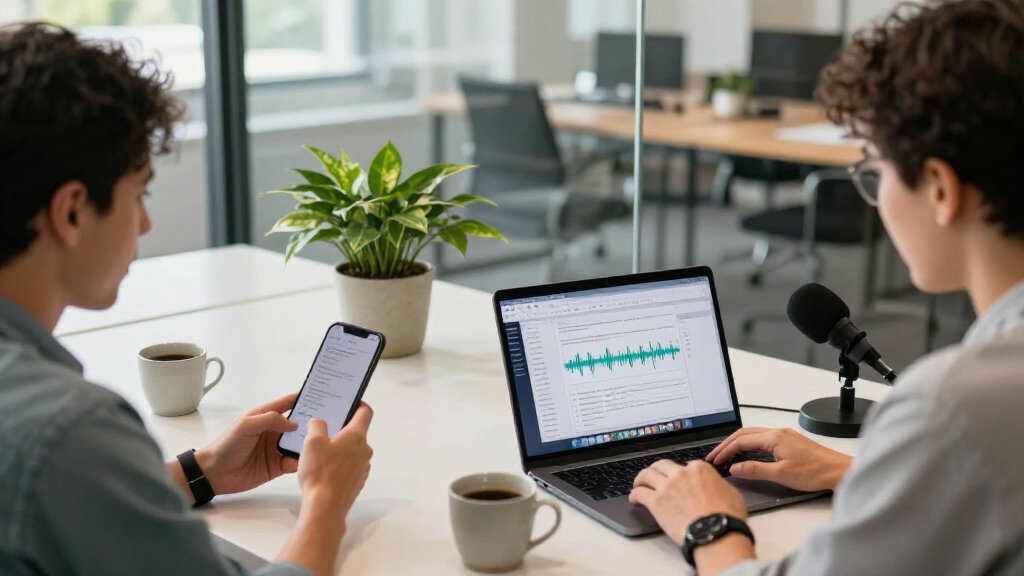

🔍 Read the full analysis: 11 AI Transcription Options For Converting Speech To Text In 2027 on ThorstenMeyerAI.com

Get business pricing on office and shipping supplies
- Business-only prices and quantity discounts
- Tax-exempt purchasing
- Multiple users, one account, clear invoices
TL;DR
A guide published by ThorstenMeyerAI.com compares 11 transcription options, from desktop software to AI-enabled recorders. It highlights a central tradeoff: software can offer more control for editing, while hardware bundles simplify recording and transcription; the source does not provide independent accuracy tests or enough detail to verify every product claim.
ThorstenMeyerAI.com has published a guide to 11 AI transcription options for 2027, comparing desktop software, industry-focused systems and recorders that combine audio capture with AI processing. The guide’s main finding is a workflow tradeoff: dedicated devices such as Vobot and OLZO can simplify capture, while desktop tools such as Express Scribe provide more control for people who need to review and correct transcripts.
The guide names Express Scribe Pro as its leading option for manual correction workflows and describes Philips SpeechExec as a stronger fit for medical and legal environments. Those are the source’s assessments, not results from a published independent benchmark. The supplied material does not include comparable accuracy scores, prices or testing conditions for the products.
Its hardware examples include Vobot, OLZO and OM SYSTEM AS-2700. The article says integrated recorders can combine recording, processing and cloud storage, reducing steps after capture, but may limit editing flexibility or keep users within a particular ecosystem. It also discusses playback controls, keyboard shortcuts, export options, recording quality and options for human correction as factors to compare.
The guide says language coverage varies by product and cautions that a claim of support for more than 140 languages does not necessarily mean equally strong transcription in all of them. It also contrasts subscription products, which may include updates and cloud features, with one-time-purchase software. The source does not provide a complete price comparison or establish which payment model costs less for a particular user.
The 11 picks
- 1
 Philips SpeechExec Transcription Kit with USB Foot Switch and HeadphonesView on Amazon →
- 2
 OM SYSTEM AS-2700 Audio Transcription Kit with USB Foot Pedal, Stereo Headpho…View on Amazon →
- 3
 Express Scribe Professional Transcription Software with Infinity IN-USB-3 Foo…View on Amazon →
- 4
 Philips SpeechExec Transcribe Software, 2-Year Subscription, Version 11.5View on Amazon →
- 5
 AI Voice Recorder with Automatic Transcription and 140+ Language TranslationView on Amazon →
- 6
 AI Podcast Summaries from Transcripted.aiView on Amazon →
- 7
 Vobot AI Voice Recorder with Transcription, Summaries, and NFC Business CardView on Amazon →
- 8
 Express Scribe Software Pro Transcription Software (CD-ROM)View on Amazon →
- 9
 OLZO AI Voice Recorder with Transcription and SummaryView on Amazon →
- 10
 Express Scribe Transcription SoftwareView on Amazon →
- 11
 AI VoiceWriter Dictation and AI Writing Assistant with USB Dongle and Mobile AppView on Amazon →
Choosing Between Software and Recorders
The comparison matters because transcription quality is only one part of the work. A tool that captures audio in the field may save steps, while a desk-based transcription workflow may benefit more from playback control and hands-on correction. The right fit depends on where recording happens, how much editing is required, and whether the transcript is used for informal notes or sensitive professional records.
For medical, legal or other confidential work, the guide also raises privacy and data-handling questions. Cloud processing may involve sending recordings to remote servers, while some systems may offer on-premise or secure-cloud arrangements. Buyers should check current vendor documentation and applicable organizational rules; the source does not independently verify compliance for any listed product.
Products Worth Considering
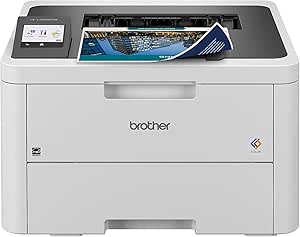
Brother HL-L3280CDW Wireless Color Laser Printer

Dell UltraSharp U4025QW 40-Inch Curved 5K2K WUHD LED Monitor

Logitech MX Keys S Combo Wireless Keyboard and Mouse, Graphite
As an affiliate, we earn on qualifying purchases.
How the Guide Compares Tools
The source says its evaluation considered transcription accuracy, workflow efficiency and integration. For software, it looked at audio controls, hotkeys and export formats; for hardware-linked products, it considered recording equipment as well as the transcription workflow. It also favored tools that let users correct machine-generated text, reflecting the guide’s view that AI errors remain a practical concern.
The supplied material does not identify all 11 products in a complete, numbered list. It specifically names Express Scribe Pro, Philips SpeechExec, Vobot, OLZO and OM SYSTEM AS-2700, and mentions SpeechExec 11.5 in discussing subscriptions. It therefore supports a discussion of the guide’s selection criteria and named examples, but not a reliable reconstruction of all 11 picks or their ranking.
“The main tradeoff lies between pure software flexibility and the convenience of hardware-software bundles.”
— ThorstenMeyerAI.com guide
Ranking and Product Claims Need Verification
The supplied source material does not include the full 11-item list, a dated test methodology, product-by-product accuracy measurements, or the conditions under which the guide assessed the tools. Its labels, including “gold standard” and “superior,” are editorial judgments attributed to the guide rather than independently verified findings.
Pricing, feature availability, supported languages, privacy terms and software versions can change. The guide’s language-support and subscription observations should not be read as confirmation of current product specifications. It is also unclear which products were tested directly and which were assessed from vendor information.
Check Current Product Details
Readers comparing the products should consult current vendor specifications for pricing, language coverage, recording compatibility and data retention, then test representative audio before committing. Organizations handling sensitive recordings should review security and compliance requirements with their own privacy or IT teams.
The source provides no announced follow-up testing or publication schedule. Until fuller methodology and all 11 selections are available, the guide is best treated as a starting point for comparison rather than a definitive ranking.
Key Questions
Which tool does the guide favor for manual transcript correction?
The guide names Express Scribe Pro as its preferred option for a human-reviewed workflow. That is the publisher’s assessment, not a conclusion supported by published comparative test scores in the supplied material.
What is the main difference between software and AI recorder devices?
Desktop software generally gives users more control over playback and editing, while devices such as Vobot and OLZO combine recording with transcription. The guide says the convenience of integrated hardware may come with less editing flexibility.
Does the guide verify that every product is accurate in more than 140 languages?
No. It warns that broad language-support claims do not necessarily indicate equally strong results in every language. The supplied material includes no independent language-by-language test results.
What should users handling confidential audio check?
They should review where recordings are processed and stored, who can access them, and whether the vendor’s current security arrangements meet their organization’s requirements. The guide mentions on-premise and secure-cloud options for Philips SpeechExec but does not independently certify any product’s compliance.
Source: ThorstenMeyerAI.com