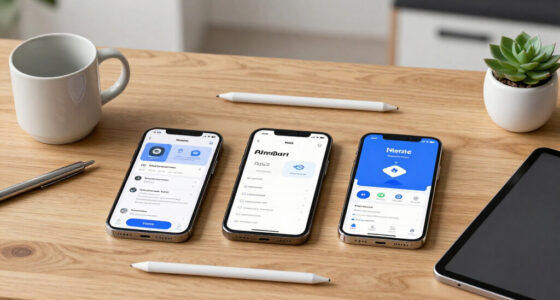
With mobile wallets and contactless payment systems, you can take payments securely anywhere, offering fast and seamless experiences for your customers. By using NFC technology and digital wallets, you reduce wait times, improve safety through encryption, and support various payment methods. Hardware is affordable and easy to set up, allowing you to boost efficiency and customer satisfaction instantly. To discover how these tools can transform your business operations, keep exploring for more insights.

Get business pricing on office and shipping supplies
- Business-only prices and quantity discounts
- Tax-exempt purchasing
- Multiple users, one account, clear invoices
Key Takeaways
- Mobile wallets and NFC enable secure, contactless payments for quick transactions anywhere.
- Contactless payment terminals use encryption and tokenization to protect sensitive customer data.
- Minimal hardware, like NFC-enabled POS devices, allows businesses to accept payments seamlessly.
- Digital receipts and integrated loyalty programs streamline operational management securely.
- Growing consumer adoption of mobile payment tools offers competitive advantage and enhances customer trust.
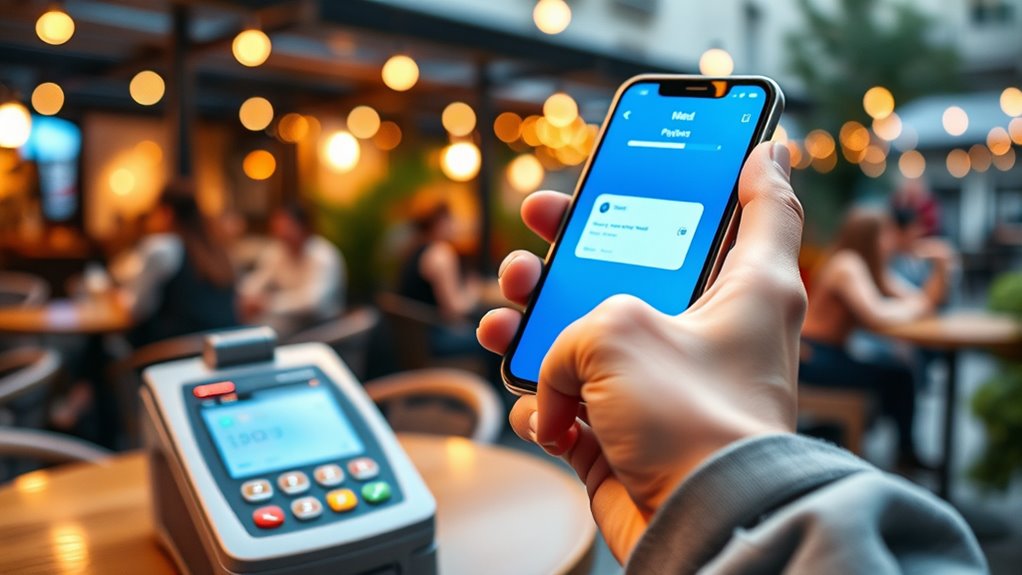
In today’s fast-paced digital economy, payment processing tools are essential for businesses to accept and manage transactions efficiently. One of the most popular innovations in recent years is mobile wallets, which allow customers to store their payment information securely on smartphones. With mobile wallets, you can offer a quick, seamless checkout experience, eliminating the need for cash or physical cards. Customers simply tap their phones or scan a QR code to complete transactions, making the process faster and more convenient. This ease of use encourages more spontaneous purchases and enhances customer satisfaction. Moreover, mobile wallets often integrate loyalty programs and digital receipts, adding value for your customers and streamlining your operations. Understanding regional legal resources can also help ensure your payment systems comply with local regulations and protect customer data effectively. Contactless payments, closely linked to mobile wallets, are transforming the way transactions are conducted. Using near-field communication (NFC) technology, contactless payments enable users to make secure payments by simply holding their card or device near a compatible terminal. As a business owner, you benefit from the speed and efficiency contactless payments bring—reducing queue times and minimizing physical contact, which is especially important in today’s health-conscious environment. Contactless payment systems are highly secure, employing encryption and tokenization to protect sensitive data, so you can trust that transactions are safe. Plus, they support a wide range of cards and digital wallets, making them versatile and adaptable to your customer base. Implementing mobile wallets and contactless payment options requires minimal setup but can significantly boost your operational efficiency. You’ll need compatible hardware, such as NFC-enabled point-of-sale terminals, which are increasingly affordable and easy to install. Once in place, these tools allow for faster checkouts, reducing wait times and increasing throughput during busy periods. You also gain the ability to accept a broader range of payment types, including digital currencies and contactless cards, giving your customers more flexibility. As more consumers adopt mobile wallets and contactless payments, staying ahead of the curve becomes crucial. Offering these options not only improves your customer experience but also positions your business as modern and innovative.
Products Worth Considering

FLEXISPOT 42-Inch Electric Height-Adjustable Desk Converter with Keyboard Tray

LG UltraGear 27-Inch QHD OLED Gaming Monitor, 240Hz, 0.03ms, G-SYNC Compatible, FreeSync Premium Pro, HDMI 2.1

Dell XPS 13 9350 Laptop, 13.4 FHD+ Display, Intel Ultra 7 256V, 16GB DDR5, 1TB SSD
As an affiliate, we earn on qualifying purchases.
Frequently Asked Questions
How Do Payment Processing Tools Handle International Transactions?
When handling international transactions, payment processing tools automatically manage currency exchange, converting payments into your currency seamlessly. They also identify and apply cross border fees, so you’re aware of extra costs involved. You can accept payments from different countries safely and efficiently, as these tools guarantee secure data transfer and compliance with international standards. This way, you provide a smooth experience for your global customers while minimizing complications.
What Are the Best Security Features for Mobile Payment Tools?
You should look for mobile payment tools with strong security features like biometric authentication and data encryption. Biometric authentication, such as fingerprint or facial recognition, guarantees only you can access your account, while data encryption protects your transaction information from hackers. These features work together to keep your payments secure, giving you peace of mind whenever you make or receive payments on your mobile device.
Can Payment Tools Integrate With Existing Accounting Software?
Think of payment tools as puzzle pieces fitting seamlessly into your existing accounting software. You can easily integrate them, but watch out for integration challenges like software compatibility issues that can cause headaches. To keep everything running smoothly, choose tools designed for compatibility and check for updates. This way, your payment processing becomes a well-oiled machine, syncing effortlessly with your financial systems and keeping your business on track.
What Is the Typical Transaction Fee for These Tools?
You’ll typically encounter transaction fees ranging from 2% to 3% per payment with most tools, though fee structures can vary. Some platforms charge flat rates, while others combine percentage-based fees with fixed charges. Always check the specific fee structure of each payment processor, as some may offer lower rates for high-volume transactions or integrate seamlessly with your existing systems, saving you money and hassle.
How Do Payment Tools Support Contactless and NFC Payments?
You can support contactless and NFC payments by integrating NFC technology into your payment tools, enabling customers to tap their cards or smartphones. These tools use contactless security measures, like encryption and tokenization, to keep transactions safe. When a customer taps, the device communicates securely via NFC technology, ensuring quick, seamless payments while safeguarding sensitive data. This improves customer experience and maintains high security standards for all contactless transactions.
Conclusion
With the rise of mobile payments, over 70% of consumers now prefer using smartphones for transactions. By choosing the right payment processing tools, you can meet this demand securely and efficiently, no matter where your business takes you. Embracing these tools not only streamlines your operations but also builds trust with customers. So, stay ahead of the curve and guarantee your payment solutions are flexible, safe, and ready for the future.