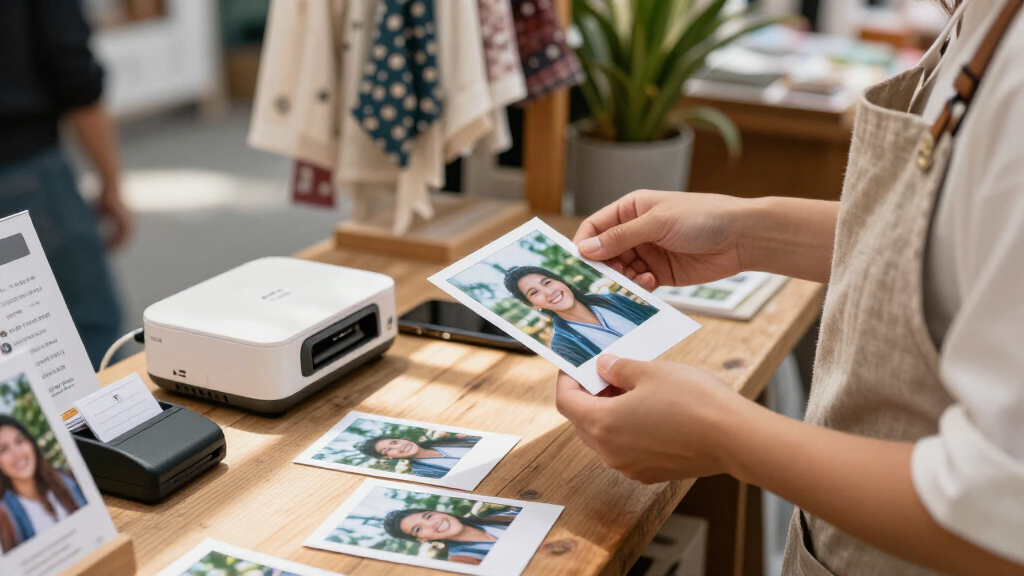

For a small business, a portable photo printer has to do more than produce cute snapshots — it needs to churn out reliable, sellable prints at events, in a storefront, or on the road without eating your margins. After comparing 13 leading models, the Liene M100 4×6 bundle with 100 sheets and 3 cartridges stands out as the best overall pick for most small businesses thanks to its true dye-sublimation output, solid print volume out of the box, and Wi-Fi flexibility across phones and PCs. The Canon SELPHY CP1500 is the strongest all-arounder if you value brand reliability and versatile printing modes, while the iDPRT CP4100 bundle wins on raw consumable value for high-volume sellers. The core tradeoff in this category is between print size and portability: 4×6 dye-sub printers like the Canon and Liene M-series deliver gallery-quality prints but are bulkier, while pocket models like the Canon IVY 2 and Nelko PP01 trade size and permanence for on-the-go sticker-style output. Keep reading for the full breakdown, including which bundles actually save you money and which print sizes make sense for your business model.

Get business pricing on office and shipping supplies
- Business-only prices and quantity discounts
- Tax-exempt purchasing
- Multiple users, one account, clear invoices
Key Takeaways
- Dye-sublimation models (the Canon SELPHY CP1500 and Liene M-series) produced noticeably more durable, water-resistant prints than ZINK-based pocket printers, making them the safer choice for prints you actually sell.
- Bundle versions of the same printer — the Canon CP1500 with KP-108 paper and the Liene M100 with 100 sheets — made more sense for business buyers than bare units because consumables are where the real cost lives.
- Pocket 2×3 printers like the Canon IVY 2, Nelko PP01, and Kodak Mini 2 Retro only made sense as marketing tools (free handouts, stickers, branded giveaways), not as products sold to customers.
- The Kodak Dock Plus’s physical smartphone dock was convenient for stationary retail setups but became awkward for genuinely mobile use, where battery-powered Wi-Fi printers won.
- The Liene M110 sticker printer filled a niche no 4×6 model could: die-cut stickers for packaging, branding, and small-format merch, justifying its spot despite a higher cost per sheet.
| Liene Pearl N200 Pro Portable Photo Printer |  | Best for Sticker Giveaways and Brand Moments | Printing technology: Dye-sublimation | Connectivity: Bluetooth | Photo size: 2 × 3 inches, adhesive-backed | VIEW LATEST PRICE | See Our Full Breakdown |
| Canon SELPHY CP1500 Wireless Compact Photo Printer (Black) |  | Best Overall | Brand: Canon | Model: SELPHY CP1500 | Display: 3.5-inch built-in LCD | VIEW LATEST PRICE | See Our Full Breakdown |
| Liene M100 4×6-Inch Portable Photo Printer with 100 Sheets and 3 Color Cartridges |  | Best Value for High-Volume Events | Print size: 4 × 6 inches | Printing technology: Thermal dye-sublimation | Connectivity: Built-in Wi-Fi hotspot | VIEW LATEST PRICE | See Our Full Breakdown |
| Liene M100 4×6” Photo Printer – Wi-Fi Portable Instant Photo Printer for iPhone, Android, Smartphone, and PC |  | Best Budget Entry Into 4×6 Printing | Printing technology: Thermal dye-sublimation | Print resolution: 300 × 300 dpi | Max media size: 4 × 6 inches | VIEW LATEST PRICE | See Our Full Breakdown |
| KODAK Mini 2 Retro Portable Photo Printer, Yellow |  | Best Ultra-Portable Icebreaker | Printer type: 4PASS dye-sublimation | Print resolution: 300 dpi | Max media size: 2.1 × 3.4 inches | VIEW LATEST PRICE | See Our Full Breakdown |
| Canon IVY 2 Mini Photo Printer, Pure White |  | Best for Stick-On Brand Touches | Printing technology: ZINK (Zero Ink) | Connectivity: Bluetooth 5.0 | Compatibility: Compatible iOS and Android devices | VIEW LATEST PRICE | See Our Full Breakdown |
| KODAK Dock Plus 4PASS 4×6 Photo Printer with Smartphone Dock |  | Best for Countertop Customer Prints | Print size: 4×6 inches | Printing technology: 4PASS dye sublimation | Print time: Approximately 55 seconds | VIEW LATEST PRICE | See Our Full Breakdown |
| Nelko PP01 Portable 2 x 3-Inch Photo Printer, Purple |  | Best for Lightweight Travel | Printer type: Inkjet | Print resolution: 600 × 600 dpi | Photo size: 2 × 3 inches (52 × 90 mm) | VIEW LATEST PRICE | See Our Full Breakdown |
| iDPRT CP4100 4×6 Dye-Sublimation Photo Printer with 108 Sheets and 2 Ribbons |  | Best Starter Kit for 4×6 Prints | Printer type: Dye sublimation | Print size: 4×6 inches | Connectivity: Wi-Fi and Bluetooth | VIEW LATEST PRICE | See Our Full Breakdown |
| Canon Selphy CP1500 Wireless Compact Photo Printer Bundle (Black) with KP-108 Paper (108 Sheets), 3 Color Ink Cartridges & Cleaning Cloth |  | Best for Flexible Event Setups | Model: Canon Selphy CP1500 | Print technology: Dye sublimation | Photo size: 4×6 inches | VIEW LATEST PRICE | See Our Full Breakdown |
| Liene M110 Portable Dye-Sublimation Photo and Sticker Printer Bundle |  | Best for Small-Batch Photo and Sticker Orders | Printer type: Dye sublimation | Print sizes: 4×6 inches and 3×3 inches | Connectivity: Bluetooth | VIEW LATEST PRICE | See Our Full Breakdown |
| Canon SELPHY CP1500 Wireless Compact Photo Printer (Black) Bundle with KP-108IN Ink & Paper Set (108 Sheets 4×6 + 3 Cartridges), Memory Card Holder & Accessories |  | Best for Flexible Business Workflows | Printer type: Dye sublimation | Resolution: 300 × 300 dpi | Connectivity: Wi-Fi and USB | VIEW LATEST PRICE | See Our Full Breakdown |
| Liene Amber M110 Bluetooth Photo Printer with 80 Sheets |  | Best for ID and Visa Photo Services | Printing technology: Thermal dye sublimation | Connectivity: Bluetooth | Paper sizes: 4×6 inches and 3×3 inches | VIEW LATEST PRICE | See Our Full Breakdown |
| portable photo printers for small business | Connectivity |
|---|---|
| Liene Pearl N200 Pro Portable | Bluetooth |
| Canon SELPHY CP1500 Wireless C | Wi-Fi, USB, memory card |
| Liene M100 4×6-Inch Portable P | Built-in Wi-Fi hotspot |
| Liene M100 4×6” Photo Printer | Built-in Wi-Fi hotspot, up to 5 devices |
| KODAK Mini 2 Retro Portable Ph | Bluetooth |
| Canon IVY 2 Mini Photo Printer | Bluetooth 5.0 |
| KODAK Dock Plus 4PASS 4×6 Phot | Bluetooth |
| Nelko PP01 Portable 2 x 3-Inch | Bluetooth |
| iDPRT CP4100 4×6 Dye-Sublimati | Wi-Fi and Bluetooth |
| Canon Selphy CP1500 Wireless C | Wireless (Wi-Fi) |
| Liene M110 Portable Dye-Sublim | Bluetooth |
| Canon SELPHY CP1500 Wireless C | Wi-Fi and USB |
| Liene Amber M110 Bluetooth Pho | Bluetooth |
More Details on Our Top Picks
Liene Pearl N200 Pro Portable Photo Printer
Where the Liene M100 is built around selling finished 4×6 prints, the Pearl N200 Pro plays a different game: it turns customer photos into 2×3 adhesive stickers on the spot. That makes it a natural fit for pop-ups, trade show booths, and product launches where a branded sticker travels further than a postcard. The companion app adds AI portrait styles, background removal, watermarks, and timestamps, which small businesses can use to stamp a logo onto every print. The tradeoff is endurance — a full charge yields only 27 stickers, so a busy event demands a charging plan, and the editing features live entirely inside the app. Compared with the Kodak Mini 2 Retro, the Pearl wins on creative tooling but shares the same small-format ceiling.
Pros:- Adhesive-backed 2×3 prints work as instant branded giveaways
- App includes AI portraits, background removal, watermarks, and stickers
- One-touch capture-and-print mode keeps lines moving at events
- Supports multiple connected devices for group printing
- Bundle includes 50 adhesive sheets and 5 cartridges
Cons:- Battery tops out at 27 prints per charge
- All creative editing requires the companion app
- Small print format limits commercial print sales
Best for: Small businesses running pop-ups, booths, or activations who want branded sticker giveaways
Not ideal for: Photographers or vendors selling larger finished prints — the 2×3 format and 27-print battery cap are too limiting
- Printing technology:Dye-sublimation
- Connectivity:Bluetooth
- Photo size:2 × 3 inches, adhesive-backed
- Included paper:50 adhesive sheets
- Included cartridges:5
- Battery life:Up to 27 prints per charge
- Compatibility:iPhone and smartphones
Our verdict“Buy this if your business lives at events and you want photo stickers that double as marketing; skip it if you sell prints as a product.”
Canon SELPHY CP1500 Wireless Compact Photo Printer (Black)
The SELPHY CP1500 earns the top spot because it solves the widest range of small-business scenarios without asking you to compromise. Its dye-sublimation output is instantly dry and water resistant, with Canon rating prints for up to 100 years — a real advantage when a customer pays for a print that needs to survive a wallet or a fridge door. The 3.5-inch onboard display means you can edit and apply filters without a phone, and card slots let clients hand you a camera’s memory card directly. The catch: the battery is optional and sold separately, so true on-the-go use costs more, and dye-sublimation caps you at small photo sizes. Next to the Liene M100, the Canon offers broader connectivity but a smaller starter supply.
Pros:- Prints are instantly dry, water resistant, and rated to last up to 100 years
- Wi-Fi, USB, and memory card inputs cover nearly every client scenario
- 3.5-inch LCD allows editing and filter effects without a smartphone
- Compact footprint fits a counter or folding table
Cons:- Battery pack sold separately, limiting out-of-box portability
- Dye-sublimation process restricts prints to small photo sizes
Best for: Small studios, event photographers, and retail counters that need flexible printing from phones, cards, or USB
Not ideal for: Frequently mobile operators — the battery pack is a separate purchase, adding cost and setup friction
- Brand:Canon
- Model:SELPHY CP1500
- Display:3.5-inch built-in LCD
- Connectivity:Wi-Fi, USB, memory card
- Print longevity:Up to 100 years
- Print durability:Instant dry, water resistant
- Portability:Compact footprint; optional battery pack available
Our verdict“The most versatile pick here — get it if you print for paying customers from mixed sources; budget for the battery if you travel.”
Liene M100 4×6-Inch Portable Photo Printer with 100 Sheets and 3 Color Cartridges
This M100 bundle is the value play for volume: with 100 sheets and 3 cartridges in the box, it arrives ready for a full weekend of event printing, where the smaller 20-sheet version (the other M100 listing) would need immediate restocking. Prints come out laminated to resist water, scratches, fingerprints, and fading, which matters when photos change hands at a wedding or farmers market. The built-in Wi-Fi hotspot connects up to five devices without any external network — ideal at venues with unreliable Wi-Fi. Maintenance is the weak point: smudges call for prompt print-head cleaning, and a mis-seated cartridge stops the show until it clicks in. Compared with the Canon SELPHY CP1500, you give up the onboard screen and card slots but start with far more consumables.
Pros:- Bundle includes 100 sheets and 3 color cartridges for immediate volume work
- Laminated prints resist water, scratches, fingerprints, and fading
- Built-in Wi-Fi hotspot connects 5 devices with no external network
- Works across iPhone, Android, and PC
Cons:- Print head requires prompt cleaning when smudges appear
- Cartridge must be correctly clicked into place before printing
- Confusingly overlaps with a nearly identical lower-capacity M100 listing
Best for: Event photographers and market vendors printing high volumes of 4×6 photos away from reliable Wi-Fi
Not ideal for: Buyers who want zero-maintenance operation — print-head cleaning and cartridge seating demand occasional attention
- Print size:4 × 6 inches
- Printing technology:Thermal dye-sublimation
- Connectivity:Built-in Wi-Fi hotspot
- Simultaneous devices:Up to 5
- Included paper:100 sheets
- Included cartridges:3 color cartridges
- Compatibility:iPhone, Android, and PC
Our verdict“The most cost-effective way to print 4×6 photos at scale — ideal if you’d rather buy consumables up front than tinker.”
Liene M100 4×6” Photo Printer – Wi-Fi Portable Instant Photo Printer for iPhone, Android, Smartphone, and PC
Same core hardware as the high-volume M100 bundle, but this listing ships with just 20 sheets and 1 cartridge — which makes it the cheapest way to test 4×6 dye-sublimation printing before committing to bulk consumables. The fundamentals are all here: 300 dpi output, a built-in Wi-Fi hotspot for up to five devices, and app features including ID photo printing, which is a quiet moneymaker for passport and visa photos. The limitations are structural: a 20-sheet tray means constant reloading during busy stretches, and you’re locked into proprietary Liene paper and cartridges forever. If you already know you’ll print in volume, the 100-sheet M100 bundle is the smarter buy; if you’re validating a business idea, this one keeps the entry risk low.
Pros:- Lowest-commitment way into full-size 4×6 dye-sublimation printing
- ID photo printing mode adds a sellable service beyond event prints
- Built-in Wi-Fi hotspot supports 5 devices without a network
- 12-month warranty and guided app troubleshooting ease first-time setup
Cons:- Only 20 sheets capacity per tray
- Locked into proprietary Liene paper and cartridges
- Redundant if you’d benefit from the 100-sheet bundle instead
Best for: Startups and side hustlers testing 4×6 or ID photo printing before committing to bulk supplies
Not ideal for: High-volume event printing — the 20-sheet tray and single cartridge will run dry mid-job
- Printing technology:Thermal dye-sublimation
- Print resolution:300 × 300 dpi
- Max media size:4 × 6 inches
- Tray capacity:20 sheets
- Connectivity:Built-in Wi-Fi hotspot, up to 5 devices
- Compatibility:iPhone, Android, laptops, PC
- Weight:2.2 pounds
- Warranty:12 months
Our verdict“A sensible starter printer for proving demand — upgrade to the larger M100 bundle once you know volume is coming.”
KODAK Mini 2 Retro Portable Photo Printer, Yellow
At 200 grams and roughly the size of a phone, the Kodak Mini 2 Retro is the machine you can genuinely slip into a jacket pocket — something no other pick here can claim, including the compact Liene Pearl N200 Pro. For consultants, realtors, or market sellers who want a spontaneous icebreaker print, that portability is the whole point. The 4PASS dye-sublimation process adds a laminated layer that resists fingerprints, water, and fading, so handouts survive handling. But the format is credit-card size and each print takes about 55 seconds — acceptable for one-on-one moments, punishing for a queue. The box does include 4 cartridges and 38 sheets, a decent head start. If you need 4×6 prints instead, the Liene M100 is the better tool; the Mini 2 is about presence, not production.
Pros:- Truly pocketable at 200 g and roughly phone-sized
- 4PASS lamination resists fingerprints, water, and fading
- Prints straight from iOS and Android devices over Bluetooth
- Ships with 4 cartridges and 38 sheets
Cons:- Credit-card-sized prints limit commercial appeal
- Approximately 55 seconds per print is slow for groups
- No larger-format option, unlike the Liene or Canon models
Best for: Mobile professionals like realtors and consultants who want pocketable instant prints as conversation starters
Not ideal for: Event vendors with customer lines — 55-second prints and 2.1×3.4 output can’t keep pace with demand
- Printer type:4PASS dye-sublimation
- Print resolution:300 dpi
- Max media size:2.1 × 3.4 inches
- Connectivity:Bluetooth
- Compatibility:iOS and Android smartphones and tablets
- Print time:Approximately 55 seconds per print
- Weight:200 g
- Included supplies:4 cartridges, 38 photo sheets
Our verdict“Choose this for portability-driven, one-at-a-time moments; choose anything else the moment volume or print size matters.”
Canon IVY 2 Mini Photo Printer, Pure White
For a small business that wants to add a personal touch to packaging, samples, or event handouts, the Canon IVY 2 makes small, peel-and-stick photos without ink cartridges. Its ZINK adhesive-backed paper lets customers place a print on a notebook or keepsake, a different use from the larger 4×6 output of the KODAK Dock Plus. Bluetooth 5.0 connects it to a compatible phone or tablet, while the Canon Mini Print app handles printing and customization. The tradeoff is print format: these mini prints suit small inserts and labels, not product photography or display prints. You also need a compatible mobile device, and ongoing printing depends on ZINK paper. I’d choose it for lightweight promotional extras, but skip it if a business needs full-size client proofs.
Pros:- Prints without ink cartridges
- Peel-and-stick backing suits packaging and small promotional items
- Bluetooth 5.0 connection to compatible iOS and Android devices
- Description cites improved skin tones, contrast, and sharpness
Cons:- Small print format is unsuitable for 4×6 photos or larger displays
- Requires a compatible smartphone or tablet
- Requires ZINK paper
Best for: Market vendors and small retailers adding personalized mini photos to packaging, thank-you notes, or event favors
Not ideal for: Photographers and sellers who need 4×6 product images or larger customer-ready prints
- Printing technology:ZINK (Zero Ink)
- Connectivity:Bluetooth 5.0
- Compatibility:Compatible iOS and Android devices
- Print backing:Peel-and-stick
- Color:Pure White
- App:Canon Mini Print
Our verdict“Choose the Canon IVY 2 for mobile, adhesive-backed promotional photos; choose a 4×6 printer such as the KODAK Dock Plus for customer prints.”
KODAK Dock Plus 4PASS 4×6 Photo Printer with Smartphone Dock
The KODAK Dock Plus is the clearest fit here for a shop or event counter that needs finished 4×6 customer prints. Its 4PASS dye-sublimation process adds a protective laminate, and the stated resistance to fingerprints, water, and fading helps prints hold up after handoff. The built-in dock gives a phone a place to connect and charge during printing, a practical counter setup compared with the wireless, more mobile Canon Selphy CP1500 bundle. That convenience comes with limits: the Dock Plus needs a power outlet and only prints 4×6 photos. Its approximately 55-second print time also makes it better for occasional orders than a high-volume queue. I’d pick it for a stable service station, not a roaming vendor table without reliable power.
Pros:- Prints standard 4×6 photos using 4PASS dye sublimation
- Protective laminate helps resist fingerprints, water, and fading
- Integrated dock connects and charges a phone while printing
- App supports editing, cropping, and customization
Cons:- Requires a power outlet to operate
- Limited to 4×6-inch prints
- Approximately 55 seconds per print may slow a busy queue
Best for: Retail counters and event booths with outlet access that offer occasional 4×6 prints directly from customers’ phones
Not ideal for: Mobile vendors who work away from outlets or businesses that need multiple photo sizes
- Print size:4×6 inches
- Printing technology:4PASS dye sublimation
- Print time:Approximately 55 seconds
- Connectivity:Bluetooth
- Compatibility:iOS and Android devices
- Paper capacity:50 sheets
- Phone charging:Integrated docking station
Our verdict“Choose the Dock Plus for a powered counter that needs durable 4×6 handouts, and the Canon Selphy CP1500 bundle for a more flexible portable setup.”
Nelko PP01 Portable 2 x 3-Inch Photo Printer, Purple
At 0.6 lb and roughly 4.2 × 1.69 × 5.04 inches, the Nelko PP01 is the travel-oriented pick for sellers who want to print small keepsakes on the move. Its 2×3-inch adhesive-backed output works for sample labels, mini photo favors, or quick customer mementos; it cannot substitute for the iDPRT CP4100 when a business needs 4×6 prints. The PP01 connects to iOS and Android phones over Bluetooth, and its app adds filters, frames, stickers, and collage tools for simple customization. Inkjet printing brings a different supply routine from the Canon IVY 2’s inkless ZINK system: the stated cartridge yield is up to 80 photos. It prints at one color page per minute, and an adapter is not included, so plan for slower batches and bring a suitable USB power adapter.
Pros:- Compact 0.6 lb design is easy to carry
- Adhesive-backed, water-resistant prints suit small labels and keepsakes
- Bluetooth printing works with iOS and Android phones
- App includes editing, filters, frames, stickers, and collage tools
Cons:- Prints only 2×3-inch photos
- One color page per minute limits batch throughput
- USB power adapter is not included
Best for: Mobile makers and market vendors who want lightweight, customizable 2×3 adhesive photos for samples or favors
Not ideal for: Businesses producing 4×6 customer prints or large batches where one color page per minute is too slow
- Printer type:Inkjet
- Print resolution:600 × 600 dpi
- Photo size:2 × 3 inches (52 × 90 mm)
- Connectivity:Bluetooth
- Dimensions:4.2 × 1.69 × 5.04 inches
- Weight:0.6 lb
- Maximum sheet capacity:10
- Print speed:1 color page per minute
- Cartridge yield:Up to 80 photos
Our verdict“Choose the Nelko PP01 for lightweight, personalized mini prints on the move; choose the iDPRT CP4100 when customers need 4×6 photos.”
iDPRT CP4100 4×6 Dye-Sublimation Photo Printer with 108 Sheets and 2 Ribbons
The iDPRT CP4100 earns its place as a starter kit because the box includes 108 sheets and two ink ribbons, giving a small studio or pop-up seller supplies to begin printing without assembling a paper-and-ribbon bundle. It produces 4×6 dye-sublimation prints from a smartphone over Wi-Fi, with a built-in hotspot or a 2.4 GHz network, and its HeyPhoto app adds editing tools plus an AR feature that links prints to video clips. Compared with the KODAK Dock Plus, it offers a larger included paper supply and that AR option, while the Kodak’s dock doubles as a phone charging point. The CP4100’s phone workflow depends on its app, and its stated weight is inconsistent: 0.5 kg is also listed as 2.2 lb. I’d favor it for an app-centered setup where bundled supplies matter.
Pros:- Includes 108 sheets of 4×6 photo paper and two ink ribbons
- Prints 4×6 color photos from a smartphone over Wi-Fi
- App offers filters, collages, frames, and stickers
- AR feature can link printed photos to video clips
Cons:- Phone printing and AR features require the HeyPhoto app
- Prints photos only, with no scanning or copying
- Listed weight is inconsistent between kilograms and pounds
Best for: Small studios and pop-up sellers starting 4×6 mobile printing who want paper and ribbons included
Not ideal for: Businesses that avoid app-dependent workflows or need scanning and copying alongside photo printing
- Printer type:Dye sublimation
- Print size:4×6 inches
- Connectivity:Wi-Fi and Bluetooth
- Included paper:108 sheets of 4×6 photo paper
- Included ink ribbons:2
- Dimensions:10.5 × 5.5 × 7 inches
- Weight:0.5 kg (also stated as 2.2 lb)
- Special feature:AR video printing
Our verdict“Choose the CP4100 if you want a bundled supply of 4×6 materials and app-based features; the KODAK Dock Plus has a more direct phone-docking setup.”
Canon Selphy CP1500 Wireless Compact Photo Printer Bundle (Black) with KP-108 Paper (108 Sheets), 3 Color Ink Cartridges & Cleaning Cloth
For a small business that prints at different workstations or brings photo service to events, this Canon Selphy CP1500 bundle combines the printer with 108 sheets of KP-108 paper and three color ink cartridges. Its wireless connection supports printing from smartphones, tablets, and computers, giving it a broader device mix than the phone-focused iDPRT CP4100. Dye-sublimation output is described as water- and fingerprint-resistant, a useful quality for prints handled by customers. The included supplies make setup more straightforward, while the microfiber cloth is a minor extra. The main constraints are a single 4×6 print size and reliance on proprietary Canon paper and ink refills. I’d choose it for flexible event or studio use where durable 4×6 prints matter; businesses needing adhesive mini prints should look at the Canon IVY 2 instead.
Pros:- Bundle includes 108 sheets of KP-108 paper and three color ink cartridges
- Wireless printing supports smartphones, tablets, and computers
- Dye-sublimation prints are described as water- and fingerprint-resistant
- Compact design suits event work and small spaces
Cons:- Limited to 4×6 photo printing
- Requires proprietary Canon paper and ink refills
Best for: Event photographers and small studios printing durable 4×6 photos from a mix of phones, tablets, and computers
Not ideal for: Retailers who need adhesive-backed mini prints or businesses that want to use non-Canon paper and ink
- Model:Canon Selphy CP1500
- Print technology:Dye sublimation
- Photo size:4×6 inches
- Paper included:KP-108, 108 sheets
- Ink cartridges included:3 color ink cartridges
- Connectivity:Wireless (Wi-Fi)
- Color:Black
- Accessories:Tudak microfiber cleaning cloth
Our verdict“Choose this CP1500 bundle for a ready-to-use, flexible 4×6 event printer; choose the Canon IVY 2 for small adhesive-backed promotional prints.”
Liene M110 Portable Dye-Sublimation Photo and Sticker Printer Bundle
The Liene M110 suits a small business that wants to hand customers either a standard 4×6 photo or a smaller sticker from the same portable printer. Its two trays make switching between those formats more practical than relying on a single-size option such as the iDPRT CP4100, which is focused on 4×6 prints. Bluetooth supports up to five connected devices, useful at a shared counter or pop-up table, while the app adds borders and filters before printing. The bundle’s photo paper, sticker sheets, and cartridges let a seller start with both formats on hand. The tradeoff is a 4×6-inch ceiling: it cannot handle larger display prints, and customization depends on the Liene app. I’d choose it for flexible small takeaways, not a broad print service.
Pros:- Dual trays support both 4×6-inch photos and 3×3-inch stickers
- Bluetooth allows up to five simultaneous device connections
- Bundle includes photo paper, sticker paper, and three ink cartridges
- App offers borders, filters, and image adjustments
Cons:- Maximum print size is limited to 4×6 inches
- Customization requires the Liene app
Best for: Market vendors and small retail shops that sell both 4×6 keepsake photos and compact branded sticker prints
Not ideal for: Businesses needing larger prints, computer-centered workflows, or customization without a companion app
- Printer type:Dye sublimation
- Print sizes:4×6 inches and 3×3 inches
- Connectivity:Bluetooth
- Device connections:Up to 5 simultaneous connections
- Media:Glossy photo paper and labels
- Trays:2
- Functions:Print only
- Bundle contents:100 photo sheets, 20 sticker sheets, 3 ink cartridges
Our verdict“Choose the M110 if your small business needs one portable setup for standard photo prints and square stickers.”
Canon SELPHY CP1500 Wireless Compact Photo Printer (Black) Bundle with KP-108IN Ink & Paper Set (108 Sheets 4×6 + 3 Cartridges), Memory Card Holder & Accessories
For a small business that receives images from more than one source, the Canon SELPHY CP1500 offers the broadest input options in this group: Wi-Fi, USB, memory cards, and computers, alongside phone printing through the SELPHY Layout app. That flexibility gives it an edge over Bluetooth-only models such as the Liene Amber M110, especially when staff need to print from a camera card or a desktop. It also supports several paper sizes and finishes, so a portrait booth or event seller can offer more than one presentation. The included 108-sheet set helps with an initial run. Its 300 × 300 dpi resolution and proprietary Canon consumables narrow the appeal, though, and the optional battery is sold separately. I’d favor it for varied sources and formats over sticker-first mobile work.
Pros:- Prints from Wi-Fi, USB flash drives, memory cards, and computers
- Supports multiple paper sizes, including postcards and adhesive stickers
- App provides layout controls and glossy, semi-gloss, and satin finish options
- Bundle includes 108 sheets and three cartridges
Cons:- 300 × 300 dpi resolution offers less fine detail than inkjet printers
- Requires Canon paper and ink cartridges
- Optional battery and SD card are not included
Best for: Event photographers, portrait booths, and small shops that print from phones, cameras, USB drives, and computers
Not ideal for: Mobile sellers who need battery power included, higher fine-detail output, or non-proprietary consumables
- Printer type:Dye sublimation
- Resolution:300 × 300 dpi
- Connectivity:Wi-Fi and USB
- Compatible devices:iOS, Android, Mac, and Windows
- Paper sizes:4 sizes, including 4×6-inch postcards and 2.1×3.4-inch adhesive stickers
- Dimensions:Approximately 7 × 5 × 2 inches
- Print finishes:Glossy, semi-gloss, and satin via SELPHY app
- Power:AC power supply; optional battery not included
- Bundle items:KP-108IN ink and 108-sheet paper set, AC supply, LCD protectors, memory card wallet, screen cloth
Our verdict“Pick the CP1500 if your business needs flexible image input and multiple print formats from a compact workstation.”
Liene Amber M110 Bluetooth Photo Printer with 80 Sheets
The Liene Amber M110 is the more focused choice for a small business that prints customer ID or visa photos alongside keepsakes. Its app includes ID/Visa photo printing and adjustment tools for brightness and contrast, giving it a distinct service angle compared with the bundle-focused M110 model, which emphasizes photo and sticker media. Like that Liene printer, the Amber handles both 4×6 photos and 3×3 stickers through dual trays; its 80 included sheets split between the two formats provide a ready supply for mixed jobs. Advertised Bluetooth pairing in 13 seconds may help when customers bring their own phones. This remains a phone-centered, app-dependent workflow, however, and the supplied information does not list multiple-device capacity. Businesses needing desktop or camera-card input should look at the Canon SELPHY CP1500 instead.
Pros:- App includes ID and visa photo printing
- Dual trays support 4×6 photos and 3×3 stickers
- Included media consists of 60 photo sheets and 20 sticker sheets
- Bluetooth pairing is advertised to take 13 seconds
Cons:- Customization features require the companion app
- Bluetooth is the only listed connection method
- Bundle includes two cartridges, fewer than the three in the other M110 bundle
Best for: Small studios, travel services, and event counters that offer ID or visa photos plus compact photo keepsakes
Not ideal for: Businesses that need computer or memory-card printing, or want to avoid app-dependent customization
- Printing technology:Thermal dye sublimation
- Connectivity:Bluetooth
- Paper sizes:4×6 inches and 3×3 inches
- Included paper:60 sheets of 4×6-inch paper and 20 sheets of 3-inch square sticker paper
- Included cartridges:2
- Bluetooth pairing time:Advertised at 13 seconds
- App features:Borders, filters, brightness and contrast adjustments, print status, ID/Visa photo printing
- Print finish:Laminated prints described as resistant to water, scratches, fingerprints, and fading
Our verdict“Choose the Amber M110 if ID and visa prints are part of your service and Bluetooth phone printing fits your workflow.”

How We Picked
I evaluated each printer through a small-business lens rather than a casual-consumer one, which changed the ranking dramatically. The criteria that mattered most: print technology and permanence (dye-sublimation prints resist water and smudging, which matters when a customer pays for a photo), print size (4×6 is the standard sellable format; 2×3 is a giveaway format), connectivity range (Wi-Fi and PC support beat Bluetooth-only for multi-device work environments), and consumable economics (what a bundle includes versus what you’ll spend on refills at volume). I also weighed portability honestly — a printer with a battery and no dock beats a lighter printer that needs to stay tethered to a wall.
The ranking logic follows business use cases rather than raw specs. Printers that produce sellable 4×6 output with bundled consumables rank highest because they serve photographers, event vendors, and pop-up shops directly. Mid-tier picks excel at specific jobs — stickers, mobile branding, stationary retail counters — while the pocket ZINK models rank lower for business use despite their popularity with casual buyers, because their print quality and durability fall short of anything you’d charge money for. Duplicate entries of the same hardware were differentiated purely by bundle value and included accessories.
Factors to Consider When Choosing Portable Photo Printers For Small Business
Before committing to a printer, it helps to understand the economics and workflow realities that only become obvious after you’ve printed a few hundred photos. These are the factors that separate a profitable photo side business from an expensive hobby.Print Technology: Dye-Sublimation vs. ZINK
Print size isn’t a spec — it’s a market decision. 4×6 prints are the standard for portrait sessions, event booths, and product photography deliverables, and customers expect that size when they’re paying. 2×3 prints work as photo-booby favors, sticker merch, or branded handouts, but very few customers will pay standalone prices for them. If your business is event photography or on-site printing at weddings and markets, a 4×6 dye-sub machine isn’t optional — it’s your revenue engine. If you’re a café, boutique, or creator using photos for branding and packaging, the smaller format may actually serve you better at a fraction of the running cost. Matching the format to what you’ll actually sell prevents buying a machine that’s permanently over- or under-spec’d for your needs.
Connectivity and Workflow at a Busy Event
“Portable” means different things to different businesses. A dye-sub printer that runs on an optional battery (the Canon CP1500 and Liene models support this) genuinely works at outdoor markets and house calls; one that requires AC power is only portable between locations, not during them. Battery runtime matters too — you want enough for at least a full event without recharging, or you’ll be hunting for outlets mid-job. Duty cycle is the quieter concern: consumer-grade printers are built for occasional family printing, not 200 prints in an afternoon. If that’s your volume, choose a model with a proven track record at events (Canon SELPHY is the industry staple here) and always carry a spare paper tray and ribbon. Cheap printers that die mid-event cost you far more in lost sales than a sturdier unit costs upfront.
Growth: Stickers, Branding, and Add-On Revenue
The most successful small photo businesses don’t sell one product — they sell a tiered menu. A die-cut sticker printer like the Liene M110 alongside a 4×6 machine lets you offer branded stickers as add-ons, packaging labels, or low-cost impulse items at events. This is why sticker-capable printers earn a place in a business lineup even though they’d rank lower on pure photo quality. When planning growth, think about which formats multiply your revenue per customer rather than which printer is the single best. Also consider print speed per unit: at a busy booth, a printer producing a sellable print every 45–60 seconds keeps the line moving, while anything slower turns into a queue-management problem. Buy for the business you’re building toward, not just the one you have today.
Frequently Asked Questions
Can I use one printer for both paid prints and free marketing handouts?
You can, but you’ll pay for the wrong consumables on one side of that equation. Paid prints should come from a dye-sublimation printer because the output resists water, smudging, and fading — customers expect a print that survives a pocket. Free handouts are better suited to ZINK-based pocket printers or a sticker machine like the Liene M110, where the lower per-sheet cost and smaller format match the throwaway nature of the item. Many small businesses I’d advise end up with two machines rather than one compromise unit: a 4×6 dye-sub as the moneymaker and a compact printer for stickers and giveaways. If budget only allows one, prioritize the dye-sub and use 4×6 prints for everything until marketing volume justifies a second device.
Are the bundle versions of the Canon SELPHY CP1500 and Liene M100 worth it over the bare printer?
For business use, almost always yes — because the bundle is really a consumables purchase with a printer attached. The Canon CP1500 bundles include KP-108 ink-and-paper sets (108 sheets with matching cartridges), and dye-sub ribbons are matched to specific paper counts, so having sealed official packs on hand means you can start printing revenue immediately. The Liene M100’s 100-sheet bundle works the same way. The catch: check that the bundle price beats buying the bare unit and the same packs separately, because some bundles pad value with cleaning cloths and cardholders rather than actual consumables. Bundles with real paper and ribbon are worth it; bundles that are mostly accessories are marketing. Either way, you’ll be buying refills monthly at business volume, so set up a recurring supplier before you need it.
How many prints per hour can these realistically handle at an event?
Expect roughly one 4×6 print every 45–60 seconds from dye-sub models like the Canon SELPHY CP1500, Liene M100, and iDPRT CP4100, which translates to about 50–70 prints per hour of continuous operation — realistic throughput for a photo booth or portrait stand. Pocket ZINK printers like the Canon IVY 2 and Nelko PP01 print smaller images but not much faster, so they don’t solve throughput problems. The bigger constraint than speed is usually consumable swaps: dye-sub cartridges run out every 36–108 sheets depending on pack size, and fumbling a ribbon change mid-line kills your pace. Practice reloading with gloves before your first event, carry double the supplies you expect to need, and if your event will exceed 300 prints, bring a backup printer or a second paper tray.
Do I need a battery-powered printer, or is AC power fine?
It depends entirely on where the money is made. If you print at fixed locations — a studio, a retail counter, a booth with guaranteed power access — AC-only operation saves money and eliminates battery degradation as a failure point. If you print at outdoor markets, private events, house calls, or anywhere outlet access is uncertain, a battery-capable model like the Canon CP1500 or Liene M-series (battery usually sold separately) is worth the extra investment, because a dead printer at a paid gig costs you more than the battery ever will. One practical middle path: bring a portable power station, which can run an AC printer and charge phones simultaneously. Whichever route you choose, test the full power chain before the event, not during setup.
Is a sticker printer like the Liene M110 a smart second machine for my business?
It can be one of the highest-margin additions you make, but only if you have a plan for the stickers. The M110 produces die-cut stickers in multiple small sizes, which small businesses use for packaging seals, branded giveaways, laptop-style merch, and low-cost impulse items at events — all categories where the per-sheet cost is far below a 4×6 print but the perceived value holds up. The mistake to avoid is buying it as a primary photo printer: its small format and dye-sub economics don’t replace a proper 4×6 machine for sellable photographs. If you already sell prints and want to raise average order value with a branded add-on, the M110 earns its spot. If you don’t yet have steady print demand, put that budget into consumables for your main machine instead.
Conclusion
After comparing all 13 printers, the right choice comes down to what your business actually sells. For best overall, the Liene M100 4×6 bundle with 100 sheets and 3 cartridges delivers sellable dye-sub prints, multi-device Wi-Fi connectivity, and enough consumables to start earning immediately — the strongest balance of quality, flexibility, and out-of-box value. For best value, the iDPRT CP4100 with 108 sheets and 2 ribbons gives high-volume sellers the lowest barrier to a serious 4×6 operation. The Canon SELPHY CP1500 (either bundle) takes best premium honors: it’s the industry-standard event printer with the widest accessory ecosystem, battery option, and card slots, and the KP-108 bundles make it turnkey. For beginners testing photo sales with minimal commitment, the Kodak Mini 2 Retro offers an easy entry point, while the Kodak Dock Plus suits a stationary counter with its charging dock. For specific needs: the Liene M110 handles stickers and branded merch, and the Canon IVy 2 or Nelko PP01 work strictly as giveaway machines. Match the printer to the job, price your prints above your consumable costs, and any of these picks can pull its weight in a small business.
Halloween Picks
halloween
As an affiliate, we earn on qualifying purchases.