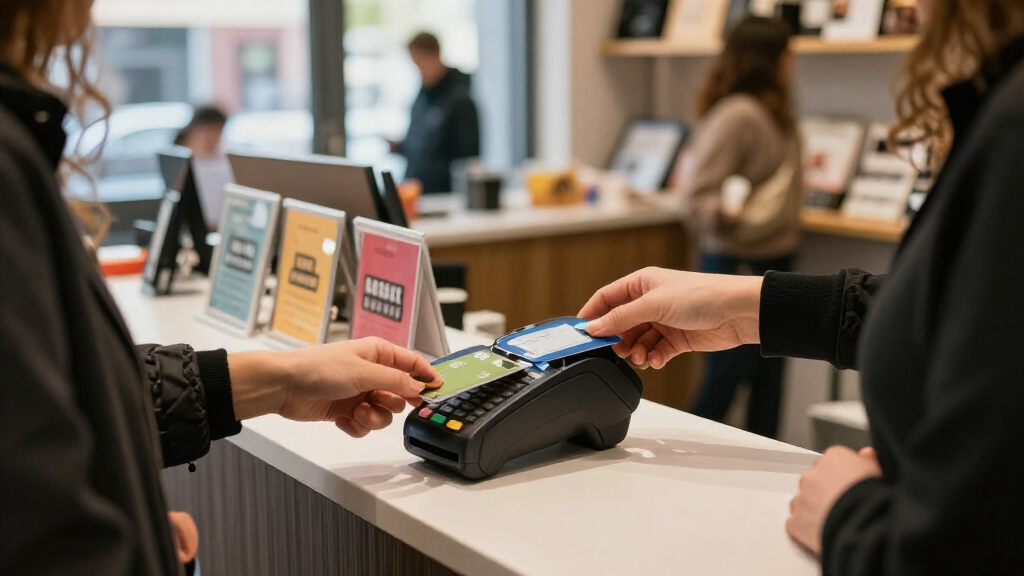

For Black Friday checkout, I’d put the Square Register (2nd Generation) first for a staffed counter that needs an integrated point-of-sale setup; the Square Terminal Mobile Point-of-Sale Payment and Receipt Device stands out for checkout away from the counter, while the Square Reader for Contactless and Chip is a compact choice for sellers who already have a compatible phone or tablet. The main tradeoff is between an integrated system that can simplify checkout and smaller terminals that offer more flexibility but may rely on other hardware or payment-service arrangements. The Dejavoo and VeriFone options add variety for businesses comparing dedicated terminals, though compatibility and setup can differ by provider. Read on for the full breakdown of which model suits your Black Friday sales floor.

Get business pricing on office and shipping supplies
- Business-only prices and quantity discounts
- Tax-exempt purchasing
- Multiple users, one account, clear invoices
Key Takeaways
- Square Register is the strongest all-in-one fit in this lineup for a fixed, staffed checkout, while portable sellers may get more from Square Terminal or the Square Handheld.
- Square Reader is the smallest hardware commitment, but it depends on a compatible mobile device and is not a standalone checkout station.
- Portability comes in different forms: the Dejavoo Z9 is listed with 4G, the Verifone e285 with Wi-Fi and Bluetooth, and Square Terminal combines payment acceptance with receipt printing.
- Several Dejavoo Z8 listings differ by payment-service or encryption bundle, so buyers should verify the exact configuration and provider compatibility rather than treating them as interchangeable.
- Verifone MX and Engage models suit a more dedicated terminal comparison, but buyers should confirm integration, service support, and deployment requirements before choosing them over Square’s more unified lineup.
| Square Register (2nd Generation) Point-of-Sale System |  | Best Overall for a Fixed Checkout | Brand: Square | Model: A-SKU-0908 | Weight: 12.6 pounds | VIEW LATEST PRICE | See Our Full Breakdown |
| Dejavoo Z8 EMV Contactless Credit Card Terminal with Paysafe |  | Best for Paysafe-Compatible Counter Setups | Manufacturer: Dejavoo | Model: Z8 | Payment support: EMV 4.x L1 and L2; NFC contactless | VIEW LATEST PRICE | See Our Full Breakdown |
| Dejavoo Z8 EMV Contactless Credit Card Terminal |  | Best for Elavon-Linked IP or Wi-Fi Setups | Brand: Dejavoo | Model: Z8 | Payment methods: EMV chip, NFC contactless | VIEW LATEST PRICE | See Our Full Breakdown |
| VeriFone MX 830 Payment Terminal |  | Best for Existing Ethernet Installations | Manufacturer: VeriFone | Model number: M090-309-04-R | Alternate model number: VFN-M090-309-04-R | VIEW LATEST PRICE | See Our Full Breakdown |
| VeriFone e285 Portable Payment Terminal with Wi-Fi, Bluetooth, EMV, NFC, and Magstripe |  | Best Portable Pick | Processor: Arm Cortex-A9 | Memory: 1 GB | Display: 2.8-inch color capacitive touchscreen | VIEW LATEST PRICE | See Our Full Breakdown |
| Dejavoo Z8 EMV Contactless Credit Card Terminal with Carlton 500 Encryption | | Best for Encrypted Countertop Checkout | Model: Dejavoo Z8 | Encryption: Carlton 500 | Payment support: EMV 4.x Level 1 and Level 2; NFC contactless | VIEW LATEST PRICE | See Our Full Breakdown |
| Dejavoo Z9 4G EMV Contactless Portable Credit Card Terminal |  | Best for Portable Network Flexibility | Model: Dejavoo Z9 | Connectivity: 4G/3G and Wi-Fi | Payment support: EMV, NFC contactless, Apple Pay, Samsung Pay, Visa payWave, MasterCard PayPass | VIEW LATEST PRICE | See Our Full Breakdown |
| POS STORE PS10 NFC Android 14 Handheld POS Terminal with Receipt Printer |  | Best for Mobile, App-Based POS Workflows | Operating system: Android 14 | Processor and memory: 2.3 GHz octa-core; 3 GB RAM and 32 GB ROM, expandable with Micro SD | Display: 5.5-inch IPS, 1440 × 720 | VIEW LATEST PRICE | See Our Full Breakdown |
| Square Terminal Mobile Point-of-Sale Payment and Receipt Device |  | Best for Simple All-in-One Checkout | Manufacturer: Square | Dimensions: 5.6 × 3.4 × 2.5 inches | Weight: 14.7 ounces | VIEW LATEST PRICE | See Our Full Breakdown |
| Verifone Engage V400c Plus Payment Terminal |  | Best for Security-Focused Countertop Processing | Model: Verifone V400C | Payment methods: NFC/contactless, mobile wallets, EMV, magstripe | Display: Color touchscreen with signature capture | VIEW LATEST PRICE | See Our Full Breakdown |
| Square Reader for Contactless and Chip (2nd Generation) |  | Best Compact Reader | Compatible devices: Android, iPhone | Connectivity: Bluetooth | Power source: Battery powered | VIEW LATEST PRICE | See Our Full Breakdown |
| Square Handheld Portable POS and Credit Card Machine |  | Best for Tableside and Mobile Selling | Dimensions: 7.04 x 3.12 x 0.62 inches | Weight: 2.11 ounces | Manufacturer: Square | VIEW LATEST PRICE | See Our Full Breakdown |
| Square Terminal All-in-One Payment Terminal |  | Best All-in-One Checkout | Dimensions: 5.6 x 3.4 x 2.5 inches | Weight: 1 pound | Display: Touchscreen | VIEW LATEST PRICE | See Our Full Breakdown |
| VeriFone VX675 Portable Wireless Payment Terminal |  | Best for Mobile Card and Receipt Acceptance | Processor: 400 MHz ARM11 32-bit RISC | Memory: 192 MB (128 MB Flash, 64 MB SDRAM) | Display: 2.8-inch QVGA | VIEW LATEST PRICE | See Our Full Breakdown |
| VeriFone MX915 Payment Terminal with 4.3-Inch Color Touchscreen |  | Best for Existing Ethernet Counter Setups | Model: VeriFone MX915 | Part number: M132-409-01-R | Display: 4.3-inch color touchscreen | VIEW LATEST PRICE | See Our Full Breakdown |
| Black Friday payment processing terminal | Connectivity | Display |
|---|---|---|
| Square Register | Bluetooth, USB cable, Wi-Fi | — |
| Dejavoo Z8 EMV Contactless Cre | Dual Comm standard; Wi-Fi option on Tri-Comm models | 2.4-inch backlit color LCD |
| Dejavoo Z8 EMV Contactless Cre | IP, Wi-Fi | 2.4-inch color LCD with backlight |
| VeriFone MX 830 Payment Termin | Ethernet | — |
| VeriFone e285 Portable Payment | Wi-Fi 2.4 GHz and 5 GHz; Bluetooth 4.2 BLE | 2.8-inch color capacitive touchscreen |
| Dejavoo Z8 EMV Contactless Cre | Dial and IP; Wi-Fi option for Tri-Comm models | 2.4-inch backlit color LCD |
| Dejavoo Z9 4G EMV Contactless | 4G/3G and Wi-Fi | 3.5-inch color touchscreen with signature capture |
| POS STORE PS10 NFC Android 14 | 4G LTE, dual-band 2.4/5 GHz Wi-Fi, Bluetooth 5.1, USB-C OTG | 5.5-inch IPS, 1440 × 720 |
| Square Terminal Mobile Point-o | — | — |
| Verifone Engage V400c Plus Pay | Bluetooth, USB, Wi-Fi; Wi-Fi and Bluetooth listed as optional | Color touchscreen with signature capture |
| Square Reader for Contactless | Bluetooth | — |
| Square Handheld Portable POS a | — | — |
| Square Terminal All-in-One Pay | — | Touchscreen |
| VeriFone VX675 Portable Wirele | 3G HSPA+, Wi-Fi, Bluetooth 2.1 | 2.8-inch QVGA |
| VeriFone MX915 Payment Termina | Ethernet (RJ-45) | 4.3-inch color touchscreen |
More Details on Our Top Picks
Square Register (2nd Generation) Point-of-Sale System
For a retailer choosing a Black Friday checkout hub, the Square Register combines two customer-facing touchscreens with software for sales, inventory, and customer management. That makes it a broader counter solution than the VeriFone e285, which is designed for portable transactions rather than a shared register workflow. Offline selling is a useful fallback if connectivity drops during a busy period, while the IP54-rated design adds protection against everyday dust and spills. The tradeoff is its countertop setup: it needs corded power and weighs 12.6 pounds, so it is not a practical fit for roaming staff or pop-up checkout lanes. Hardware approval is also limited to its intended country, so buyers should verify regional compatibility before purchasing.
Pros:- Dual touchscreens give staff and customers distinct checkout views.
- Built-in tools cover sales, inventory, and customer management.
- Offline selling can keep transactions moving during a connection outage.
- IP54-rated design resists spills, dust, and everyday wear.
Cons:- Corded electric power limits placement and prevents untethered use.
- At 12.6 pounds, it is less convenient to move than the VeriFone e285.
- Hardware is approved only for use in its intended country.
Best for: Retail shops that want a fixed checkout with separate cashier and customer screens plus built-in inventory and customer tools.
Not ideal for: Mobile sellers, temporary stalls, or businesses that need battery-powered checkout or plan to use the hardware outside its intended country.
- Brand:Square
- Model:A-SKU-0908
- Weight:12.6 pounds
- Power:Corded electric
- Connectivity:Bluetooth, USB cable, Wi-Fi
- Compatible devices:POS, smartphone, tablet
Our verdict“Choose the Square Register for a staffed, fixed checkout that benefits from dual screens and integrated business tools, not for mobile payment acceptance.”
Dejavoo Z8 EMV Contactless Credit Card Terminal with Paysafe
This Z8 is a focused choice for merchants already arranging payment service through Paysafe and looking for EMV chip and NFC acceptance in a compact terminal. It supports mobile wallets including Apple Pay, Samsung Pay, and Google Wallet, giving customers a tap option when a line is moving quickly. Compared with the Square Register, it is a dedicated payment device rather than a full POS system with inventory and customer management; that narrower role can suit a business whose POS software is already handled elsewhere. The main configuration detail to check is connectivity: Wi-Fi is listed only for Tri-Comm models, while standard units support dial-up and IP. The listing also does not specify a battery, so I would treat it as a powered checkout terminal, not a mobile one.
Pros:- Accepts EMV chip and NFC contactless payments.
- Supports major mobile wallets and contactless services.
- Standard dual communication supports dial-up and IP.
- Backlit color display and power supply are included.
Cons:- Wi-Fi is available only on Tri-Comm models, so the exact configuration matters.
- No battery or portable operation is specified.
- It lacks the built-in inventory and customer tools found in the Square Register.
Best for: Merchants using or planning a Paysafe setup who need a dedicated EMV and contactless terminal alongside existing POS software.
Not ideal for: Businesses seeking an all-in-one register, a battery-powered handheld, or Wi-Fi without confirming they are buying a Tri-Comm model.
- Manufacturer:Dejavoo
- Model:Z8
- Payment support:EMV 4.x L1 and L2; NFC contactless
- Connectivity:Dual Comm standard; Wi-Fi option on Tri-Comm models
- Display:2.4-inch backlit color LCD
- Memory:192 MB (128 MB RAM / 64 MB DDR RAM)
- Processor:32-bit, 400 MHz
- Certification:PCI PTS
- Included components:Terminal and power supply
Our verdict“Pick this Z8 when Paysafe compatibility and dedicated contactless acceptance matter more than integrated POS features or untethered use.”
Dejavoo Z8 EMV Contactless Credit Card Terminal
This Dejavoo Z8 is the more clearly specified choice for a merchant who needs Elavon encryption and IP or Wi-Fi connectivity in a dedicated payment terminal. Like the Paysafe-listed Z8, it handles EMV chip and NFC contactless payments, but its listing describes IP and Wi-Fi as supported connections rather than making Wi-Fi dependent on a Tri-Comm configuration. That may make it a better match for a networked counter where dial-up is not needed. Against the Square Register, however, it offers a narrower payment-terminal role without the described inventory and customer-management software. The 2.4-inch display is compact, and the listing says there is no dial-up connectivity, so buyers should confirm their processor and network setup before choosing it.
Pros:- Supports EMV chip and NFC contactless payments.
- Includes Elavon encryption.
- IP and Wi-Fi connectivity are specified.
- Backlit color LCD and one-year warranty are listed.
Cons:- No dial-up connectivity is specified, unlike the Paysafe Z8 listing.
- The 2.4-inch display leaves limited room for on-screen information.
- It does not provide the broader POS functions described for the Square Register.
Best for: Elavon-connected merchants with reliable IP or Wi-Fi who need a dedicated chip-and-contactless terminal.
Not ideal for: Businesses that require dial-up backup, a larger customer-facing screen, or a complete POS system with inventory tools.
- Brand:Dejavoo
- Model:Z8
- Payment methods:EMV chip, NFC contactless
- Connectivity:IP, Wi-Fi
- Display:2.4-inch color LCD with backlight
- Memory:192 MB (128 MB RAM / 64 MB DDR RAM)
- Processor:32-bit, 400 MHz
- Security certification:PCI PTS certified
- Warranty:1 year
Our verdict“Choose this Z8 for an Elavon-linked, network-connected payment station, provided you do not need dial-up or an all-in-one POS.”
VeriFone MX 830 Payment Terminal
The VeriFone MX 830 is a specialized fit for a business that already has a compatible payment environment and needs an Ethernet-connected terminal with smart-card reading and signature capture. Its touchscreen supports signature entry, while the smart card reader gives it a defined role at a fixed checkout. Compared with the Dejavoo Z8 models, this listing provides less detail about payment methods and communications, so it is a harder choice for buyers building a new setup from scratch. The key limitation is more than a setup inconvenience: key injection is required before it can accept debit or credit payments. Its older listing date also makes compatibility checks especially important. I would treat it as an existing-system replacement candidate, not a straightforward Black Friday terminal purchase.
Pros:- Smart card reader is built into the terminal.
- Touchscreen supports signature capture.
- Ethernet interface suits a fixed wired checkout.
- Lightweight at 1.31 pounds.
Cons:- Key injection is required before card payments can be accepted.
- The listing gives limited detail about supported payment methods and processor compatibility.
- Ethernet-only connectivity does not suit wireless checkout.
Best for: Businesses replacing an MX 830 in an established Ethernet-based payment system with access to the required key-injection process.
Not ideal for: New merchants or seasonal sellers who need a ready-to-configure terminal, wireless use, or clearly documented payment and processor compatibility.
- Manufacturer:VeriFone
- Model number:M090-309-04-R
- Alternate model number:VFN-M090-309-04-R
- Weight:1.31 pounds
- Connectivity:Ethernet
- Features:Smart card reader, signature capture touchscreen
- Payment acceptance requirement:Key injection required
- Date first available:May 19, 2008
Our verdict“Consider the MX 830 only as a compatible-system replacement when key injection and processor support are already arranged.”
VeriFone e285 Portable Payment Terminal with Wi-Fi, Bluetooth, EMV, NFC, and Magstripe
For staff who need to take payment away from a counter, the VeriFone e285 offers the strongest mobility story in this group: it accepts EMV, magstripe, NFC, and mobile wallets, and its field-replaceable battery supports portable use without committing to a fixed register. Wi-Fi and Bluetooth 4.2 provide options for connecting in-store or on the go. Compared with the corded Square Register, the e285 trades dual-screen checkout and built-in inventory tools for a handheld form and signature capture. That makes it more suitable for queues, tables, or mobile service, but its 2.8-inch touchscreen has less workspace than a counter POS. Cellular service is optional 3G, not built in as standard, so buyers needing mobile connectivity away from Wi-Fi should verify that configuration.
Pros:- Accepts EMV chip, magstripe, NFC, and mobile wallet payments.
- Replaceable 1800 mAh battery supports portable checkout.
- Wi-Fi and Bluetooth 4.2 provide flexible wireless connections.
- Capacitive touchscreen supports signature capture.
Cons:- Optional 3G means cellular connectivity is not standard.
- The 2.8-inch screen offers limited workspace compared with the Square Register.
- It is a payment terminal rather than a full POS system with built-in inventory tools.
Best for: Retail teams, restaurants, and mobile service providers that need to take payments away from a fixed checkout using a replaceable-battery terminal.
Not ideal for: Merchants who need a large register interface, built-in inventory management, or standard cellular connectivity without an optional configuration.
- Processor:Arm Cortex-A9
- Memory:1 GB
- Display:2.8-inch color capacitive touchscreen
- Payment methods:EMV chip, magstripe, NFC, mobile wallets
- Connectivity:Wi-Fi 2.4 GHz and 5 GHz; Bluetooth 4.2 BLE
- Cellular connectivity:Optional 3G
- Battery:1800 mAh, field-replaceable
- Connector:USB Type-C
- Security:PCI PTS 5.x approval; end-to-end encryption
Our verdict“Choose the e285 for portable, multi-method payment acceptance, but pick the Square Register instead if your priority is a feature-rich fixed checkout.”
Dejavoo Z8 EMV Contactless Credit Card Terminal with Carlton 500 Encryption
For a Black Friday rush at a fixed checkout, I’d shortlist the Dejavoo Z8 for its combination of EMV chip and NFC contactless support with Carlton 500 encryption. Its 2.4-inch backlit color display keeps basic payment prompts visible, while dial and IP connectivity suit a traditional counter setup. Compared with the portable Dejavoo Z9, the Z8 is the more straightforward fit when staff can bring the terminal to the customer rather than carry it around the store; its corded power is the tradeoff. It also supports mobile wallets and familiar contactless standards, giving customers several ways to pay during busy seasonal traffic. Check the exact configuration before buying: Wi-Fi is listed only as an option on Tri-Comm models, not a guaranteed feature. I’d skip it if cordless checkout is a priority.
Pros:- Carlton 500 encryption is specified for this model.
- Accepts EMV chip and NFC contactless payments, including listed mobile wallets.
- Backlit color display supports checkout in varied lighting.
- Dial and IP connectivity support conventional counter installations.
Cons:- Corded power limits where the terminal can be used.
- Wi-Fi is optional on Tri-Comm models rather than standard across configurations.
- The 2.4-inch display offers less room for interaction than the Dejavoo Z9 touchscreen.
Best for: Brick-and-mortar retailers who want an encrypted, corded terminal for a fixed checkout and accept chip and contactless payments.
Not ideal for: Mobile vendors or shops that need staff to take payments away from the counter, since this model requires corded power and Wi-Fi may not be included.
- Model:Dejavoo Z8
- Encryption:Carlton 500
- Payment support:EMV 4.x Level 1 and Level 2; NFC contactless
- Display:2.4-inch backlit color LCD
- Memory:192 MB (128 MB RAM / 64 MB DDR RAM)
- Processor:32-bit, 400 MHz
- Connectivity:Dial and IP; Wi-Fi option for Tri-Comm models
- Power:Corded electric
Our verdict“Choose the Z8 for an encrypted, fixed checkout with chip and contactless acceptance, but pick the Z9 if cordless mobility matters more.”
Dejavoo Z9 4G EMV Contactless Portable Credit Card Terminal
The Dejavoo Z9 suits businesses that need to take payments across a shop floor, at a counter, or where Wi-Fi coverage is unreliable. Its listed 4G/3G and Wi-Fi connectivity give it more network flexibility than the corded Dejavoo Z8, and the 3.5-inch touchscreen can capture signatures directly on the device. It also supports EMV and NFC payments, including named mobile wallets, so checkout need not depend on handing over a card. The main caution is security configuration: the product data describes this terminal as not encrypted, so buyers should confirm processing and security requirements with their provider before relying on it. Cellular connectivity can also add an ongoing SIM plan. I’d choose it over the Z8 for mobility, but not if encryption is a firm purchasing requirement.
Pros:- Portable design with Wi-Fi and 4G/3G network options.
- 3.5-inch touchscreen supports on-display signature capture.
- Accepts EMV and NFC contactless payments, including listed mobile wallets.
- PCI PTS v5.x and EMV 4.x L1 and L2 certifications are specified.
Cons:- Product data describes the terminal as not encrypted, a significant issue to verify with the processor.
- 4G models require a monthly SIM card plan.
- Includes a power supply, but no battery capacity or battery runtime is specified.
Best for: Retailers, market sellers, and service businesses that need a portable terminal with cellular and Wi-Fi connectivity and on-screen signature capture.
Not ideal for: Businesses requiring an encrypted terminal as part of their processing setup, or operators unwilling to manage a cellular SIM plan for 4G use.
- Model:Dejavoo Z9
- Connectivity:4G/3G and Wi-Fi
- Payment support:EMV, NFC contactless, Apple Pay, Samsung Pay, Visa payWave, MasterCard PayPass
- Display:3.5-inch color touchscreen with signature capture
- Memory:192 MB (128 MB RAM / 64 MB DDR RAM)
- Processor:32-bit, 400 MHz
- Encryption:Listed as not encrypted
- Certifications:PCI PTS v5.x; EMV 4.x L1 and L2
Our verdict“Pick the Z9 when portable checkout and flexible connectivity matter most, provided its encryption status meets your processor’s requirements.”
POS STORE PS10 NFC Android 14 Handheld POS Terminal with Receipt Printer
The POS STORE PS10 is a broader handheld POS choice than a dedicated card terminal: it combines an Android 14 device, NFC reader, barcode-scanning camera, and 58 mm thermal printer. That combination can help a food truck or pop-up manage orders and print receipts without carrying separate equipment. Its cellular, dual-band Wi-Fi, and Bluetooth options also give it more ways to stay connected than the corded Dejavoo Z8. The tradeoff is that NFC hardware alone does not make it ready to process payments: a compatible payment app and processor are required. At 600 g, it is also heavier than a compact reader, and the removable 3000 mAh battery may call for spare power during long shifts. I’d favor it for app-led operations, not for buyers seeking a simple, ready-to-go card terminal.
Pros:- Combines an Android handheld, NFC reader, barcode camera, and thermal printer.
- Prints receipts, order tickets, and kitchen slips without ink.
- Offers 4G LTE, dual-band Wi-Fi, Bluetooth 5.1, and USB-C OTG.
- Android 14, Google Play certification, and an SDK support app-based workflows and custom integration.
Cons:- NFC payments require a compatible payment app and processor.
- At 600 g, it is heavier than a dedicated compact payment reader.
- The removable 3000 mAh battery may need charging or a spare during extended use.
Best for: Food trucks, pop-ups, and mobile merchants who need Android-based order handling, barcode scanning, NFC capability, and receipt printing in one device.
Not ideal for: Businesses looking for a standalone, ready-to-process card terminal, or staff who need a light handheld device for long shifts.
- Operating system:Android 14
- Processor and memory:2.3 GHz octa-core; 3 GB RAM and 32 GB ROM, expandable with Micro SD
- Display:5.5-inch IPS, 1440 × 720
- Printer:58 mm thermal; up to 75 mm/s; 203 × 203 dpi
- Connectivity:4G LTE, dual-band 2.4/5 GHz Wi-Fi, Bluetooth 5.1, USB-C OTG
- NFC:ISO/IEC 14443 Type A/B; Mifare
- Camera:5 MP autofocus rear camera
- Battery and weight:Removable 3000 mAh, 7.7 V battery; 600 g
Our verdict“Choose the PS10 if you need a connected Android POS and receipt printer in one handheld, but not if you want a simple terminal with payment processing ready out of the box.”
Square Terminal Mobile Point-of-Sale Payment and Receipt Device
Square Terminal brings payment acceptance and receipt printing together in a single device, making it a practical choice for retailers who want a simpler checkout station ahead of Black Friday traffic. Its built-in battery supports cordless use, a clear advantage over the corded Dejavoo Z8 when the counter layout changes or staff need to move the device. The product information also lists fraud prevention and phone support, adding support around the payment workflow. Unlike the POS STORE PS10, it is presented as a focused payment-and-receipt device rather than an Android platform for custom app workflows and barcode scanning. The tradeoff is that specialized Square POS features may involve separate subscription options, and buyers should confirm that its processing setup and supported payment methods fit their business. I’d pick it for streamlined checkout, not for a highly customized POS setup.
Pros:- Combines payment processing and receipt printing in one device.
- Built-in battery allows cordless operation.
- Accepts major credit and debit cards, according to the product description.
- Fraud prevention and phone support are included in the listed offering.
Cons:- Specialized Square POS features may require separate subscription options.
- The product description specifies chip card support but does not detail contactless payment support.
- Battery operation means the device needs charging and may not suit a permanently powered counter preference.
Best for: Small and midsize retailers that want one device for taking card payments and printing receipts, with cordless flexibility at checkout.
Not ideal for: Businesses that need a configurable Android POS with barcode scanning, custom integrations, or a broad set of specialized software features.
- Manufacturer:Square
- Dimensions:5.6 × 3.4 × 2.5 inches
- Weight:14.7 ounces
- Battery:One included lithium-ion battery
- Payment functions:Credit and debit card acceptance; chip card processing
- Receipt function:Built-in receipt printing
- Support listed:Fraud prevention and phone support
Our verdict“Choose Square Terminal for straightforward payment-and-receipt checkout with cordless flexibility, but look to the PS10 for app customization and barcode workflows.”
Verifone Engage V400c Plus Payment Terminal
The Verifone Engage V400c Plus is the strongest fit here for merchants prioritizing a range of payment methods and stated security features at a fixed checkout. It accepts contactless and mobile-wallet payments alongside EMV and magstripe, while end-to-end encryption and tokenization distinguish it from the Dejavoo Z9, whose listing says the device is not encrypted. Its color touchscreen supports customer interaction and signature capture, and third-party apps plus remote management can help businesses running more involved payment setups. This is not a self-contained purchase decision, though: a merchant processing account is required, and Wi-Fi and Bluetooth are listed as optional. Debit cards are accepted without a PIN; PIN debit support depends on encryption type. I’d favor it over the more basic Z8 when security and app support lead, after confirming the exact connectivity and debit configuration.
Pros:- Accepts contactless, mobile wallets, EMV, and magstripe payments.
- End-to-end encryption and tokenization are specified.
- Color touchscreen supports customer interaction and signature capture.
- Third-party apps and remote device management support more involved payment setups.
Cons:- A merchant processing account is required.
- Wi-Fi and Bluetooth are listed as optional features, so availability should be verified.
- PIN debit support depends on the terminal’s encryption type; debit cards are otherwise described as accepted without a PIN.
Best for: Established retailers with a merchant processing account who want a countertop terminal supporting multiple payment types, encryption, tokenization, and third-party apps.
Not ideal for: New or mobile sellers without a processing account, or merchants who require confirmed standard Wi-Fi, Bluetooth, or PIN debit support in their exact configuration.
- Model:Verifone V400C
- Payment methods:NFC/contactless, mobile wallets, EMV, magstripe
- Display:Color touchscreen with signature capture
- Security:End-to-end encryption and tokenization
- Compliance:PCI 5.X
- Connectivity:Bluetooth, USB, Wi-Fi; Wi-Fi and Bluetooth listed as optional
- Account requirement:Merchant processing account required
- Warranty:1-year manufacturer warranty
Our verdict“Choose the V400c Plus for a security-focused, app-capable countertop setup if your processor confirms the connectivity and debit features you need.”
Square Reader for Contactless and Chip (2nd Generation)
For sellers who already use a compatible phone, the Square Reader for Contactless and Chip is the most compact way in this group to take tap and chip payments without adding a full terminal. It accepts Apple Pay and Google Pay as well as contactless and chip cards, while its Bluetooth connection lets a phone handle the point-of-sale interface. Compared with the Square Terminal All-in-One Payment Terminal, this reader is smaller and leaves receipt handling to your existing setup; the Terminal is the more self-contained choice, with its own touchscreen and printer. A practical advantage for pop-ups is offline payment support for up to 24 hours, though that window is limited and the reader still depends on a compatible Android or iPhone. Choose it for a light, phone-led setup, not as a standalone checkout station.
Pros:- Accepts contactless and chip cards plus Apple Pay and Google Pay
- Bluetooth connection pairs with a compatible Android or iPhone
- Supports offline payments for up to 24 hours
- Battery-powered design with extended battery life and stated security features
Cons:- Requires a compatible phone to operate
- Offline payment support is limited to up to 24 hours
- Does not include a touchscreen or receipt printer
Best for: Market vendors, mobile service providers, and small retailers who already have a compatible Android phone or iPhone and want a compact reader for tap and chip payments.
Not ideal for: Businesses seeking a standalone terminal, a built-in receipt printer, or a device that can take payments without a compatible phone.
- Compatible devices:Android, iPhone
- Connectivity:Bluetooth
- Power source:Battery powered
- Battery:1 lithium-ion battery included
- Weight:5.92 ounces
- Model number:7227688
- Warranty:Limited one-year warranty
Our verdict“Choose this reader for phone-based mobile checkout; pick the Square Terminal if you need a more self-contained device with printed receipts.”
Square Handheld Portable POS and Credit Card Machine
The Square Handheld Portable POS is the strongest fit here for staff who need to move beyond taking a payment and also manage tableside orders and barcode scanning. That makes it more capable as a roaming work device than the Square Reader for Contactless and Chip, which relies on a phone and focuses on card acceptance. Its slim, lightweight form, splash- and dust-resistant construction, long-lasting battery, and offline payment support suit busy service floors, delivery work, or temporary sales setups. The tradeoff is that the product information does not specify the full range of payment types or connectivity details, so buyers should confirm compatibility with their existing workflow before choosing it over a known reader-and-phone setup. There is also no included drop-protection case; its resistance to splashes and dust does not make it protected from accidental falls.
Pros:- Combines card payments with tableside ordering and barcode scanning
- Slim, lightweight design intended for handheld use
- Long-lasting battery and offline payment support
- Designed to withstand water splashes and dust
Cons:- Protective case for accidental drops is optional
- Product details do not specify exact payment methods or connectivity
- Offline payment support applies when operating without an internet connection
Best for: Restaurant teams taking orders and payments at the table, and mobile sellers who need barcode scanning in a portable POS device.
Not ideal for: Buyers who only need a simple phone-paired card reader, or businesses that require clearly specified payment methods and connectivity before purchase.
- Dimensions:7.04 x 3.12 x 0.62 inches
- Weight:2.11 ounces
- Manufacturer:Square
- Features:Card payments, tableside ordering, barcode scanning, offline payments
- Durability:Designed to withstand water splashes and dust
- Date first available:May 13, 2025
Our verdict“Choose this handheld Square device when order-taking and barcode scanning matter alongside mobile payments; skip it if you only need a basic reader.”
Square Terminal All-in-One Payment Terminal
The Square Terminal All-in-One earns its place for businesses that want payment acceptance and printed receipts in a single compact unit. Its touchscreen and built-in printer reduce the need to pair a separate phone or arrange an external receipt device, a more self-contained approach than the Square Reader for Contactless and Chip. It accepts EMV chip, contactless, NFC wallet, credit, and debit payments, which gives customers several familiar ways to pay at a counter or service desk. The listed onboarding assistance and processing consultation may also help a business getting its Square setup in order. The limitation is its signup-dependent equipment fulfillment: the product information says the device ships after signup with Square, so buyers should factor that process into a Black Friday purchasing decision. This is less suited to sellers who want a minimal phone-powered reader or need a clearly specified offline capability.
Pros:- Built-in receipt printer keeps printing within the terminal
- Accepts EMV chip, contactless, NFC wallet, credit, and debit payments
- Touchscreen supports a self-contained checkout workflow
- Compact one-pound form helps limit counter clutter
Cons:- Equipment ships after signup with Square
- Larger and less phone-free than a reader designed to pair with a mobile device
- Product details do not specify battery life or offline payment support
Best for: Small retailers, restaurants, and service businesses that want a compact counter or service-desk terminal with a built-in receipt printer.
Not ideal for: Mobile sellers who prioritize the smallest phone-paired reader, or buyers who need equipment in hand before completing Square signup.
- Dimensions:5.6 x 3.4 x 2.5 inches
- Weight:1 pound
- Display:Touchscreen
- Receipt printer:Built-in
- Payment methods:EMV chip, contactless, NFC wallets, credit and debit cards
- Onboarding:Square onboarding assistance and payment processing consultation listed
Our verdict“Choose the Square Terminal for a compact checkout station with printed receipts, but look elsewhere if you need a phone-free mobile device or clear offline terms.”
VeriFone VX675 Portable Wireless Payment Terminal
The VeriFone VX675 is a more traditional handheld terminal for businesses that need to accept magstripe, EMV chip, and NFC contactless payments while away from a fixed checkout. Its integrated thermal printer means staff can issue receipts on the spot, a distinction from the phone-dependent Square Reader for Contactless and Chip, which has no built-in printer. The VX675 also lists 3G, Wi-Fi, and Bluetooth connectivity, giving it multiple connection options on paper. That flexibility comes with age-related compromises: Bluetooth 2.1 and 3G are older standards, and GPS, dual SIM, and microSD support depend on configuration rather than being guaranteed across every unit. Buyers should check the exact version and network fit before choosing it for mobile operations. Its rechargeable battery and handheld format suit roaming service, but it is less modern and simple than a compact phone-paired reader.
Pros:- Accepts EMV chip, NFC contactless, and magnetic-stripe payments
- Integrated thermal printer supports on-the-spot receipts
- Rechargeable battery suits handheld service
- Lists 3G, Wi-Fi, and Bluetooth connectivity
Cons:- Bluetooth 2.1 and 3G are older wireless standards
- GPS, dual SIM, and microSD support vary by configuration
- Heavier than a compact reader designed to pair with a phone
Best for: Hospitality, delivery, and mobile retail operators who need a handheld terminal with an integrated receipt printer and support for chip, tap, and magnetic-stripe cards.
Not ideal for: Buyers who want newer wireless standards, guaranteed GPS or dual-SIM features, or a simple Square-based phone reader.
- Processor:400 MHz ARM11 32-bit RISC
- Memory:192 MB (128 MB Flash, 64 MB SDRAM)
- Display:2.8-inch QVGA
- Connectivity:3G HSPA+, Wi-Fi, Bluetooth 2.1
- Payment methods:EMV chip, NFC/contactless, magnetic stripe
- Security:PCI PTS 3.0; EMV Level 1 and 2
- Printer and battery:Integrated thermal printer; rechargeable battery
- Item weight:1.1 pounds
Our verdict“Choose the VX675 when a roaming checkout needs an integrated printer and broad card acceptance, after verifying the exact configuration and network support.”
VeriFone MX915 Payment Terminal with 4.3-Inch Color Touchscreen
The VeriFone MX915 is the counter-focused choice in this group, built around a 4.3-inch color touchscreen, signature capture, and Ethernet rather than the battery-powered mobility of the VeriFone VX675. It supports EMV contact and contactless cards, magnetic-stripe cards, and NFC, making it suitable for a fixed checkout that handles several payment formats. Its fit depends heavily on what a business already has: the listing says an I/O module and key injection are required for payment acceptance, while the power supply and cable are not included. Those requirements can turn an apparently straightforward terminal purchase into a setup project. Compared with the all-in-one Square Terminal, this VeriFone is a less turnkey option, but it may suit a buyer whose existing system can accommodate its Ethernet connection and required components. Confirm compatibility before ordering.
Pros:- Supports EMV contact and contactless, magnetic stripe, and NFC
- 4.3-inch color touchscreen includes signature capture
- Ethernet connection suits a fixed counter installation
- Larger screen offers more room for checkout interactions than the VX675 display
Cons:- Requires an I/O module and key injection to accept payments
- Power supply and cable are not included
- Ethernet-based design is less suited to mobile checkout
Best for: Retailers replacing or extending an existing Ethernet-based payment setup that can supply the required I/O module, key injection, power supply, and cable.
Not ideal for: New businesses seeking a ready-to-use terminal, mobile sellers needing a rechargeable handheld device, or buyers without compatible payment infrastructure.
- Model:VeriFone MX915
- Part number:M132-409-01-R
- Display:4.3-inch color touchscreen
- Payment features:Signature capture, EMV contact and contactless, MSR, NFC
- Connectivity:Ethernet (RJ-45)
- Processor:Embedded ARM11
- Dimensions:7.92 x 9 x 7.92 inches
- Weight:2 pounds
- Payment setup requirements:I/O module and key injection required; power supply and cable not included
Our verdict“Choose the MX915 only if your existing counter system can meet its setup requirements; the Square Terminal is the simpler route for a more self-contained checkout.”
How We Picked
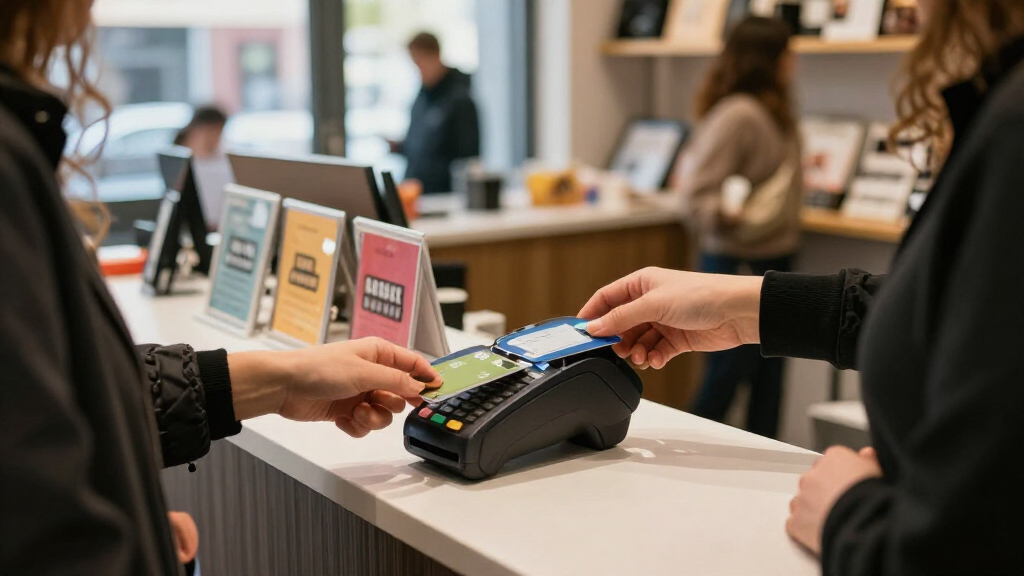
I ranked these terminals by how well their stated form factor and capabilities match Black Friday checkout demands: keeping a line moving, giving staff a usable payment interface, supporting checkout at the counter or elsewhere, and reducing dependence on extra equipment. I also weighed the practical difference between an all-in-one POS, a dedicated payment terminal, and a reader that relies on a separate device. The list includes fixed, handheld, wireless, and compact options because a busy store, pop-up, and mobile seller have different checkout needs.
The ranking favors clearly described setups that appear easier to match to a specific sales-floor role, not a blanket claim that one payment provider or terminal works for every business. Bundle labels such as Paysafe or Carlton 500 Encryption can affect service and configuration, so they call for verification before purchase. Product listings do not establish processing rates, compatibility with a particular merchant account, or the support terms available to each buyer; I treat those as pre-purchase checks rather than assuming they are alike.
Factors to Consider When Choosing Black Friday Payment Processing Terminals
Black Friday changes the cost of a checkout mistake: a terminal that works for ordinary traffic may become a bottleneck when several customers are ready to pay at once. I’d plan around the full payment setup—terminal, software, connection, receipts, and staff workflow—not just the device’s feature list.
Match the terminal to the checkout layout
Start by mapping where customers will pay: a fixed counter, a queue that moves through the store, or a temporary pop-up station. A countertop system can keep a staffed register organized, while handheld equipment lets staff take payment closer to the customer. A compact reader may suit an existing phone-based setup, but it is not a substitute for a complete register if you also need a customer display, receipt printing, or POS software. A common mistake is buying for portability without checking whether staff can reach reliable connectivity throughout the selling area. I’d walk the actual checkout route and test signal coverage before committing to a wireless setup. Choose for your busiest checkout position, not the one that is easiest to photograph or store.
Check payment-service and POS compatibility first
A terminal’s ability to accept a payment method does not automatically mean it will work with your merchant account, POS software, or current processing provider. Ask the provider to confirm the exact model, configuration, and connection method in writing before ordering. This matters especially when products are sold in bundles tied to a named service or encryption option, since those labels can signal a specific setup rather than a universal device. Switching hardware near a major sales event can also bring staff training and account configuration into the job. Avoid assuming that two terminals with the same model name are interchangeable if their listings name different providers or packages. The less familiar the hardware is to your business, the more lead time you should leave for setup and a real transaction test.
Plan for line speed across the whole checkout
Fast checkout depends on more than the moment a card is tapped. Staff need to locate items, apply discounts, handle returns, answer customer questions, and move between payment screens without confusion. An all-in-one POS can reduce the number of separate devices and handoffs, while a standalone terminal may fit a business that already has a stable register system. Before a busy weekend, rehearse common transactions, voids, refunds, and receipt choices with the people who will work the register. A frequent planning error is counting terminals but not assigning who carries, charges, or replenishes them during a rush. If multiple checkout points are planned, test the full staff workflow at each one rather than judging speed from a single device.
Decide whether receipts and other hardware belong in the setup
Some payment devices combine payment acceptance with receipt printing or broader POS functions; others handle only a piece of the checkout chain. Write down what you already own, including compatible phones or tablets, printers, stands, charging equipment, and network hardware. A lower-complexity reader may be a good fit when that supporting equipment is already available, but adding missing pieces can complicate deployment. Think about the customer’s receipt preference and your own recordkeeping process, not only the device’s footprint. For a temporary Black Friday station, fewer components can make setup and staff handoffs simpler. For a permanent counter, a more integrated arrangement may be worth the extra setup if it keeps the workspace organized.
Compare the total operating arrangement, not just the terminal
The hardware is only one part of the cost and commitment: processing terms, software, connectivity, support, accessories, and replacement procedures can all affect the fit. Because those details are not established by a model name alone, ask each provider for the full terms that apply to your account and intended use. Compare how the system handles connection interruptions, battery charging, device replacement, and support during extended trading hours. A terminal that appears simple to deploy can still be a poor fit if your staff cannot get help or restore service quickly. Don’t base a purchase on a Black Friday promotion or hardware bundle without checking what the service requires after the event. I’d favor a setup whose ongoing obligations are clear over one that is attractive only on the device listing.
Choose redundancy before the rush begins
A backup plan matters most when the primary checkout device loses power, connectivity, or access to its payment service. Decide whether a second terminal, a separate connection, spare charging equipment, or a documented fallback process makes sense for your store. A spare device is useful only if it is activated, compatible with the account, and familiar to staff before the queue forms. Wireless models can support more flexible checkout, but they make battery state and coverage part of your operating plan. Test what happens during a network interruption and learn which payments can still be accepted, if any, rather than guessing on the day. A modest redundancy plan can be more useful than choosing a more feature-rich terminal without a backup procedure.
Frequently Asked Questions
Is an all-in-one POS or a standalone payment terminal better for Black Friday?
I’d choose an all-in-one POS when the checkout team needs sales tools and payment in one coordinated station, especially if the business is building a new register setup. A standalone terminal can make more sense when your POS and merchant account are already in place and you only need a compatible payment device. The key distinction is whether the terminal replaces part of your current workflow or must integrate with it. Ask your provider to confirm compatibility with the exact software and account before purchase. Then rehearse a sale and refund so staff can see where the devices fit into the real checkout sequence.
Can I use a compact card reader as my only Black Friday checkout device?
A compact reader can work as the payment part of a checkout, but it typically relies on a compatible phone or tablet and the relevant POS app. It may not provide the same standalone workflow as a terminal that includes a screen or receipt printer. Check whether you need separate hardware for item entry, customer receipts, and sales reporting. Also confirm that your mobile device, operating system, and payment service support the reader you plan to buy. If you expect several staff members to use it, practice pairing and account access before the event.
What should I verify before buying a Dejavoo or Verifone terminal?
Confirm the exact model configuration, payment processor compatibility, and whether the unit is ready to use with your merchant account. Listings may identify a service bundle or encryption package, and that can affect how the terminal is provisioned. Ask who handles setup, software updates, repairs, and support if the device stops processing during a sales rush. Check whether the connection options suit your store and whether extra accessories are needed. I would not buy based on the brand or model name alone without written confirmation from the provider responsible for activating it.
Do I need a portable terminal if my store already has fixed registers?
Portability can help when customers queue away from the counter, when staff sell on the floor, or when you add a temporary checkout area. If all transactions already flow smoothly through fixed registers, a handheld device may add charging, connectivity, and staff-training tasks without solving a real problem. Watch where lines form during busy periods and identify whether customers would benefit from paying closer to the product or queue. If you add a portable terminal, test coverage in those exact spots and set a clear charging routine. A device that stays on the counter all day may not justify its mobile form factor.
How far ahead should I set up and test a terminal for Black Friday?
Set it up early enough to complete provider activation, software configuration, staff practice, and a test transaction before the sales event. A delivery date alone does not tell you whether the device will be provisioned or compatible with your account. Run through the transactions your staff will actually handle, including refunds, discounts, and receipt options, and test the connection where the terminal will be used. Leave time to resolve account or network issues without pressure from a live queue. Keep a written backup procedure and make sure the staff on each shift know where to find it.
Conclusion
For a best overall fixed checkout, I’d choose Square Register (2nd Generation) for its integrated POS approach. The best value in hardware simplicity is the Square Reader for Contactless and Chip if you already have a compatible phone or tablet and only need a compact reader; it is not a standalone register. For beginners building a straightforward checkout, Square Terminal is a practical middle ground because payment and receipt functions sit in one device. Buyers seeking a premium or dedicated-terminal setup should compare the VeriFone Engage V400c Plus and MX models with their provider’s integration and support terms before choosing. For mobile checkout, consider the Dejavoo Z9 4G, Verifone e285, or Square Handheld based on confirmed connectivity and account compatibility; for a compact setup, the Square Reader is the clearest fit. My final rule: choose the terminal that matches your checkout layout and verified payment-service setup, then test it well before Black Friday.
Black Friday Picks

Vari Pro Plus 36 Standing Desk Converter, Black
As an affiliate, we earn on qualifying purchases.