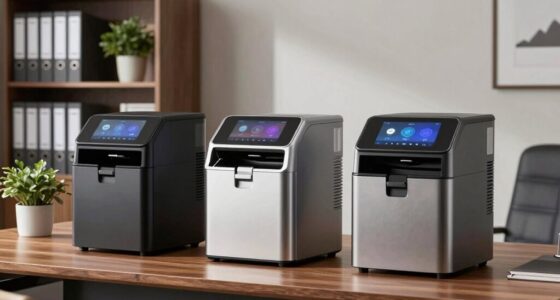
Choosing the right all-in-one printer for handling order forms and labels can significantly streamline your workflow. The HP OfficeJet Pro 8125 stands out for its fast color printing and user-friendly touchscreen, making it ideal for quick, professional documents at a reasonable price. Meanwhile, the Brother MFC-L8930CDW offers high-speed laser printing with advanced security features, perfect for busy office environments that prioritize confidentiality and low running costs. Both excel in their niches but come with different tradeoffs: the HP leans toward versatility and ease-of-use, while the Brother focuses on productivity and security. This comparison will help you decide which best fits your specific needs, whether for frequent label printing, order forms, or both.

Get business pricing on office and shipping supplies
- Business-only prices and quantity discounts
- Tax-exempt purchasing
- Multiple users, one account, clear invoices
Key Takeaways
- Laser options like the Brother MFC-L8930CDW excel in speed and security, ideal for high-volume environments.
- Inkjet models such as the HP OfficeJet Pro 8125 provide vibrant color output suitable for professional order forms with graphics.
- Connectivity options vary, with wireless and Ethernet choices allowing flexible setups in different office layouts.
- Size and complexity differ; some models are bulkier or require more technical setup, which matters for limited office space or less tech-savvy users.
- Cost considerations include upfront price, ink or toner expenses, and ongoing maintenance—balancing initial investment against long-term savings.
| HP OfficeJet Pro 8125 Wireless All-in-One Color Inkjet Printer |  | Best for Versatility and Ease of Use | Print Speed: 20 ppm black, 10 ppm color | Input Tray Capacity: 225 sheets | Touchscreen: 2.7-inch color touchscreen | VIEW ON AMAZON | See Our Full Breakdown |
| Brother MFC-L8930CDW Business Color Laser All-in-One Printer with Duplex Print, Scan, Copy, Low-Cost Printing, and Advanced Security Features |  | Best for Speed, Security, and High-Volume Workflows | Print Speed: up to 33ppm | Scan Speed: up to 104ipm | Auto Document Feeder: 80 pages | VIEW ON AMAZON | See Our Full Breakdown |
| Canon Color imageCLASS MF753Cdw II – All-in-One Color Duplex Laser Printer |  | Best for All-in-One Functionality including Fax | Functions: Print, scan, copy, fax | Wireless: Yes | Duplex: Yes | VIEW ON AMAZON | See Our Full Breakdown |
| Canon MAXIFY GX4020 All-in-One Printer (5779C002) Bundle |  | Best for Cost-Effective, High-Volume Printing | Functions: Print, scan, copy, fax | Print Resolution: 600 x 1200 dpi | Connectivity: Wi-Fi, USB, Ethernet | VIEW ON AMAZON | See Our Full Breakdown |
| Epson EcoTank ET-4800 Wireless All-in-One Supertank Printer with Scanner, Copier, Fax, ADF, Ethernet, White |  | Best for Eco-Friendly, Cost-Effective Printing | Printer Type: All-in-One Supertank | Connectivity: Wireless, Ethernet | Functions: Print, scan, copy, fax | VIEW ON AMAZON | See Our Full Breakdown |
| all in one printers for order forms and label | Connectivity | Functions |
|---|---|---|
| HP OfficeJet Pro 8125 Wireless | Wireless dual-band Wi-Fi | — |
| Brother MFC-L8930CDW Business | Dual-band Wi-Fi, Gigabit Ethernet | — |
| Canon Color imageCLASS MF753Cd | — | Print, scan, copy, fax |
| Canon MAXIFY GX4020 All-in-One | Wi-Fi, USB, Ethernet | Print, scan, copy, fax |
| Epson EcoTank ET-4800 Wireless | Wireless, Ethernet | Print, scan, copy, fax |
More Details on Our Top Picks
HP OfficeJet Pro 8125 Wireless All-in-One Color Inkjet Printer
The HP OfficeJet Pro 8125 shines for users who need fast, vibrant color printing combined with straightforward operation. Its 20 ppm black and 10 ppm color speeds are suitable for busy environments requiring quick turnaround on order forms and labels. The 2.7-inch touchscreen simplifies navigation, and wireless dual-band Wi-Fi offers reliable connectivity. However, it relies on original HP cartridges with chips, which can drive up running costs, and firmware updates might limit third-party ink use. Compared with laser options, this inkjet is more affordable upfront but may incur higher long-term ink expenses. It balances convenience with decent speed, making it a solid choice for small to medium offices prioritizing color quality.
Pros:- Fast color printing and versatile scanning/copying features
- User-friendly touchscreen interface
- Wireless connectivity with reliable Wi-Fi
- Includes 3-month Instant Ink trial
Cons:- Requires original HP cartridges with chips
- Firmware updates may limit third-party ink use
- Price not specified
Best for: Small to medium offices needing versatile color printing and easy operation
Not ideal for: High-volume printing or environments requiring extensive security features
- Print Speed:20 ppm black, 10 ppm color
- Input Tray Capacity:225 sheets
- Touchscreen:2.7-inch color touchscreen
- Connectivity:Wireless dual-band Wi-Fi
- Additional Features:Auto duplex, auto document feeder, AI formatting, security
Our verdict“A versatile, user-friendly inkjet perfect for small offices prioritizing color quality and ease of use.”
Brother MFC-L8930CDW Business Color Laser All-in-One Printer with Duplex Print, Scan, Copy, Low-Cost Printing, and Advanced Security Features
The Brother MFC-L8930CDW is tailored for busy offices that demand rapid throughput and security. Its impressive 33 ppm print speed and 80-page auto document feeder make quick work of large batches of order forms and labels. The 7-inch color touchscreen simplifies complex tasks, and the device’s security features, including triple-layer security and NFC card reader, protect sensitive data effectively. While the initial cost is higher and setup can be intricate, the cost-efficient toner options and fast scanning speeds justify the investment for high-demand environments. Compared with inkjet models, this laser printer consumes less per page, making it more economical long-term.
Pros:- Fast printing and scanning speeds boost productivity
- Secure features protect sensitive documents
- Cost-efficient toner options reduce expenses
- User-friendly touchscreen with shortcuts
Cons:- May require internet connection for some features
- High initial purchase price
- Complex setup process
Best for: High-volume, security-conscious business settings
Not ideal for: Small offices with limited space or budget constraints
- Print Speed:up to 33ppm
- Scan Speed:up to 104ipm
- Auto Document Feeder:80 pages
- Touchscreen:7-inch color
- Connectivity:Dual-band Wi-Fi, Gigabit Ethernet
- Security:Triple Layer Security, NFC card reader
Our verdict“A high-speed laser printer designed for demanding office environments needing security and efficiency.”
Canon Color imageCLASS MF753Cdw II – All-in-One Color Duplex Laser Printer
The Canon Color imageCLASS MF753Cdw II offers comprehensive features, including faxing, making it suitable for offices that need multiple communication channels. Its wireless connectivity and duplex printing capabilities support efficient, eco-friendly workflows. While details on speed and specific performance metrics are limited, its all-in-one functions and ease of wireless use make it a dependable choice for mixed tasks. Its larger size might be a drawback for smaller offices, but for those needing a multifunction device with fax, this model covers all bases.
Pros:- Includes fax, scan, copy, and print
- Wireless connectivity
- Duplex printing saves paper
Cons:- Limited detailed review information
- Potentially large size for small offices
Best for: Offices requiring fax and comprehensive multi-functionality
Not ideal for: Limited space environments or minimal multi-function needs
- Functions:Print, scan, copy, fax
- Wireless:Yes
- Duplex:Yes
- Color:Color
Our verdict“A well-rounded all-in-one laser printer with fax, ideal for offices needing multiple communication tools.”
Canon MAXIFY GX4020 All-in-One Printer (5779C002) Bundle
The Canon MAXIFY GX4020 is designed for small businesses or home offices that prioritize low running costs and high volume. Its high-capacity ink system and automatic duplex printing make it suitable for frequent order forms and labels. The setup might be complex for some, and its size could be an issue if space is limited. However, the ongoing savings on ink and reliable wireless and wired connectivity make it appealing for those with regular large-print needs, especially when color accuracy is less critical.
Pros:- High-capacity ink tanks reduce ongoing costs
- Wireless and Ethernet connectivity
- Automatic duplex printing
- Reliable high-volume output
Cons:- Higher initial price
- Large footprint requiring ample space
Best for: Small businesses or home offices with high-volume printing needs
Not ideal for: Professional photo printing or tight spaces
- Functions:Print, scan, copy, fax
- Print Resolution:600 x 1200 dpi
- Connectivity:Wi-Fi, USB, Ethernet
- Automatic Duplex Printing:Yes
- Ink System:High-capacity EcoTank
Our verdict“A cost-efficient, high-capacity laser option perfect for frequent order forms and labels in small business settings.”
Epson EcoTank ET-4800 Wireless All-in-One Supertank Printer with Scanner, Copier, Fax, ADF, Ethernet, White
The Epson EcoTank ET-4800 emphasizes sustainability and cost savings with its cartridge-free supertank system. Its high-capacity ink tanks enable high-volume printing of order forms and labels without frequent cartridge replacements. The device includes wireless and Ethernet options, making it flexible for different setups. While the upfront cost can be higher, the long-term savings and eco-friendly design appeal to environmentally conscious buyers. Its size might be a concern for small desks, but for those prioritizing low operating costs, this model offers compelling value.
Pros:- Cost-effective with high-capacity ink tanks
- Wireless and Ethernet connectivity
- High-quality printing and scanning
- Eco-friendly design
Cons:- Higher upfront purchase price
- Large size may require considerable space
Best for: Eco-conscious small businesses with high-volume printing needs
Not ideal for: Professional photo printing or limited space environments
- Printer Type:All-in-One Supertank
- Connectivity:Wireless, Ethernet
- Functions:Print, scan, copy, fax
- Ink System:Cartridge-Free EcoTank
- Additional Features:ADF
Our verdict“An eco-friendly, high-volume supertank printer suited for budget-minded businesses focused on sustainability.”
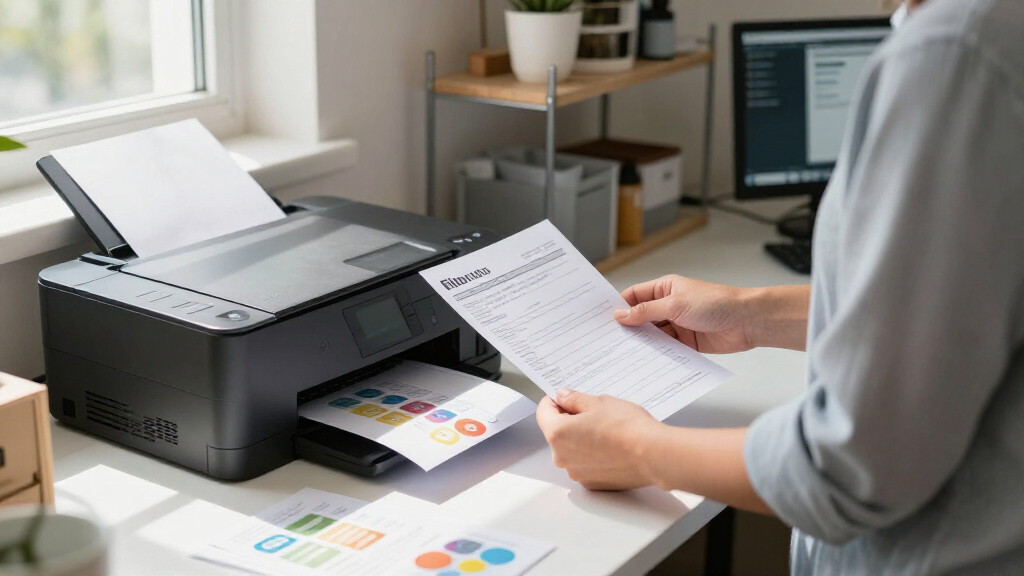
How We Picked
Our selection process focused on printers that combine printing, scanning, copying, and label capabilities in one device, ensuring they are suitable for order forms and labels. We prioritized models that offer reliable performance, diverse connectivity options, and features that streamline workflow, such as duplex printing and high-capacity input trays. We also balanced cost, ease of use, and security features for business environments. Each product was evaluated against these criteria to ensure they serve different buyer needs—from small offices with budget constraints to high-demand, security-conscious settings.
| all in one printers for order forms and label | Connectivity |
|---|---|
| HP OfficeJet Pro 8125 Wireless | Wireless dual-band Wi-Fi |
| Brother MFC-L8930CDW Business | Dual-band Wi-Fi, Gigabit Ethernet |
| Canon Color imageCLASS MF753Cd | — |
| Canon MAXIFY GX4020 All-in-One | Wi-Fi, USB, Ethernet |
| Epson EcoTank ET-4800 Wireless | Wireless, Ethernet |
Factors to Consider When Choosing All In One Printers For Order Forms And Labels
When selecting an all-in-one printer for order forms and labels, it’s essential to balance speed, print quality, connectivity, and ongoing costs. Think about your daily volume—if you print hundreds of labels or forms, a laser model might save you time and money. For vibrant, professional-looking forms, inkjet options excel, but they may come with higher ink costs. Security features are important for sensitive data, especially in busy offices. Size and ease of setup also matter, particularly if space or technical expertise is limited. This guide will walk through key considerations to help you find the best fit for your business.
Printing Speed and Volume
If your workflow involves high-volume printing of order forms and labels, a laser printer like the Brother MFC-L8930CDW offers significantly faster speeds and lower cost per page. Inkjet models, such as the HP OfficeJet Pro 8125, are better suited for smaller batches or when color quality is a priority. Consider your typical monthly print volume and select a model that can handle the workload without frequent refilling or maintenance.
Print Quality and Color Needs
For order forms with graphics or color-coded labels, inkjet printers provide richer, more vibrant output. However, if your forms are primarily text and barcodes, laser printers deliver sharper text and faster processing. Balance your need for color accuracy against ongoing ink or toner costs, which vary widely among models.
Connectivity and Ease of Use
Wireless connectivity offers flexibility in office setup, allowing multiple users to print from various devices. Ethernet options provide stable connections for shared environments. Touchscreen interfaces and automatic document feeders streamline repetitive tasks, reducing manual effort and errors during label and form printing. Consider your technical comfort level and whether complex setup is a concern.
Cost of Operation
Initial purchase price is just part of the total cost. Laser printers often have higher upfront costs but lower per-page expenses, especially with high-yield toner. Inkjet models may be cheaper initially but can incur higher ink costs over time. Supertank systems like Epson’s EcoTank or Canon’s high-capacity ink systems offer long-term savings for high-volume printing, making them ideal for consistent, large-scale needs.
Frequently Asked Questions
What is the best type of printer for high-volume label printing?
Laser printers generally outperform inkjets in high-volume printing due to their faster speeds and lower cost per page. Models like the Brother MFC-L8930CDW are specifically designed for demanding environments, offering quick throughput and reliable performance, making them the best choice for frequent label printing at scale.
Are inkjet printers suitable for printing order forms with graphics?
Yes, inkjet printers such as the HP OfficeJet Pro 8125 excel at producing vibrant, high-quality color order forms with graphics or logos. They tend to provide richer color output than laser models, which is advantageous if visual appeal matters in your forms or labels.
How important is connectivity in choosing an all-in-one printer?
Connectivity options like Wi-Fi, Ethernet, and mobile printing significantly impact ease of use and flexibility. Wireless models allow multiple users and easy setup, especially in dynamic office environments. For shared spaces, Ethernet provides a more stable connection, reducing troubleshooting and downtime.
What features should I prioritize for printing order forms and labels?
Key features include duplex printing to save paper, high-capacity input trays for large print runs, and fast print speeds. Security features can also be vital if you handle sensitive customer data. Additionally, an intuitive touchscreen interface and automatic document feeders help streamline repetitive tasks.
Are supertank printers worth the higher upfront cost?
For businesses with high-volume printing needs, supertank printers like the Epson EcoTank ET-4800 or Canon MAXIFY GX4020 can offer substantial long-term savings through high-capacity ink tanks and lower ongoing costs. Although the initial investment is higher, the reduced ink expenses and fewer replacements often justify the price over time.
Conclusion
For small offices or startups with moderate printing needs, the HP OfficeJet Pro 8125 offers a balanced mix of quality, speed, and ease of use. Larger, security-focused organizations will find the Brother MFC-L8930CDW better suited due to its high speed and enterprise-level security features. Businesses prioritizing low operating costs and eco-friendliness should consider the Canon MAXIFY GX4020 or Epson EcoTank ET-4800, especially if high-volume printing is routine. Ultimately, your choice depends on your specific volume, security concerns, and budget constraints—match these factors carefully to find the best fit.
Halloween Picks

Govee Outdoor Halloween Projector Light with 3D Effects

Halloween Inflatable Haunted House Maze – 20×20 ft with Removable Roof and Blower

10 ft Halloween Inflatable Archway with Built-in LEDs
As an affiliate, we earn on qualifying purchases.