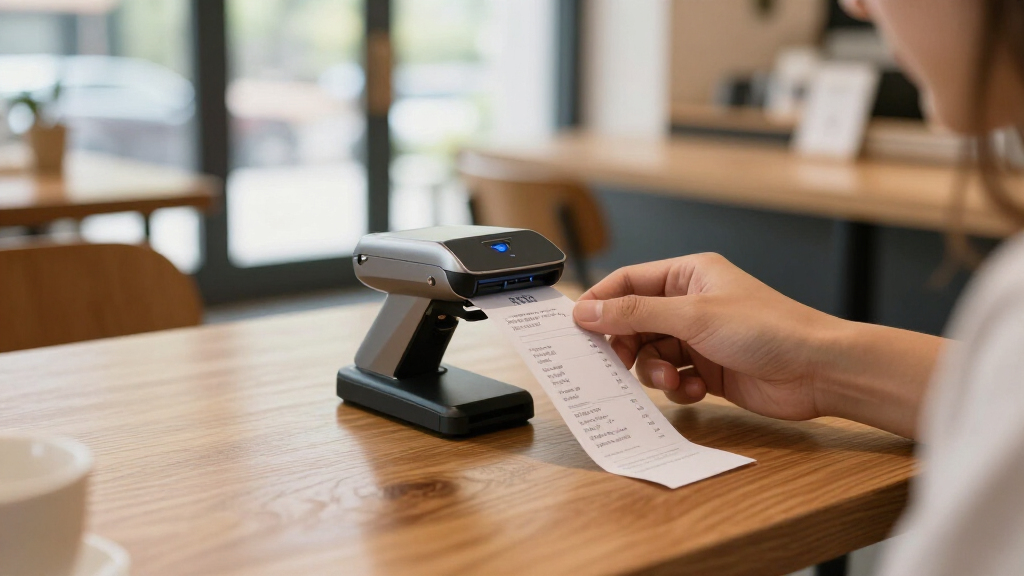
For mobile business owners, a compact scanner is essential for capturing documents on the go without sacrificing quality or speed. The Canon imageFORMULA R10 stands out as the best overall choice thanks to its balance of portability and reliable performance. The ScanSnap iX1300 offers excellent wireless connectivity, making it ideal for those who prioritize ease of use. Meanwhile, the Epson ES-60W is a top pick for ultra-lightweight needs, though it comes with some tradeoffs in scanning speed. Keep reading to see how these options compare and which one fits your specific workflow best.

Get business pricing on office and shipping supplies
- Business-only prices and quantity discounts
- Tax-exempt purchasing
- Multiple users, one account, clear invoices
Key Takeaways
- The top picks balance portability with scanning quality, but tradeoffs exist between speed and size.
- Wireless connectivity remains a key feature for mobile business owners needing flexibility.
- Lightweight models often sacrifice some speed or document handling capacity for size savings.
- Price varies widely based on features like double-sided scanning, connectivity options, and build quality.
- Choosing the right scanner depends heavily on your typical document volume and mobility needs.
| Canon imageFORMULA R10 Portable Document Scanner |  | Best Overall for Versatile Mobile Document Scanning | Power Consumption: 2.5W or less | Suggested Daily Volume: 500 scans | Scan Speed: 12 pages per minute | VIEW ON AMAZON | See Our Full Breakdown |
| ScanSnap iX1300 Wireless and USB Double-Sided Color Document Scanner |  | Best for Wireless Convenience and Multi-Device Use | Connectivity: USB, Wi-Fi | Color: Color | Automatic Document Feeder: Yes | VIEW ON AMAZON | See Our Full Breakdown |
| Epson WorkForce ES-50 Compact & Lightweight Mobile Document Scanner for PC and Mac |  | Best for Speed and OCR in a Compact Form | Scan Speed: 5.5 seconds per page | Maximum Document Size: 8.5 x 72 inches | Connectivity: USB 2.0 | VIEW ON AMAZON | See Our Full Breakdown |
| Epson WorkForce ES-60W Wireless Compact Mobile Document Scanner |  | Best for Wireless, Fast Single-Page Scanning | Scan Speed: 4 seconds per page | Connectivity: Wireless, USB | Supported Devices: PC, Mac, iOS, Android | VIEW ON AMAZON | See Our Full Breakdown |
| Epson DS-70 Portable Document Scanner |  | Best for High-Speed, Single-Page Mobile Scanning | Scanning Speed: 5.5 seconds per page | Maximum Document Size: 8.5 x 72 inches | Supported Media: Business cards, receipts, documents | VIEW ON AMAZON | See Our Full Breakdown |
| HP Small USB Document & Photo Scanner for Portable 1-Sided Sheetfed Digital Scanning, Model HPPS100 |  | Best Compact USB Scanner for Basic On-the-Go Digitization | Model: HPPS100 | Scanning Speed: 15 ppm | Resolution: 1200 dpi | VIEW ON AMAZON | See Our Full Breakdown |
| Ambir TravelScan Pro 600 (PS600-AS) Simplex Document and Card Scanner |  | Best for High-Quality Mobile Capture of Documents and Cards | Model: PS600-AS | Scan Speed: 10 seconds per document | Image Quality: Automatic enhancement, high OCR accuracy | VIEW ON AMAZON | See Our Full Breakdown |
| ScanSnap iX100 Wireless Mobile Portable Scanner, Black for Mac or PC |  | Best Wireless Portable Scanner for Multi-Document Types | Connectivity: Wi-Fi, USB | Battery Life: Scans up to 260 documents per charge | Document Types: Photos, receipts, plastic cards | VIEW ON AMAZON | See Our Full Breakdown |
| Brother DS-940DW Duplex Wireless Compact Mobile Document Scanner |  | Best Duplex Wireless Scanner for Speed and Versatility | Scan Speed: 16 ppm | Duplex: Yes | Connectivity: Wi-Fi, Micro SD, USB | VIEW ON AMAZON | See Our Full Breakdown |
| compact scanners for mobile business owner | Connectivity | Scan Speed | Compatibility |
|---|---|---|---|
| Canon imageFORMULA R10 Portabl | — | 12 pages per minute | Windows and Mac |
| ScanSnap iX1300 Wireless and U | USB, Wi-Fi | — | Mac, PC, Chromebook, Mobile Devices |
| Epson WorkForce ES-50 Compact | USB 2.0 | 5.5 seconds per page | Windows and Mac |
| Epson WorkForce ES-60W Wireles | Wireless, USB | 4 seconds per page | — |
| Epson DS-70 Portable Document | — | — | — |
| HP Small USB Document & Photo | USB 2.0 | — | Windows & Mac |
| Ambir TravelScan Pro 600 | USB | 10 seconds per document | — |
| ScanSnap iX100 Wireless Mobile | Wi-Fi, USB | Fast with dual-core CPU | Mac, PC, mobile devices |
| Brother DS-940DW Duplex Wirele | Wi-Fi, Micro SD, USB | 16 ppm | — |
More Details on Our Top Picks
Canon imageFORMULA R10 Portable Document Scanner
The Canon imageFORMULA R10 stands out for its combination of portability and functionality, making it ideal for mobile professionals who need to scan a variety of documents on the go. Its lightweight design and broad compatibility with both Windows and Mac set it apart from larger, less portable options like the Epson DS-70. The 20-sheet automatic feeder and duplex scanning speed of 12 pages per minute ensure efficiency, though it’s less suitable for high-volume scanning or high-quality photo scans. Compared with the Epson WorkForce ES-50, the R10 offers greater versatility but may be overkill for users who only need occasional single-page scans. Its energy-efficient operation and no-install software make it convenient for quick deployment, but the suggested daily volume of 500 scans could limit heavier users. Overall, this pick suits those needing a reliable, all-in-one portable scanner with broad compatibility and decent speed with minimal fuss.
Pros:- Lightweight and portable for easy mobility
- Fast duplex scanning with automatic feeder
- Broad compatibility with Windows and Mac
- No-install software simplifies setup
Cons:- Limited suitability for scanning photographs on photo paper
- Suggested daily volume may be restrictive for heavy users
Best for: Mobile professionals and remote workers who need to scan multiple document types quickly and reliably while traveling.
Not ideal for: High-volume users or photographers who require detailed photo scans or frequent batch processing.
- Power Consumption:2.5W or less
- Suggested Daily Volume:500 scans
- Scan Speed:12 pages per minute
- Automatic Document Feeder:20 sheets
- Media Types:Receipts, business cards, reports, legal documents
- Compatibility:Windows and Mac
Our verdict“This scanner offers a well-rounded balance of portability and functionality for mobile business owners with moderate scanning needs.”
ScanSnap iX1300 Wireless and USB Double-Sided Color Document Scanner
The ScanSnap iX1300 excels in offering flexible connectivity options, making it ideal for users who want to seamlessly switch between multiple devices and locations. Its compact design saves space, and the ability to connect via Wi-Fi or USB provides versatility unmatched by the Epson ES-50. The scanner’s duplex speed of 30 ppm is significantly faster than many portable models, which makes it suitable for users with slightly higher volume needs. However, setup can be time-consuming, and its compatibility is limited to certain devices, unlike the Epson WorkForce ES-60W that supports mobile OS more broadly. For those who prioritize wireless convenience but don’t need high-volume batch scanning, this model balances speed and ease of use, though it’s less ideal for very simple or single-device setups.
Pros:- Compact, space-saving design
- Fast duplex scanning at 30 ppm
- Wireless connectivity to multiple devices and cloud services
- User-friendly software for easy document management
Cons:- Requires setup for optimal use
- Limited to specific device compatibility
Best for: Small offices or remote workers who need reliable wireless connectivity and fast duplex scans across multiple devices.
Not ideal for: Users seeking a plug-and-play experience without setup or those with high-volume scanning demands.
- Connectivity:USB, Wi-Fi
- Color:Color
- Automatic Document Feeder:Yes
- Max Scan Speed:30 ppm duplex
- Compatibility:Mac, PC, Chromebook, Mobile Devices
Our verdict“Ideal for users who need quick, wireless, multi-device document scanning without sacrificing speed or space.”
Epson WorkForce ES-50 Compact & Lightweight Mobile Document Scanner for PC and Mac
The Epson WorkForce ES-50 is designed for rapid, on-the-go scans, with a remarkable 5.5 seconds per page speed. Its true strength lies in its simplicity—perfect for those who need quick, single-page scans of receipts, IDs, or business cards. Its lightweight, USB-powered design makes it stand out among bulkier options like the Epson ES-60W, which offers wireless features but at the expense of added bulk. The ES-50’s software includes OCR, enabling searchable PDFs, but it requires installation and an internet connection to access full features. This model is less suited for high-volume or multi-page scanning, making it better for quick, occasional use rather than continuous workload. It’s an excellent choice for mobile professionals prioritizing speed and straightforward operation.
Pros:- Extremely fast scanning speed at 5.5 seconds per page
- Lightweight and portable for mobile use
- Includes OCR for searchable PDFs
- USB-powered, no external batteries needed
Cons:- Limited to single-sheet scanning only
- Requires software installation and internet for full features
Best for: Freelancers or consultants needing quick single-page scans with OCR, especially when working in locations with limited setup time.
Not ideal for: Heavy scanning tasks or users requiring wireless or multi-page batch scanning capabilities.
- Scan Speed:5.5 seconds per page
- Maximum Document Size:8.5 x 72 inches
- Connectivity:USB 2.0
- Software:Epson ScanSmart, Nuance OCR
- Compatibility:Windows and Mac
Our verdict“This scanner is perfect for quick, single-page scans with OCR in mobile settings, but not for high-volume work.”
Epson WorkForce ES-60W Wireless Compact Mobile Document Scanner
The Epson WorkForce ES-60W offers impressive speed and flexibility for mobile professionals who prioritize wireless operation. Its ability to scan a page in just 4 seconds makes it one of the fastest portable options, and its wireless connectivity supports multiple device types—PC, Mac, iOS, Android—more comprehensively than some competitors. It supports cloud services and OCR software, creating searchable, editable files with ease. However, like many small scanners, it’s limited to single-sheet scans, which may not meet the needs of high-volume workflows. Its reliance on batteries or USB power adds portability but also potential concerns about battery life during extended use. This model targets users who need swift, wireless, single-page scans on the move, with a focus on convenience and speed.
Pros:- Extremely fast scanning at 4 seconds per page
- Wireless and USB connectivity for versatile use
- Supports multiple device platforms including iOS and Android
- Includes OCR for searchable and editable files
Cons:- Limited to single-sheet scanning, not suitable for batches
- Requires internet connection for cloud features
Best for: Field agents or mobile professionals needing quick, wireless, single-page scans across multiple device ecosystems.
Not ideal for: Heavy document processing or users who need to scan multi-page documents regularly.
- Scan Speed:4 seconds per page
- Connectivity:Wireless, USB
- Supported Devices:PC, Mac, iOS, Android
- Maximum Document Size:8.5 x 72 inches
- OCR Software:Nuance OCR included
Our verdict“Best suited for users who need rapid, wireless, single-page document scans in a portable form factor.”
Epson DS-70 Portable Document Scanner
The Epson DS-70 is a highly portable scanner that emphasizes speed, with a 5.5-second per page scan time, making it ideal for quick, single-page documents like receipts, business cards, or IDs. Its compact size and lightweight build make it easy to carry, and the inclusion of OCR software helps create searchable PDFs effortlessly. Compared to the Epson ES-50, the DS-70 provides slightly faster processing and a longer warranty, but it remains a single-sheet device, limiting its use for multi-page batches. Its setup can be a bit more involved, and software may require configuration, which could be a hurdle for some users. For users who prioritize speed and portability for individual pages, this scanner fits well, though it’s not designed for high-volume tasks.
Pros:- Very portable and lightweight design
- Fast scanning speed of 5.5 seconds per page
- Includes OCR software for searchable PDFs
- Three-year warranty with Next-Business-Day Replacement
Cons:- Single-sheet scanner only, not for batches
- Requires software setup and configuration
Best for: Business travelers or mobile workers who need rapid, single-page scans with searchability, especially for receipts and business cards.
Not ideal for: High-volume scanning or multi-page batch processing, as it only handles one page at a time.
- Scanning Speed:5.5 seconds per page
- Maximum Document Size:8.5 x 72 inches
- Supported Media:Business cards, receipts, documents
- Warranty:3-year limited with Next-Business-Day Replacement
Our verdict“This device is excellent for speedy, single-page scans on the move, but not suited for continuous or multi-page tasks.”
HP Small USB Document & Photo Scanner for Portable 1-Sided Sheetfed Digital Scanning, Model HPPS100
This model shines for users who need a lightweight, straightforward scanner that fits easily into a bag or briefcase. Its 15 pages per minute speed and 1200 dpi resolution ensure quick, high-quality scans of small batches, making it ideal for quick trips or remote work. Compared with the ScanSnap iX100, it offers similar portability but lacks wireless connectivity and duplex scanning, which limits its efficiency for larger or two-sided document sets. Its USB-only connection simplifies setup but restricts mobility slightly. While it’s perfect for scanning receipts, photos, or short documents, it’s not suited for heavy-duty or multi-sided scanning tasks.
Pros:- Lightweight and highly portable for travel
- High-resolution scans up to 1200 dpi
- Fast enough for small batch processing
- Supports multiple file formats including PDF and JPG
Cons:- Limited to single-sided (simplex) scanning
- No wireless or Wi-Fi connectivity
- Requires USB connection, which limits flexibility
Best for: Mobile business owners who need a simple, reliable scanner for occasional, single-sided scans on the road
Not ideal for: Users requiring wireless operation or duplex scanning for larger batches or multi-page documents
- Model:HPPS100
- Scanning Speed:15 ppm
- Resolution:1200 dpi
- Paper Size Range:2″ x 2.9″ to 8.5″ x 14″
- Connectivity:USB 2.0
- Compatibility:Windows & Mac
Our verdict“This scanner suits mobile entrepreneurs who prioritize simplicity and portability over advanced features.”
Ambir TravelScan Pro 600 (PS600-AS) Simplex Document and Card Scanner
The Ambir TravelScan Pro 600 is designed for users who need crisp, high-quality images of documents, receipts, or cards in a lightweight package. Its 10-second per document scan speed and automatic image enhancement deliver professional results, especially compared to the HPPS100’s basic image quality. It’s also equipped with software for easy document management and cloud integration, making it ideal for those who want to streamline workflows. However, its limitation to simplex scanning and lack of duplex capability means it’s less suitable for large batches or double-sided documents. Plus, automation features requiring Zapier Professional add complexity and cost for some users.
Pros:- High-quality image capture with automatic enhancement
- Includes software for document management and cloud storage
- Lightweight and portable for mobile use
- Fast 10-second scan per document
Cons:- Limited to simplex scanning, no duplex capability
- Automation features require Zapier Professional
- Not compatible with some industry-specific software like Athena or Omnitracs
Best for: Mobile professionals who need to scan business cards, receipts, and documents with high clarity and easy cloud access
Not ideal for: Those needing duplex scanning or larger batch processing without automation setup
- Model:PS600-AS
- Scan Speed:10 seconds per document
- Image Quality:Automatic enhancement, high OCR accuracy
- Connectivity:USB
- Software Included:AmbirScan Lite, Presto! PageManager 9
- Cloud Integration:Box, Dropbox, Evernote, Google Drive
Our verdict“Ideal for professionals who prioritize image quality and seamless cloud integration over batch duplex scanning.”
ScanSnap iX100 Wireless Mobile Portable Scanner, Black for Mac or PC
The ScanSnap iX100 stands out for users who want wireless freedom combined with automatic image processing. Its ability to scan multiple small documents, receipts, and even plastic cards without fuss makes it appealing for busy mobile users. Compared to the Brother DS-940DW, it offers more automatic features like de-skewing, color detection, and blank page removal, which save time and improve results. However, its reliance on Wi-Fi or USB for connectivity can be a drawback in environments with poor network or limited USB ports. Its size and features make it perfect for those who need quick, versatile scans but not for large-volume or heavy-duty tasks.
Pros:- Wireless and portable for hassle-free mobility
- Automatic image processing features
- Can handle multiple small documents simultaneously
- Cloud-ready for easy digital storage
Cons:- Limited to small-sized documents and cards
- Requires Wi-Fi or USB connection, which may complicate setup
- Setup can be complex for less tech-savvy users
Best for: Mobile business owners who want wireless convenience and versatile document handling on the go
Not ideal for: Users who need to scan very large documents or require duplex scanning without manual intervention
- Connectivity:Wi-Fi, USB
- Battery Life:Scans up to 260 documents per charge
- Document Types:Photos, receipts, plastic cards
- Automatic Features:De-skew, color detection, blank page removal
- Compatibility:Mac, PC, mobile devices
- Scan Speed:Fast with dual-core CPU
Our verdict“This scanner is perfect for those prioritizing wireless operation and quick multi-document scans in a compact form.”
Brother DS-940DW Duplex Wireless Compact Mobile Document Scanner
The Brother DS-940DW is the go-to for users who need duplex scanning at a rapid 16 pages per minute, surpassing the other models here in speed. Its ultra-compact design and support for wireless, micro SD, and USB make it adaptable for various mobile and small office environments. Compared to the ScanSnap iX100, its duplex capability and support for longer documents (up to 72 inches) make it a more capable workhorse. The inclusion of OCR and document management software adds value, but the need for internet for software downloads and some extra purchases for accessories may complicate setup for less tech-savvy users. It’s best for those who prioritize speed and duplex functionality in a tiny footprint.
Pros:- Fast duplex scanning at 16ppm
- Ultra-compact and lightweight
- Supports micro SD cards and wireless connectivity
- Compatible with multiple OS including Linux
Cons:- Requires internet for software downloads
- Additional accessories may be necessary
- Limited free support outside the U.S.
Best for: On-the-go professionals needing fast duplex scans and flexible storage options
Not ideal for: Those seeking a simple, plug-and-play device without extra purchases or internet dependency
- Scan Speed:16 ppm
- Duplex:Yes
- Connectivity:Wi-Fi, Micro SD, USB
- Supported OS:Windows, Mac, Linux
- Document Length:Up to 72 inches
- Color Scanning:Yes
Our verdict“This scanner is ideal for speed-oriented users who need duplex scanning in a tiny, wireless package.”
How We Picked
We evaluated these compact scanners based on criteria that matter most to mobile business owners: portability, scanning speed, connectivity options, ease of use, and build quality. We prioritized models that excel in balancing size and performance, ensuring they can be easily transported and used in various environments. Cost-effectiveness was also a factor, along with reliability and feature set, such as wireless or multi-page scanning. Our ranking reflects a combination of these practical considerations, ensuring each pick offers a clear advantage based on specific user needs.| compact scanners for mobile business owner | Compatibility | Connectivity |
|---|---|---|
| Canon imageFORMULA R10 Portabl | Windows and Mac | — |
| ScanSnap iX1300 Wireless and U | Mac, PC, Chromebook, Mobile Devices | USB, Wi-Fi |
| Epson WorkForce ES-50 Compact | Windows and Mac | USB 2.0 |
| Epson WorkForce ES-60W Wireles | — | Wireless, USB |
| Epson DS-70 Portable Document | — | — |
| HP Small USB Document & Photo | Windows & Mac | USB 2.0 |
| Ambir TravelScan Pro 600 | — | USB |
| ScanSnap iX100 Wireless Mobile | Mac, PC, mobile devices | Wi-Fi, USB |
| Brother DS-940DW Duplex Wirele | — | Wi-Fi, Micro SD, USB |
Factors to Consider When Choosing Compact Scanners For Mobile Business Owners
When selecting a compact scanner for a mobile business, consider how your typical workflow, mobility, and document volume will influence your choice. Not all models are created equal—some excel in portability but lack speed, while others offer more features at the expense of size. Carefully weighing these factors helps avoid common pitfalls like buying a scanner that’s too bulky or underpowered for your needs. Here are key aspects to consider:Size and Portability
Size is the most obvious factor for mobile use, but it’s important to find a balance between compactness and functionality. Extremely small scanners may be lightweight but often have slower speeds or limited document handling. Consider how you’ll carry the device—will it fit comfortably into your bag or briefcase? Also, check if the size impacts ease of use, such as the ability to quickly feed documents or connect to your mobile devices without hassle.
Scanning Speed and Capacity
Scanning speed directly affects productivity, especially if you handle multiple documents regularly. Many ultra-compact models prioritize size over speed, which can lead to frustration with larger batches. Evaluate your typical daily volume; if you scan dozens of pages, look for models that offer at least 10 pages per minute. Additionally, consider whether the scanner supports multi-page or double-sided scanning to save time.
Connectivity Options
Wireless connectivity, including Wi-Fi and Bluetooth, is a game-changer for mobile business owners. It allows direct scanning to mobile devices or cloud storage, reducing dependency on cables and computers. However, not all models offer seamless wireless features, and some may require setup or app-specific workflows. Be sure to choose a scanner that integrates well with your existing devices and preferred apps for smooth operation.
Ease of Use and Compatibility
A user-friendly interface minimizes setup time and reduces error. Look for models with simple controls, clear instructions, and compatibility with your operating system—whether Windows, macOS, or mobile platforms. Also, check if the device comes with dedicated apps or drivers that facilitate quick scanning and file management, especially important for those who aren’t tech-savvy or need quick access to scanned documents.
Build Quality and Reliability
Durability matters when a device is frequently transported. A well-built scanner with sturdy components can withstand travel and repeated use. Pay attention to reviews regarding reliability, especially regarding paper jams or connection issues. Investing in a model with a proven track record of consistent performance can save frustration and costs in the long run, even if it means paying a bit more upfront.
Frequently Asked Questions
Can I scan both sides of a document with these compact scanners?
Many of the scanners in this roundup support double-sided (duplex) scanning, which can significantly save time for busy mobile owners. However, some ultra-lightweight models like the Epson ES-60W are limited to single-sided scans. Always verify whether the model supports duplex scanning if this feature is important for your workflow, and consider how much your typical document batch requires this capability.
Will these scanners work with my smartphone or tablet?
Most of these compact scanners are compatible with mobile devices through dedicated apps or cloud integration, making them suitable for scanning on the go. Wireless models like the ScanSnap iX1300 and Epson ES-60W excel in this area, offering seamless connectivity. Be sure to check compatibility with your specific device and operating system before purchasing to avoid setup issues or limited functionality.
What’s the typical battery life for portable scanners?
Battery life varies across models, with some offering enough power for dozens of scans before recharging, while others may require frequent plugging in. For example, the Epson ES-60W provides decent battery life for light use, but if you plan to scan extensively during a day, look for options with larger batteries or those that can operate while connected to a power bank. Always consider your daily scanning volume when evaluating battery performance.
Are these scanners suitable for scanning thick or multiple pages at once?
Most ultra-compact scanners are designed for standard-sized documents and may struggle with thick or multi-page stacks. Devices like the Brother DS-940DW handle multiple pages well, but others like the HP Small USB Scanner are better suited for single sheets or photos. If you regularly scan thick documents or large batches, choose a model with a robust feed mechanism and higher capacity, even if it means sacrificing some portability.
How important is software compatibility and file management?
Software compatibility and file management features can streamline your workflow significantly. Look for scanners that come with user-friendly software that integrates with your preferred cloud storage or document management systems. Features like automatic OCR, file naming, and direct saving to email or cloud folders enhance efficiency. Even if a device is physically portable, poor software support can hinder productivity, so review software reviews and compatibility details carefully.
Conclusion
For those prioritizing all-around performance and ease of use, the Canon imageFORMULA R10 offers excellent overall value and reliable speed. If budget-conscious buyers want decent features without breaking the bank, the Epson ES-60W provides lightweight convenience, though with some speed compromises. For users needing premium features or extensive wireless capabilities, the ScanSnap iX1300 stands out. Beginners or infrequent scanners should consider simpler, straightforward models like the HP Small USB Scanner, while heavy users with larger volumes might prefer more robust solutions like the Brother DS-940DW. Ultimately, your choice hinges on balancing portability, speed, and feature set based on your specific mobile workflow needs.