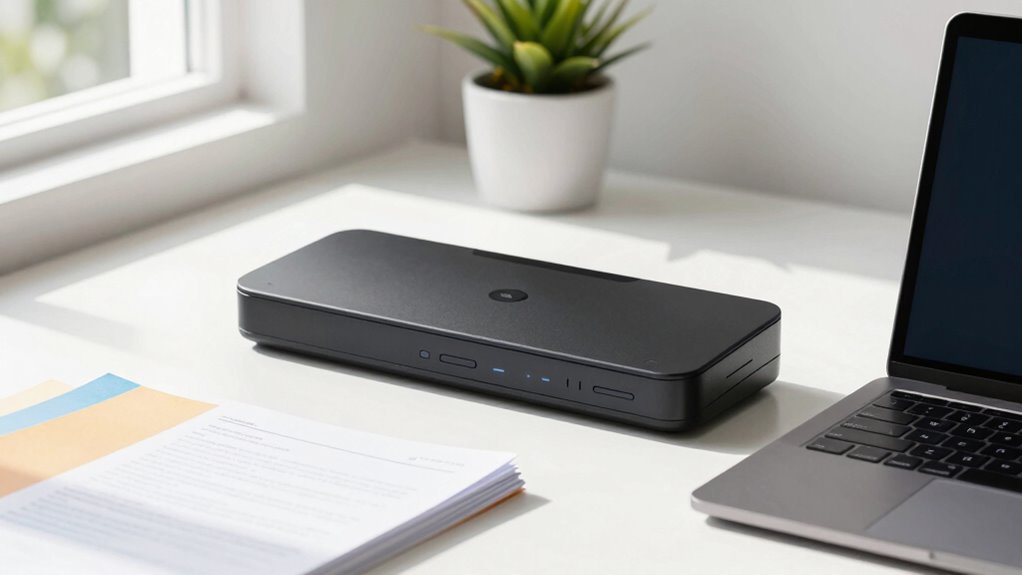

Finding the right portable document scanner for a small business involves balancing size, speed, and ease of use. The Brother DS-740D stands out as the best overall pick thanks to its duplex scanning and compact design, ideal for busy entrepreneurs. The Epson WorkForce ES-50 is a top choice for those prioritizing lightweight portability, while the ScanSnap iX100 offers seamless wireless connectivity for on-the-go scanning. Each option comes with tradeoffs—higher speed often means more bulk, while budget models may lack advanced features. Continue reading to see the full breakdown and find the best fit for your business needs.

Get business pricing on office and shipping supplies
- Business-only prices and quantity discounts
- Tax-exempt purchasing
- Multiple users, one account, clear invoices
Key Takeaways
- The top scanners combine portability with reliable performance, but tradeoff speed for size in most cases.
- Wireless features and mobile app integration significantly enhance usability for small business owners on the move.
- Price varies widely; premium models offer faster scanning and better durability, while budget options cover basic needs.
- Duplex scanning capabilities are less common but highly valuable for efficiency.
- Build quality and compatibility with both PC and Mac are important factors often overlooked in reviews.
| Brother DS-740D Duplex Compact Mobile Document Scanner |  | Best Overall for Versatile Mobile Scanning | Scan Speed: Up to 16 ppm | Scanning: Single and double-sided (duplex) in a single pass | Connectivity: Micro USB 3.0 | VIEW ON AMAZON | See Our Full Breakdown |
| Epson WorkForce ES-50 Compact & Lightweight Mobile Document Scanner |  | Best for Quick Single-Page Scanning on the Go | Scan Speed: 5.5 seconds per page | Maximum Document Size: 8.5 x 72 inches | Connectivity: USB 2.0 | VIEW ON AMAZON | See Our Full Breakdown |
| Brother DS-640 Compact Mobile Document Scanner |  | Best for Fast, On-the-Go Multi-Page Scanning | Scan Speed: 16 ppm | Weight: 1.5 lbs | Power: Micro USB 3.0 | VIEW ON AMAZON | See Our Full Breakdown |
| Epson RapidReceipt RR-60 Compact Mobile Document and Receipt Scanner |  | Best for Receipt and Expense Management | Weight: Under 10 oz | Scan Speed: Up to 10 pages per minute | Max Document Size: 8.5 x 72 inches | VIEW ON AMAZON | See Our Full Breakdown |
| ScanSnap iX100 Wireless Mobile Portable Scanner, Black |  | Best Wireless for Versatile, On-the-Go Scanning | Battery Life: Up to 260 documents per charge | Connectivity: Wi-Fi, USB | Document Types: Photos, receipts, small items | VIEW ON AMAZON | See Our Full Breakdown |
| Canon CanoScan LiDE 300 Scanner |  | Best Overall for Small Business Owners Needing Reliable, Easy Scanning | Scanner type: Document | Connectivity technology: USB | Auto Scan Mode: Yes | VIEW ON AMAZON | See Our Full Breakdown |
| HP Small USB Document & Photo Scanner (HPPS100) |  | Best Value for Portable, Single-Sided Scanning Needs | Model: HPPS100 | Scan Type: Simplex (1-sided) sheetfed | Scan Speed: 15 ppm | VIEW ON AMAZON | See Our Full Breakdown |
| Epson DS-70 Portable Single-Sheet Document Scanner |  | Best for Speed and Portability in Mobile Scanning | Scanner Type: Document | Connection Type: USB | Resolution: 1200 dpi | VIEW ON AMAZON | See Our Full Breakdown |
| Epson WorkForce DS-410 Document Scanner |  | Best for Small Offices Needing Reliable, Compact Scanning | Brand: Epson | Model: WorkForce DS-410 | VIEW ON AMAZON | See Our Full Breakdown | |
| Epson WorkForce ES-60W Wireless Compact Mobile Document Scanner |  | Best for Wireless, On-the-Go Professionals with Long Document Needs | Scan Speed: Single page in 4 seconds | Connectivity: Wireless, USB | Compatibility: PC, Mac, iOS, Android | VIEW ON AMAZON | See Our Full Breakdown |
| Canon imageFORMULA R10 Portable Document Scanner |  | Best for Mobile Professionals on the Go | Power Consumption: 2.5W or less | Suggested Daily Volume: 500 scans | Media Types: Receipts, business cards, reports, legal documents | VIEW ON AMAZON | See Our Full Breakdown |
| Plustek Mobile Scanner S410 Plus – Portable Sheet-Fed Document Scanner for Windows |  | Best for Versatile Media Handling and Searchable Files | Weight: Less than 1 lb | Power: USB bus-powered | Compatibility: Windows 7 / 8 / 10 / 11 | VIEW ON AMAZON | See Our Full Breakdown |
| portable document scanners for small business | Compatibility | Scan Speed |
|---|---|---|
| Brother DS-740D Duplex Compact | Windows, Mac, Linux | Up to 16 ppm |
| Epson WorkForce ES-50 Compact | Windows, Mac | 5.5 seconds per page |
| Brother DS-640 Compact Mobile | Windows, Mac, Linux | 16 ppm |
| Epson RapidReceipt RR-60 Compa | — | Up to 10 pages per minute |
| ScanSnap iX100 Wireless Mobile | Mac, PC, mobile devices, cloud services | — |
| Canon CanoScan LiDE 300 Scanne | — | — |
| HP Small USB Document & Photo | — | 15 ppm |
| Epson DS-70 Portable Single-Sh | — | — |
| Epson WorkForce DS-410 Documen | — | — |
| Epson WorkForce ES-60W Wireles | PC, Mac, iOS, Android | Single page in 4 seconds |
| Canon imageFORMULA R10 Portabl | Windows and Mac | — |
| Plustek Mobile Scanner S410 Pl | Windows 7 / 8 / 10 / 11 | — |
More Details on Our Top Picks
Brother DS-740D Duplex Compact Mobile Document Scanner
The Brother DS-740D stands out for its ability to handle both single and double-sided scans at a brisk 16 ppm, all while maintaining a compact, portable form factor. Compared to the Epson ES-50, which is slightly slower and limited to single sheets, the DS-740D offers duplex functionality in a mobile design—ideal for busy professionals who need efficient, on-the-go document management. Its USB bus-power eliminates the need for an outlet, adding to its portability, but the image rotation feature is only available on PC, which could be limiting for Mac users. The bundled software and broad OS compatibility make it a robust choice, although drivers must be downloaded separately, which can be inconvenient in low-connectivity situations. This scanner makes the most sense for small business owners or remote workers who require reliable, versatile scanning without sacrificing mobility.
Pros:- Ultra-compact and lightweight for true portability
- Fast duplex scanning at up to 16 ppm in a single pass
- USB-powered, no outlet required
- Broad OS support and multiple scan destinations including cloud and OCR
Cons:- Image rotation feature is PC only, limiting Mac users
- Drivers and software need to be downloaded separately, requiring internet access
- Free technical support limited to the USA
Best for: Small business owners or remote professionals needing reliable, duplex mobile scanning without external power.
Not ideal for: Users who prefer wireless connectivity or need to scan large volumes frequently, as the USB power limits continuous use and setup can be more involved.
- Scan Speed:Up to 16 ppm
- Scanning:Single and double-sided (duplex) in a single pass
- Connectivity:Micro USB 3.0
- Power Source:USB bus-powered
- Compatibility:Windows, Mac, Linux
- Drivers:TWAIN/WIA (PC), ICA (Mac), SANE
Our verdict“This scanner is best suited for mobile professionals who value speed, duplex capability, and portability without relying on external power.”
Epson WorkForce ES-50 Compact & Lightweight Mobile Document Scanner
The Epson WorkForce ES-50 excels in rapid, single-page scans, making it ideal for professionals who often digitize receipts, ID cards, or one-off documents. It’s significantly lighter than the Brother DS-740D, weighing just enough to slip into a bag, but its speed of 5.5 seconds per page is slower than duplex-capable models like the Brother DS-640. The ES-50’s simplicity—USB connection and no batteries—favors users who want minimal setup and quick results, yet it’s limited to single sheets and lacks wireless options, unlike the ScanSnap iX100 which offers wireless connectivity and multi-page batch scanning. For those focused mainly on quick, on-the-spot scans of individual documents, it delivers high-quality results with OCR, but it’s less suited for high-volume or multi-page jobs.
Pros:- Extremely lightweight and portable
- Fast scan speed of 5.5 seconds per page
- Includes OCR for searchable files
- Simple USB setup with no external power needed
Cons:- Limited to single-sheet scanning, not suitable for batch jobs
- No wireless connectivity options
- Requires software installation for full features
Best for: Small business owners or field workers needing fast, single-page scans without fuss.
Not ideal for: Users who need to scan multi-page documents or require wireless operation, as the ES-50 is limited to single sheets via USB only.
- Scan Speed:5.5 seconds per page
- Maximum Document Size:8.5 x 72 inches
- Connectivity:USB 2.0
- Power:USB-powered
- Compatibility:Windows, Mac
Our verdict“This scanner is perfect for mobile professionals needing quick, high-quality single-page scans without extra features or bulk.”
Brother DS-640 Compact Mobile Document Scanner
The Brother DS-640 offers a notable speed of 16 ppm, making it a strong choice for users who need to scan multiple documents quickly. Its ultra-compact design is similar to the Epson ES-50, but it supports batch scanning, unlike the Epson, which is limited to single pages. Its support for multiple operating systems and cloud destinations, along with features like color detection and OCR, make it flexible for small businesses with diverse workflows. However, the lack of a built-in battery and reliance on micro USB can limit its portability compared to battery-powered options like the ScanSnap iX100. This model is well-suited for those who want a lightweight, speedy scanner that can handle higher volumes but don’t mind being tethered to power or a computer for extended use.
Pros:- Very fast scanning at up to 16 ppm
- Supports batch scanning for multiple pages
- Supports multiple OS and cloud destinations
- Includes software for image enhancement and OCR
Cons:- No built-in battery, relies on micro USB power
- Limited to small document sizes due to compact design
- No wireless connectivity
Best for: Small business staff or remote workers needing fast, multi-page scanning in a portable package.
Not ideal for: People seeking a wireless scanner or one with a built-in battery, as this model relies on external power sources.
- Scan Speed:16 ppm
- Weight:1.5 lbs
- Power:Micro USB 3.0
- Compatibility:Windows, Mac, Linux
- Features:Color detection, image rotation, bleed through prevention
Our verdict“Ideal for small business teams needing quick, multi-page scans with a lightweight, portable device that’s tethered to power and computers.”
Epson RapidReceipt RR-60 Compact Mobile Document and Receipt Scanner
The Epson RapidReceipt RR-60 shines as a specialized tool for digitizing receipts, invoices, and business cards quickly and efficiently. Its ultra-lightweight design and automatic feeding make it ideal for busy entrepreneurs who need to process multiple receipts on the move. The ScanSmart AI PRO technology automates categorization and integrates seamlessly with financial software like QuickBooks, making expense tracking straightforward. Its slower speed of up to 10 pages per minute is a tradeoff for its focus on receipt management, which is less suitable for large document batches or high-volume scanning. The device’s small form factor and cloud support make it perfect for mobile use, but it’s less versatile for general document scanning compared to multi-purpose models like the Brother DS-740D.
Pros:- Extremely lightweight and portable
- Automatic categorization with export to financial apps
- Supports searchable PDFs and cloud services
- Fast and simple for receipt scanning
Cons:- Limited to 10 pages per minute, slower than larger scanners
- Small capacity may not suit high-volume users
- Primarily designed for receipts, less for general document scanning
Best for: Small business owners or freelancers focused on expense management and receipt digitization on the go.
Not ideal for: Users who need to scan large documents or perform high-volume batch scanning, as it is optimized for receipts and small papers.
- Weight:Under 10 oz
- Scan Speed:Up to 10 pages per minute
- Max Document Size:8.5 x 72 inches
- Connectivity:USB
- Cloud Support:OneDrive, Dropbox, Google Drive
Our verdict“Perfect for small business owners managing expenses who need quick, organized receipt digitization on the move.”
ScanSnap iX100 Wireless Mobile Portable Scanner, Black
The ScanSnap iX100 offers a wireless edge for users who prefer to scan to mobile devices or cloud services without being tethered to a computer. Its ability to automatically detect document edges, crop, and remove blank pages results in clean, ready-to-use files. Compared to the Brother DS-740D, which requires a USB connection, the iX100’s wireless capability adds flexibility, especially for users who need to scan from smartphones or tablets. Its battery life supports up to 260 documents per charge, making it suitable for extended mobile use. However, it’s primarily designed for small documents, photos, and receipts, not large multi-page documents, and setup can be complex for less tech-savvy users. This device works best for professionals who need wireless convenience combined with automatic document processing.
Pros:- Wireless connectivity for flexibility and convenience
- Automatic detection, cropping, and blank page removal
- Supports scanning directly to cloud and mobile devices
- Long battery life for extended use
Cons:- Limited to small-sized documents and items
- Wi-Fi setup can be complex for some users
- Battery life may vary depending on usage
Best for: Busy professionals or travelers who want wireless, automatic scanning to cloud or mobile devices.
Not ideal for: High-volume document scanning or those needing large-format scans, as it is limited to small items and relies heavily on Wi-Fi setup.
- Battery Life:Up to 260 documents per charge
- Connectivity:Wi-Fi, USB
- Document Types:Photos, receipts, small items
- Automatic Features:De-skew, crop, blank page removal
- Compatibility:Mac, PC, mobile devices, cloud services
Our verdict“This scanner is ideal for mobile professionals prioritizing wireless operation and automatic image processing for small documents and receipts.”
Canon CanoScan LiDE 300 Scanner
The Canon CanoScan LiDE 300 excels in delivering straightforward, high-quality scans with its Auto Scan Mode that detects document types automatically. Compared to the Epson DS-70, it offers a more traditional desktop experience with a compact, lightweight design, but it lacks wireless connectivity, making it less flexible for on-the-go use. Its USB-only connection keeps setup simple, yet limits mobility. This model is ideal for small business owners who prioritize reliable, high-resolution document scans without needing advanced features or wireless options. Its main tradeoff is that it only scans documents and images, so it’s not suitable for multi-page, high-volume workflows or multi-sided documents.
Pros:- Automatic detection of scan type with Auto Scan Mode
- Easy USB connectivity for quick setup
- Compact, lightweight design for desktop use
Cons:- Limited to document and image scanning only
- No wireless connectivity limits mobility
- Basic features may not satisfy advanced scanning needs
Best for: Small business owners who want a dependable, easy-to-use desktop scanner for occasional document digitization.
Not ideal for: Professionals needing wireless connectivity or multi-page duplex scanning, as the LiDE 300 is limited to basic scanning with no wireless options.
- Scanner type:Document
- Connectivity technology:USB
- Auto Scan Mode:Yes
Our verdict“This scanner is best suited for small businesses seeking straightforward, reliable document scans from a desktop setup.”
HP Small USB Document & Photo Scanner (HPPS100)
The HP HPPS100 stands out for its ultra-compact size and fast 15 pages per minute scanning speed, making it a practical choice for those who need quick digitization on the move. It supports a wide range of paper sizes and resolutions up to 1200 dpi, which is comparable to the Epson DS-70 but with the added benefit of being bus-powered via USB—eliminating the need for an external power supply. Unlike the Epson WorkForce DS-410, it’s designed specifically for smaller batch jobs and single-sided scanning, which can be limiting for high-volume workflows. This pick makes the most sense for mobile professionals or small offices that require a lightweight, straightforward scanner for occasional use, but it’s not suitable for double-sided or large-volume scanning jobs.
Pros:- Ultra-compact, lightweight design ideal for travel
- USB-powered, no external power needed
- Fast 15 ppm scanning speed at high resolution
Cons:- Simplex only—no duplex scanning
- Single-sheet feed limits batch size
- No automatic document feeder for large stacks
Best for: Mobile professionals or small offices needing quick, portable scanning for small batches of documents or photos.
Not ideal for: High-volume or duplex scanning tasks, since it only scans one side at a time and lacks an automatic document feeder.
- Model:HPPS100
- Scan Type:Simplex (1-sided) sheetfed
- Scan Speed:15 ppm
- Resolution:1200 dpi
- Paper Size Range:2″ x 2.9″ to 8.5″ x 14″
- Power:USB bus-powered
Our verdict“This scanner suits mobile users needing quick, reliable scans of small batches but isn’t designed for high-volume or duplex tasks.”
Epson DS-70 Portable Single-Sheet Document Scanner
The Epson DS-70 is notable for its incredibly fast single-page scans—just 5.5 seconds—and its compact, lightweight design, making it ideal for busy professionals on the move. Its ability to handle long documents up to 72 inches, as well as ID cards and receipts, provides versatile flexibility not offered by the HPPS100 or Canon LiDE 300. Its included OCR software supports creating searchable PDFs and editable text, which enhances its value for document management. However, it only scans one page at a time without an automatic document feeder, making it less suitable for high-volume or multi-page batch workflows. Compared to the Epson WorkForce DS-410, it’s more portable but less capable of handling larger batch jobs.
Pros:- Extremely compact and lightweight for portability
- Fast 5.5-second single-page scans
- Includes OCR and document management software
Cons:- Single-sheet capacity limits batch scanning
- No automatic document feeder for multi-page documents
- Limited to one sheet at a time
Best for: On-the-go professionals needing quick, single-sheet scans with OCR capabilities for searchable documents.
Not ideal for: High-volume scanning environments or users requiring duplex scanning, as it only handles one sheet at a time.
- Scanner Type:Document
- Connection Type:USB
- Resolution:1200 dpi
- Media Types:Business Card, ID Card, Receipt
- Dimensions:13″D x 5.5″W x 2.7″H
- Weight:9.44 ounces
Our verdict“This scanner is perfect for quick, on-the-go single-page scans with searchable output, but not for large batch jobs.”
Epson WorkForce DS-410 Document Scanner
The Epson WorkForce DS-410 offers a compact, dependable solution for small office environments requiring reliable document scanning. Although detailed specs are limited, its design is suited for everyday tasks like scanning receipts, business cards, and small batches of documents. Unlike the Epson DS-70, it’s more oriented toward office use with potentially higher volume capacity and integration options. However, its limited detailed features may make it less ideal for users seeking advanced OCR, duplex, or high-speed batch processing. This model is best for those who need a straightforward, space-saving device that handles typical small office workflows without fuss.
Pros:- Compact design suitable for small offices
- Reliable Epson brand with included Scan software
- Suitable for everyday document and receipt scanning
Cons:- Limited product details available
- May lack advanced features of higher-end models
- Not optimized for high-volume workflows
Best for: Small office or home office users needing dependable, space-efficient document scanning.
Not ideal for: High-volume or duplex scanning users who require more advanced features and faster throughput.
- Brand:Epson
- Model:WorkForce DS-410
Our verdict“This scanner is geared toward small offices needing a dependable, space-saving device for basic document scanning tasks.”
Epson WorkForce ES-60W Wireless Compact Mobile Document Scanner
The Epson WorkForce ES-60W stands out for its speed and wireless flexibility. It scans a single page in just 4 seconds, making it the fastest among the listed options, and supports wireless scanning to PCs, Macs, iOS, and Android devices. Its ability to handle documents up to 72 inches long and include OCR software for creating searchable PDFs and editable files makes it highly versatile for mobile professionals managing long reports or receipts. Unlike the HPPS100, it offers wireless connectivity, but it shares the single-sheet capacity limitation, lacking an automatic document feeder. Its wireless capability, combined with OCR and fast scan speeds, makes it perfect for remote work, but it’s less suited for bulk, multi-page batch jobs.
Pros:- Fastest scan speed at just 4 seconds per page
- Wireless scanning to multiple devices
- OCR software creates searchable, editable documents
Cons:- Single-sheet feeder only, no duplex capability
- Wireless and cloud features depend on internet connection
- Limited for large batch or multi-page processing
Best for: Mobile professionals and remote workers needing quick, wireless, single-sheet scans with OCR capabilities.
Not ideal for: High-volume batch processing or multi-page duplex scanning, as it only supports single-sheet feeding and requires an internet connection for wireless features.
- Scan Speed:Single page in 4 seconds
- Connectivity:Wireless, USB
- Compatibility:PC, Mac, iOS, Android
- Max Document Size:8.5″ x 72″
- OCR Software:Nuance OCR
Our verdict“This scanner is ideal for remote, on-the-go professionals needing quick, wireless single-page scans with OCR, but not for high-volume workflows.”
Canon imageFORMULA R10 Portable Document Scanner
The Canon imageFORMULA R10 stands out for its portability and ease of use, making it an excellent choice for small business owners who often work remotely or travel. Its lightweight design and duplex scanning capabilities allow for quick digitization of receipts, business cards, and reports without sacrificing speed or quality. Compared with the Plustek Mobile Scanner S410 Plus, the R10 offers broader compatibility with Mac and Windows, along with a built-in software solution that requires no extra setup. However, it’s less suited for high-volume scanning—limited to about 500 scans daily—and not designed for photographic or fragile document scanning. This pick makes the most sense for mobile entrepreneurs who prioritize ease of use and compatibility over high-volume throughput.
Pros:- Lightweight and portable for mobile use
- Duplex scanning with a 20-sheet automatic feeder
- Compatible with both Windows and Mac devices
- Built-in software requires no installation
Cons:- Limited to about 500 scans per day, restricting high-volume workflows
- Not suitable for scanning photographs or fragile documents
Best for: Small business owners and mobile professionals who need a reliable, portable scanner for everyday document digitization
Not ideal for: Businesses requiring high-volume scanning or handling delicate photographs, as the R10 isn’t designed for heavy-duty or photo scanning tasks
- Power Consumption:2.5W or less
- Suggested Daily Volume:500 scans
- Media Types:Receipts, business cards, reports, legal documents
- Scanning Speed:12 pages per minute
- Automatic Document Feeder:20 sheets
- Compatibility:Windows and Mac
Our verdict“This scanner is ideal for small business owners who need a portable, straightforward device for everyday document digitization on the go.”
Plustek Mobile Scanner S410 Plus – Portable Sheet-Fed Document Scanner for Windows
The Plustek S410 Plus excels in versatility and ultra-compact design, making it a top choice for small businesses that need to handle a variety of documents—including ID cards, invoices, and receipts—without fuss. Its USB bus-powered setup means no external power sources are required, enhancing portability. Unlike the Canon R10, the S410 Plus is specifically designed for Windows users and includes OCR software that enables searchable PDFs and editable documents, streamlining digital workflows. However, its sheet-fed design limits it to flat documents and makes it unsuitable for fragile or bound materials. This device is ideal for Windows users seeking a compact, multi-media scanner with built-in OCR but less suitable for those needing Mac compatibility or fragile document handling.
Pros:- Extremely compact and lightweight, perfect for portability
- USB bus-powered, no external power required
- Button-free automatic scanning simplifies operation
- Supports a wide range of media including ID cards and receipts
Cons:- Limited to Windows compatibility, excluding Mac users
- OCR software has a learning curve and may take time to master
- Not suitable for fragile or textured documents
Best for: Small business employees or mobile workers who need a compact scanner for diverse, everyday documents and searchable digital files
Not ideal for: Mac users or those needing to scan delicate or bound materials, as the S410 Plus’s sheet-fed design and Windows-only software limit its scope
- Weight:Less than 1 lb
- Power:USB bus-powered
- Compatibility:Windows 7 / 8 / 10 / 11
- Scanning Method:Sheet-fed, automatic
- Supported Media:Letter, Legal, business cards, plastic ID cards, invoices, receipts
- Software:OCR software (Plustek DocAction)
Our verdict“This scanner is best for Windows users needing a small, versatile device that handles various media types and produces searchable files with minimal setup.”

How We Picked
To determine the best portable document scanners for small business, I focused on several key criteria. Performance metrics such as scan speed, duplex capability, and resolution were prioritized to ensure efficiency. Usability factors like size, weight, battery life, and wireless connectivity were essential for mobile convenience. I also evaluated build quality, ease of setup, and compatibility with different operating systems. Price-to-value ratio played a significant role, ensuring options cater to various budgets without sacrificing core features. The ranking reflects a balance of these factors, favoring models that provide reliable, portable, and user-friendly solutions for small business owners.| portable document scanners for small business | Compatibility |
|---|---|
| Brother DS-740D Duplex Compact | Windows, Mac, Linux |
| Epson WorkForce ES-50 Compact | Windows, Mac |
| Brother DS-640 Compact Mobile | Windows, Mac, Linux |
| Epson RapidReceipt RR-60 Compa | — |
| ScanSnap iX100 Wireless Mobile | Mac, PC, mobile devices, cloud services |
| Canon CanoScan LiDE 300 Scanne | — |
| HP Small USB Document & Photo | — |
| Epson DS-70 Portable Single-Sh | — |
| Epson WorkForce DS-410 Documen | — |
| Epson WorkForce ES-60W Wireles | PC, Mac, iOS, Android |
| Canon imageFORMULA R10 Portabl | Windows and Mac |
| Plustek Mobile Scanner S410 Pl | Windows 7 / 8 / 10 / 11 |
Factors to Consider When Choosing Portable Document Scanners For Small Business
Selecting the right portable document scanner for your small business involves understanding your specific needs and balancing key features. Beyond basic specifications, consider how the scanner integrates into your workflow, its durability, and ease of use. The right choice depends on whether portability, speed, or advanced features matter most to your daily operations. Here are some critical factors to keep in mind before making a decision.Portability and Size
Since portability is a primary concern, evaluate the scanner’s weight and dimensions. A truly portable model should easily fit into a bag or briefcase without adding significant weight. However, smaller size often limits the scanning speed and paper capacity, so consider how much you need to scan daily. Larger models may offer faster throughput but sacrifice the convenience of mobility. Think about where you’ll be using the scanner most—on the go or primarily at a fixed location—and choose accordingly.
Scanning Speed and Duplex Capability
Speed matters when managing multiple documents efficiently. Look for models with faster pages-per-minute rates, especially if you handle large batches. Duplex scanning, which allows double-sided pages to be scanned in a single pass, can drastically reduce time spent on paperwork. However, duplex features often come at a higher cost and may increase the scanner’s size. Balance your volume needs with portability to avoid overpaying for features you won’t use daily.
Connectivity Options
Wireless connectivity, such as Wi-Fi or Bluetooth, adds significant convenience by enabling direct scanning to mobile devices or cloud services. This is especially useful for small business owners who need quick, remote access to documents. USB connections remain reliable for stable, wired transfers but limit mobility. Consider future-proofing your investment by choosing a model with versatile connectivity options that match your workflow preferences.
Compatibility and Ease of Use
Ensure the scanner seamlessly integrates with your existing devices and operating systems. Compatibility with Windows and Mac is essential, especially for small teams with diverse hardware. User interface and setup complexity matter—models with intuitive controls and simple software reduce setup time and frustration. Also, check for maintenance needs like cleaning or replacing parts, as these affect long-term usability.
Price and Value
While it’s tempting to opt for the cheapest option, consider long-term value. Cheaper models may lack durability or essential features like duplex scanning or wireless connectivity. Conversely, premium models offer faster speeds and more robust construction but come at a higher cost. Assess your scanning volume and feature needs carefully to avoid overspending on unnecessary capabilities or underinvesting in a device that will slow down your workflow.
Frequently Asked Questions
Can I use portable scanners for large-scale document management?
While portable scanners are excellent for on-the-go tasks and small batch scanning, they may not handle large-scale document management efficiently. Their smaller paper capacity and slower speeds compared to desktop models can become bottlenecks if you need to process hundreds of pages daily. For larger volumes, consider a more robust, desktop-oriented scanner that can better handle continuous use, but if mobility is a priority, portable options still serve well for occasional or quick scans.
Are wireless portable scanners reliable for frequent use?
Many wireless portable scanners provide dependable performance for regular use, especially those with good Wi-Fi or Bluetooth stability. However, reliability can vary based on your network environment and the scanner’s build quality. It’s wise to choose models with strong wireless signals and simple setup procedures. Keep in mind that wireless scanning may consume more battery life, so check battery longevity if you plan to use the device extensively away from power sources.
What’s the best way to ensure compatibility with my Mac or PC?
Before purchasing, verify the scanner’s compatibility with your operating system, checking for updated drivers and software. Many modern models support both Windows and Mac, but some may require additional downloads or setup steps. Reading user reviews can reveal real-world compatibility issues. Choosing a scanner with broad OS support and straightforward installation processes reduces setup headaches and ensures smooth integration into your workflow.
Is duplex scanning worth the extra cost?
Duplex scanning can save significant time by capturing both sides of a page in a single pass, making it a worthwhile feature for busy small businesses. However, it often adds to the cost and may increase the device’s bulk. If your typical documents are single-sided, you might not need duplex capability. Consider your typical workflow—if you frequently scan double-sided documents, investing in duplex support pays off through increased efficiency.
How important is battery life in portable scanners?
Battery life is a key factor if you plan to use the scanner away from power outlets regularly. Longer battery life means fewer interruptions and more reliable operation during fieldwork or travel. Some models offer quick charging or the ability to scan while charging, which can enhance usability. If your workflow involves frequent off-site scanning, prioritize a device with a robust battery to avoid disruptions.
Conclusion
Choosing the right portable document scanner depends on your specific needs. For small business owners who prioritize overall performance and versatility, the Brother DS-740D offers a compelling mix of duplex scanning and portability. Budget-conscious users who mostly scan single-sided documents may find the Epson WorkForce ES-50 provides excellent value. For those new to mobile scanning or who need simple setup, the ScanSnap iX100 delivers seamless wireless operation. If you require a durable, high-speed device for frequent use, investing in a more premium model like the Epson DS-410 makes sense. Tailor your choice based on your volume, mobility, and feature preferences to find the best fit for your small business.
Halloween Picks

JOYIN 5-Foot Halloween Animatronic Drinking Skeleton

Haunted Hill Farm 2-Ft. Zombie Raccoon Halloween Animatronic

ELAMAS 11ft Animatronic Flying Witch Halloween Decoration
As an affiliate, we earn on qualifying purchases.