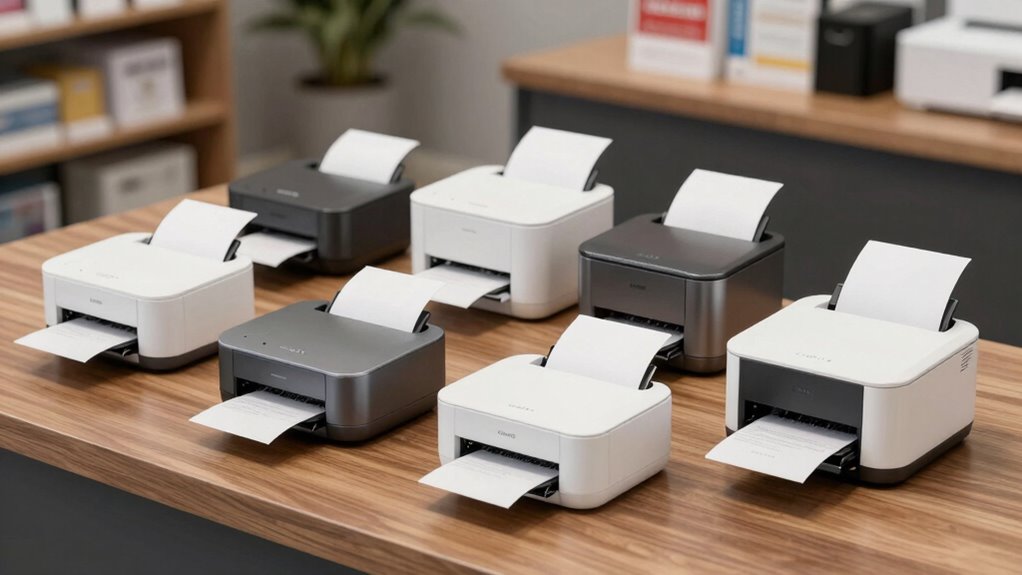

Choosing the right receipt printer is essential for small businesses aiming for efficiency and reliability at checkout. The Star Micronics TSP143IIIU stands out as the best overall, thanks to its fast printing and easy setup. For budget-conscious options, the MUNBYN IMP001 offers wireless convenience without breaking the bank. Meanwhile, the Epson TM-T20III is known for durability and consistent performance. Each option involves tradeoffs: high speed vs. cost, connectivity options, and ease of use. Continue reading for a detailed breakdown of these printers and what makes each suitable for different business needs.

Get business pricing on office and shipping supplies
- Business-only prices and quantity discounts
- Tax-exempt purchasing
- Multiple users, one account, clear invoices
| Star Micronics TSP143IIIU USB Thermal Receipt Printer with Auto-cutter and Internal Power Supply |  | Best Overall for Small Retail and Hospitality Environments | Printing Speed: 43 receipts per minute | Connection: USB | Compatibility: iOS, Android, Windows | VIEW ON AMAZON | See Our Full Breakdown |
| Epson TM-T20III Monochrome Thermal POS Printer |  | Best for Square Ecosystem Compatibility | Compatibility: Square Stand and Square Register | Interface: USB | Color: Monochrome | VIEW ON AMAZON | See Our Full Breakdown |
| Vretti Thermal Receipt Printer, 3 1/8″ 80mm Direct Thermal Printer |  | Best Wall-Hanging Design and Multi-Interface Support | Paper Width: 80mm | Print Speed: 260mm/sec | Interfaces: USB, serial, LAN | VIEW ON AMAZON | See Our Full Breakdown |
| NetumScan USB POS Receipt Printer, 80mm Thermal Receipt Printer with Auto Cutter |  | Best High-Speed USB Printer for Retail and Hospitality | Print Width: 80mm | Print Speed: 300mm/sec | Interface: USB | VIEW ON AMAZON | See Our Full Breakdown |
| Rongta POS Printer, 80mm Thermal Receipt Printer with Auto Cutter, USB/Serial/Ethernet, Support Windows/Mac/Linux |  | Best for Versatile Connectivity and Multi-Platform Use | Print Width: 80mm | Print Speed: 250mm/sec | Interfaces: USB, Serial, Ethernet | VIEW ON AMAZON | See Our Full Breakdown |
| Rongta 80mm Thermal POS Receipt Printer |  | Best Overall for Versatile Retail and Hospitality Use | Printing Speed: 250mm/sec | Print Width: 79.5mm | Paper Width: 80mm | VIEW ON AMAZON | See Our Full Breakdown |
| MUNBYN IMP001 58mm Wireless Thermal Receipt Printer |  | Best for Mobile and Outdoor Small Business Operations | Print Width: 58mm | Battery Capacity: 1500mAh | Connectivity: Wireless (Android), USB (Windows) | VIEW ON AMAZON | See Our Full Breakdown |
| Rongta POS Printer, 80mm USB Thermal Receipt Printer with Auto Cutter |  | Best for Versatile, Multi-Interface Environments | Printing Speed: 250mm/sec | Print Width: 79.5±0.5mm | Paper Width: 3 1/8″ (80mm) | VIEW ON AMAZON | See Our Full Breakdown |
| receipt printers for small business | Compatibility | Print Width | Design | Auto Cutter |
|---|---|---|---|---|
| Star Micronics TSP143IIIU USB | iOS, Android, Windows | — | Drop-In and Print clamshell | — |
| Epson TM-T20III Monochrome The | Square Stand and Square Register | — | — | — |
| Vretti Thermal Receipt Printer | Windows, Mac, Linux | — | Wall-hanging | Partial, up to 1.5 million cuts |
| NetumScan USB POS Receipt Prin | Windows, Mac, Linux | 80mm | — | Yes |
| Rongta POS Printer | — | 80mm | Wall-mountable | Yes |
| Rongta 80mm Thermal POS Receip | — | 79.5mm | Wall hanging with two mounting holes | — |
| MUNBYN IMP001 58mm Wireless Th | Android POS apps, Windows PC | 58mm | — | — |
| Rongta POS Printer | Windows, Mac, Linux | 79.5±0.5mm | — | Yes |
More Details on Our Top Picks
Star Micronics TSP143IIIU USB Thermal Receipt Printer with Auto-cutter and Internal Power Supply
The Star Micronics TSP143IIIU stands out for its high-speed printing of 43 receipts per minute, making it ideal for busy retail counters and quick-service restaurants. Compared to the NetumScan USB POS Printer, it offers faster throughput, but only connects via USB, lacking wireless options. Its space-saving design with an internal power supply simplifies setup and reduces clutter. Compatible across iOS, Android, and Windows, it covers most common POS systems without extra adapters. However, the absence of wireless connectivity means less flexibility in placement. This model suits small businesses prioritizing speed and reliability over wireless versatility.
Pros:- Fast printing speed of 43 receipts per minute
- Easy USB setup with drop-in paper loading
- Compact design with internal power supply
Cons:- Limited to USB connection, no wireless options
- Requires specific platform certifications for full functionality
Best for: Small retail shops and cafes needing fast, reliable receipt printing with straightforward setup
Not ideal for: Businesses seeking wireless or network-based printing options for flexible placement
- Printing Speed:43 receipts per minute
- Connection:USB
- Compatibility:iOS, Android, Windows
- Design:Drop-In and Print clamshell
- Power Supply:Internal
- Auto-cutter:Yes
Our verdict“This is the best choice for small businesses that need quick, reliable printing with minimal setup hassle.”
Epson TM-T20III Monochrome Thermal POS Printer
The Epson TM-T20III offers solid, monochrome thermal printing tailored for retail and hospitality, especially if you use Square POS systems. Its USB interface ensures straightforward setup, but it lacks wireless or Ethernet options, limiting flexibility compared to multi-interface models like the Rongta POS Printer. Designed for reliable, everyday use, it integrates seamlessly with Square Stand and Register, making it a strong choice if your setup is compatible. However, if you need a printer that supports multiple platforms or wireless connections, you might find this model restrictive. It’s best suited for businesses committed to a wired setup within the Square environment.
Pros:- Reliable thermal printing for daily retail use
- Compatible with Square Stand and Register
- USB connection ensures simple setup
Cons:- Limited to USB, no wireless options
- Compatibility issues if not using Square POS
Best for: Retailers and restaurants using Square POS systems who want a dependable wired printer
Not ideal for: Businesses needing wireless or multi-platform connections outside Square’s ecosystem
- Compatibility:Square Stand and Square Register
- Interface:USB
- Color:Monochrome
Our verdict“This printer makes the most sense for Square users prioritizing steady performance over connectivity flexibility.”
Vretti Thermal Receipt Printer, 3 1/8″ 80mm Direct Thermal Printer
The Vretti Thermal Receipt Printer offers impressive versatility with support for USB, serial, and LAN interfaces, making it suitable for diverse placement options. Its wall-hanging capability and high-speed printing of 260mm/s set it apart from the more basic Star Micronics TSP143IIIU. However, it lacks wireless connectivity, which can limit placement options in some setups. The long-lasting auto cutter and support for Windows, Mac, and Linux enhance its appeal for varied environments. While its multiple interfaces provide flexibility, the need for direct thermal paper and absence of Wi-Fi mean it’s best for businesses with fixed, wired setups that require high-volume printing.
Pros:- Supports multiple interfaces including LAN, serial, and USB
- Fast printing at 260mm/sec
- Wall-hanging design for space-efficient placement
Cons:- No wireless or Bluetooth support
- Requires direct thermal paper, no ink or ribbons
Best for: Retail or hospitality businesses needing flexible placement and multi-platform support
Not ideal for: Mobile businesses or those needing wireless printing solutions
- Paper Width:80mm
- Print Speed:260mm/sec
- Interfaces:USB, serial, LAN
- Auto Cutter:Partial, up to 1.5 million cuts
- Compatibility:Windows, Mac, Linux
- Design:Wall-hanging
Our verdict“This printer is ideal for businesses that want versatile connectivity and space-saving wall-mount options without wireless features.”
NetumScan USB POS Receipt Printer, 80mm Thermal Receipt Printer with Auto Cutter
The NetumScan USB POS Receipt Printer excels with its rapid printing speed of 300mm/s, making it suitable for high-volume retail or hospitality environments. Its USB-only interface simplifies setup but limits placement flexibility compared to models with LAN or Wi-Fi options like the Rongta POS Printer. Its auto cutter enhances efficiency, and wall-mount capability saves counter space. However, it does not support mobile platforms or wireless connections, which could be a drawback for businesses seeking mobility. This printer appeals to those focused on speed and reliability in wired setups, especially where high throughput is essential.
Pros:- Exceptional printing speed of 300mm/sec
- Auto cutter for seamless receipt output
- Wall-mountable for space efficiency
Cons:- Limited to USB, no LAN or wireless options
- No support for mobile device printing
Best for: Large retail stores or quick-service restaurants prioritizing high-speed, wired printing
Not ideal for: Mobile or wireless-dependent businesses needing flexible setup options
- Print Width:80mm
- Print Speed:300mm/sec
- Interface:USB
- Auto Cutter:Yes
- Compatibility:Windows, Mac, Linux
Our verdict“Ideal for high-volume operations where wired, high-speed printing is a priority over wireless flexibility.”
Rongta POS Printer, 80mm Thermal Receipt Printer with Auto Cutter, USB/Serial/Ethernet, Support Windows/Mac/Linux
The Rongta POS Printer offers extensive connectivity options, including USB, serial, and Ethernet, making it highly adaptable for various setups. Its fast printing speed of 250mm/sec and support for Windows, Mac, and Linux make it a flexible choice for busy retail or restaurant environments. Its wall-mount design saves space, and the DIP switches allow for easy configuration of features like auto-cutter and print density. However, it lacks Wi-Fi or Bluetooth, limiting mobility and wireless setup. This printer is well-suited for businesses that need reliable, multi-interface connectivity and flexible installation options, but not for those relying on wireless or mobile printing.
Pros:- Supports USB, serial, and Ethernet interfaces
- Fast printing speed of 250mm/sec
- Wall-mount design for space-efficient installation
Cons:- No Wi-Fi or Bluetooth support
- Requires driver setup and manual configuration
Best for: Medium-sized businesses needing multi-platform, wired connectivity with space-saving solutions
Not ideal for: Businesses requiring wireless printing or mobile device compatibility
- Print Width:80mm
- Print Speed:250mm/sec
- Interfaces:USB, Serial, Ethernet
- Auto Cutter:Yes
- Supported OS:Windows, Mac, Linux
- Design:Wall-mountable
Our verdict“This printer suits environments demanding multi-interface, wired connectivity with flexible mounting options, but not wireless or mobile setups.”
Rongta 80mm Thermal POS Receipt Printer
The Rongta 80mm Thermal POS Receipt Printer stands out for its combination of speed, durability, and compatibility, making it ideal for busy retail and hospitality environments. Its impressive printing speed of 250mm/sec and auto cutter streamline transactions, especially when compared to slower models like the MUNBYN IMP001, which trades speed for portability. Although it lacks WiFi or Bluetooth, its broad OS support and wall-mount options offer flexible installation. The sturdy design ensures longevity, but businesses seeking wireless connectivity will need a different solution. This pick makes sense for shops that prioritize high-volume printing and robust hardware, rather than mobility or wireless features.
Pros:- Fast printing speed of 250mm/sec with auto cutter
- Wide compatibility with Windows, Linux, Mac, and serial interfaces
- Low operating costs due to ribbon-free thermal printing
- Sturdy design with wall-mount capability
Cons:- Lacks WiFi and Bluetooth connectivity options
- Not compatible with popular delivery platforms like Uber Eats or DoorDash
Best for: Small retail stores or restaurants needing fast, reliable, stationary printing with broad OS compatibility
Not ideal for: Mobile vendors or outdoor food trucks that require wireless printing on the go
- Printing Speed:250mm/sec
- Print Width:79.5mm
- Paper Width:80mm
- Paper Diameter:79.5mm
- Paper Thickness:0.06-0.08mm
- Connectivity:USB, Serial, Ethernet
- OS Compatibility:Windows 2003, XP, 7, 8, 10, Linux, Mac
- Design:Wall hanging with two mounting holes
Our verdict“This printer is best suited for businesses that need fast, reliable, stationary printing without wireless features.”
MUNBYN IMP001 58mm Wireless Thermal Receipt Printer
The MUNBYN IMP001 is a compact, portable printer that excels in environments where mobility and quick setup matter. Its lightweight design and 1500mAh removable battery make it perfect for outdoor cafes, food trucks, or retail staff on the move, contrasting with bulkier stationary models like the Rongta 80mm printers. While it offers sharp printing and long battery life, it’s limited to Android and Windows devices, making it less suitable for iOS users or businesses with existing Apple-based POS systems. The need for specific POS apps on Android can be a hurdle for some, but for those who prioritize portability and outdoor use, it’s a clear winner. This device is for entrepreneurs who need flexible, on-the-go receipt printing that doesn’t sacrifice print quality.
Pros:- Portable and lightweight, easy to carry around
- Sharp, clear thermal printing quality
- Removable 1500mAh battery with 5-6 days standby
- Compatible with Android POS apps and Windows via USB
Cons:- Incompatible with iOS devices and iPads
- Limited to Android and Windows platforms, requiring specific apps
- Requires Android POS app setup for full functionality
Best for: Small business owners operating outdoors, such as cafes, food trucks, or mobile retail vendors
Not ideal for: Businesses relying heavily on iOS or needing multi-platform compatibility without specialized apps
- Print Width:58mm
- Battery Capacity:1500mAh
- Connectivity:Wireless (Android), USB (Windows)
- Compatibility:Android POS apps, Windows PC
- Auto Sleep/Awake:Yes
- Battery Life:5-6 days standby
Our verdict“This printer is ideal for mobile or outdoor small businesses that value portability and quick setup over broad platform compatibility.”
Rongta POS Printer, 80mm USB Thermal Receipt Printer with Auto Cutter
The Rongta 80mm USB Thermal POS Receipt Printer offers a strong balance of speed and flexibility, with a 250mm/sec printing rate and multiple interface options like USB, LAN, and serial ports. Compared with the wireless MUNBYN model, this one provides more connection choices, making it suitable for larger or more complex setups in retail or hospitality settings. Its auto cutter enhances efficiency, but the absence of WiFi or Bluetooth limits its wireless flexibility, and it’s not compatible with popular delivery apps like Uber Eats or DoorDash. Installation is straightforward, and its large paper capacity supports high-volume transactions. Overall, this printer fits businesses that need versatile wired connections and reliable performance without wireless features.
Pros:- Fast printing speed with auto cutter for efficiency
- Multiple interface options including LAN, USB, and serial
- Easy to install and maintain with large paper capacity
- Supports Windows, Mac, and Linux
Cons:- No WiFi or Bluetooth connectivity options
- Limited compatibility with delivery platforms like Uber Eats or Grubhub
- Requires thermal paper for operation
Best for: Retail stores or restaurants with fixed POS stations requiring multiple wired connection options
Not ideal for: Mobile vendors or businesses that need wireless or WiFi-enabled printing for outdoor or on-the-move use
- Printing Speed:250mm/sec
- Print Width:79.5±0.5mm
- Paper Width:3 1/8″ (80mm)
- Interfaces:USB, LAN, SERIAL
- Auto Cutter:Yes
- Compatibility:Windows, Mac, Linux
- Wall Mountable:Yes
Our verdict“This model is best suited for fixed-location businesses that need multiple wired connection options and high-volume printing capabilities.”

How We Picked
Our selection process focused on key factors small business owners prioritize: print speed, reliability, ease of setup, connectivity options, and overall value. We evaluated each model based on real-world usability, build quality, and compatibility with common POS systems. Price was a consideration, but we prioritized printers that offer a balance of affordability and dependable performance. The ranking reflects how well each model addresses typical small business workflows, with top picks excelling in speed, ease of use, and versatility.| receipt printers for small business | Compatibility | Design | Auto Cutter |
|---|---|---|---|
| Star Micronics TSP143IIIU USB | iOS, Android, Windows | Drop-In and Print clamshell | — |
| Epson TM-T20III Monochrome The | Square Stand and Square Register | — | — |
| Vretti Thermal Receipt Printer | Windows, Mac, Linux | Wall-hanging | Partial, up to 1.5 million cuts |
| NetumScan USB POS Receipt Prin | Windows, Mac, Linux | — | Yes |
| Rongta POS Printer | — | Wall-mountable | Yes |
| Rongta 80mm Thermal POS Receip | — | Wall hanging with two mounting holes | — |
| MUNBYN IMP001 58mm Wireless Th | Android POS apps, Windows PC | — | — |
| Rongta POS Printer | Windows, Mac, Linux | — | Yes |
Factors to Consider When Choosing Receipt Printers For Small Business
When choosing a receipt printer for your small business, consider several critical factors beyond just the price and brand. These elements can significantly impact your daily operations, customer experience, and long-term costs. Understanding each factor helps you avoid common pitfalls and select a printer that truly fits your specific needs.Connectivity Options
Receipt printers come with various connection types such as USB, Ethernet, serial, and wireless. Think about your existing POS setup and future needs: a USB connection might be easiest for a single terminal, while Ethernet or Wi-Fi offers greater flexibility for multiple devices or locations. Wireless models add convenience but can be more prone to interference, so weigh the benefits carefully.
Print Speed and Resolution
Fast printing reduces wait times during busy hours, making customer service smoother. Look for models with speeds of at least 100mm/sec; anything slower may cause delays. Resolution is less critical for receipts but ensure text clarity—most thermal printers provide sufficient resolution for legible receipts without the need for high dpi settings.
Ease of Setup and Maintenance
A straightforward setup process saves time and frustration. Features like auto-cutter, simple paper loading, and clear instructions matter. Consider the availability of customer support and warranty—these can reduce downtime if issues arise. Regular maintenance, like replacing paper and ensuring cutter functionality, should be manageable without technical expertise.
Build Quality and Durability
Small businesses need printers that withstand daily use. Look for sturdy construction and reliable components to prevent frequent breakdowns. Some lower-cost models may save money upfront but could cost more in repairs or replacements over time. Durability is especially important if your business has high transaction volumes.
Cost of Consumables and Overall Value
Thermal paper costs can add up, so check the availability and price of supplies. A slightly higher initial investment in a model with lower maintenance costs might be more economical in the long run. Consider also the availability of replacement parts and whether the manufacturer offers affordable options for ongoing expenses.
Frequently Asked Questions
Can I use a receipt printer with my existing POS system?
Most modern receipt printers are compatible with common POS systems, especially those supporting standard connection types like USB or Ethernet. Before purchasing, verify that your POS software supports the printer model or its driver, which is usually straightforward. Many printers also support multiple operating systems, making integration easier for diverse setups.
Is wireless connectivity reliable enough for busy hours?
Wireless printers can be very reliable if your Wi-Fi network is stable and robust. For busy periods, a strong signal reduces the chances of print delays or disconnections. It’s wise to ensure your network has sufficient bandwidth and minimal interference, especially if multiple devices are connected. Sometimes, wired connections provide a more consistent experience for high-volume businesses.
How often do thermal receipts need maintenance or replacement?
Thermal receipts generally require minimal maintenance—mainly replacing paper rolls and ensuring the cutter remains clean. The paper rolls typically last several days to weeks depending on your transaction volume. Regular cleaning of the print head also helps maintain print quality and prolongs the lifespan of the printer. Investing in a durable model can reduce frequency of repair or replacement.
Should I prioritize speed or cost when choosing a receipt printer?
This depends on your business volume. For high-traffic environments, speed can significantly improve efficiency and customer satisfaction, justifying a higher investment. Conversely, if your transaction volume is modest, a budget-friendly printer with decent speed might be sufficient. Balancing upfront cost with long-term reliability and performance is key to making the right choice.
What features are essential for a beginner setting up a small retail space?
Beginners should look for a printer that is simple to set up, with clear instructions and auto-cutter features. Wireless or USB connectivity options can streamline installation. Durability and low maintenance requirements are also important to avoid frequent repairs. Choosing a well-reviewed model with good customer support can help ensure a smooth start and ongoing operation.
Conclusion
For small business owners, the best overall receipt printer is the Star Micronics TSP143IIIU, offering speed, reliability, and easy setup. Budget-conscious shops will appreciate the MUNBYN IMP001 for its wireless convenience at a lower price. Larger or high-volume stores might prefer the Epson TM-T20III for durability and consistent performance. Beginners should consider models with straightforward installation, like the Rongta 80mm USB printer, while tech-savvy users needing versatile connectivity may opt for the Rongta Ethernet-supported options. Ultimately, your choice should align with your specific transaction volume, setup complexity, and long-term maintenance considerations.
Halloween Picks
halloween
As an affiliate, we earn on qualifying purchases.