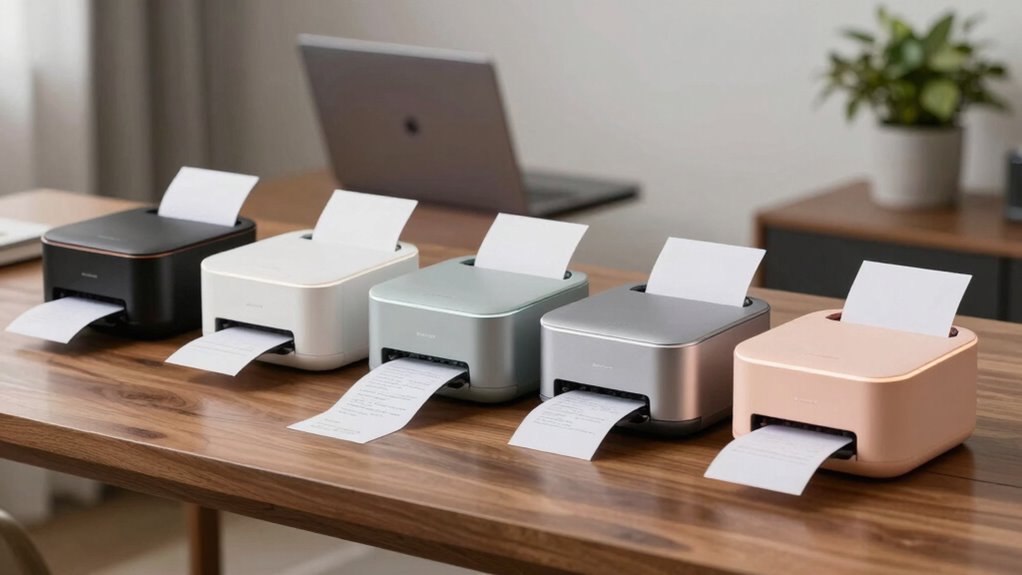

Choosing the right wireless receipt printer for a home business involves balancing speed, portability, and compatibility. The Star Micronics TSP143IIIBi stands out for its fast printing and easy Bluetooth setup, making it ideal for busy retail or food environments. For mobile entrepreneurs, the Portable Mini Thermal Receipt Printer offers excellent portability with a rechargeable battery, though it doesn’t support iOS. Meanwhile, the NETUM Bluetooth Receipt Printer delivers portability and long battery life for outdoor use, but limits compatibility with certain POS systems. These options highlight the tradeoffs between speed, portability, and system support that buyers need to consider in 2026.

Get office and shipping supplies delivered free — and shop member deals
- Fast, free delivery on millions of items
- Access to Prime Big Deal Days deals on October 6–7
- Prime Video, Amazon Music and more included
Key Takeaways
- The fastest printer in this lineup is the MRBOSS, supporting high-speed printing up to 90mm/s, ideal for high-volume retail settings.
- Portability varies: models like NETUM and MUNBYN are lightweight and battery-powered, perfect for mobile use, while the Star Micronics offers a compact but stationary setup.
- Compatibility is a key factor—some printers support iOS, Android, and Windows, while others are limited, affecting integration with existing POS systems.
- Print quality and speed are generally good across models, but some trade speed for portability or system compatibility.
- Ease of setup and ongoing costs differ; thermal printers eliminate ink costs but may require specific paper types and connection methods.
| Star Micronics TSP143IIIBi Bluetooth Thermal Receipt Printer – Gray |  | Best Overall for Speed and Ease of Use | Model: TSP143IIIBi | Printer Type: Thermal Receipt Printer | Connectivity: Bluetooth | VIEW ON AMAZON | See Our Full Breakdown |
| Portable Mini Thermal Receipt Printer, 58mm (2 Inch), Bluetooth and USB, Android Compatible |  | Best for Mobile Use and Portability | Print Technology: Thermal | Paper Width: 58mm | Effective Print Width: 48mm | VIEW ON AMAZON | See Our Full Breakdown |
| NETUM Bluetooth Receipt Printer, Portable 58mm Mini Thermal POS Printer, Compatible with Android/Windows |  | Best for Outdoor and Mobile Use | Print Width: 58mm | Battery Capacity: 2000mAh | Connectivity: Bluetooth 4.0 | VIEW ON AMAZON | See Our Full Breakdown |
| MUNBYN IMP001 58mm Wireless Thermal Receipt Printer |  | Best for Small Indoor and Outdoor Use | Printer Type: Thermal | Output Type: Monochrome | Item Weight: 0.45 kg | VIEW ON AMAZON | See Our Full Breakdown |
| MRBOSS 2“ 58mm POS Cash Register Portable Thermal Receipt Printer |  | Best for High-Speed Retail Environments | Print Speed: 90mm/s | Interface: USB, Bluetooth | Compatible OS: Windows, Mac, Android, iOS (via app) | VIEW ON AMAZON | See Our Full Breakdown |
| wireless receipt printers for home business | Connectivity | Print Speed | Printer Type |
|---|---|---|---|
| Star Micronics TSP143IIIBi Blu | Bluetooth | 43 receipts per minute | Thermal Receipt Printer |
| Portable Mini Thermal Receipt | Bluetooth, USB | Up to 70mm/s | — |
| NETUM Bluetooth Receipt Printe | Bluetooth 4.0 | Not specified | Thermal |
| MUNBYN IMP001 58mm Wireless Th | Bluetooth, USB | — | Thermal |
| MRBOSS 2“ 58mm POS Cash Regist | — | 90mm/s | — |
More Details on Our Top Picks
Star Micronics TSP143IIIBi Bluetooth Thermal Receipt Printer – Gray
The Star Micronics TSP143IIIBi excels in quick setup and rapid printing, making it a top pick for busy retail or food service settings. Its Bluetooth connectivity supports multiple platforms, and with a print speed of 43 receipts per minute, it keeps lines moving efficiently. The drop-in paper loading and de-curl function simplify daily operations, while its compact footprint saves counter space. Compared to other options, it’s less portable and limited to receipt printing, but its speed and reliability make it ideal for stationary setups.
Pros:- Fast printing speed of up to 43 receipts per minute
- Easy Bluetooth setup across iOS, Android, and Windows
- Drop-in paper loading with de-curl feature
Cons:- Bluetooth-only connectivity limits flexibility
- Requires thermal paper rolls, adding ongoing costs
- Limited to receipt printing only
Best for: Home business owners needing a reliable, fast, and easy-to-setup station for retail or food service.
Not ideal for: Those who prefer wired connections or need a multi-purpose printer for documents beyond receipts.
- Model:TSP143IIIBi
- Printer Type:Thermal Receipt Printer
- Connectivity:Bluetooth
- Compatibility:iOS, Android, Windows
- Print Speed:43 receipts per minute
- Paper Loading:Drop-In and Print clamshell
- Special Feature:De-Curl function
- Cutter:Auto-cutter
- Power Supply:Internal
Our verdict“A solid choice for stationary setups demanding speed and reliability.”
Portable Mini Thermal Receipt Printer, 58mm (2 Inch), Bluetooth and USB, Android Compatible
This mini thermal printer is tailored for mobile entrepreneurs needing portability. Its lightweight design and built-in rechargeable battery support on-the-go printing for small cafes, retail, or event vendors. With Bluetooth and USB connectivity, it offers flexible connection options, though it’s not compatible with iOS or Square POS systems, which limits its use in certain environments. The 70mm/s print speed and 203dpi resolution ensure clear receipts, but it’s best suited for quick, informal printing rather than high-volume scenarios.
Pros:- No ink or ribbons needed, reducing operating costs
- Portable design with rechargeable battery
- Supports Bluetooth and USB connections
Cons:- Not compatible with iOS devices
- Limited to certain POS systems
- Designed mainly for casual or mobile printing
Best for: Small businesses, mobile vendors, and anyone needing a compact, portable receipt printer.
Not ideal for: Businesses relying on iOS or Square POS, or those requiring high-volume printing.
- Print Technology:Thermal
- Paper Width:58mm
- Effective Print Width:48mm
- Print Speed:Up to 70mm/s
- Resolution:203dpi
- Connectivity:Bluetooth, USB
- Battery:1500mAh rechargeable
- Compatible Devices:Android, Windows
- Not Compatible:iOS, Square POS
Our verdict“A practical portable solution with solid print quality, ideal for mobile operations but limited in system compatibility.”
NETUM Bluetooth Receipt Printer, Portable 58mm Mini Thermal POS Printer, Compatible with Android/Windows
The NETUM Bluetooth Receipt Printer combines portability with long battery life, making it suitable for outdoor vendors and mobile setups. Its 2000mAh battery lasts for days of standby, and its Bluetooth 4.0 connection supports Android and Windows devices. While it delivers reliable prints at 58mm width, its compatibility is limited to some POS applications, and it doesn’t support iOS or major platforms like Square. Its auto sleep feature helps conserve power, but it’s best for casual or low-volume printing needs.
Pros:- Long-lasting 2000mAh battery
- Lightweight and portable design
- Supports Bluetooth 4.0 for Android and Windows
Cons:- Limited compatibility with some POS systems
- Requires removal of insulating tape before first use
- Limited to thermal paper printing only
Best for: Outdoor vendors, food trucks, or mobile retail setups needing durable, battery-powered printing.
Not ideal for: High-volume retail environments or users requiring iOS compatibility.
- Print Width:58mm
- Battery Capacity:2000mAh
- Connectivity:Bluetooth 4.0
- Supported OS:Android, Windows
- Auto Sleep/Awake:Yes
- Printer Type:Thermal
- Print Speed:Not specified
- Weight:Lightweight
Our verdict“A dependable portable printer with impressive battery life, suited for outdoor use but with limited system support.”
MUNBYN IMP001 58mm Wireless Thermal Receipt Printer
The MUNBYN IMP001 offers a balance of portability and print quality, with support for Android and Windows devices. Its sharp, clear prints and removable battery make it suitable for various environments, from retail counters to outdoor markets. The compact size and auto sleep feature help conserve power, but it’s limited to print-only functions and has a relatively slow maximum speed of 1 page per minute. It’s a good choice where space is tight and portability is valued.
Pros:- Portable and lightweight design
- Supports Android and Windows
- Sharp, clear print quality
Cons:- Limited to print-only functions
- Maximum speed of 1 page per minute
- Not compatible with iOS devices
Best for: Small retail shops or outdoor vendors needing reliable, portable printing.
Not ideal for: High-volume or fast-paced environments requiring higher speeds or multi-functionality.
- Printer Type:Thermal
- Output Type:Monochrome
- Item Weight:0.45 kg
- Dimensions:4.8″D x 6.9″W x 1.5″H
- Controller Type:Android
- Print Media:Thermal Paper
- Max Copies Per Run:120
- Battery Capacity:1500mAh
- Connectivity:Bluetooth, USB
Our verdict“A portable, easy-to-use printer suited for low-volume, mobile printing needs in small business settings.”
MRBOSS 2“ 58mm POS Cash Register Portable Thermal Receipt Printer
The MRBOSS 2” stands out for its impressive speed, capable of printing at 90mm/s, making it ideal for quick-service restaurants and busy retail counters. Its multi-interface options include USB and Bluetooth, and it supports cash drawer integration, which helps streamline POS operations. While it offers high-speed performance, it’s slightly bulkier and more complex to set up than some compact models. However, if speed is your priority, this model’s capabilities justify its size and setup complexity.
Pros:- High-speed printing at 90mm/s
- Multi-interface with USB and Bluetooth
- Supports cash drawer auto-open
Cons:- Bulkier size compared to smaller models
- Requires driver installation on Windows/MAC
- Limited to receipt printing, no multifunctionality
Best for: High-volume retail or restaurant environments requiring rapid receipt printing.
Not ideal for: Small, low-volume businesses or those seeking ultra-portable solutions.
- Print Speed:90mm/s
- Interface:USB, Bluetooth
- Compatible OS:Windows, Mac, Android, iOS (via app)
- Support for Cash Drawer:Yes
- Paper Width:58mm
- Overheating Protection:Yes
Our verdict“A high-speed printer perfect for busy retail or restaurant settings where speed is essential.”
How We Picked
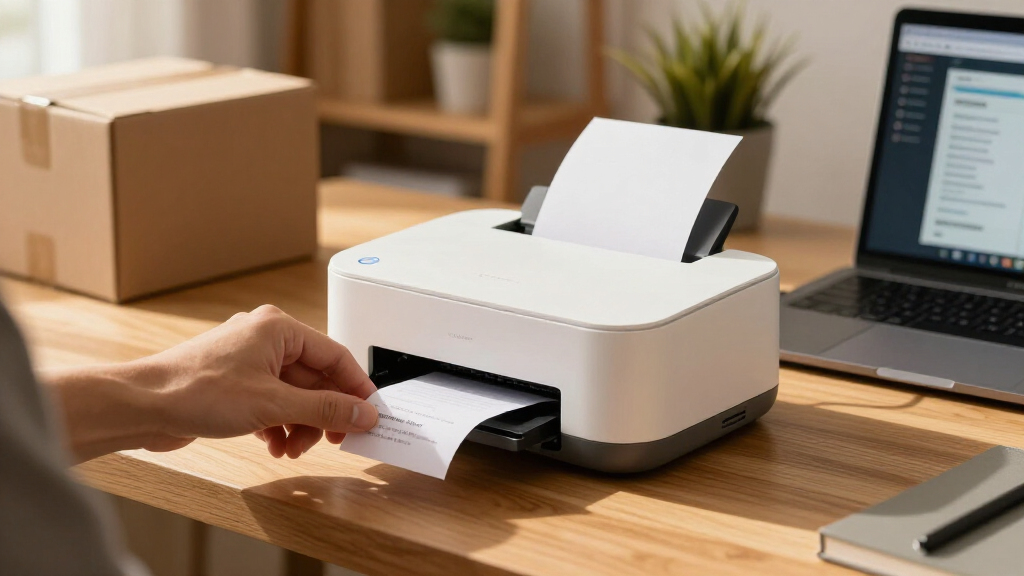
Our selection process focused on wireless receipt printers suitable for home businesses, emphasizing ease of use, portability, connection options, and compatibility with common devices. We prioritized models with reliable wireless tech, fast printing speeds, and practical features like rechargeable batteries and simple paper loading. Consideration was given to the tradeoffs, such as system limitations or slower speeds, to help buyers find a model that best fits their specific needs and environment.
| wireless receipt printers for home business | Printer Type | Connectivity |
|---|---|---|
| Star Micronics TSP143IIIBi Blu | Thermal Receipt Printer | Bluetooth |
| Portable Mini Thermal Receipt | — | Bluetooth, USB |
| NETUM Bluetooth Receipt Printe | Thermal | Bluetooth 4.0 |
| MUNBYN IMP001 58mm Wireless Th | Thermal | Bluetooth, USB |
| MRBOSS 2“ 58mm POS Cash Regist | — | — |
Factors to Consider When Choosing Wireless Receipt Printers For Home Business
When selecting a wireless receipt printer for your home business, consider how you’ll use it daily. Key factors include connection method, print speed, portability, and system compatibility. Deciding whether a stationary or mobile printer best suits your workflow will help narrow down options. The right printer should blend speed, ease of setup, and system support to keep your operation running smoothly without unnecessary complexity.
Connection Type and Compatibility
Most wireless receipt printers connect via Bluetooth, offering easy pairing with smartphones, tablets, or computers. Some models also support USB, which can be more stable but less flexible. Compatibility with your devices—whether iOS, Android, or Windows—is crucial. For home businesses with mixed device use, choosing a model with broad compatibility prevents headaches and ensures seamless operation.
Speed and Volume Capacity
Fast printing speeds—measured in receipts per minute or millimeters per second—are vital if you handle high transaction volumes. A slower printer may cause delays, especially during busy periods. Consider your typical daily volume and select a model that can keep pace without sacrificing print quality or reliability.
Portability and Size
If mobility is important—say, for outdoor markets or on-the-go sales—look for lightweight, battery-powered options. For fixed locations, a compact yet stationary model can save space. Remember, portable printers often trade some speed or features for ease of transport, so align your choice with your workflow needs.
Cost of Operation and Ease of Setup
Thermal printers eliminate ink and ribbons, reducing ongoing costs. However, initial setup complexity varies; some models require driver installations or app configurations. Ease of setup and ongoing expenses should factor into your decision, especially if you prefer a straightforward plug-and-play experience.
Frequently Asked Questions
Can I use a wireless receipt printer with my iPhone?
Many wireless receipt printers support iOS devices via Bluetooth or Wi-Fi. However, compatibility varies by model. The Star Micronics TSP143IIIBi, for instance, is compatible with iOS, making it a solid choice for iPhone users. Always verify the printer’s compatibility with your specific device and app ecosystem before purchasing.
What’s the main advantage of a portable receipt printer?
Portability allows for flexible, on-the-spot printing in various locations, making it ideal for mobile vendors, outdoor markets, or events. Portable models like the NETUM or MUNBYN are lightweight, battery-powered, and easy to carry, enabling you to process transactions anywhere without being tied to a fixed station.
Are wireless receipt printers reliable for high-volume use?
Yes, models like the MRBOSS offer high-speed printing with robust connectivity, suitable for busy retail or restaurant environments. While many portable options are excellent for low to moderate volumes, high-volume setups benefit from dedicated, fast printers designed specifically for speed and durability.
How important is print speed in choosing a receipt printer?
Print speed directly affects transaction flow, especially during peak hours. Faster printers like the MRBOSS or MUNBYN can handle high volumes efficiently, reducing wait times. Slower models may cause delays, so match the printer’s speed to your typical transaction volume to ensure smooth operation.
Do wireless printers support multiple devices at once?
Many models connect via Bluetooth or Wi-Fi, but typically support pairing with one device at a time. Some newer models or those with Wi-Fi support may allow multiple simultaneous connections or easier switching between devices, but it’s essential to check each model’s specifications to confirm multi-device support.
Conclusion
For home business owners prioritizing speed and reliability in a stationary setup, the Star Micronics TSP143IIIBi is a standout. Mobile vendors or those needing flexibility should lean toward the Portable Mini Thermal Receipt Printer or the NETUM Bluetooth Printer for portability and long battery life. High-volume operations or busy retail environments will benefit from the MRBOSS 2” for its rapid printing capabilities. Your choice hinges on balancing speed, portability, and device compatibility to match your specific workflow.
Halloween Picks
halloween
As an affiliate, we earn on qualifying purchases.