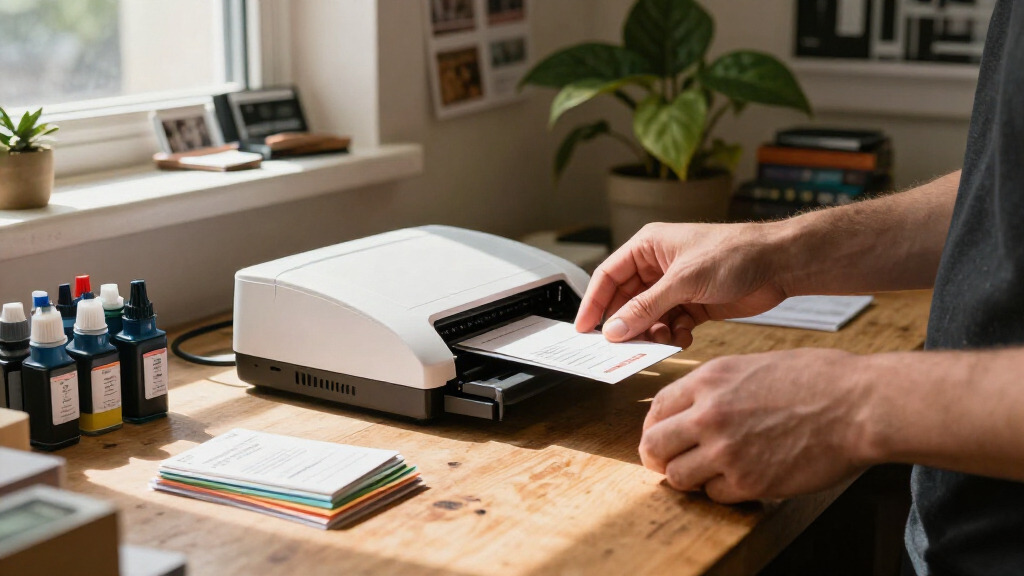

Choosing between a DIY business card printing kit and a professional printing service comes down to how often your details change and how much finish matters when you hand someone a card. A home kit can keep a small supply ready without waiting for an order, which suits freelancers, early-stage businesses, and people still refining their contact details. A professional service is usually the stronger choice when you need a larger batch, precise color, distinctive paper, or a polished first impression. The real tradeoff is control over small, timely batches versus a more refined result with less hands-on work.

Get business pricing on office and shipping supplies
- Business-only prices and quantity discounts
- Tax-exempt purchasing
- Multiple users, one account, clear invoices
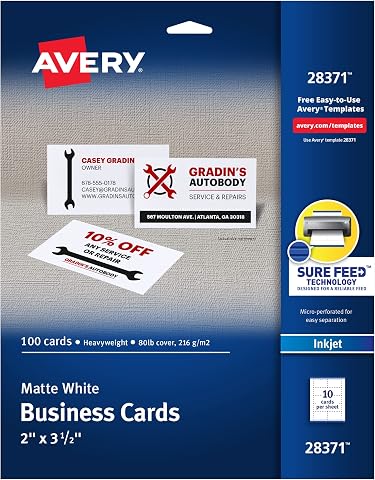
Avery Business Cards, 2" x 3.5", Matte White, 100 Cards
- ✔ Card size: 2 x 3.5 inches
- ✔ Cardstock: Matte white
- ✔ Paper weight: 80 lb / 216 gsm

Avery Clean Edge Business Cards, 2" x 3.5", Matte White, 90 Cards
- ✔ Card size: 2 x 3.5 inches
- ✔ Cardstock: Matte white
- ✔ Brightness: 110

Avery Printable Business Cards with Sure Feed Technology, 2" x 3.5", White, 250 Blank Cards for Laser Printers
- ✔ Card size: 2 x 3.5 inches
- ✔ Cardstock: White
- ✔ Paper weight: 80 lb / 216 gsm
At a Glance
| Criteria | DIY business card printing kit | Professional business card printing service | Winner |
|---|---|---|---|
| Upfront and per-card cost | Requires a printer and supplies; economical when printing only a few cards at a time, but costs add up across equipment, ink, and stock. | Usually requires payment for an order and delivery; larger runs can lower the cost per card, though premium stocks raise it. | Depends |
| Print quality and finish | Good for basic, readable cards when the printer and paper are well matched; home printers may show uneven color, alignment, or edges. | Often offers sharper, more consistent output and a broader selection of paper weights and finishes. | B |
| Convenience and turnaround | Print at home when needed, but design setup, loading stock, troubleshooting, and trimming take time. | Upload a design and wait for production and shipping; little production work at your end. | Depends |
| Small-batch flexibility | Print only what is needed and revise details between batches, with little leftover stock. | Small orders may be available, but each new run involves placing an order and waiting. | A |
| Design and material choices | Choice depends on printer, templates, and compatible stock; specialty finishes are often limited. | Typically offers more stock, size, finish, and design options, subject to the provider. | B |
| Consistency and scaling | Results depend on printer setup and operator; producing larger batches takes more time and supplies. | Better suited to repeatable, larger orders, with less effort spent producing each card. | B |
Avery Business Cards, 2" x 3.5", Matte White, 100 Cards
This is the most balanced choice for an inkjet owner who wants a conventional, professional-looking card without moving to an unusually large pack. Its 80 lb (216 gsm) matte cardstock gives cards more substance than lightweight paper, and support for double-sided printing leaves room for a logo or service details on the reverse. The stated pack contains 100 cards, a manageable quantity for a small team, event, or refresh of contact details.Compared with the 90-card Clean Edge option, this kit emphasizes Sure Feed and smooth-cut edges rather than a named clean-separation system. That distinction favors buyers concerned about feeding and easy separation, while Clean Edge is more directly tailored to a polished detached edge. Against the 250-card laser kit, this one is the sensible pick only for inkjet users; it is not a lower-capacity substitute for that product if you print with a laser machine. The main limitation is also clear: inkjet-only compatibility and a modest quantity make it a poor fit for laser owners or frequent high-volume printing.
Pros:
- 80 lb (216 gsm) cardstock gives the cards a substantial feel.
- Sure Feed technology is intended to reduce misalignment and jams.
- Smooth-cut edges support easy separation.
- Double-sided inkjet printing and Avery templates allow flexible designs.
Cons:
- Designed for inkjet printers and may not perform well in laser printers.
- The 100-card pack may run short for frequent or bulk distribution.
Best for: Small businesses and individuals with an inkjet printer who need a moderate batch of sturdy, double-sided cards.
Not ideal for: Laser printer owners or buyers who want a larger supply in one pack.
Bottom line: We recommend this as the most balanced everyday inkjet kit when 100 sturdy, customizable cards are enough.
“We recommend this as the most balanced everyday inkjet kit when 100 sturdy, customizable cards are enough.”
Avery Clean Edge Business Cards, 2" x 3.5", Matte White, 90 Cards
When the edge of the finished card matters most, this Clean Edge pack makes the strongest case. Its key distinction is effortless separation designed to leave smooth edges, which can help a small batch look more finished once cards are detached. The heavyweight cardstock and double-sided printing support the same polished, customized use as the 100-card kit, while the Avery template library gives buyers a starting point for layouts.Compared with the 100-card Sure Feed pack, this one puts its emphasis on separation rather than feeding technology. It may be the better match for someone who is particular about how individual cards look after removal, but the stated quantity is lower at 90 cards. The provided specifications do not state a paper weight, so buyers who want an exact weight comparison should favor the 100-card option, which specifies 80 lb (216 gsm). Like that alternative, this is optimized for inkjet printing, and its matte-white-only finish limits material variety. We’d skip it if you need laser compatibility or the largest batch.
Pros:
- Clean Edge technology is designed for easy separation and smooth edges.
- Heavyweight cardstock offers a sturdier card feel.
- Both sides can be customized using Avery templates.
- Inkjet optimization is intended to reduce jams and smudging.
Cons:
- The pack contains 90 cards, fewer than the other inkjet kit.
- Matte white is the only stated finish.
- Best results require an inkjet printer.
Best for: Inkjet users who value cleanly separated edges and want to print both sides of a card.
Not ideal for: Laser printer owners, buyers needing more than a small batch, or those seeking a specified paper weight or alternate finish.
Bottom line: Choose this over the 100-card pack when smooth edge separation matters more to you than a slightly larger quantity or a stated paper weight.
“Choose this over the 100-card pack when smooth edge separation matters more to you than a slightly larger quantity or a stated paper weight.”
Avery Printable Business Cards with Sure Feed Technology, 2" x 3.5", White, 250 Blank Cards for Laser Printers
For buyers with a laser printer who want to prepare more cards in one run, this is the clear capacity pick. The 250-card pack is substantially larger than either inkjet option, and its 80 lb (216 gsm) cardstock keeps the stock weight in line with the 100-card matte kit. Sure Feed is intended to help the sheets move through a laser printer with fewer misfeeds, while perforated edges let buyers separate the ten cards on each sheet.That quantity and laser focus give this kit a different job from the Clean Edge product: it serves a larger print batch and a specific printer type, while Clean Edge prioritizes a smooth detachment experience for inkjet users. The tradeoff is that this pack is not compatible with inkjet printers, so it cannot serve as a universal office option. Its perforated separation may also be less appealing to buyers who specifically want the clean-edge approach advertised by the 90-card pack. We would pick it for a laser-based workflow, but not for a small inkjet setup or anyone who needs the stated Clean Edge finish.
Pros:
- 250 blank cards support a larger print run than the other two packs.
- 80 lb (216 gsm) cardstock provides a substantial feel.
- Sure Feed is designed to reduce laser printer misfeeds.
- Double-sided printing and online templates support customized layouts.
Cons:
- Not compatible with inkjet printers and may smear in them.
- Perforated edges differ from the Clean Edge separation approach.
- The larger pack may be unnecessary for occasional card printing.
Best for: Small teams or independent professionals with a laser printer who need a larger supply of customizable cards.
Not ideal for: Inkjet printer owners or buyers who prioritize clean-edge separation over pack size.
Bottom line: For laser printer owners preparing a larger batch, this is the most practical choice despite its strict printer limitation.
“For laser printer owners preparing a larger batch, this is the most practical choice despite its strict printer limitation.”
As an Amazon Associate we earn from qualifying purchases.
Key Differences
The biggest difference is the work each route asks of you. A DIY kit moves production into your office: you control when cards are printed and can change a phone number or job title before making another small batch. That control is useful when your information is still changing, but it comes with setup, supply management, and possible print or cutting problems. A professional service handles production and usually gives you more ways to choose paper and finish, while requiring you to plan ahead and wait for delivery.
Quality is where the service route tends to justify its added cost. A well-calibrated home printer can make clean, practical cards, but achieving consistent color, crisp fine text, and neat edges depends on the printer, stock, and setup. Professional printing is a safer bet for a large event, a client-facing team, or a design where tactile finish matters. For routine networking, a simple home-printed card may do the job well enough.
Neither route wins on value for every buyer. DIY can make sense when you print just a few cards, need replacements quickly, or expect frequent edits. For a stable design and a larger batch, professional printing often gives a better balance of finish and effort, and a lower unit price may be available on larger orders. Compare the full cost of a kit—printer access, ink, compatible card stock, and your time—with the delivered price of a service order.
Detailed Comparison
Upfront and per-card cost (moderate difference)
Winner: Depends; the difference is moderate. DIY avoids placing a new order every time you need a handful of cards, but a dedicated printer, ink, compatible stock, and trimming tools can make the first batch expensive. Professional services charge for each order, yet the per-card rate often improves on larger runs. Choose based on how many cards you expect to use and whether the equipment already serves other work.
Print quality and finish (Professional business card printing service wins — major)
Winner: Professional service; the difference is major for design-conscious businesses. Home kits can produce clear, usable cards, though color matching, tiny text, paper feel, and clean cuts vary with equipment and setup. Professional providers generally offer more reliable output and finishes such as heavier stock or coatings. If cards are a key part of a premium brand impression, the service is worth paying for.
Convenience and turnaround (moderate difference)
Winner: Depends; the difference is moderate. DIY wins when you need a few cards immediately and already have the supplies: print them without waiting for shipping. But every batch requires some hands-on work, and a jam or alignment issue can erase that time advantage. A service is easier once an order is submitted, but production and delivery mean it cannot solve a last-minute shortage as quickly.
Small-batch flexibility (DIY business card printing kit wins — moderate)
Winner: DIY kit; the difference is moderate. Printing a short run lets you update contact details, titles, or a QR code without leaving a stack of obsolete cards. Professional services can take small orders too, but each revision means another order and a wait. DIY is especially useful during a launch or role change; its advantage shrinks once your design and details settle.
Design and material choices (Professional business card printing service wins — moderate)
Winner: Professional service; the difference is moderate. Service providers often have a broader catalog of paper stocks, sizes, and finishes than a home printer can handle. A kit can still work well for a straightforward design, but you must check that the stock suits the printer and feeds correctly. Pay for the broader menu when a particular paper feel or finish supports your brand; otherwise, simple stock may be enough.
Consistency and scaling (Professional business card printing service wins — moderate)
Winner: Professional service; the difference is moderate to major as volume grows. Repeating a large home print run takes time and increases the chance that color, alignment, or cutting will vary. A service is generally better equipped to deliver matching cards across larger quantities and repeat orders. For a team that needs a consistent look, outsourcing reduces production work and makes replenishment easier to manage.
DIY business card printing kit: Pros and Cons
Pros:
- Print small quantities on demand and make updates between batches.
- Can be quicker for urgent replacements if supplies are ready.
- Useful for testing a design before ordering a large run.
Cons:
- Requires access to a suitable printer, ink, stock, and possibly cutting tools.
- Print quality and alignment depend on equipment and setup.
- Producing and trimming larger batches takes hands-on time.
Professional business card printing service: Pros and Cons
Pros:
- Typically provides more consistent print quality and finish options.
- Handles larger runs and repeat orders with less work at your end.
- Offers more choice in paper, size, and finishing.
Cons:
- Requires planning around production and delivery time.
- A new design revision usually means placing and waiting for another order.
- Small orders can cost more per card than a larger run.
Who Should Choose What
Choose DIY business card printing kit if:
- You need only a few cards at a time and already have access to a compatible printer.
- Your contact details or design change often, so you want to avoid leftover stock.
- You need a quick replacement and can print it with supplies on hand.
Choose Professional business card printing service if:
- You need a substantial batch for an event, a team, or ongoing client meetings.
- Color consistency, paper feel, and a polished finish support your brand.
- You prefer to spend time on your business rather than printing and trimming cards.
Skip both if: Skip both if a physical card does not fit how you meet customers; a digital contact card or a simple QR code may be easier to keep current.
Value for Money
Pay more for professional printing when the card represents a settled brand, when you need many matching copies, or when paper and finish affect a prospect’s impression. For that buyer, the added expense buys consistency and saves production time. A DIY kit offers better value when you print in very small quantities, already own the needed printer, or expect another change soon. Compare the service’s delivered order price with the full DIY cost, including stock and ink; a low cost per card alone does not capture your time or unused supplies.
Final Verdict
Choose a professional printing service for most established businesses that need a polished batch of cards. It is the more reliable choice for finish, consistency, and larger orders, and the added cost makes sense when cards support your brand or represent a team. Choose a DIY kit if flexibility and immediate access matter more than a premium finish, especially while your details are changing or when you print only a few cards. The deciding factor is whether you value a refined, repeatable result enough to plan and pay for an order. If you need neither paper cards nor their networking format, skip both and use a digital contact option.
Frequently Asked Questions
Are DIY business cards good enough for client meetings?
They can be, when the design is simple, the text prints clearly, and the stock feels appropriate for your business. Check a sample for legibility, color, and cutting before making a larger batch. For a premium brand or high-stakes client setting, a professional service is the safer choice.
Is professional printing cheaper for a large batch?
It can be. Larger orders often reduce the price per card, while a home run uses ink, stock, and time for every batch. Compare the complete delivered quote with your supplies and production effort; the result depends on your printer and order size.
Which option is better if my details change often?
A DIY kit makes small updates easier because you can print a short run after each change. A professional service can still work, but a revision means submitting another order and waiting for delivery.
Can I use specialty paper in a home printing kit?
Only if the paper is compatible with your printer’s feed path, weight limits, and print method. Check the printer specifications and stock guidance before buying. Professional services are a simpler route when you want a finish your printer cannot handle consistently.
Black Friday Picks

Vari Pro Plus 36 Standing Desk Converter, Black
As an affiliate, we earn on qualifying purchases.