

Businesses comparing Zapier and Make are usually deciding whether automation should be easy for more employees to build or flexible enough to handle intricate, branching processes. Both connect apps and move information between them, but they approach workflow design differently. Zapier favors a straightforward trigger-and-action model that suits common tasks and broad app coverage. Make presents workflows as visual scenarios, giving users more room to shape data, add branches, and manage complex sequences.

Get business pricing on office and shipping supplies
- Business-only prices and quantity discounts
- Tax-exempt purchasing
- Multiple users, one account, clear invoices
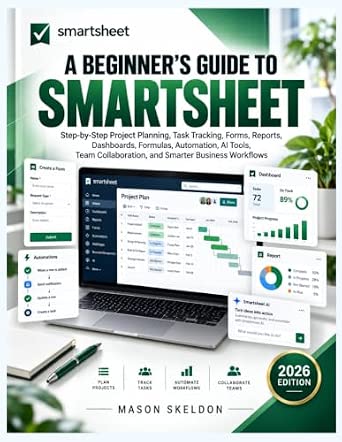
A Beginner’s Guide to Smartsheet: Project Planning, Task Tracking, and Automation
- ✔ Format: Beginner’s guide
- ✔ Primary platform: Smartsheet
- ✔ Workflow focus: Project planning and task tracking
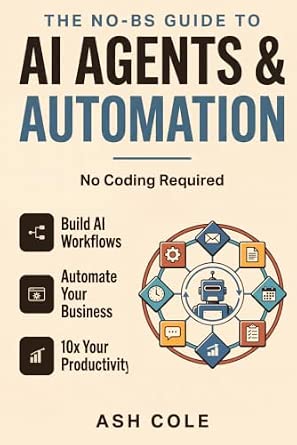
The No-BS Guide to AI Agents & Automation: Build AI Workflows, Automate Your Business, and 10x Your Productivity — No Coding Requ…
- ✔ Format: AI playbook / guide
- ✔ Primary topic: AI agents and automation
- ✔ Business focus: Automating business tasks

AI Made Practical: A Beginner’s Guide to ChatGPT and Other AI Tools
- ✔ Format: Beginner’s guide
- ✔ Primary topics: ChatGPT and other AI tools
- ✔ Audience: Beginners
That difference matters more as workflows grow. A small team that wants a reliable way to copy form submissions into a CRM may benefit from Zapier’s approachable setup. An operations team coordinating several systems, conditions, and data transformations may prefer Make’s visual control. Neither is automatically the cheaper or better choice: total value depends on how many automations you run, how much setup time you can spare, and how costly it would be to maintain a workflow your team finds hard to understand.
At a Glance
| Criteria | Zapier | Make | Winner |
|---|---|---|---|
| Ease of setup | Straightforward trigger-and-action editor suited to common automations | Visual scenario builder offers more control but takes practice | A |
| App integrations | Broad catalog of app integrations, including many popular business services | Strong integration selection; check specific apps and actions before committing | A |
| Complex workflow control | Can support multi-step workflows, but complex branching can feel less visual | Visual routes, filters, and branching suit more involved processes | B |
| Data handling | Convenient for routine app-to-app transfers and standard actions | More hands-on control over how information is routed and transformed | B |
| Troubleshooting and visibility | A linear workflow is often easier for newer builders to follow | A visual scenario can clarify complex paths, though it may take more skill to diagnose | Depends |
| Team accessibility | More approachable for employees who need to build basic automations | Better suited to users comfortable learning a more technical workflow editor | A |
| Value | Can be good value when fast setup and broad app coverage reduce staff effort | Can deliver more control per workflow for teams able to build and maintain scenarios | Depends |
A Beginner’s Guide to Smartsheet: Project Planning, Task Tracking, and Automation
For businesses trying to automate the movement of work between people, Smartsheet is the most clearly defined starting point in this comparison. The guide is described as covering project planning and task tracking alongside forms, reports, dashboards, formulas, automation, AI tools, and collaboration. That combination matters because automating a process is not just about triggering an action: teams also need a way to collect information, see status, and understand what needs attention.Compared with The No-BS Guide to AI Agents & Automation, this title appears more anchored to project operations than to AI agents as a general automation approach. That makes its intended use easier to picture for teams coordinating work across projects. Compared with AI Made Practical, it is also more specific about the business setting and workflow structure. The tradeoff is that this focus may be less useful to readers whose priority is choosing among AI tools or building automations that sit outside a project-management environment.We should treat it as an instructional guide, not as the Smartsheet service itself. The supplied details do not verify the depth of its examples, the software version covered, or how extensively it explains each feature. Still, among these three options, it has the strongest described connection between everyday coordination and business automation. It makes the most sense when we want to understand how plans, tasks, forms, and reporting can fit into one workflow; readers seeking a broad, tool-neutral AI primer should look to the other guides instead.
Pros:
- Covers project planning and task tracking together, helping readers connect automation to the work a team already manages.
- Includes forms, reports, and dashboards, which are relevant to collecting information and monitoring process status.
- Addresses formulas, automation, AI tools, collaboration, and business workflows in the same described guide.
- Has the clearest operational focus of the three entries for teams coordinating projects.
Cons:
- Its Smartsheet-centered scope may not transfer directly to businesses using other project or workflow platforms.
- The supplied listing does not establish the depth of instruction, examples, or software-version coverage.
Best for: Teams and small-business operators who want beginner-oriented guidance on organizing project work and connecting tracking, forms, reporting, and automation.
Not ideal for: Readers seeking a hands-on guide to multiple AI platforms, or buyers who need an automation platform rather than a book about using one.
Bottom line: We rank this first for its clearest connection between team project operations and the practical building blocks of workflow automation.
“We rank this first for its clearest connection between team project operations and the practical building blocks of workflow automation.”
The No-BS Guide to AI Agents & Automation: Build AI Workflows, Automate Your Business, and 10x Your Productivity — No Coding Requ…
If the main goal is to explore AI agents as a way to automate business tasks, this guide has the most directly targeted premise. Its description emphasizes AI workflows, business automation, productivity, and no-code access. That stated audience is important: readers who do not code may want an introduction that frames automation around achievable workflows rather than programming skills.It differs from the Smartsheet guide by centering AI-led processes instead of project coordination features such as task tracking, forms, and dashboards. It also goes further toward automation than AI Made Practical appears to, since that title covers general AI tools, prompting, and everyday automation rather than specifically naming agents. However, the listing provides no detailed outline or review content to verify how the guide explains its methods, what tools it addresses, or how much practical instruction it contains. We should view the no-code focus as a stated positioning, not proof that every workflow is simple to build.That uncertainty is the main reason it does not take the top spot. A buyer looking for a concrete project-management learning path has clearer topic coverage in the Smartsheet book, and someone starting with AI basics may find the broader scope of AI Made Practical less specialized. This one is the better match when AI agents are the specific subject we want to investigate, but we should check the available contents before relying on it for a particular business process. It is a guide, not a bundled agent platform or a guarantee of productivity gains.
Pros:
- Directly frames its subject around AI workflows and business automation.
- Explicitly targets readers without coding experience.
- Focuses on applying AI agents to productivity rather than only explaining AI concepts.
- Offers a more automation-specific angle than the broad AI primer in this group.
Cons:
- The supplied product information does not verify its chapter coverage, examples, or depth.
- No specific AI platforms, integrations, or workflow examples are identified in the description.
- The ambitious productivity language should not be read as a promised result.
Best for: Nontechnical business owners and operators specifically interested in learning about no-code AI agents and business-oriented AI workflows.
Not ideal for: Readers who need verified, detailed coverage of a named platform, project-management automation, or a general first introduction to AI tools.
Bottom line: We recommend it for readers drawn to no-code AI-agent workflows, with the caveat that the listing leaves its practical coverage less verifiable than the Smartsheet guide’s.
“We recommend it for readers drawn to no-code AI-agent workflows, with the caveat that the listing leaves its practical coverage less verifiable than the Smartsheet guide’s.”
AI Made Practical: A Beginner’s Guide to ChatGPT and Other AI Tools
AI Made Practical is the broadest on-ramp in the lineup. Its described coverage includes ChatGPT and other AI tools, better prompting, everyday automation, and responsible AI use. That breadth can be useful when we are still working out where AI fits into routine tasks before committing to a specific workflow platform or an agent-centered approach.Compared with the No-BS guide, this title seems less narrowly focused on business automation and AI agents, but it offers a more general foundation across tools and prompting. That may suit a new learner who wants to understand how to ask AI systems for useful help before designing automated processes. Compared with the Smartsheet guide, it is less tied to structured team operations: the listing does not mention project tracking, dashboards, or collaboration. Its role is therefore foundational rather than operational. Readers looking to automate a repeatable process across a team may need more specific platform guidance afterward.The responsible-use topic is a meaningful distinction for businesses, where AI-generated material can affect decisions, communications, or sensitive information. The supplied description does not explain how deeply the guide handles those issues, and it does not identify particular automation integrations. We should choose it for a general beginner’s introduction, not as a complete blueprint for business process automation. It can help build familiarity with AI-assisted work, while the other two guides are more explicitly oriented toward project workflows or AI-agent automation.
Pros:
- Designed for beginners who may need a starting point before building more involved workflows.
- Covers ChatGPT alongside other AI tools rather than centering on one named platform.
- Includes prompting and everyday automation, connecting basic AI use to routine tasks.
- Addresses responsible AI use, a useful consideration for workplace adoption.
Cons:
- Its broad AI scope is less focused on business process design than the Smartsheet guide.
- The description does not specify automation integrations, concrete business examples, or depth of coverage.
Best for: Beginners who want a general introduction to ChatGPT, other AI tools, prompting, and responsible ways to explore everyday automation.
Not ideal for: Readers who need detailed instructions for a specific business workflow platform or a focused guide to deploying AI agents across company processes.
Bottom line: We choose it as the broadest beginner-friendly AI primer, but not as the most specialized guide for implementing business workflows.
“We choose it as the broadest beginner-friendly AI primer, but not as the most specialized guide for implementing business workflows.”
As an Amazon Associate we earn from qualifying purchases.
Key Differences
The central tradeoff is speed of adoption versus workflow control. Zapier usually makes the first useful automation easier to build, particularly when the task follows a simple sequence: an event happens in one app, then an action runs in another. That simplicity can have business value beyond convenience. More staff can understand a basic workflow, and teams may spend less time learning the automation platform before solving an everyday problem.
Make’s visual scenario editor is better suited to processes that split into multiple paths, apply conditions, or reshape information before passing it along. This flexibility can reduce the need to break a complicated process into disconnected automations, but it asks more of the person building and maintaining it. The practical choice is not simply which platform has more features; it is whether your business needs that control often enough to justify the learning and upkeep.
Integration coverage and total cost still need a workflow-specific check. A platform’s app catalog does not guarantee that it supports the exact action or data fields your process needs. Likewise, a low subscription price does not make an automation good value if it takes employees longer to build, monitor, and fix. Test your most important workflow on both platforms, including realistic volume and error handling, before choosing a plan.
Detailed Comparison
Ease of setup (Zapier wins — moderate)
Zapier wins, by a moderate margin, for users building straightforward automations. Its trigger-and-action structure tends to make a simple connection easier to understand and assemble. Make gives builders a visual canvas and greater room to design, but the additional control can make the learning curve steeper. For a team that wants non-specialists to automate routine tasks, Zapier is more likely to get people productive sooner. For an experienced process builder, Make’s extra setup work may be an acceptable cost.
App integrations (Zapier wins — moderate)
Zapier has the advantage for breadth, a moderate difference when a business depends on less common software. A larger or broader catalog can save time when connecting a varied set of business apps, and can make it easier to find a ready-made connection. Make also supports many business services, but users should verify the exact integration and available actions for their stack rather than assume coverage. The winner for any particular company is the tool that supports the specific trigger, action, and data fields its workflow requires.
Complex workflow control (Make wins — major)
Make wins by a major margin for workflows with branches, conditions, or multiple routes. Its visual scenario format makes it easier to represent a process that does not simply follow one straight line, and gives builders more direct control over how steps connect. Zapier can handle multi-step tasks, so it remains suitable for many business automations; its linear approach can just become harder to manage as paths multiply. Choose Make when those branches are part of the normal process, not merely a rare exception.
Data handling (Make wins — moderate)
Make wins by a moderate margin when information needs deliberate routing or transformation. Its scenario-based design gives builders a clearer place to control how data moves between steps and paths. Zapier is often sufficient for passing standard information from one app to another, and may be preferable when the task needs little manipulation. The practical question is whether your workflow routinely cleans, filters, or routes data; if it does, Make’s control can prevent awkward workarounds.
Troubleshooting and visibility (moderate difference)
This is a genuine split, with no universal winner. Zapier’s linear sequence is often easier for a newer builder to inspect when a basic action fails. Make’s visual layout can make the route of a complex process easier to see, but a larger scenario may require more experience to diagnose. The better tool depends on workflow shape and who will support it. Before rollout, test how each platform displays failed runs and whether the staff responsible can find and correct the likely errors.
Team accessibility (Zapier wins — moderate)
Zapier wins by a moderate margin for teams where automation is a shared responsibility rather than a specialist role. Its more approachable structure can make routine workflows easier for colleagues to review and maintain. Make can be the stronger choice when a dedicated operations or technical owner will build scenarios and document them for others. A powerful automation that only one employee understands creates a support risk, so factor staff skills and coverage into the decision rather than treating editor preference as a minor detail.
Value (moderate difference)
Value depends on workflow complexity, usage, and staff time; neither platform wins for every company. Zapier can justify its cost when broad app coverage and faster setup save employees from repeated manual work. Make can offer better value for a team that needs complex routing and has the expertise to use it effectively. Compare the plan requirements for your expected task volume and needed features, then include the time spent building and maintaining workflows. Paying more is sensible only when the added capability or saved labor offsets the added expense.
Zapier: Pros and Cons
Pros:
- Approachable for common trigger-and-action workflows
- Broad app coverage can help teams with varied software
- Often easier for non-specialists to read and maintain
- A practical fit for getting routine automations running quickly
Cons:
- Complex branching can be less intuitive to organize
- May offer less direct control for intricate data routing
- Plan value depends on usage, required features, and workflow volume
Make: Pros and Cons
Pros:
- Visual scenarios suit multi-path and conditional processes
- Offers more hands-on control over routing and data handling
- Can fit operations teams managing complex workflows
Cons:
- The editor can take longer for new users to learn
- Building and maintaining scenarios may require a skilled owner
- Specific app actions should be checked before committing
Who Should Choose What
Choose Zapier if:
- Your automations mostly move information through a simple sequence of popular business apps.
- You want employees outside the technical team to build or maintain basic workflows.
- Broad integration coverage and shorter setup time matter more than advanced routing.
Choose Make if:
- Your core workflows contain multiple branches, conditions, or data transformations.
- You have an operations or technical owner who can learn and document the scenario editor.
- More control over complex processes matters enough to justify extra setup and maintenance effort.
Skip both if: Your processes are highly regulated or require guarantees, controls, or integrations neither platform can confirm for your use case; evaluate a purpose-built or enterprise automation system instead.
Value for Money
Do not judge value by subscription price alone. Zapier may be worth paying more for when its broad app coverage and simpler setup help a team automate work without dedicating a specialist to every connection. The return can come from lower setup and support time, not just from the number of tasks completed. For a small team with a handful of routine workflows, that ease can outweigh the appeal of a more flexible editor.
Make is worth paying for when the business will regularly use its stronger visual control to manage complex routing or data handling. If the workflow is simple, that capability may go unused, while the team still pays the learning cost. Compare the plans against expected activity, needed features, and the cost of staff time. Build a representative workflow in each tool and estimate the effort to run and maintain it before deciding. The better value is the one that handles your actual processes with the least total cost and support burden.
Final Verdict
For most small teams starting with common app-to-app tasks, choose Zapier. Its easier learning path and broad integration coverage make it the safer default when the goal is to automate routine work quickly and let more employees participate. Choose Make instead when your business has real workflow complexity: branching decisions, multiple routes, or frequent data shaping. Its added control is worth the effort for that kind of work.
The biggest deciding factor is not which editor looks more powerful; it is whether your processes are mostly linear or genuinely complex. Pay extra only when the tool’s specific strengths save measurable staff time or remove a meaningful workflow limitation. If neither platform supports your required integrations or controls, skip both and look for a system designed for those needs.
Frequently Asked Questions
Is Zapier or Make easier for beginners?
Zapier is generally easier for beginners building a straightforward trigger-and-action automation. Make offers a more visual and flexible editor, but that additional control takes practice. A beginner working on a complex process may still need help with either platform.
Which tool is better for complex business workflows?
Make is usually the better fit when a workflow has multiple branches, conditions, or data routes. Zapier can handle multi-step automations, but Make’s scenario layout gives builders more direct control over complex paths.
Does Zapier have more integrations than Make?
Zapier is known for broad app coverage, which can be useful when a business uses many different services. Check both platforms for the exact app, trigger, action, and data fields your workflow needs; a listing alone does not confirm that a specific connection will work.
Is Make cheaper than Zapier?
Cost depends on the plan, usage, and features your workflows require, so do not decide from headline prices alone. Compare expected activity and account for setup and maintenance time. Make may deliver stronger value for complex workflows, while Zapier’s easier setup may be more economical for teams that would otherwise need extra support.
Can a business use both Zapier and Make?
Yes. A company can use Zapier for simple connections that staff need to manage and Make for complex scenarios that benefit from detailed routing. Using both adds another platform to monitor, so keep the division clear and avoid duplicating workflows without a specific reason.
Fall Picks
fall essentials
As an affiliate, we earn on qualifying purchases.