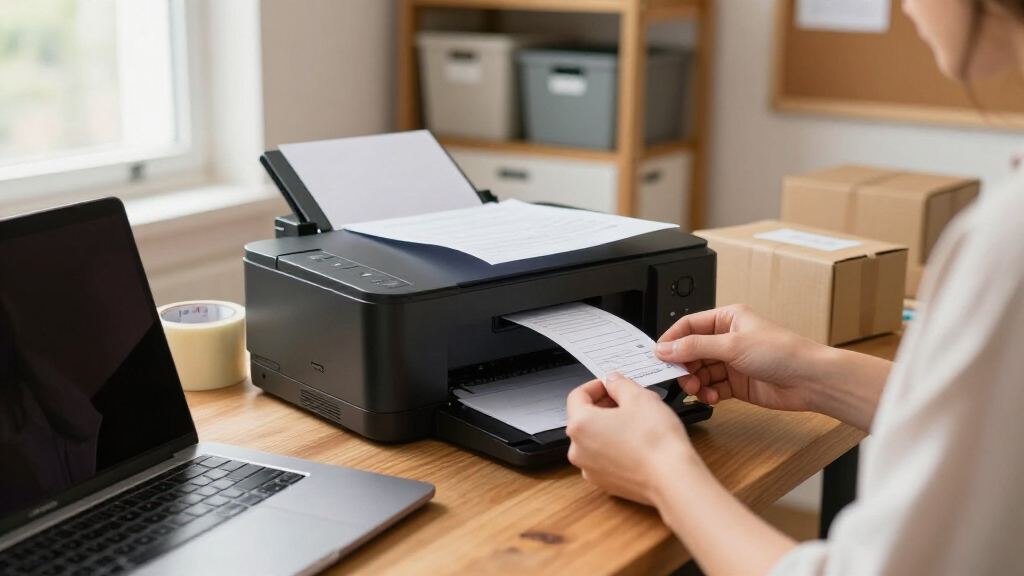
Shopping for all-in-one wireless printers for small business means balancing three things that rarely line up: low running costs, fast output, and a price that doesn’t strain a startup budget. The HP OfficeJet Pro 9135 takes my top spot because it combines fast color printing, cheap high-yield cartridges, robust security, and single-pass duplex scanning in one office-ready package. If upfront economy matters more than raw speed, the HP Smart Tank 5003 and Canon MegaTank G3270 offer refillable ink tanks that slash per-page costs, while the Brother MFC-L8930CDW is the stronger pick for busier teams that need laser speed and enterprise-grade security. The core tradeoff in this category is inkjet versus laser: inkjets win on color cost and photo quality, lasers win on speed, sharp text, and durability under heavy monthly loads. Read on for the full breakdown of all 15 models, including who each one suits and who should skip it.

Get business pricing on office and shipping supplies
- Business-only prices and quantity discounts
- Tax-exempt purchasing
- Multiple users, one account, clear invoices
Key Takeaways
- The HP OfficeJet Pro 9135 earned the top spot because it’s the only inkjet in this lineup that pairs low-cost color printing with single-pass duplex scanning and business-grade security features usually reserved for lasers.
- Ink tank models (HP Smart Tank 5003, Canon MegaTank G3270) delivered the lowest cost per page by a wide margin, but every one of them sacrifices ADF duplex scanning and print speed, making them poor fits for multi-user offices.
- Brother dominated the midrange: the INKvestment MFC-J5110DW and monochrome MFC-L2820DW offer the best balance of purchase price, running costs, and reliability, which is why both rank above pricier HP equivalents.
- Color lasers split cleanly into two tiers — the HP 3301sdw and Brother MFC-L3720CDW suit small teams, while the Brother MFC-L8930CDW justifies its premium price only for workgroups printing 2,000+ pages monthly.
- Two models in this roundup lack fax support and automatic document feeders on the scanning side (Smart Tank 5003, MegaTank G3270), a common surprise for buyers who assume ‘all-in-one’ always means full office features.
| HP OfficeJet Pro 9135 Wireless All-in-One Color Inkjet Printer (C2WM0A) |  | Best Overall | Print Speed: 25 ppm black / 20 ppm color | Functions: Print, scan, copy, fax | Paper Capacity: 500 sheets (2 x 250-sheet trays) | VIEW LATEST PRICE | See Our Full Breakdown |
| HP Smart Tank 5003 Wireless All-in-One Ink Tank Printer (9B2D3A) |  | Best Low-Cost High-Volume Printing | Functions: Print, copy, scan | Scanner: Flatbed only | Paper Capacity: 100 sheets, single tray | VIEW LATEST PRICE | See Our Full Breakdown |
| Brother Work Smart 1360 Wireless Color Inkjet All-in-One |  | Best Budget Pick | Functions: Print, scan, copy | Print Speed: Up to 16 ppm black / 9 ppm color | Paper Capacity: 150-sheet tray | VIEW LATEST PRICE | See Our Full Breakdown |
| Epson WorkForce Pro WF-3820 Wireless Color All-in-One Inkjet Printer |  | Best Business Ink Value | Print Speed: 21 ppm black / 11 ppm color | Technology: PrecisionCore Heat-Free | Ink Type: DURABrite Ultra instant-dry pigment | VIEW LATEST PRICE | See Our Full Breakdown |
| HP LaserJet Pro MFP 3101sdw Wireless Black-and-White All-in-One Laser Printer |  | Best Monochrome Workhorse | Print Speed: Up to 35 ppm black | Print Type: Monochrome laser | Functions: Print, scan, copy | VIEW LATEST PRICE | See Our Full Breakdown |
| HP Color LaserJet Pro MFP 3301sdw Wireless All-in-One Color Laser Printer |  | Best Color Laser for Busy Offices | Functions: Print, Scan, Copy | Print Speed: Up to 26 ppm black and color | Print Technology: Color laser with TerraJet toner | VIEW LATEST PRICE | See Our Full Breakdown |
| HP OfficeJet Pro 8125 Wireless All-in-One Color Inkjet Printer |  | Best Value Color All-in-One | Functions: Print, Scan, Copy | Print Speed: 20 ppm black, 10 ppm color | Paper Capacity: 225-sheet input tray | VIEW LATEST PRICE | See Our Full Breakdown |
| Brother MFC-L2820DW Wireless Compact Monochrome All-in-One Laser Printer |  | Best Compact Workhorse | Functions: Print, Copy, Scan, Fax | Print Speed: Up to 34–36 ppm | Print Type: Monochrome laser | VIEW LATEST PRICE | See Our Full Breakdown |
| Brother MFC-L3720CDW Wireless Color Laser All-in-One Printer |  | Best for Document Workflow | Functions: Print, Copy, Scan, Fax | Print Speed: Up to 19 ppm | Scan Speed: Up to 29/22 ipm black/color | VIEW LATEST PRICE | See Our Full Breakdown |
| Brother INKvestment MFC-J5110DW Wireless Color Inkjet All-in-One Printer |  | Best for High-Volume Color | Functions: Print, Copy, Scan, Fax | Print Speed: Up to 28 ppm black, 26 ppm color | Paper Capacity: 500 sheets (two trays) + 100-sheet multipurpose tray | VIEW LATEST PRICE | See Our Full Breakdown |
| HP OfficeJet Pro 9125 Wireless All-in-One Color Inkjet Printer (C2VZ0A) |  | Best for Security-Focused Offices | Functions: Print, scan, copy, fax | Print Speed: Up to 22 ppm black / 18 ppm color | Paper Capacity: 250-sheet input tray | VIEW LATEST PRICE | See Our Full Breakdown |
| Brother Work Smart MFC-J1410DW Wireless Color Inkjet All-in-One Printer |  | Best Budget Compact Pick | Functions: Print, copy, scan | Print Speed: Up to 16 ppm black / 9 ppm color | Paper Capacity: 150-sheet tray | VIEW LATEST PRICE | See Our Full Breakdown |
| Canon MegaTank G3270 All-in-One Wireless Color Printer |  | Best for Low Running Costs | Functions: Print, copy, scan | Ink Supply: Refillable MegaTank, up to 2 years of ink included | Page Yield: Up to 6,000 B&W / 7,700 color pages per set | VIEW LATEST PRICE | See Our Full Breakdown |
| Brother INKvestment 5010 Wireless Color Inkjet All-in-One Printer (MFC-J5010DW) |  | Best Productivity Inkjet | Functions: Print, copy, scan, fax | Print Speed: Up to 28 ppm black / 26 ppm color | Paper Capacity: 250-sheet tray | VIEW LATEST PRICE | See Our Full Breakdown |
| Brother MFC-L8930CDW Business Color Laser All-in-One Printer |  | Best Premium Workgroup Pick | Functions: Print, scan, copy | Print Technology: Color laser | Print Speed: Up to 33 ppm | VIEW LATEST PRICE | See Our Full Breakdown |
| all-in-one wireless printers for small business | Functions | Connectivity | Print Speed | Paper Capacity |
|---|---|---|---|---|
| HP OfficeJet Pro 9135 Wireless | Print, scan, copy, fax | Dual-band Wi-Fi, HP app | 25 ppm black / 20 ppm color | 500 sheets (2 x 250-sheet trays) |
| HP Smart Tank 5003 Wireless Al | Print, copy, scan | Wireless, mobile printing | — | 100 sheets, single tray |
| Brother Work Smart 1360 Wirele | Print, scan, copy | Wi-Fi, USB, Brother Mobile Connect app | Up to 16 ppm black / 9 ppm color | 150-sheet tray |
| Epson WorkForce Pro WF-3820 Wi | — | Built-in wireless, Wi-Fi Direct | 21 ppm black / 11 ppm color | 250 sheets |
| HP LaserJet Pro MFP 3101sdw Wi | Print, scan, copy | Built-in wireless Wi-Fi | Up to 35 ppm black | — |
| HP Color LaserJet Pro MFP 3301 | Print, Scan, Copy | — | Up to 26 ppm black and color | 250-sheet input tray |
| HP OfficeJet Pro 8125 Wireless | Print, Scan, Copy | Dual-band Wi-Fi, wireless printing | 20 ppm black, 10 ppm color | 225-sheet input tray |
| Brother MFC-L2820DW Wireless C | Print, Copy, Scan, Fax | Dual-band wireless, Ethernet, USB 2.0 | Up to 34–36 ppm | 250-sheet tray |
| Brother MFC-L3720CDW Wireless | Print, Copy, Scan, Fax | Dual-band Wi-Fi, Wi-Fi Direct, USB 2.0 | Up to 19 ppm | 250-sheet adjustable tray |
| Brother INKvestment MFC-J5110D | Print, Copy, Scan, Fax | Wi-Fi, Wi-Fi Direct, Ethernet, USB | Up to 28 ppm black, 26 ppm color | 500 sheets (two trays) + 100-sheet multipurpose tray |
| HP OfficeJet Pro 9125 Wireless | Print, scan, copy, fax | Dual-band Wi-Fi, HP smart app | Up to 22 ppm black / 18 ppm color | 250-sheet input tray |
| Brother Work Smart MFC-J1410DW | Print, copy, scan | Wireless, USB | Up to 16 ppm black / 9 ppm color | 150-sheet tray |
| Canon MegaTank G3270 All-in-On | Print, copy, scan | Wireless | — | — |
| Brother INKvestment 5010 Wirel | Print, copy, scan, fax | Wi-Fi, Wi-Fi Direct, Ethernet, USB | Up to 28 ppm black / 26 ppm color | 250-sheet tray |
| Brother MFC-L8930CDW Business | Print, scan, copy | Dual-band Wi-Fi, Gigabit Ethernet | Up to 33 ppm | — |
More Details on Our Top Picks
HP OfficeJet Pro 9135 Wireless All-in-One Color Inkjet Printer (C2WM0A)
This model earns the top spot because it solves the two problems that slow small offices down most: constant paper refills and slow double-sided scanning. The dual 250-sheet trays mean a shared printer can run all week without attention, and single-pass duplex scanning turns a 20-page contract scan into a one-step job. Compared with the HP OfficeJet Pro 9125, the 9135 justifies its position with double the paper capacity and the faster two-sided scan path — features a multi-person office actually feels. Speeds of 25 ppm black outpace the Epson WF-3820 for color documents too. The tradeoff is ink economics: it blocks third-party cartridges, and Instant Ink becomes a paid subscription after the trial unless cancelled. For a busy office that wants set-and-forget hardware with Wolf Pro Security on the network, that tradeoff is reasonable.
Pros:- 500-sheet dual-tray capacity keeps a shared office running without refills
- Single-pass two-sided scanning dramatically cuts document handling time
- HP Wolf Pro Security protects the printer on a business network
- Fast output at 25 ppm black / 20 ppm color for an inkjet
Cons:- Blocks third-party cartridges, locking you into original HP ink pricing
- Instant Ink becomes a monthly fee after the 3-month trial unless cancelled
Best for: Small offices of 3-10 people that print, scan, and fax daily and want minimal intervention
Not ideal for: Solo freelancers on tight budgets — the paper capacity and fax are overkill and ink costs are locked in
- Print Speed:25 ppm black / 20 ppm color
- Functions:Print, scan, copy, fax
- Paper Capacity:500 sheets (2 x 250-sheet trays)
- Touchscreen:4.3-inch color
- Duplex:Auto 2-sided print, single-pass 2-sided scan
- Connectivity:Dual-band Wi-Fi, HP app
- Security:HP Wolf Pro Security
- Sustainability:Over 40% recycled plastic content
Our verdict“The most complete office machine here — buy it if your team prints enough to need the capacity, skip it if you’re a one-person shop.”
HP Smart Tank 5003 Wireless All-in-One Ink Tank Printer (9B2D3A)
If your small business burns through invoices and flyers, this pick makes sense for one reason: up to three years of ink in the box, roughly 6,000 pages before you buy a single bottle. That flips the usual inkjet math, where consumables outpace the printer’s price within a year. Compared with cartridge models like the Epson WF-3820, the refillable tank system costs far less per page and refills are mess-free — the bottles plug in and drain. But the office credentials stop there. It’s flatbed-scanning only with no ADF, no automatic duplex, and a single 100-sheet tray, so a multi-page scan session means hand-feeding every sheet. Where the OfficeJet Pro 9135 is built for a shared office, this one is built for a single-desk operation with heavy print volume and a modest budget.
Pros:- Up to 3 years of ink included (~6,000 pages) with very low cost per page
- Cartridge-free refill system that drains bottles without spills
- Compact 6.2-inch-high frame fits under a shelf or on a desk corner
- Wireless mobile printing with scan-to-PDF from a phone
Cons:- No automatic document feeder — multi-page scans are one sheet at a time
- No automatic duplex printing; two-sided jobs are manual
Best for: Home-based businesses and solo operators who print hundreds of pages a month and hate ink subscriptions
Not ideal for: Teams that scan multi-page documents — the flatbed-only scanner and manual duplex become daily frustrations
- Functions:Print, copy, scan
- Scanner:Flatbed only
- Paper Capacity:100 sheets, single tray
- Duplex:Manual (driver support)
- Copy Speed:Up to 10 ppm black
- Max Media Size:Legal (8.5 x 14 in)
- Connectivity:Wireless, mobile printing
- Dimensions:17.11 x 14.23 x 6.19 in, 11.1 lbs
Our verdict“The cheapest way to print in volume here, as long as scanning stacks of paper isn’t part of your day.”
Brother Work Smart 1360 Wireless Color Inkjet All-in-One
Not every small business needs a workhorse, and this Brother covers the essentials — print, scan, copy, auto duplex, and a 20-sheet ADF — at an entry-level price that undercuts everything else in this lineup. That ADF alone separates it from the HP Smart Tank 5003, which costs less to run long-term but can’t feed a stack of pages. Cloud app shortcuts on the 1.8-inch display let you scan straight to Google Drive or Dropbox without touching a computer, a surprisingly practical touch for a printer this affordable. The compromises are real, though: 16 ppm black is the slowest speed among the office-oriented picks here, the ADF is single-sided, and the 150-sheet tray means more refills than the Epson WF-3820‘s 250-sheet capacity. This model is better suited to a low-volume office where a dependable second printer matters more than speed.
Pros:- Automatic duplex printing and a 20-sheet ADF at an entry price point
- Direct scan-to-cloud apps including Google Drive, Dropbox, and OneDrive
- Compact footprint that fits a desk rather than demanding a corner
- Page Gauge ink monitoring helps avoid surprise empty cartridges
Cons:- Slow output at 16 ppm black / 9 ppm color for a shared office
- 150-sheet tray requires frequent reloading compared with 250+ sheet rivals
Best for: Budget-conscious home offices or startups that need an ADF and duplex but print only occasionally
Not ideal for: High-volume offices — the slow output and small tray become bottlenecks quickly
- Functions:Print, scan, copy
- Print Speed:Up to 16 ppm black / 9 ppm color
- Paper Capacity:150-sheet tray
- ADF:20 sheets, single-sided
- Duplex:Automatic 2-sided printing
- Display:1.8-inch color
- Connectivity:Wi-Fi, USB, Brother Mobile Connect app
Our verdict“The cheapest way into ADF and duplex printing here — a smart spare or starter machine, not a floor-standing workhorse.”
Epson WorkForce Pro WF-3820 Wireless Color All-in-One Inkjet Printer
This option stands out for Heat-Free PrecisionCore technology, which means no warm-up wait before the first page and fewer moving parts to wear out — a genuine advantage over thermal rivals like the Brother Work Smart 1360 when jobs trickle in all day. The DURABrite Ultra pigment inks dry instantly and resist water and fading, so client-facing documents survive a coffee spill and look professional straight off the tray. At 21 ppm black with a 250-sheet tray and 35-page ADF, it splits the difference between the budget Brother and the pricier OfficeJet Pro 9135 — faster and better-built for volume than the former, without the latter’s dual trays, fax, or large touchscreen. The drawback is ink lock-in: it accepts Epson Genuine Cartridges only, and third-party ink can void the warranty if it causes damage. Factor genuine cartridge costs into your decision.
Pros:- Heat-free PrecisionCore delivers fast first-page-out with less wear
- Instant-dry pigment ink produces smudge- and water-resistant documents
- 250-sheet tray plus 35-page ADF handles real office workloads
- 2.7-inch color touchscreen simplifies walk-up operation
Cons:- Epson Genuine Cartridges only; third-party ink may not work
- Non-genuine ink damage is excluded from warranty coverage
- 11 ppm color is slower than HP’s OfficeJet Pro tier for color-heavy jobs
Best for: Client-facing small businesses that print professional color documents daily and value instant-dry output
Not ideal for: Buyers who rely on third-party ink to control costs — this printer effectively blocks that option
- Print Speed:21 ppm black / 11 ppm color
- Technology:PrecisionCore Heat-Free
- Ink Type:DURABrite Ultra instant-dry pigment
- Paper Capacity:250 sheets
- ADF:35 pages
- Duplex:Automatic 2-sided
- Touchscreen:2.7-inch color
- Connectivity:Built-in wireless, Wi-Fi Direct
Our verdict“A durable mid-tier office inkjet that rewards businesses willing to pay genuine-cartridge prices for pigment-ink quality.”
HP LaserJet Pro MFP 3101sdw Wireless Black-and-White All-in-One Laser Printer
Some small businesses print almost entirely in black — contracts, invoices, shipping labels — and for them, 35 ppm laser output beats any inkjet in this roundup for speed, sharpness, and per-page cost. Laser toner also doesn’t dry out, so this machine is happy sitting idle over a slow week, something inkjets like the Smart Tank 5003 tolerate less gracefully. With a 250-sheet tray and a 50-sheet ADF — the largest feeder among these five picks — it’s built for batch scanning and long print runs without babysitting. The obvious limitation: no color at all, so anything visual goes elsewhere, and like the OfficeJet Pro 9135 it blocks non-HP chipped toner, keeping consumable costs under HP’s control. Compared with color laser alternatives such as the HP Color LaserJet Pro 3301sdw, this model trades color capability for faster mono speed at a lower running cost — a trade many document-heavy offices should take.
Pros:- 35 ppm monochrome output is the fastest printing in this batch
- 50-sheet ADF handles large batch scan and copy jobs
- Laser toner won’t dry out during idle periods
- Automatic duplex and a 250-sheet tray suit unattended print runs
Cons:- Black-and-white only — no color capability at all
- Blocks third-party cartridges with non-HP chips, limiting toner savings
Best for: Document-heavy small teams that print text almost exclusively and prize speed and low cost per page
Not ideal for: Businesses producing marketing materials or any color output — this printer can’t do it
- Print Speed:Up to 35 ppm black
- Print Type:Monochrome laser
- Functions:Print, scan, copy
- Input Tray:250 sheets
- ADF:50 sheets
- Duplex:Automatic 2-sided
- Connectivity:Built-in wireless Wi-Fi
Our verdict“The fastest, cheapest-to-run choice here for text-only workloads, as long as color never crosses your desk.”
HP Color LaserJet Pro MFP 3301sdw Wireless All-in-One Color Laser Printer
This option stands out for teams that need professional color output at office-grade speed — 26 ppm in both black and color is a meaningful step above the HP OfficeJet Pro 8125, which slows to 10 ppm in color. The TerraJet toner produces sharper, more saturated marketing materials than any inkjet in this lineup, and the 250-sheet tray with ADF and auto duplex handles multi-page contracts without babysitting. Compared with the Brother MFC-L3720CDW, it prints faster, though the Brother counters with fax support and a larger touchscreen. The real tradeoff: HP’s cartridge locking means third-party toner is off the table, so operating costs stay firmly in HP’s pricing. This model makes the most sense for client-facing work where print quality directly reflects on the business.
Pros:- Fast 26 ppm printing in both black and color keeps pace with busy workflows
- TerraJet toner delivers vivid, professional-grade color for client documents
- 250-sheet tray, ADF, and auto 2-sided printing minimize manual handling
- Built to withstand the continuous demands of a shared office environment
Cons:- Blocks third-party cartridges, locking buyers into pricier Original HP toner
- No fax functionality, unlike the Brother MFC-L3720CDW at a similar class
- Color laser toner replacements carry a higher upfront cost than inkjet options
Best for: Small businesses printing client-facing color reports, proposals, and marketing materials daily
Not ideal for: Budget-conscious buyers — locked HP toner pricing and a laser upfront cost make it expensive compared with inkjets like the OfficeJet Pro 8125
- Functions:Print, Scan, Copy
- Print Speed:Up to 26 ppm black and color
- Print Technology:Color laser with TerraJet toner
- Paper Capacity:250-sheet input tray
- Duplex Printing:Automatic 2-sided
- Document Feeder:Automatic document feeder (ADF)
- Toner:HP 218A standard / 218X high yield
Our verdict“The strongest choice here for small teams whose printed color output needs to impress clients, provided they can absorb HP’s toner pricing.”
HP OfficeJet Pro 8125 Wireless All-in-One Color Inkjet Printer
For small businesses that want color versatility without a laser budget, this pick makes the most sense. It handles print, scan, and copy with auto duplex and an ADF, plus a 225-sheet tray that rivals bigger machines. Compared with the HP Color LaserJet Pro 3301sdw, it trades print speed — 10 ppm color versus 26 — for a lower barrier to entry and cheaper color output for occasional use. The included HP AI print formatting quietly fixes layout issues, a nice touch for rushed proposals. The catch is the same one HP applies across its inkjet range: locked cartridges and a subscription trial that starts billing after three months unless cancelled. Unlike the Brother MFC-L2820DW, it also drops fax support, so document-heavy offices should weigh that gap.
Pros:- Full all-in-one functionality with ADF and auto duplex at an accessible price point
- 225-sheet tray means fewer refills than typical home-office inkjets
- HP Wolf Essential Security protects sensitive business documents
- AI print formatting automatically corrects layout errors before wasting paper
Cons:- Only works with original HP chips — third-party cartridges are blocked
- Instant Ink trial converts to a paid monthly plan unless actively cancelled
- 2.7-inch touchscreen feels cramped compared with the Brother MFC-L3720CDW’s 3.5-inch display
- No fax function
Best for: Home offices and small teams needing occasional quality color printing at a modest running cost
Not ideal for: High-volume color shops — 10 ppm color output and inkjet costs fall behind a laser like the 3301sdw
- Functions:Print, Scan, Copy
- Print Speed:20 ppm black, 10 ppm color
- Paper Capacity:225-sheet input tray
- Display:2.7-inch color touchscreen
- Connectivity:Dual-band Wi-Fi, wireless printing
- Duplex Printing:Automatic
- Security:HP Wolf Essential Security
- Extras:3-month Instant Ink trial included
Our verdict“A sensible value pick for low-to-moderate color printing, as long as buyers are comfortable inside HP’s ink ecosystem.”
Brother MFC-L2820DW Wireless Compact Monochrome All-in-One Laser Printer
This model is better suited to businesses that print text-heavy documents all day and never need color. At 34–36 ppm, it outpaces everything else in this batch, including the HP Color LaserJet Pro 3301sdw, while its compact footprint fits on a desk where lasers normally can’t. Unlike the HP OfficeJet Pro 8125, it keeps fax functionality — still relevant for legal, medical, and insurance work — and offers Ethernet alongside dual-band Wi-Fi for offices that prefer wired stability. The tradeoff is obvious: monochrome only, so any client-facing color work has to go elsewhere. Toner Save mode and auto duplex help control costs, though the bundled toner subscription trial auto-enrolls into billing unless cancelled. For pure black-and-white throughput per dollar of desk space, nothing here competes.
Pros:- Class-leading 34–36 ppm monochrome speed for fast document throughput
- Compact footprint fits desktops where standard office lasers won’t
- Four-in-one functionality including fax, plus Ethernet and USB alongside dual-band wireless
- Toner Save mode and automatic duplex reduce ongoing consumable costs
Cons:- No color printing at all — a hard limit for marketing or client materials
- Toner subscription trial auto-enrolls into a monthly billed plan
- Cloud and mobile features depend on Brother’s external services staying available
Best for: Small offices, clinics, and back-desk operations printing high volumes of black-and-white documents in tight spaces
Not ideal for: Businesses needing any color output — invoices with logos, flyers, or client presentations rule this out entirely
- Functions:Print, Copy, Scan, Fax
- Print Speed:Up to 34–36 ppm
- Print Type:Monochrome laser
- Paper Capacity:250-sheet tray
- Auto Document Feeder:50 pages
- Connectivity:Dual-band wireless, Ethernet, USB 2.0
- Duplex Printing:Automatic
- Certifications:ENERGY STAR, EPEAT Silver
Our verdict“The fastest, most space-efficient pick in this batch for black-and-white document work — just don’t expect a single page of color.”
Brother MFC-L3720CDW Wireless Color Laser All-in-One Printer
Where this option earns its spot is scanning and workflow, not raw print speed. Its 29/22 ipm scan rates and 3.5-inch touchscreen with 48 customizable shortcuts make it the most efficient machine in this batch for digitizing paperwork — a real advantage over the HP Color LaserJet Pro 3301sdw, which lacks a comparably configurable interface or fax. Direct cloud integration with Google Drive, Dropbox, and OneNote means a signed contract can go from ADF to shared folder in one pass. At 19 ppm, it prints slower than both the HP laser and the Brother MFC-L2820DW, so it’s not the pick for print volume — it’s the pick for offices where scanning, faxing, and routing documents is the daily grind. Some convenience features sit behind Brother’s paid Refresh subscription, which is worth declining at setup.
Pros:- Industry-competitive scan speeds up to 29/22 ipm for fast digitization
- 48 customizable touchscreen shortcuts streamline repeated workflows
- Direct integration with Google Drive, Dropbox, and OneNote from the display
- Full four-in-one functionality including fax, with smudge-free laser output
Cons:- 19 ppm print speed trails other lasers in this lineup
- Some features require a paid Brother Refresh EZ Print subscription
- Maximum paper capacity is rated for 20 lb. paper only, limiting heavier media
Best for: Paper-heavy offices that scan, fax, and archive documents to cloud services more than they print
Not ideal for: High-volume printing operations — 19 ppm lags well behind the MFC-L2820DW and HP’s 3301sdw
- Functions:Print, Copy, Scan, Fax
- Print Speed:Up to 19 ppm
- Scan Speed:Up to 29/22 ipm black/color
- Paper Capacity:250-sheet adjustable tray
- Auto Document Feeder:50 sheets
- Display:3.5-inch color touchscreen with 48 shortcuts
- Connectivity:Dual-band Wi-Fi, Wi-Fi Direct, USB 2.0
- Cloud Services:Google Drive, Dropbox, OneNote
Our verdict“The workflow-first choice for offices living in scan-to-cloud operations, with print speed as the acceptable compromise.”
Brother INKvestment MFC-J5110DW Wireless Color Inkjet All-in-One Printer
This pick makes the most sense for businesses that need lots of color printing without laser pricing. The 600-sheet total input — two trays plus a 100-sheet multipurpose tray — dwarfs every other machine here, including the Brother MFC-L3720CDW’s 250 sheets, meaning envelopes and letterhead can stay loaded simultaneously. Its single-pass duplex scanning through the 50-page ADF halves double-sided digitization time, something even the HP Color LaserJet Pro 3301sdw can’t match. Shipping with high-yield INKvestment cartridges (1,800 pages black) softens the running-cost problem that sinks most inkjets. The tradeoffs: peak economy depends on Brother Genuine LC506 ink, which limits third-party savings, and inkjets still trail lasers on smudge resistance for high-touch documents. For mixed media and volume, though, it’s the most flexible machine in this batch.
Pros:- 600-sheet total capacity across two trays plus a 100-sheet multipurpose tray
- Single-pass duplex scan/copy via 50-page ADF doubles digitization efficiency
- Ships with high-yield ink rated at 1,800 pages black and 750 per color
- Full connectivity suite including Ethernet, Wi-Fi Direct, and USB
Cons:- Best economics depend on Brother Genuine LC506 ink, limiting third-party alternatives
- Ongoing cartridge costs add up beyond the included starter set
- Inkjet output is less durable than laser toner on frequently handled pages
Best for: Small businesses printing high volumes of mixed color documents and varied media types like envelopes and letterhead
Not ideal for: Offices needing laser-crisp, smudge-proof text output — inkjet results are more vulnerable on handled documents
- Functions:Print, Copy, Scan, Fax
- Print Speed:Up to 28 ppm black, 26 ppm color
- Paper Capacity:500 sheets (two trays) + 100-sheet multipurpose tray
- Auto Document Feeder:50 sheets, single-pass duplex
- Display:4.3-inch color touchscreen
- Connectivity:Wi-Fi, Wi-Fi Direct, Ethernet, USB
- Included Ink Yield:1,800 pages black; 750 pages per color
- Duplex Printing:Automatic
Our verdict“The highest-capacity, most media-flexible option in this lineup for color-heavy small businesses that refill paper more often than they’d like.”
HP OfficeJet Pro 9125 Wireless All-in-One Color Inkjet Printer (C2VZ0A)
This option stands out for one reason the rest of the inkjet lineup can’t match: HP Wolf Pro Security, which protects the printer itself and the network behind it. For a small business handling client contracts, payroll documents, or faxes, that layer matters more than raw speed. Compared with the Brother INKvestment 5010, the 9125 is slower (22 ppm black versus 28 ppm) and its ADF is dual-pass rather than single-pass, but it adds fax, a 2.7-inch phone-style touchscreen, and HP AI print formatting that cleans up web pages and emails before they hit paper — a small feature that saves real waste. The 250-sheet tray and dual-band self-healing Wi-Fi round out a genuinely office-ready package. The tradeoff is ink economics: proprietary HP 936 cartridges block third-party chips, so running costs stay firmly in HP’s hands unless you commit to Instant Ink.
Pros:- HP Wolf Pro Security adds business-grade protection most inkjets lack
- HP AI removes ads and clutter from web/email prints, cutting paper waste
- Full quad-function coverage with fax, duplex scanning, and a 250-sheet tray
- Dual-band Wi-Fi that automatically detects and resolves connection issues
Cons:- Blocks third-party cartridges, locking you into HP 936 ink pricing
- Dual-pass duplex ADF is slower than single-pass rivals like the Brother 5010
- Only one paper tray with no optional tray upgrade path
Best for: Small offices that print client-facing color documents and need strong device security and fax capability
Not ideal for: Budget-conscious buyers who want cheap third-party ink or tank-style refill savings — HP’s cartridge locking removes that option
- Functions:Print, scan, copy, fax
- Print Speed:Up to 22 ppm black / 18 ppm color
- Paper Capacity:250-sheet input tray
- ADF:Dual-pass 2-sided automatic document feeder
- Display:2.7-inch color touchscreen
- Connectivity:Dual-band Wi-Fi, HP smart app
- Security:HP Wolf Pro Security
- Ink:HP 936 / 936e EvoMore cartridges
Our verdict“A smart pick for security-conscious small offices that fax and print polished color documents, as long as HP ink pricing doesn’t scare you off.”
Brother Work Smart MFC-J1410DW Wireless Color Inkjet All-in-One Printer
Not every small business needs a workhorse, and the MFC-J1410DW is the lineup’s most sensible answer for a one- or two-person office where desk space and upfront cost outweigh throughput. At 16 ppm black / 9 ppm color, it trails the HP OfficeJet Pro 9125 noticeably, and its 20-sheet, single-sided ADF is strictly for occasional multi-page jobs rather than daily scanning piles. What it does deliver is the essentials done well: automatic duplex printing, a 2.7-inch touchscreen with direct cloud app access (Google Drive, Dropbox, OneDrive, Box), and the Brother Mobile Connect app for managing everything from a phone. Compared with the Canon MegaTank G3270 at this end of the market, it gives up the Canon’s massive ink yield but offers duplex printing and a far more usable touchscreen. It’s the pragmatic floor of the list — capable, compact, and honest about its limits.
Pros:- Compact footprint that fits a small desk or shared home office
- Cloud app integration directly from the touchscreen
- Automatic duplex printing at a budget-friendly tier
- Simple mobile management through Brother Mobile Connect
Cons:- 20-sheet single-sided ADF is the weakest document feeder in this roundup
- Color printing at 9 ppm is slow for deadline-driven work
- Requires costly Brother Genuine LC501 ink with no high-yield tank alternative
Best for: Solo entrepreneurs and micro-offices that print modest volumes and want duplex printing and cloud scanning on a tight budget
Not ideal for: Teams scanning stacks of double-sided documents — the 20-sheet single-pass ADF and slow 9 ppm color speed will frustrate daily use
- Functions:Print, copy, scan
- Print Speed:Up to 16 ppm black / 9 ppm color
- Paper Capacity:150-sheet tray
- ADF:20 sheets, single-sided
- Duplex Printing:Automatic 2-sided
- Display:2.7-inch color touchscreen
- Connectivity:Wireless, USB
Our verdict“The right choice when budget and desk space lead the decision, as long as your scan and color-print volumes stay light.”
Canon MegaTank G3270 All-in-One Wireless Color Printer
If ink bills are what keep you up at night, the MegaTank G3270 makes the most sense for your business. A single set of refillable tank ink covers up to 6,000 black or 7,700 color pages — potentially two years of printing for a typical small office — which changes the math compared with cartridge models like the Brother MFC-J1410DW or HP OfficeJet Pro 9125, where replacement ink becomes the real cost of ownership. Canon puts the potential savings in four figures, and even discounting that, the economics clearly favor tanks for anyone printing regularly. The compromises are real, though: no automatic duplex printing means every two-sided job is a manual flip, there’s no ADF at all, and the 1.35-inch LCD is a far cry from the touchscreens elsewhere in this lineup. Treat it as a cost machine, not a productivity machine.
Pros:- Up to 2 years of ink included out of the box
- Extremely low cost per page versus cartridge inkjets
- Refillable tanks make ink management predictable and cheap
- Wireless print, copy, and scan in one device
Cons:- No automatic duplex printing — manual flips only
- No automatic document feeder for multi-page scanning
- 1.35-inch non-touch LCD feels dated next to 2.7-inch touchscreens
Best for: Small businesses with steady print volumes that want the lowest possible cost per page and don’t scan multi-page documents
Not ideal for: Offices that regularly print double-sided reports or scan stacks of paperwork — no duplex, no ADF, and a tiny display make that painful
- Functions:Print, copy, scan
- Ink Supply:Refillable MegaTank, up to 2 years of ink included
- Page Yield:Up to 6,000 B&W / 7,700 color pages per set
- Duplex Printing:No (single-sided only)
- Display:1.35-inch square LCD
- Connectivity:Wireless
Our verdict“The clear winner on running costs for volume printers, provided you can live without duplex and a document feeder.”
Brother INKvestment 5010 Wireless Color Inkjet All-in-One Printer (MFC-J5010DW)
Among the inkjets in this roundup, the INKvestment 5010 is the one built around throughput. Its 50-page single-pass duplex ADF scans both sides of a stack in one pass — something neither the HP OfficeJet Pro 9125 (dual-pass) nor the Brother MFC-J1410DW (single-sided, 20 sheets) can touch — and at 28 ppm black / 26 ppm color it outpaces every inkjet here. Add a 250-sheet tray, legal-size duplex printing, fax, Ethernet plus Wi-Fi, and the PerfectPrint Auto Detection System for consistent quality, and it reads like a laser’s spec sheet at inkjet pricing. The ink story is reasonable: INKvestment cartridges ship in the box with up to 1,800-page black yield. The tradeoffs? It demands Brother Genuine LC506 ink, single-pass color printing can’t match laser crispness for high-volume text, and buyers who don’t need its ADF muscle would be paying for capability they never touch — the cheaper MFC-J1410DW covers lighter workloads fine.
Pros:- 50-page single-pass duplex ADF leads the inkjet field in scanning efficiency
- Fast 28/26 ppm output rivals laser-class speed
- 250-sheet tray plus legal-size duplex printing for real workloads
- Fax, Ethernet, Wi-Fi Direct, and cloud scanning from the touchscreen
Cons:- Locked into Brother Genuine LC506 ink pricing
- Text sharpness at high volume falls short of laser rivals like the MFC-L8930CDW
- Feature-dense design is more machine than low-volume offices need
Best for: Busy small teams that scan and copy double-sided document stacks daily and need fast color output with fax and Ethernet
Not ideal for: Light-duty users — its size and feature set are overkill when the cheaper Brother MFC-J1410DW handles modest volumes well
- Functions:Print, copy, scan, fax
- Print Speed:Up to 28 ppm black / 26 ppm color
- Paper Capacity:250-sheet tray
- ADF:50-sheet single-pass duplex
- Duplex Printing:Automatic, up to 8.5 x 14 inch paper
- Display:2.7-inch color touchscreen
- Connectivity:Wi-Fi, Wi-Fi Direct, Ethernet, USB
- Included Ink:Up to 1,800-page black / 750-page color cartridges
Our verdict“The most productive inkjet here for teams whose day revolves around multi-page, double-sided documents.”
Brother MFC-L8930CDW Business Color Laser All-in-One Printer
Sitting at the top of this lineup, the MFC-L8930CDW is for businesses that have outgrown inkjets entirely. Laser output means crisper text and no smudging on client documents, 33 ppm keeps a whole team moving, and the 104 ipm two-sided scanning with an 80-page ADF dwarfs what the Brother INKvestment 5010 offers. The 7-inch touchscreen with 64 customizable shortcuts and scan-to-SharePoint/email workflows genuinely change how a shared device gets used day to day. Its triple-layer security with NFC badge authentication goes beyond HP Wolf Pro on the OfficeJet Pro 9125, making it the stronger fit for regulated or multi-user environments. The catches are predictable: laser toner carries a higher upfront replacement cost (offset by 7,500-page super high-yield cartridges), the body is heavier despite being 25% smaller than its predecessor, and photo printing on laser looks flat next to any inkjet here. Pay for capability only if a team will use it.
Pros:- 33 ppm laser output with sharp, smudge-free color text and graphics
- 104 ipm two-sided scanning with an 80-page ADF for serious document workloads
- Triple-layer security plus NFC badge authentication for shared environments
- 7-inch touchscreen with 64 customizable workflow shortcuts and scan-to-cloud
Cons:- Highest-cost device and toner replacements in this roundup despite high-yield options
- Photo and image output trails inkjets like the HP OfficeJet Pro 9125
- Overkill in size and capability for single-user offices
Best for: Growing workgroups of five or more that need fast shared color printing, heavy-duty scanning, and badge-based security
Not ideal for: Solo or two-person offices and anyone printing glossy marketing photos — it’s oversized, and inkjets handle photos far better
- Functions:Print, scan, copy
- Print Technology:Color laser
- Print Speed:Up to 33 ppm
- Scanning:Two-sided up to 104 ipm, 80-page ADF, legal-size glass
- Display:7-inch color touchscreen
- Connectivity:Dual-band Wi-Fi, Gigabit Ethernet
- Security:Triple Layer Security with NFC card reader
- Included Toner:3,000-page black / 1,800-page color
- High-Yield Option:TN635XXL: 7,500-page black / 6,500-page color
Our verdict“The premium choice for teams that need laser speed, industrial scanning, and enterprise security under one roof.”
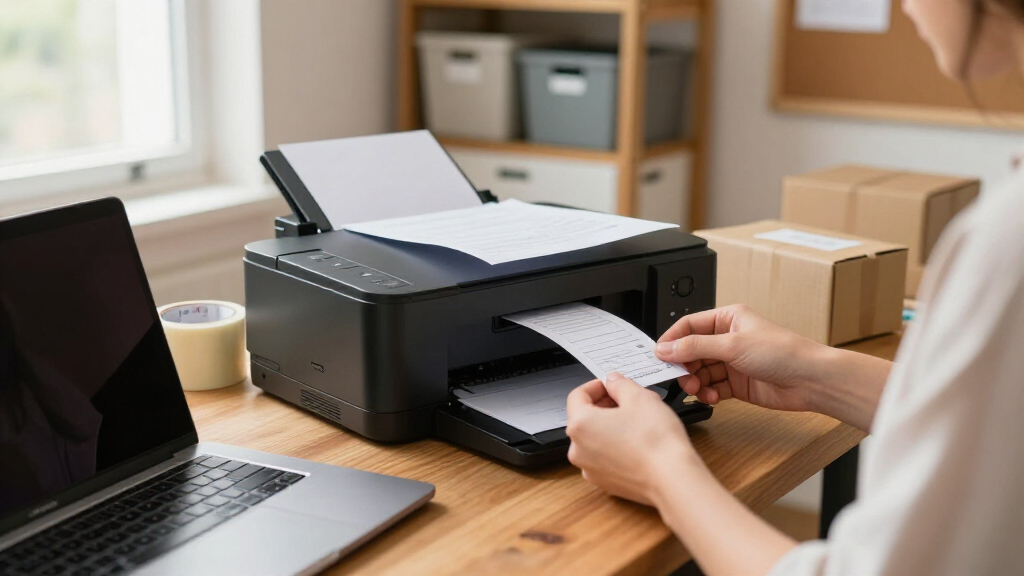
How We Picked
My ranking starts with total cost of ownership, because for a small business the sticker price is rarely the real cost. I compared ink or toner yields, replacement costs, and whether each model supports high-yield supplies — an inkjet with cheap cartridges can beat a bargain laser over two years, and refillable tanks can beat both. Next I weighed workload fit: single-user home offices need different machines than five-person teams, so I checked rated monthly duty cycles, paper capacity, ADF capacity, and whether duplex scanning is single-pass or two-pass.
From there I evaluated wireless and multi-user practicality — Wi-Fi stability, mobile printing support, Ethernet availability, and how easily multiple staff members can share the device without IT help. Security features mattered more at the top of the list, since networked printers are a real attack surface for any business handling client documents. Finally, I factored usability and maintenance: touchscreen size, software quality, and how messy or frequent refill and replacement cycles are. Models ranked higher when they solved multiple problems at once; models ranked lower when a cheaper or similarly priced competitor did the same job with fewer compromises.
| all-in-one wireless printers for small business | Functions |
|---|---|
| HP OfficeJet Pro 9135 Wireless | Print, scan, copy, fax |
| HP Smart Tank 5003 Wireless Al | Print, copy, scan |
| Brother Work Smart 1360 Wirele | Print, scan, copy |
| Epson WorkForce Pro WF-3820 Wi | — |
| HP LaserJet Pro MFP 3101sdw Wi | Print, scan, copy |
| HP Color LaserJet Pro MFP 3301 | Print, Scan, Copy |
| HP OfficeJet Pro 8125 Wireless | Print, Scan, Copy |
| Brother MFC-L2820DW Wireless C | Print, Copy, Scan, Fax |
| Brother MFC-L3720CDW Wireless | Print, Copy, Scan, Fax |
| Brother INKvestment MFC-J5110D | Print, Copy, Scan, Fax |
| HP OfficeJet Pro 9125 Wireless | Print, scan, copy, fax |
| Brother Work Smart MFC-J1410DW | Print, copy, scan |
| Canon MegaTank G3270 All-in-On | Print, copy, scan |
| Brother INKvestment 5010 Wirel | Print, copy, scan, fax |
| Brother MFC-L8930CDW Business | Print, scan, copy |
Factors to Consider When Choosing All-in-one Wireless Printers For Small Business
Before locking in a pick, step back and think about how your business actually prints. The biggest mistakes I see come from buying for the office you imagine rather than the one you have — paying laser prices for a two-page-a-day workload, or saddling a five-person team with a slow tank printer because it looked cheap upfront.Calculate Cost Per Page Before You Calculate Price
The single most expensive mistake small businesses make is judging a printer by its purchase price. A cheap inkjet running standard cartridges can cost five to ten times more per page than a refillable tank model or a high-yield inkjet like Brother’s INKvestment line. Do a rough estimate of your monthly page volume, then multiply by the cost per page of each model’s high-yield supplies over two or three years — the ranking of ‘cheap’ versus ‘expensive’ printers often completely reverses. Ink tanks and toner cartridges sit untouched for months without drying, whereas traditional inkjet cartridges can waste ink on cleaning cycles if you print irregularly. Also check whether third-party supplies exist for your model, since some manufacturers lock printers to proprietary cartridges. If your volume is under a few hundred pages a month, tank printers win; past that threshold, the math starts favoring lasers.
Match the Technology to What You Actually Print
Inkjet versus laser is not a quality debate — it’s a workload decision. If your output is mostly contracts, invoices, and black text, a monochrome laser like the HP 3101sdw or Brother MFC-L2820DW will print sharper text, faster, with supplies that never dry out. If you print color marketing materials, presentations, or client-facing graphics, a color inkjet delivers better photo quality and cheaper color output than almost any comparably priced color laser. Color lasers sit in the middle: they’re fast and polished for charts and logos but weak for photos and pricier to run in color. A common trap is buying a color laser ‘just in case’ and then paying premium toner prices for mostly black-and-white pages. Audit what left your printer last month — that stack of paper tells you which technology to buy.
Verify the ADF and Duplex Scanning Specs
The automatic document feeder is where budget all-in-ones quietly cut corners, and it’s the feature small businesses use most. Some models in this price range offer only flatbed scanning, which turns a twenty-page contract scan into twenty manual flips. Others advertise duplex scanning but use a reversing ADF, which pulls the page back through — slower and more prone to jams than a single-pass ADF that scans both sides in one motion. If you handle multi-page contracts, receipts, or client paperwork regularly, single-pass duplex scanning (found on the HP OfficeJet Pro 9135 and Brother MFC-L8930CDW) saves real hours every month. Check ADF capacity too: a 20-sheet feeder forces batch work on bigger jobs, while 50-sheet feeders handle them in one pass. Read spec sheets carefully, because marketing copy rarely distinguishes reversing from single-pass designs.
Plan for Multiple Users From Day One
A printer that works flawlessly for one laptop can become a frustration hub when five people share it. Check paper tray capacity first — a 150-sheet tray means someone refills it daily in a busy office, while 250-500 sheets buys days of autonomy. Ethernet matters more than buyers expect: Wi-Fi printers are convenient until interference or router changes disconnect the whole team, and a wired connection to your router is far more stable for shared access. Look at whether the manufacturer’s app supports multiple user accounts and scan-to-email destinations, since routing scanned documents to the right person is a daily workflow in most small offices. Duty cycle ratings are another shared-use signal: a 5,000-page monthly maximum is a solo machine, while 30,000+ signals workgroup durability. Buy for the team you’ll have in two years, not the one you have today.
Don’t Ignore Printer Security
Small businesses assume printer security is an enterprise concern, but any networked device is a doorway into your business data, and printers store copies of every document they process. If you handle client contracts, financial records, or health information, look for features like secure boot, encrypted storage wiping, user access PINs, and pull printing — where a job only releases when you’re physically at the machine. The business-tier lasers in this roundup (Brother MFC-L8930CDW, HP LaserJet Pro line) include these controls, while budget inkjets generally do not, which is a legitimate reason to pay more rather than an upsell. Also check how long the manufacturer supports a model with firmware updates, because an abandoned printer becomes a permanent vulnerability. For a solo home office printing recipes, this matters little; for anyone handling client documents, it matters a lot.
Frequently Asked Questions
Is an ink tank printer or a laser printer better for a small business?
What does ‘all-in-one’ actually include, and can I trust it always means fax and ADF?
How much should a small business spend on an all-in-one wireless printer?
Are wireless printers reliable enough for a busy office, or should I use Ethernet?
Do I need single-pass duplex scanning, or is regular duplex scanning enough?
Conclusion
After comparing all fifteen models, the decision comes down to matching the machine to your workload rather than chasing any single spec. Best overall goes to the HP OfficeJet Pro 9135, which handles print, scan, copy, and fax with fast color output, single-pass duplex scanning, and low-cost high-yield supplies — the most complete package for a growing small business. For best value, the Brother INKvestment MFC-J5110DW delivers nearly everything the top pick does at a friendlier price, with some of the cheapest ink in the inkjet tier. Best for beginners is the Canon MegaTank G3270: simple setup, straightforward refillable tanks, and running costs so low you can forget about supplies for months, provided you don’t need fax or an ADF. On the premium end, the Brother MFC-L8930CDW earns its price for multi-user workgroups that need laser speed, high duty cycles, and serious security controls. For specific needs: text-heavy solo offices should go monochrome laser with the Brother MFC-L2820DW or HP 3101sdw, budget-conscious color buyers will love the HP Smart Tank 5003, and compact spaces fit the Brother MFC-L2820DW without sacrifice. Whatever you choose, buy for the volume and team size you’ll have in two years — that’s the choice you won’t regret.
Halloween Picks
halloween
As an affiliate, we earn on qualifying purchases.