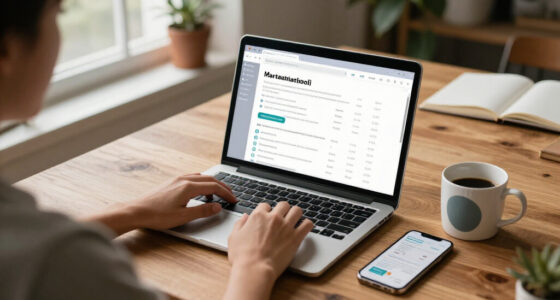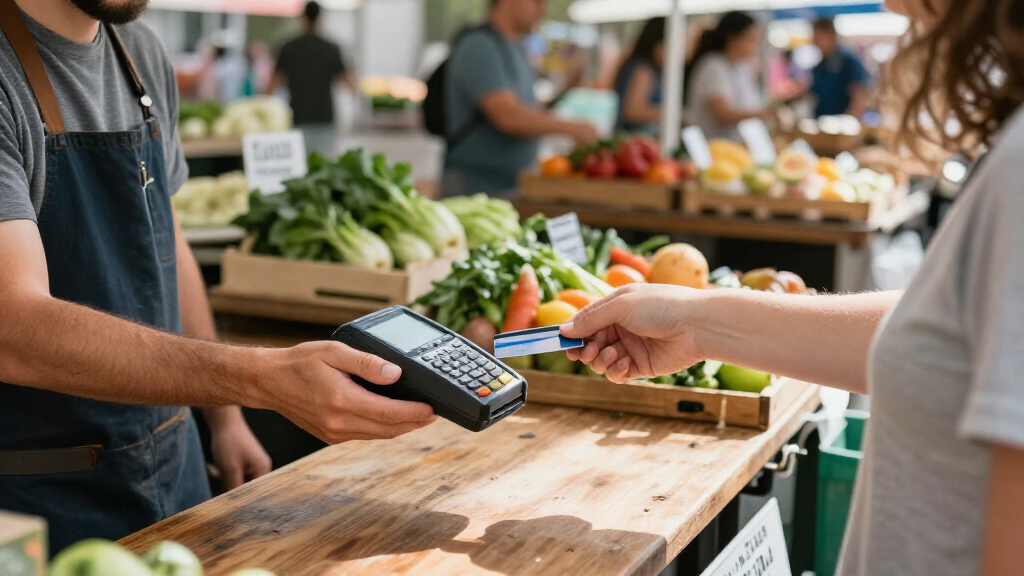
For most small businesses, Square Terminal is my best overall pick because it combines portable payment acceptance with a built-in screen and receipt printer. Square Reader for Contactless and Chip is a simpler choice for owners who already have a compatible smartphone or tablet, while the SumUp Solo + Printer Bundle suits sellers who want a standalone reader and printed receipts. The main tradeoff is between a compact reader that depends on another device and a larger unit that can handle more of the checkout itself. Your sales setting, connectivity, receipt needs, and existing point-of-sale setup can change which option fits best. Read on for how these seven choices compare and which one matches your business.

Get business pricing on office and shipping supplies
- Business-only prices and quantity discounts
- Tax-exempt purchasing
- Multiple users, one account, clear invoices
Key Takeaways
- Square Terminal is the most balanced pick here for businesses that want a portable checkout device with its own screen and receipt printer.
- Square Reader for Contactless and Chip keeps the hardware simple, but it relies on a compatible phone or tablet to run the checkout workflow.
- SumUp Solo + Printer Bundle pairs a standalone touchscreen reader with receipt printing, while the smaller SumUp Plus is designed around a smartphone connection.
- Square Handheld is aimed at staff who need to take payments while moving around a restaurant, shop, or service setting; that mobility may be unnecessary for a fixed counter.
- The VeriFone VX520 and Swipe Simple POS System call for closer checks of current support, connectivity, and compatibility before purchase, especially if the business needs a long-term setup.
| Square Terminal – Credit Card Machine to Accept All Payments | Mobile POS |  | Best All-in-One Portable POS | Dimensions: 5.6 x 3.4 x 2.5 inches | Weight: 14.7 ounces | Battery: One included lithium-ion battery | VIEW LATEST PRICE | See Our Full Breakdown |
| Swipe Simple POS System – Versatile Cash Register Solution for Small Business, Retail Store, Restaurant, Food Truck, Mobile Business |  | Best for Cloud-Based Business Management | Transaction rate: 2.6% + 20 cents for tap and swipe | Monthly software fee: $14.95 | Security: Secure card reader | VIEW LATEST PRICE | See Our Full Breakdown |
| Square Handheld – Portable POS Credit Card Machine for Restaurants, Retail, Beauty, and Services |  | Best for Tableside and On-the-Go Service | Dimensions: 7.04 x 3.12 x 0.62 inches | Weight: 2.11 ounces | Manufacturer: Square | VIEW LATEST PRICE | See Our Full Breakdown |
| SumUp Plus Card Reader, Bluetooth – NFC RFID Credit Card Reader for Smartphone |  | Best Simple Bluetooth Reader | Connectivity: Bluetooth | Compatible devices: Smartphones | Operating systems: iOS and Android | VIEW LATEST PRICE | See Our Full Breakdown |
| Square Reader for Contactless and Chip (2nd Generation) |  | Best Compact Phone-Paired Reader | Compatible devices: Android and iPhone | Power source: Battery powered | Connectivity: Bluetooth | VIEW LATEST PRICE | See Our Full Breakdown |
| VeriFone VX520 Dual-Communication Credit Card Terminal with Smart Card Reader |  | Best for Fixed Counters with a Backup Connection | Brand: VeriFone | Model: VX520 | Connectivity: Dial and Ethernet | VIEW LATEST PRICE | See Our Full Breakdown |
| SumUp Solo + Printer Bundle – Credit Card Payment Card Reader with Touch Screen and Thermal Printer |  | Best for Mobile Sellers Who Need Printed Receipts | Reader and printer: SumUp Solo card reader with thermal printer | Connectivity: Wi-Fi; free SIM card with unlimited mobile data is included | Payment methods: Multiple methods, including contactless and mobile pay | VIEW LATEST PRICE | See Our Full Breakdown |
| portable credit card readers for small business | Weight | Connectivity |
|---|---|---|
| Square Terminal | 14.7 ounces | — |
| Swipe Simple POS System | — | — |
| Square Handheld | 2.11 ounces | — |
| SumUp Plus Card Reader | 142 g | Bluetooth |
| Square Reader for Contactless | — | Bluetooth |
| VeriFone VX520 Dual-Communicat | 2.5 pounds | Dial and Ethernet |
| SumUp Solo + Printer Bundle | 16 ounces | Wi-Fi; free SIM card with unlimited mobile data is included |
More Details on Our Top Picks
Square Terminal – Credit Card Machine to Accept All Payments | Mobile POS
Square Terminal is the strongest fit here for a small business that wants payment acceptance and receipt printing in one portable unit. Its built-in battery supports use away from a counter, while its ability to take major credit and debit cards and process chip cards in about two seconds helps keep checkout moving. Unlike the Square Reader for Contactless and Chip, which pairs with a phone, Terminal combines payment hardware and receipt printing, so there is less reliance on a separate device at checkout. That convenience comes with a larger, heavier body than a simple reader, and it depends on an internet connection for processing. It also ties the business to Square’s services. I’d choose it for a flexible checkout station, but not for the lightest pocketable setup.
Pros:- Combines payment acceptance and receipt printing in one device.
- Accepts major credit and debit cards.
- Chip card processing is described as taking about two seconds.
- Built-in battery supports all-day use.
Cons:- Requires an internet connection to process payments.
- Larger and heavier than a standalone phone-paired reader.
- Limited to Square’s ecosystem and services.
Best for: Small retailers, service businesses, and market vendors who want a battery-powered checkout device that can also print receipts.
Not ideal for: Businesses seeking a pocket-sized reader, phone-free offline processing, or payment services outside the Square ecosystem.
- Dimensions:5.6 x 3.4 x 2.5 inches
- Weight:14.7 ounces
- Battery:One included lithium-ion battery
- Manufacturer:Square
- Model number:8.17044E+11
- First available:February 12, 2019
- Payment functions:Card acceptance and receipt printing
- Chip processing:About two seconds, according to the product description
Our verdict“Choose Square Terminal if receipt printing and a self-contained checkout matter more than minimum size or platform flexibility.”
Swipe Simple POS System – Versatile Cash Register Solution for Small Business, Retail Store, Restaurant, Food Truck, Mobile Business
Swipe Simple POS System is a better match for owners who want cloud software alongside a card reader, rather than just a compact device for taking payments. Its interface is described as intuitive, and the cloud tools are intended to support business management across settings such as retail, restaurants, and food trucks. That broader software focus distinguishes it from the SumUp Plus Card Reader, which is presented as a Bluetooth reader used with a smartphone app. The tradeoff is that Swipe Simple adds a stated monthly software fee, on top of transaction charges, while the supplied product details leave the hardware’s dimensions, weight, and battery setup unspecified. I’d shortlist it when management tools are part of the buying need; for a simple mobile checkout, the less software-dependent SumUp reader is easier to evaluate.
Pros:- Cloud software is intended to support business management.
- Designed for several small-business settings, including restaurants and food trucks.
- Interface is described as user-friendly for quick transactions.
- Includes a secure card reader.
Cons:- Cloud software carries a stated monthly fee.
- The listed tap and swipe transaction charge may be a drawback for businesses with frequent sales.
- Product information provides few hardware specifications for judging portability.
Best for: Small retailers, restaurants, and food-truck operators who want cloud-based business management bundled with payment acceptance.
Not ideal for: Solo sellers who want the simplest low-commitment phone-paired reader or need clearly documented hardware dimensions and battery details.
- Transaction rate:2.6% + 20 cents for tap and swipe
- Monthly software fee:$14.95
- Security:Secure card reader
- Software:Cloud business-management software
- Intended settings:Small businesses, retail, restaurants, food trucks, and mobile businesses
- Interface:Described as user-friendly
Our verdict“Pick Swipe Simple when cloud management is worth an ongoing software fee, and compare its hardware details carefully before choosing it for mobile work.”
Square Handheld – Portable POS Credit Card Machine for Restaurants, Retail, Beauty, and Services
Square Handheld is the most purpose-built option here for taking payments and orders away from a fixed checkout, particularly in restaurants and service businesses. Its pocketable shape, barcode scanning, and stated offline payment capability give it a broader field role than the basic Square Reader for Contactless and Chip, which is described primarily as a phone-connected card reader. Splash and dust resistance also suit busy work areas where a device may face everyday mess. The key catch is that Handheld requires a compatible smartphone or device to operate, so its portability does not mean it works independently. Product details also leave many technical specifics unlisted. I’d favor it for staff moving between tables or service areas, but choose Square Terminal instead when a dedicated all-in-one checkout with receipt printing is the priority.
Pros:- Pocketable design supports payment acceptance away from a fixed checkout.
- Supports tableside ordering and barcode scanning.
- Product description lists offline payment capability.
- Splash- and dust-resistant design is suited to busy work settings.
Cons:- Requires a compatible smartphone or other device to operate.
- Detailed technical specifications are limited in the supplied product information.
- Does not include the receipt-printing function listed for Square Terminal.
Best for: Restaurant staff, mobile service providers, and retail workers who need to take orders, scan barcodes, and accept payments away from a counter.
Not ideal for: Businesses that need a standalone payment terminal, detailed hardware documentation, or a device that does not depend on a compatible companion device.
- Dimensions:7.04 x 3.12 x 0.62 inches
- Weight:2.11 ounces
- Manufacturer:Square
- ASIN:B0F6HQK29Q
- First available:May 13, 2025
- Companion device:Requires a compatible smartphone or device
- Additional functions:Tableside ordering and barcode scanning
- Durability:Described as splash- and dust-resistant
Our verdict“Choose Square Handheld for mobile staff who need ordering and scanning features, provided they can use a compatible companion device.”
SumUp Plus Card Reader, Bluetooth – NFC RFID Credit Card Reader for Smartphone
SumUp Plus Card Reader is a straightforward choice for a small business that already uses an iOS or Android phone and wants a separate, lightweight device for in-person card payments. Bluetooth pairing and the free SumUp app make it a simpler mobile setup than Square Terminal, which adds a larger unit and receipt printing. The listed transaction rate is 2.6% + 10¢, giving buyers a concrete processing detail to compare, though transaction costs can matter more as payment volume grows. This reader is limited to in-person transactions, and the supplied details do not describe offline processing or added POS functions such as barcode scanning. I’d pick it for uncomplicated pop-up or appointment-based sales; businesses needing a broader checkout system should look at Square Handheld or Terminal instead.
Pros:- Bluetooth connection supports use with a smartphone.
- Compatible with iOS and Android devices.
- Accepts major credit and debit cards.
- The supplied description lists a transaction rate of 2.6% + 10¢.
Cons:- Limited to in-person transactions according to the product description.
- Transaction charges can add up for businesses processing frequent payments.
- Requires a compatible smartphone and the SumUp app.
Best for: Appointment-based service providers and pop-up sellers who have an iOS or Android phone and need a compact reader for face-to-face payments.
Not ideal for: Businesses seeking online payment acceptance, an all-in-one POS with receipt printing, or more detailed order-management and scanning features.
- Connectivity:Bluetooth
- Compatible devices:Smartphones
- Operating systems:iOS and Android
- Color:White
- Weight:142 g
- Model name:Plus Card Reader
- Manufacturer:SumUp
- Transaction rate:2.6% + 10¢
Our verdict“Choose SumUp Plus for simple phone-based in-person sales, but look to a fuller POS device if you need receipts or broader checkout tools.”
Square Reader for Contactless and Chip (2nd Generation)
Square Reader for Contactless and Chip (2nd Generation) keeps the hardware focused: it pairs over Bluetooth with an Android phone or iPhone and accepts contactless and chip payments, including Apple Pay and Google Pay. That makes it a more compact, pared-back alternative to Square Terminal, which adds receipt printing and a built-in screen-based checkout experience. The reader’s battery-powered design and stated support for offline payments for up to 24 hours suit sellers who work away from a fixed counter, though Bluetooth pairing introduces another connection to manage. Offline support may help when internet access drops, but it does not make this a standalone POS system. I’d choose it for mobile sellers who already rely on a phone; businesses needing a dedicated device, printed receipts, or a listed transaction rate should compare other options.
Pros:- Accepts contactless and chip payments, including Apple Pay and Google Pay.
- Bluetooth pairing supports use with Android phones and iPhones.
- Product description states offline payment support for up to 24 hours.
- Battery-powered design is suited to mobile checkout.
Cons:- Requires Bluetooth pairing with a compatible phone.
- Does not provide the receipt printing offered by Square Terminal.
- The supplied specifications do not list a transaction rate.
Best for: Market vendors, pop-up sellers, and mobile service providers who already use an iPhone or Android phone and want a compact reader for tap and chip payments.
Not ideal for: Businesses that need an independent terminal, built-in receipt printing, or payment-rate details before selecting hardware.
- Compatible devices:Android and iPhone
- Power source:Battery powered
- Connectivity:Bluetooth
- Battery:One included lithium-ion battery
- Warranty:Limited one-year warranty
- Accepted payment types:Contactless and chip cards
- Mobile wallets:Apple Pay and Google Pay
- Offline payment support:Up to 24 hours, according to the product description
Our verdict“Choose this Square Reader for compact phone-based tap and chip payments, not for a full standalone checkout setup.”
VeriFone VX520 Dual-Communication Credit Card Terminal with Smart Card Reader
The VX520 suits a small business that needs a dependable counter terminal more than a handheld reader. Its Ethernet and dial connections give the shop two ways to connect, while the EMV smart card reader handles chip payments. Compared with the SumUp Solo + Printer Bundle, this is a more traditional counter setup: it manages cables neatly beneath the unit, but does not include a receipt printer or the bundle’s stated mobile-data option. Its non-contactless configuration is a real limitation for customers who expect tap-to-pay, and battery mobility is optional rather than built in. At 2.5 pounds, it is compact for a countertop but not as convenient to carry around a shop as the Square Handheld. I’d choose it for a fixed checkout where wired connectivity matters more than portability.
Pros:- Ethernet and dial connectivity offer two connection options
- EMV smart card reader supports chip-card payments
- Under-device cable management keeps a counter setup tidier
- Encryption and PCI PED 2.0 approval are listed
Cons:- This configuration does not support contactless payments
- Battery mobility is optional, limiting out-of-box use away from a counter
- No receipt printer is included in the listed product details
Best for: Small retailers with a fixed checkout who want Ethernet plus dial connectivity and primarily accept chip-card payments.
Not ideal for: Mobile sellers or businesses whose customers expect contactless tap payments; this configuration lacks contactless reading and does not include battery mobility.
- Brand:VeriFone
- Model:VX520
- Connectivity:Dial and Ethernet
- Payment features:EMV smart card reader; non-contactless configuration
- Memory:128 MB / 32 MB
- Weight:2.5 pounds
- Dimensions:9 x 6 x 3 inches
- Battery:1 lithium-ion battery required; mobility is optional
Our verdict“Choose the VX520 for a fixed checkout that values dual wired connection options over contactless acceptance and handheld portability.”
SumUp Solo + Printer Bundle – Credit Card Payment Card Reader with Touch Screen and Thermal Printer
The SumUp Solo + Printer Bundle is the more mobile choice here for sellers who want to take payments and hand over a printed receipt without adding a separate printer. The touch-screen reader, support for contactless and mobile payments, and included SIM card with unlimited mobile data suit stalls, pop-ups, and service calls. Compared with the SumUp Plus Card Reader, this bundle adds a built-in printing workflow rather than relying on a smartphone-only reader. That convenience comes with a dependency: the listed setup requires a compatible smartphone and the SumUp app. Printing is monochrome thermal, so it is practical for receipts, not polished color materials, and the device’s listed Wi-Fi connectivity may matter where mobile coverage is unreliable. I’d favor it over the VeriFone VX520 for moving between customers, but not for a fixed checkout that needs dual wired connections.
Pros:- Portable 16-ounce bundle pairs a payment reader with a thermal printer
- Supports contactless and mobile payment methods
- Included SIM card is described as providing unlimited mobile data
- Thermal printing avoids the need for ink
Cons:- Requires a compatible smartphone and the SumUp app
- Printer output is monochrome
- Listed connectivity is Wi-Fi, so its connection options differ from the VX520’s Ethernet and dial setup
Best for: Market vendors, pop-up retailers, and mobile service providers who need contactless payments and printed receipts while away from a fixed checkout.
Not ideal for: Businesses that want a standalone reader without a compatible smartphone and SumUp app, or that need color printing or a fixed Ethernet connection.
- Reader and printer:SumUp Solo card reader with thermal printer
- Connectivity:Wi-Fi; free SIM card with unlimited mobile data is included
- Payment methods:Multiple methods, including contactless and mobile pay
- Control method:Touch
- Printer type:Thermal, monochrome
- Resolution:300 x 300 dpi
- Weight:16 ounces
- Compatibility:Smartphones; requires compatible smartphone and SumUp app
Our verdict“Pick this bundle if you take payments on the move and want receipt printing included, provided you can use the required smartphone app.”
How We Picked
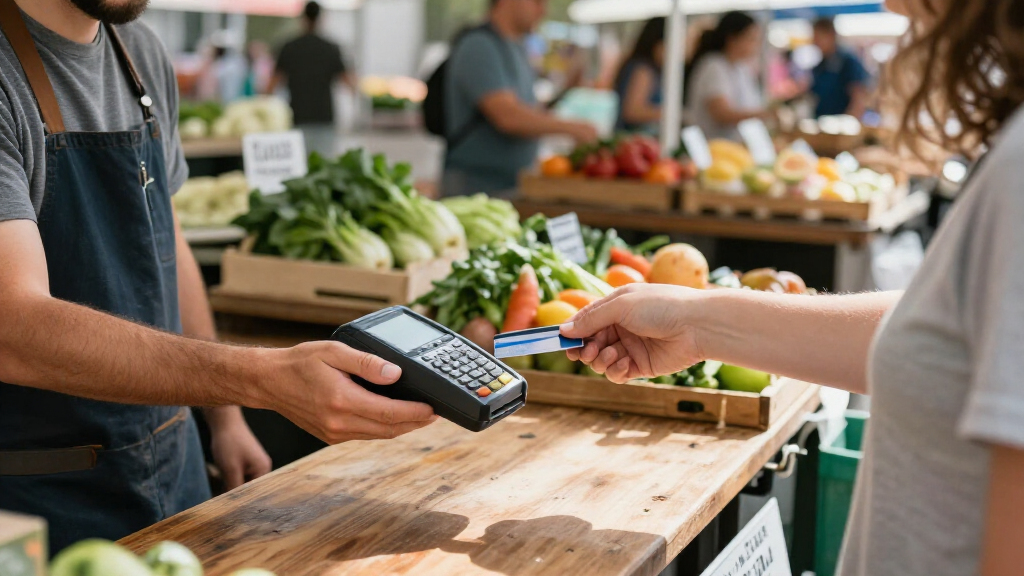
I ranked these readers by how well their form and workflow suit small businesses that take payments away from a fixed checkout. I weighed whether each option needs a separate phone or tablet, how much of the payment process the device can handle on its own, and whether its design suits counter service, mobile selling, or staff moving through a venue. Receipt printing, portability, and the practical burden of carrying and maintaining extra equipment also shaped the comparison.
The ranking favors clear, flexible checkout setups over devices whose fit depends on a particular existing system or connection. That puts Square Terminal first as a balanced standalone choice, with the Square handheld and SumUp bundle serving more specific workflows. Smaller phone-linked readers rank well for businesses that value light equipment and already have a suitable device. I treat the older VeriFone terminal and the broader Swipe Simple system with more caution because buyers should confirm support, compatibility, and operating requirements for their exact setup before committing.
| portable credit card readers for small business | Connectivity |
|---|---|
| Square Terminal | — |
| Swipe Simple POS System | — |
| Square Handheld | — |
| SumUp Plus Card Reader | Bluetooth |
| Square Reader for Contactless | Bluetooth |
| VeriFone VX520 Dual-Communicat | Dial and Ethernet |
| SumUp Solo + Printer Bundle | Wi-Fi; free SIM card with unlimited mobile data is included |
Factors to Consider When Choosing Portable Credit Card Readers For Small Business
Before choosing a reader, I would map the checkout process around the device. The right form factor depends on where customers pay, who operates the checkout, and what equipment the business already owns. These broader questions can prevent a compact reader from creating extra work or a fuller terminal from adding weight and complexity the business does not need.
Match the device to where customers pay
Start with the path between your staff, customers, and checkout point. A counter-based shop may benefit from a dedicated terminal that stays ready for each transaction, while a restaurant server or market seller may need to bring the payment device to the customer. Think through the busiest part of the day, not only occasional off-counter sales. A device that is easy to carry can still slow service if staff must return to a shared phone or station. Conversely, a larger terminal may be cumbersome when every sale happens across a crowded floor. Choose around the normal movement of a completed sale.
Check what the reader needs to operate
A phone-linked reader can reduce the amount of dedicated hardware you carry, but it makes the phone or tablet part of the checkout system. Confirm which devices and operating systems are supported, who supplies the device, and how staff will access it during a shift. A standalone reader can simplify that handoff, though its screen and controls become more important to daily usability. Businesses with multiple staff should consider whether each person needs their own connected device or whether one shared setup is practical. A common mistake is to compare readers without counting the extra device, charging, and access steps around them. Compare the whole working setup, not the reader alone.
Plan for connectivity at every selling location
Portable equipment is only useful if it can complete the payment process where you sell. Check the connection methods supported by the reader and the service requirements for your account, then test the actual locations where transactions happen. A café patio, a market stall, and a basement treatment room can have very different signal conditions. Do not assume that a phone’s connection automatically covers every device or every payment workflow. Ask the provider what happens when a connection drops, including whether transactions can be accepted offline and what limits or risks apply. Make a backup plan for outages before relying on the reader for a busy event.
Decide whether receipts belong in the workflow
Think about how customers receive proof of purchase and how your business handles returns or service records. Digital receipts can reduce paper and the equipment you carry, but they depend on collecting contact details or giving customers another delivery option. A built-in or paired printer can help when customers expect a paper receipt or when staff need a clear record at the point of sale. Printers add bulk and require supplies, charging, and occasional upkeep. Consider how often receipts are requested and who will restock the paper. Buying a printer for rare requests can add hassle, while skipping one may complicate a high-volume counter.
Evaluate the complete cost and support picture
Hardware is only one part of the ongoing commitment. Compare payment processing terms, any service or software charges, replacement policies, and the cost of accessories before choosing a setup. Ask whether the reader works with your existing point-of-sale tools, accounting process, and inventory needs. Support matters most when a device fails during selling hours, so check how the provider handles troubleshooting and replacements. With older or broadly described systems, verify that the exact model remains supported and that it can connect to the services you plan to use. A low equipment outlay may not be a good fit if it creates extra admin or leaves key workflow questions unanswered.
Frequently Asked Questions
Should I choose a standalone reader or one that connects to my phone?
I would choose based on how much checkout work you want a phone or tablet to handle. A phone-linked reader can make sense if you already have a compatible device and want to carry less dedicated equipment. A standalone option can reduce reliance on a staff member’s personal phone and may keep checkout steps together on one device. Before deciding, confirm compatibility, connection requirements, and how multiple employees will access the setup. Include charging and device ownership in the comparison.
Do I need a built-in receipt printer for a small business?
Not every business needs one. If your customers usually accept digital receipts and your checkout is mobile, a printer may add weight and supply management without much daily benefit. A paper receipt can be more useful at a busy counter, for customers who request one, or when staff need a physical transaction record. Check whether the reader supports your preferred receipt process before buying. Also consider where printer paper will be stored and who will replace it.
What should I check before buying a reader for outdoor markets or events?
Check connectivity at the event location, the device’s supported connection methods, and the provider’s rules for transactions when service is unavailable. Test your actual setup before the event, including the phone or tablet if the reader depends on one. Plan how you will keep all devices charged through the full selling period. Consider whether you need paper receipts and how you will carry the reader, supplies, and backup equipment. Ask the provider about offline payment limits rather than assuming a portable reader can always process a sale without a connection.
Can I use an older terminal like the VeriFone VX520 for a new business?
I would verify the exact unit and service arrangement before making that choice. Confirm that the payment provider still supports the model, that its communication options work at your location, and that it can accept the payment types your customers use. Ask who handles setup, software updates, repairs, and replacement if the terminal stops working. Also check whether it integrates with the point-of-sale or reporting tools you need. If those details are unclear, a currently supported setup may be easier to manage over time.
When is a handheld POS worth choosing over a compact card reader?
A handheld POS makes more sense when staff need to manage payment while moving through a restaurant, shop, or service visit. It can keep the transaction close to the customer and reduce trips back to a shared checkout point. A compact reader may be simpler when one person handles sales from a phone or tablet and only needs to accept payments. Consider how often staff walk to customers and whether they need the handheld’s broader checkout workflow. If most transactions happen at one counter, the added mobility may bring little practical benefit.
Conclusion
For the broadest mix of small-business checkout needs, I recommend Square Terminal as the best overall choice: it combines a portable payment device, screen, and receipt printer in one setup. My best value pick for an owner who already has a compatible phone or tablet is the Square Reader for Contactless and Chip, while Square Handheld is the better fit when staff need to take checkout to customers. Beginners who want a more self-contained setup can start by comparing Square Terminal with the SumUp Solo + Printer Bundle and choosing the workflow that feels clearest for their team. For a compact phone-connected option, consider SumUp Plus. I would choose the Swipe Simple POS System or VeriFone VX520 only after confirming support and compatibility for the business’s exact setup.
Evergreen bestsellers Picks
bestsellers
As an affiliate, we earn on qualifying purchases.