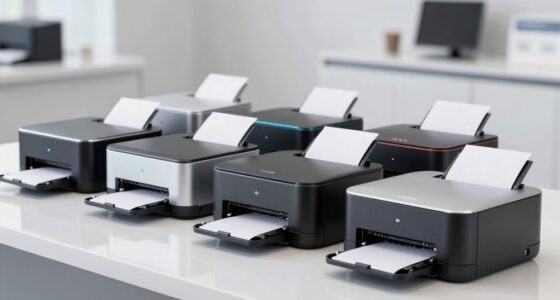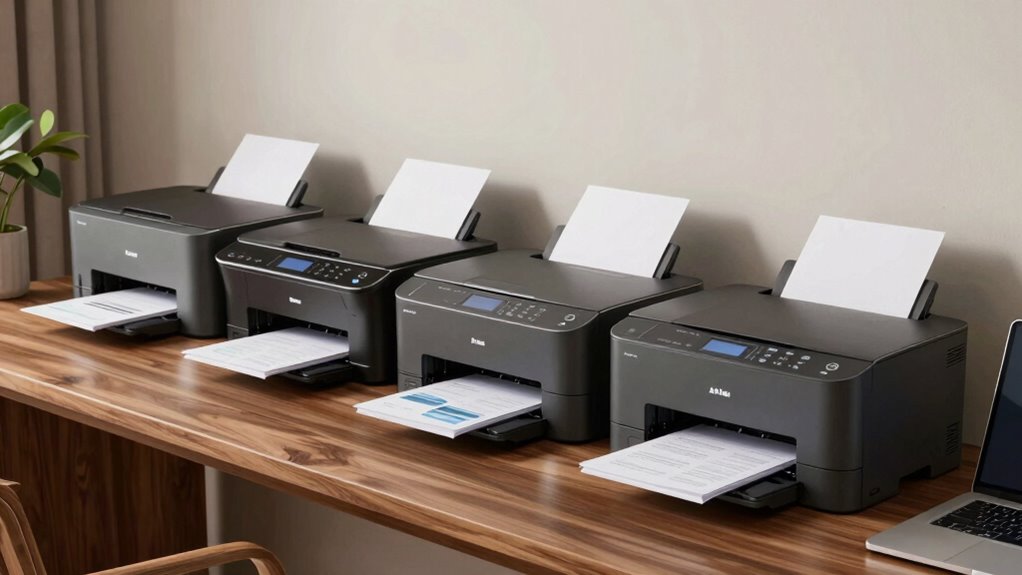
For home-based businesses, a duplex laser printer can streamline your workflow by handling high-volume printing and double-sided documents efficiently. The HP LaserJet Pro MFP 3101sdw stands out as the best overall choice for its reliable performance and all-in-one features. The Brother MFC-L3720CDW offers vibrant color printing with multifunction capabilities, making it ideal for diverse business needs. However, buyers often face tradeoffs between cost, speed, and multifunctionality, especially in a compact home setup. Continue reading for a detailed comparison to find the best fit for your specific requirements.

Get business pricing on office and shipping supplies
- Business-only prices and quantity discounts
- Tax-exempt purchasing
- Multiple users, one account, clear invoices
Key Takeaways
- The top-ranked models balance speed, print quality, and multifunctionality without excessive size or cost.
- Color printing is available but often comes at a higher price point, making monochrome options more budget-friendly.
- Wireless connectivity and mobile printing features are common and essential for flexible home office setups.
- Initial purchase price varies widely, but ongoing toner costs significantly impact overall value.
- Compact size and ease of setup are crucial considerations for smaller home spaces and non-technical users.
| HP LaserJet Pro MFP 3101sdw Wireless Black and White All-in-One Laser Printer |  | Best Overall for Small Business Teams | Printer Type: Laser | Printer Functions: Print, Scan, Copy, Fax | Wireless: Yes | VIEW ON AMAZON | See Our Full Breakdown |
| Brother MFC-L3720CDW Wireless Color Laser Printer with Scanner, Copier, and Fax |  | Best for Small Office Color Needs | Print Speed: Up to 19 ppm | Scan Speed: Up to 29/22 ipm (black/color) | Paper Capacity: 250 sheets | VIEW ON AMAZON | See Our Full Breakdown |
| Brother DCP-L2640DW Wireless Monochrome Multi-Function Laser Printer with Copy and Scan |  | Best Compact Monochrome MFP | Print Speed: 36 pages per minute | Scan Speed: 23.6/7.9 ipm | Auto Document Feeder: 50 pages | VIEW ON AMAZON | See Our Full Breakdown |
| Brother HL-L3280CDW Wireless Compact Digital Color Printer with Laser Quality Output, Duplex, Mobile Printing & Ethernet |  | Best for Color and Compact Spaces | Print Speed: Up to 27 pages per minute | Connectivity: Wi-Fi, Ethernet, Mobile Printing | Duplex Printing: Automatic | VIEW ON AMAZON | See Our Full Breakdown |
| HP LaserJet MFP M235sdw All-in-One Laser Wireless Printer, Scan/Copy, Black & White, Duplex, Office Use |  | Best for Small Office Security and Efficiency | Print Speed: Up to 28 pages per minute | Print Technology: Laser | Color: Black & White | VIEW ON AMAZON | See Our Full Breakdown |
| Brother HL-L2460DW Wireless Monochrome Laser Printer with Duplex and Mobile Printing |  | Best for High-Volume Black-and-White Printing on a Budget | Print Speed: 36 pages per minute | Connectivity: Wi-Fi (dual-band), Ethernet, USB 2.0 | Paper Capacity: 250 sheets | VIEW ON AMAZON | See Our Full Breakdown |
| duplex laser printers for home business | Print Speed | Connectivity | Paper Capacity |
|---|---|---|---|
| HP LaserJet Pro MFP 3101sdw Wi | Up to 35 ppm | — | — |
| Brother MFC-L3720CDW Wireless | Up to 19 ppm | Wi-Fi, Wi-Fi Direct, USB 2.0 | 250 sheets |
| Brother DCP-L2640DW Wireless M | 36 pages per minute | Wi-Fi, Ethernet, USB | 250 sheets |
| Brother HL-L3280CDW Wireless C | Up to 27 pages per minute | Wi-Fi, Ethernet, Mobile Printing | — |
| HP LaserJet MFP M235sdw All-in | Up to 28 pages per minute | Wireless, Ethernet | — |
| Brother HL-L2460DW Wireless Mo | 36 pages per minute | Wi-Fi (dual-band), Ethernet, USB 2.0 | 250 sheets |
More Details on Our Top Picks
HP LaserJet Pro MFP 3101sdw Wireless Black and White All-in-One Laser Printer
This model stands out for its impressive balance of speed, all-in-one functionality, and wireless convenience. Compared to the Brother DCP-L2640DW, it offers faster print speeds and a more straightforward setup, making it a strong choice for small teams that need quick, professional monochrome documents. Its automatic duplex printing and scan-to-email features support efficient workflows, though its monochrome-only output limits versatility. The relatively heavier weight and limited advanced features mean it’s less suited for larger or more complex offices. For those prioritizing fast, reliable monochrome printing with minimal fuss, this pick delivers solid performance. It’s ideal for small business owners who want a compact, easy-to-use device that handles multiple functions without sacrificing speed.Pros:- Fast printing speeds up to 35 ppm, suitable for small business workflows
- Wireless connectivity supports printing from multiple devices
- Automatic duplex printing reduces paper use
- All-in-one functions include scanning and copying
Cons:- Limited to black-and-white output, restricting color document needs
- Relatively heavy at over 23 pounds, less portable
Best for: Small business teams needing fast, reliable monochrome printing, scanning, and copying.
Not ideal for: Small offices requiring color printing or advanced multifunction features beyond basic copying and scanning.
- Printer Type:Laser
- Printer Functions:Print, Scan, Copy, Fax
- Wireless:Yes
- Print Speed:Up to 35 ppm
- Maximum Copies Per Run:Up to 999
- Item Weight:23.1 pounds
Our verdict“This printer is best for small teams prioritizing quick monochrome output and straightforward all-in-one capabilities.”
Brother MFC-L3720CDW Wireless Color Laser Printer with Scanner, Copier, and Fax
This all-in-one color laser offers vibrant output combined with fast speeds and cloud features, making it ideal for small offices that handle color documents regularly. Unlike the monochrome HP LaserJet 3101sdw, it provides full-color printing, which is a key advantage for marketing materials or presentations. Its large 3.5-inch touchscreen simplifies operation, but the need for subscription services for some features adds ongoing costs. While initial costs are higher than basic models like the Brother DCP-L2640DW, the color capability makes it worth considering for businesses that require visual variety. If color printing is a priority, this machine balances speed, ease of use, and expanded document options. It’s best for creative teams or small offices needing reliable color output integrated with scanning and copying.Pros:- Vibrant color printing with laser quality output
- Fast print speeds up to 19 ppm for both black and color
- Large, intuitive touchscreen for easy operation
- Wireless and cloud connectivity streamline workflows
Cons:- Requires subscription enrollment for full feature set
- Higher initial cost compared to monochrome models
- Setup can be complex for less tech-savvy users
Best for: Small offices that require frequent color printing alongside scanning and copying.
Not ideal for: Budget-conscious users or those with minimal color printing needs, as it involves higher upfront and ongoing costs.
- Print Speed:Up to 19 ppm
- Scan Speed:Up to 29/22 ipm (black/color)
- Paper Capacity:250 sheets
- Auto Document Feeder:50 sheets
- Connectivity:Wi-Fi, Wi-Fi Direct, USB 2.0
- EPEAT Rating:Silver
Our verdict“This model suits small businesses that need reliable, high-quality color output combined with multifunction capabilities.”
Brother DCP-L2640DW Wireless Monochrome Multi-Function Laser Printer with Copy and Scan
This printer excels in small spaces, offering fast printing up to 36 ppm and versatile scanning and copying, though it lacks a touchscreen and is limited to monochrome output. Compared with the HP LaserJet Pro 3101sdw, it offers comparable speed but omits features like fax and a more modern interface, making it more suited to straightforward, budget-conscious setups. Its compact footprint is a major plus for tight offices, but the absence of color limits its usefulness for businesses that need visual diversity. The lack of a touchscreen could be a hurdle for some users, and toner replacement might require buying compatible cartridges. Overall, it’s a practical, space-saving choice for monochrome needs.Pros:- High-speed printing at 36 ppm for efficient workflows
- Multiple connectivity options including Wi-Fi and Ethernet
- Auto document feeder for multi-page scanning and copying
- Compact design fits small spaces
Cons:- Limited to monochrome printing, no color option
- No touchscreen, which could complicate operation
Best for: Small offices or home businesses needing fast monochrome printing with minimal space requirements.
Not ideal for: Businesses requiring color printing or advanced user interfaces, as it lacks a touchscreen and color capability.
- Print Speed:36 pages per minute
- Scan Speed:23.6/7.9 ipm
- Auto Document Feeder:50 pages
- Paper Capacity:250 sheets
- Connectivity:Wi-Fi, Ethernet, USB
- Dimensions:Compact footprint
Our verdict“This device is perfect for small offices needing fast monochrome multifunctionality in a compact form factor.”
Brother HL-L3280CDW Wireless Compact Digital Color Printer with Laser Quality Output, Duplex, Mobile Printing & Ethernet
This color laser printer balances speed and size, making it well-suited for small offices that need vibrant color output without bulk. Compared to the monochrome HP LaserJet Pro 3101sdw, it introduces color printing, which is a game-changer for presentations and marketing materials, though it’s slightly slower at 27 ppm. Its automatic duplex and mobile printing features streamline workflows, but requirements for potential subscriptions and setup complexities can be drawbacks. Its compact design is an asset, but users should be prepared for some initial configuration effort. If vibrant color documents are part of your daily output, this model offers a compelling combination of speed, size, and ease of use.Pros:- Fast color printing up to 27 ppm with laser quality
- Automatic duplex for efficient paper use
- Wireless and mobile device compatibility
- Compact size fits small offices
Cons:- Requires enrollment in subscription services for full features
- Initial setup can be complex for some users
- Limited OS support details provided
Best for: Small businesses that prioritize high-quality color printing in a space-efficient device.
Not ideal for: Users who mainly print monochrome documents or have strict budget constraints, due to higher costs and setup needs.
- Print Speed:Up to 27 pages per minute
- Connectivity:Wi-Fi, Ethernet, Mobile Printing
- Duplex Printing:Automatic
- Touchscreen:2.7-inch
- Energy Star:Yes
- Supported Operating Systems:Various OS (specifics not provided)
Our verdict“This printer makes sense for small offices seeking reliable, vibrant color output in a compact, multifunction device.”
HP LaserJet MFP M235sdw All-in-One Laser Wireless Printer, Scan/Copy, Black & White, Duplex, Office Use
This HP all-in-one monochrome laser balances speed with security features, making it ideal for small offices handling sensitive documents. It offers up to 28 ppm and robust wireless, Ethernet, and duplex options, comparable to the HP LaserJet Pro 3101sdw, but emphasizes security with built-in protections. Its self-reset Wi-Fi and dual-band connectivity support reliable, secure printing, though it’s limited to black-and-white output. The absence of color and a more advanced user interface means it’s less suitable for creative workflows. This model is best for offices needing fast, secure monochrome printing without extra frills, though it might lack features some larger or more feature-rich printers offer.Pros:- Fast two-sided printing at 28 ppm
- Wireless and Ethernet connectivity options
- Built-in security features for data protection
- Reliable, consistent monochrome output
Cons:- Limited to black-and-white printing only
- No color functionality, restricting visual output options
- Designed primarily for small office use, not larger teams
Best for: Small offices that prioritize fast, secure monochrome printing with basic multifunction features.
Not ideal for: Offices requiring color printing or advanced features like fax or touchscreen interface.
- Print Speed:Up to 28 pages per minute
- Print Technology:Laser
- Color:Black & White
- Connectivity:Wireless, Ethernet
- Duplex Printing:Yes
- Suitable for:1-5 people
Our verdict“This printer suits small offices that need fast, secure monochrome printing with reliable multifunction capability.”
Brother HL-L2460DW Wireless Monochrome Laser Printer with Duplex and Mobile Printing
The Brother HL-L2460DW stands out for its impressive print speed of 36 pages per minute, making it ideal for small home offices with frequent, high-volume black-and-white needs. Compared to the HP LaserJet MFP 3101sdw, which offers multi-function features, this model focuses solely on printing, but does so with greater speed and a larger paper capacity—250 sheets versus fewer in multi-function models. Its wireless and Ethernet options provide flexible connectivity, although the setup can be complex for some users. The automatic duplex feature reduces paper waste, a clear advantage over single-sided printers, but requiring enrollment in a subscription service for toner savings adds a recurring cost. This pick is perfect for users who prioritize speed, capacity, and cost-efficiency in monochrome printing, and are comfortable with initial configuration. However, those needing color printing or multi-functionality should look elsewhere.
Pros:- Fast printing speed of 36 ppm, ideal for high-volume needs
- Large 250-sheet paper tray minimizes refills
- Wireless, Ethernet, and USB connectivity enable flexible placement
- Automatic duplex printing reduces paper expenses
Cons:- Requires enrollment in a subscription service for toner savings, adding ongoing costs
- Limited to monochrome printing, not suitable for color needs
- Initial setup may be complex for less tech-savvy users
Best for: Small home-based businesses or solo entrepreneurs needing fast, reliable black-and-white printing with high volume capacity
Not ideal for: Users who require color printing, scanning, or copying without additional devices, or those seeking a simple plug-and-play setup
- Print Speed:36 pages per minute
- Connectivity:Wi-Fi (dual-band), Ethernet, USB 2.0
- Paper Capacity:250 sheets
- Automatic Duplex Printing:Yes
- Toner Compatibility:TN830, TN830XL, TN830XL 2PK
- Energy Star Certified:Yes
- EPEAT Rating:Silver
Our verdict“This model makes the most sense for small home offices prioritizing speed and capacity over multifunctionality or color printing.”

How We Picked
These printers were evaluated based on performance, print quality, ease of use, and value for a home business setting. We prioritized models that offer reliable duplex printing, wireless connectivity, and multifunction features where applicable. Additional factors included build quality, maintenance costs, and user reviews to ensure real-world suitability. The ranking emphasizes overall versatility and long-term cost-effectiveness, ensuring choices serve a range of home business needs without overwhelming limited space or budgets.| duplex laser printers for home business | Connectivity |
|---|---|
| HP LaserJet Pro MFP 3101sdw Wi | — |
| Brother MFC-L3720CDW Wireless | Wi-Fi, Wi-Fi Direct, USB 2.0 |
| Brother DCP-L2640DW Wireless M | Wi-Fi, Ethernet, USB |
| Brother HL-L3280CDW Wireless C | Wi-Fi, Ethernet, Mobile Printing |
| HP LaserJet MFP M235sdw All-in | Wireless, Ethernet |
| Brother HL-L2460DW Wireless Mo | Wi-Fi (dual-band), Ethernet, USB 2.0 |
Factors to Consider When Choosing Duplex Laser Printers For Home Business
Choosing the right duplex laser printer for a home business involves balancing several key factors. It’s important to consider your typical print volume and whether color printing is necessary. Connectivity options, such as Wi-Fi and mobile printing, can enhance convenience, especially in a busy home setting. Additionally, initial cost versus ongoing toner expenses play a significant role in overall value. Size and ease of setup should not be overlooked, especially if space is limited. Understanding these factors helps you avoid common pitfalls like underestimating toner costs or overpaying for unnecessary features.Print Volume and Speed
Assess your typical monthly print volume to determine whether a model designed for high throughput is necessary. Higher speeds mean less waiting time, especially during busy periods, but often come with higher upfront costs. For most small home businesses, a balance between speed and affordability is key. Overestimating your needs can lead to unnecessary expenses, while underestimating can cause workflow disruptions.
Color vs. Monochrome Printing
If your business requires color documents or marketing materials, investing in a color laser printer makes sense. However, color toner cartridges tend to be pricier and may need more frequent replacement, increasing the total cost of ownership. Monochrome printers are generally faster and cheaper to run, making them suitable for straightforward printing needs like invoices and reports.
Connectivity and Mobile Printing
Wireless features, including Wi-Fi and mobile printing, are almost standard but vary in reliability and ease of use. These features can significantly boost productivity, allowing printing from smartphones, tablets, and laptops without cables. Buyers should verify compatibility with their devices and consider printers with straightforward setup procedures to avoid frustration.
Cost of Toner and Maintenance
Initial purchase price is only part of the equation—ongoing toner costs can dramatically affect the long-term value. High-yield toner cartridges reduce replacement frequency and expense, but may come at a higher upfront cost. It’s also wise to check the availability and price of replacement toner to avoid surprises after the purchase.
Size, Setup, and User-Friendliness
For home offices with limited space, compact and straightforward models are preferable. Features like touchscreen controls and intuitive interfaces can reduce setup time and minimize user errors. Avoiding overly complicated models can make daily operation smoother, especially for users who are not tech-savvy.
Frequently Asked Questions
How much should I expect to pay for a reliable duplex laser printer for home use?
Reliable duplex laser printers for home business typically range from $200 to $500. Budget models tend to offer basic monochrome duplexing with limited features, while higher-end options provide faster speeds, color printing, and multifunction capabilities. Investing toward the upper end of this spectrum can ensure better print quality, durability, and lower long-term toner costs, especially if you plan to print frequently.
Is it worth paying more for a color duplex laser printer for my home business?
Paying more for a color duplex laser printer makes sense if your business requires color documents regularly, such as marketing materials, presentations, or client reports. However, if most of your printing involves text and simple graphics, monochrome models will save you money both upfront and in ongoing toner costs. Weigh your actual color needs against the higher expenses to determine if the investment is justified.
How important is wireless connectivity for a home business printer?
Wireless connectivity is highly valuable for a home business, providing flexibility to print from multiple devices without cluttering your workspace with cables. It allows for easier sharing among family members or team members working remotely. When choosing a model, ensure that the wireless connection is stable and compatible with your devices to avoid ongoing frustrations.
What is the typical lifespan of a duplex laser printer, and how do maintenance costs factor in?
Most duplex laser printers are designed to last around 3 to 5 years with proper maintenance, but this depends heavily on print volume and toner quality. Regular maintenance, such as cleaning and replacing toner cartridges, is essential for consistent performance. Choosing a model with readily available and affordable toner cartridges can significantly reduce ongoing costs and prolong the printer’s useful life.
Should I prioritize speed or print quality in a home business printer?
For most home businesses, a good balance between speed and quality is ideal. Fast printers reduce wait times during busy periods, but sacrificing print quality for speed can lead to subpar documents. Conversely, overly focusing on high-quality output might slow down your workflow. Consider your typical print jobs—if you mostly print text documents, speed is more critical; for marketing materials, prioritize clarity and color accuracy.
Conclusion
For general small business needs with a focus on value, the Brother HL-L2460DW offers reliable monochrome duplex printing at a budget-friendly price, making it ideal for startups or occasional use. If you require a versatile all-in-one with color and scanning capabilities, the Brother MFC-L3720CDW makes a strong case, despite higher toner costs. The HP LaserJet Pro MFP 3101sdw stands out for those who want a compact, high-quality, multifunction solution with robust wireless features. Buyers should consider their specific print volume, need for color, and space constraints to choose the model that best fits their home business setup.
Halloween Picks

HOPOCO Halloween Pumpkin Fog Machine with 12 LED Colors & Remote Control

JOYIN 5-Foot Halloween Animatronic Drinking Skeleton

Fun Costumes Creepy Twin Boys Halloween Animatronic
As an affiliate, we earn on qualifying purchases.