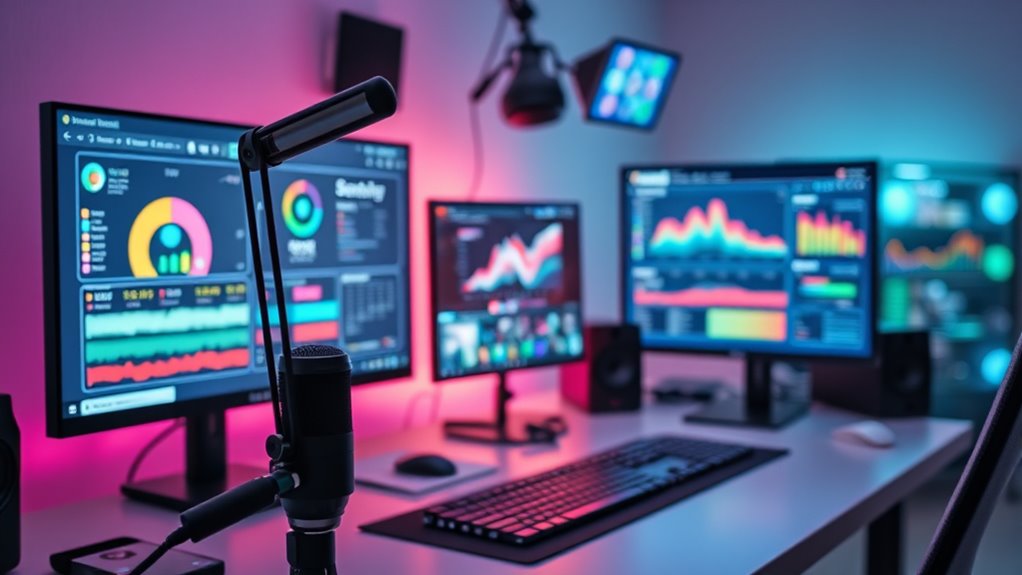
Choosing the right streaming software for live selling is crucial to engaging your audience and boosting sales. The best options offer seamless multi-camera setups, easy-to-use interfaces, and reliable performance, but they vary widely in features and price. YoloLiv YoloBox Extreme stands out as the overall top pick for all-in-one convenience, while OBS Studio remains a favored free choice for flexibility and customization. The main tradeoffs involve balancing cost, complexity, and feature set. Keep reading to see how these options compare and find the best fit for your live selling needs.

Get business pricing on office and shipping supplies
- Business-only prices and quantity discounts
- Tax-exempt purchasing
- Multiple users, one account, clear invoices
Key Takeaways
- The top picks balance ease of use with advanced features, making them suitable for a wide range of sellers.
- All-in-one solutions like YoloLiv YoloBox Extreme simplify setup but come at a higher price point.
- Free software like OBS Studio offers great customization but requires more technical knowledge.
- Portability and hardware integration are key factors for mobile or event-based live selling.
- Pricing and scalability vary, so consider your current needs and future growth when choosing software.


More Details on Our Top Picks
YoloLiv YoloBox Extreme 4K All-in-One Multi-Cam Live Streaming Equipment
The YoloLiv YoloBox Extreme stands out for its comprehensive multi-input capabilities, combining 8 HDMI ports and 6 NDI inputs, making it ideal for complex live productions. Its 11.2-inch OLED touchscreen provides clear, intuitive control, while 4K ISO recording ensures broadcast-quality output. Compared with the YoloLiv YoloBox Ultra, this model offers more inputs and longer battery life, though it sacrifices portability due to its weight. The device’s complex setup might challenge those without technical expertise, and the high price could be a barrier. Still, for those requiring a versatile, all-in-one solution for professional-grade live streaming, this model delivers unmatched flexibility and quality.
Pros:- Supports up to 8 HDMI inputs and 6 NDI inputs for multi-source flexibility
- High-resolution OLED touchscreen for precise control and monitoring
- Long 10-hour battery life supports all-day events
- 4K ISO recording ensures professional-quality footage
Cons:- Heavy at 2 kg, less portable for on-the-move use
- Complex setup may require technical knowledge
- High cost might be prohibitive for casual users
Best for: Producers and event teams needing high-end multi-camera live streaming with professional features
Not ideal for: Solo streamers or mobile content creators who prioritize portability and simplicity over extensive input options
- HDMI Inputs:8
- HDMI Outputs:2
- USB Inputs:3
- NDI Inputs:6
- Display:11.2-inch OLED touchscreen
- Resolution:4K60 scaling, 4K30 recording
- Battery Life:10 hours
Our verdict“This device is best suited for professional live production teams demanding maximum input flexibility and high-quality output.”
Mixer Plus Compact Video Switcher 4 HDMI with 4-inch Built-in Screen, Portable Live Streaming Switcher for Multi-Camera, Online Class, Event, YouTube, OBS, Zoom
The Mixer Plus excels as a portable, streamlined switcher with 4 HDMI inputs and a 4-inch built-in display, making it ideal for quick, multi-camera setups. Its support for seamless switching, customizable transitions, and features like chroma key and PIP elevate the quality of live streams comparable to larger hardware setups like the YoloBox Ultra, but in a more compact form. However, its small built-in screen can make detailed monitoring tricky, and advanced features may require some technical familiarity. This model suits content creators or educators who value mobility without sacrificing essential broadcast tools.
Pros:- Compact design with a built-in 4-inch screen for easy monitoring
- Supports seamless multi-camera switching with customizable effects
- Features advanced broadcast tools like chroma key, PIP, and logo overlay
- Multi-view monitoring enhances operational control
Cons:- Small screen size limits detailed viewing
- Advanced features may require technical knowledge
- Limited to HDMI inputs, not compatible with other formats
Best for: Content creators, educators, or small event organizers needing portable multi-camera switching
Not ideal for: Large production teams or users requiring extensive input options beyond 4 HDMI ports
- Number of HDMI inputs:4
- Built-in screen size:4 inches
- Supports PTZ camera control:Yes
- Transition effects:30 customizable
- Scene presets:4
- Multi View monitoring:Yes
Our verdict“This switcher is ideal for mobile producers seeking a compact, feature-rich solution for multi-camera live streaming.”
OBS Studio User Guide for Beginners: A Step-by-Step Walkthrough for Live Streaming and Video Recording
This guide simplifies the process of setting up OBS Studio for beginners, covering essential steps from installation to live streaming and recording. It offers clear instructions on configuring audio, adding transitions, and troubleshooting common issues, making it a solid starting point. Unlike dedicated hardware devices, OBS relies on user setup and familiarity with software, which can be a steep learning curve for some. The guide doesn’t delve into advanced features or updates, so experienced streamers might find it basic. Still, for newcomers aiming to produce decent quality streams with free software, this resource provides a practical foundation.
Pros:- Clear, step-by-step instructions suitable for beginners
- Covers a wide range of features, including plugins and performance tips
- Free and open-source, with no additional costs
- Flexible for various streaming setups and platforms
Cons:- Lacks detailed technical or advanced configuration options
- No information on software updates or new features
- Setup can be complex for users unfamiliar with software
Best for: Beginners or hobbyists new to live streaming who want a free, software-based solution
Not ideal for: Advanced users or professional broadcasters seeking high-end hardware features
Our verdict“This guide is perfect for novice streamers wanting a straightforward introduction to OBS Studio on a budget.”
OBS Studio for Beginners: Record, Stream, and Look Professional With Free Software
Designed for newcomers, OBS Studio for Beginners offers an accessible introduction to recording and live streaming, emphasizing ease of use. It covers core features like scene creation, source management, and basic streaming settings, helping users produce professional-looking videos without hardware investment. Compared with the YoloLiv YoloBox Extreme, it lacks integrated hardware controls and multi-camera inputs but compensates with zero cost and flexibility. The manual doesn’t explore advanced features or recent updates, making it less suitable for those seeking to expand into professional production. For entry-level streamers or educators on a tight budget, this guide provides a straightforward starting point.
Pros:- Free and open-source, no hardware costs
- User-friendly for beginners
- Versatile recording and streaming capabilities
- Supports multiple platforms and sources
Cons:- Limited advanced features for professional use
- Requires technical setup and familiarity with software
- No dedicated hardware controls
Best for: Beginners or students starting their streaming journey with free, open-source tools
Not ideal for: Experienced broadcasters or users needing extensive input options and hardware integration
Our verdict“This guide suits new streamers looking to learn the basics of OBS without financial investment.”
YoloLiv YoloBox Ultra, Horizontal/Vertical NDI Live Streaming Equipment
The YoloLiv YoloBox Ultra offers an all-in-one solution with a built-in switcher, encoder, recorder, and an 8-inch touchscreen, making it highly adaptable for various live scenarios. Its ability to stream in both horizontal and vertical formats is a key advantage over the original YoloBox, catering to content creators focusing on social media platforms like TikTok or Instagram. With support for multiple HDMI and USB inputs, cellular bonding, and ISO recordings, it surpasses many competitors in flexibility. However, additional fees may apply for NDI/SRT features, and its battery management can be complex if issues arise. This device is well-suited for content creators who need maximum versatility in a portable, all-in-one package.
Pros:- Supports horizontal and vertical streaming in one device
- Built-in switcher, encoder, recorder, and touchscreen all-in-one
- Multiple HDMI and USB inputs for diverse source connections
- Cellular bonding ensures stable, low-latency streams
Cons:- Additional charges may be required for NDI/SRT features
- Battery management can be complex during troubleshooting
- Higher price point compared to simpler streaming devices
Best for: Social media influencers, educators, or event organizers needing flexible orientation and multi-platform streaming
Not ideal for: Users requiring high-end inputs for large-scale production or heavy-duty workflows
- Display:8-inch touchscreen
- Resolution:4K
- Inputs:4 HDMI, USB-C, USB-A
- Streaming Platforms:Horizontal and vertical RTMP
- Network Bonding:Up to 5 connections
- Recording:ISO recordings with customizable settings
Our verdict“This device is ideal for on-the-move content creators who prioritize format flexibility and multi-platform streaming capabilities.”
OBS Studio User Guide: A Step-by-Step Beginner’s Manual to Recording, Live Streaming, Screen Capture, Content Creation, Audio Setup, and Professional Broadcasting
This guide stands out for providing a clear, step-by-step approach to mastering OBS Studio, which is essential for newcomers. Unlike the more technical OBS Studio for Beginners, it offers detailed instructions on both recording and live streaming, making complex features accessible. However, it lacks technical updates and may feel overwhelming for absolute beginners without prior tech familiarity. Compared with the YoloLiv YoloBox Ultra, this manual doesn’t include integrated hardware but offers more granular control over software settings. For those just starting out and wanting a comprehensive walkthrough, this manual bridges the gap between basic usage and professional techniques, though it’s less ideal for users seeking quick setup without deep learning.
Pros:- Provides comprehensive, beginner-friendly instructions on OBS Studio features
- Covers a wide range of topics including screen capture, audio, and professional broadcasting
- Includes practical tips to improve stream quality and presentation
Cons:- Lacks specific technical details or recent updates that reflect the latest OBS features
- May be overwhelming for absolute beginners without some prior tech knowledge
Best for: Beginners who need a structured, detailed guide to get started with OBS Studio and understand professional broadcasting techniques
Not ideal for: Experienced streamers or tech-savvy users looking for quick setup instructions or advanced, up-to-date technical details
- Coverage:Recording, live streaming, screen capture, audio setup, professional broadcasting
- Complexity:Beginner-friendly with detailed instructions
- Updates:No recent technical updates included
- Format:Printed manual or PDF guide
- Audience:Novice streamers and content creators
- Length:Extensive step-by-step instructions
Our verdict“This guide is best suited for new users eager to learn OBS Studio step-by-step but may require patience for complete beginners.”
How We Picked
Products were evaluated based on performance, usability, build quality, and value for live selling. We prioritized tools that support multi-camera streams, reliable connectivity, and straightforward interfaces suitable for sellers who need quick setup and minimal fuss. Cost, scalability, and hardware integration also played key roles in our ranking. The goal was to identify options that cater to different skill levels and budgets, ensuring that each product offers clear advantages within its niche.Factors to Consider When Choosing Streaming Software For Live Selling
When choosing streaming software for live selling, it’s important to consider several factors that influence your success and ease of use. The right software should match your technical skills, support your desired streaming setup, and fit within your budget. Understanding these considerations can prevent costly mistakes and help you select a solution that scales with your business.Ease of Use and Learning Curve
Many sellers underestimate how much time is needed to master complex streaming software. Look for options with intuitive interfaces, clear guides, and minimal setup requirements if you’re a beginner. Conversely, more advanced tools like OBS Studio offer extensive customization but require a learning curve, which might be a barrier if you’re short on time or technical skills.
Hardware Compatibility and Portability
Consider whether your setup involves stationary equipment or mobile, on-the-go streaming. All-in-one hardware solutions like YoloLiv YoloBox Extreme excel in portability and ease of connection, making them ideal for live markets or events. If you prefer a desktop-based setup, ensure your PC or laptop meets the software’s requirements and can handle multiple streams smoothly.
Multi-Stream and Multi-Camera Support
Engaging live selling often benefits from multiple camera angles and overlays. Check whether the software supports multi-camera feeds, real-time switching, and overlay features. Some free options like OBS require additional configuration but offer extensive control, while dedicated hardware options simplify this process with built-in switching capabilities.
Cost and Scalability
Budget constraints are real, but investing in a scalable solution can save money long-term. Free tools like OBS are great for starting out, but they might lack professional features or require additional hardware. Premium solutions like YoloLiv often include hardware and software bundled for a higher upfront cost but offer a more streamlined experience for growing businesses.
Customer Support and Community
Good support can make a huge difference when troubleshooting live issues. Look for products with active user communities, tutorials, and responsive customer service. Free software may rely heavily on community forums, while paid options often include dedicated support channels to help resolve problems quickly during live events.
Frequently Asked Questions
Can I use free streaming software for professional live selling?
Yes, free streaming software like OBS Studio is capable of supporting professional live selling, especially when paired with good hardware. It offers extensive customization, multi-camera support, and overlays, making it suitable for sellers who are comfortable with a more hands-on setup. However, for more streamlined operation and dedicated features, paid options may reduce setup time and technical hurdles.
What hardware do I need to effectively run live selling streams?
Effective live selling streams typically require a reliable computer or device capable of handling multiple video feeds, a stable internet connection, and possibly additional hardware like switchers or capture cards. Hardware solutions like YoloLiv YoloBox combine this functionality into a portable device, reducing setup complexity. Ensure your hardware matches your software’s requirements to prevent lag or dropped frames during sales.
Is multi-camera streaming necessary for successful live selling?
While not strictly necessary, multi-camera setups greatly enhance viewer engagement by offering different angles and close-ups of your products. Many viewers appreciate a dynamic presentation, which can boost sales. Software that supports easy multi-camera switching, like YoloLiv or OBS, can make this process straightforward, but it requires additional equipment and setup time.
How much should I budget for live selling streaming software?
The cost varies widely, from free options like OBS to premium hardware-integrated solutions costing several hundred dollars. Your budget should reflect your business scale—small sellers might start with free tools and upgrade later, while larger operations or those needing smoother workflows may find value in investing in all-in-one hardware solutions. Consider long-term scalability and support when choosing your investment.
What features are essential for beginner-friendly live selling software?
Beginner-friendly software should have an intuitive interface, straightforward setup, and features like pre-made templates or overlays. It should also support easy multi-camera switching and simple streaming to popular platforms like Facebook or Instagram. Free options like OBS are powerful but can be daunting for newcomers, so look for guided tutorials or integrated support if you’re just starting out.
Conclusion
For those just starting with live selling, OBS Studio offers a free, flexible platform that can grow with your skills, making it ideal for budget-conscious beginners. If you want a reliable, all-in-one device with minimal fuss, the YoloLiv YoloBox Extreme stands out as the best overall choice for ease of use and portability. Sellers with larger or more complex setups should consider premium options like dedicated hardware switchers for better multi-camera control. Budget-conscious businesses will find value in starting with free software, while established sellers aiming for professional presentation might prefer premium hardware integrated solutions. Your choice depends on your technical comfort, business size, and future growth plans.
Halloween Picks

Halloween Inflatable Haunted House Maze – 20×20 ft with Removable Roof and Blower

ELAMAS 11ft Animatronic Flying Witch Halloween Decoration

Haunted Hill Farm 4.6‑Ft Head‑Spinning Beatrix Halloween Animatronic Prop
As an affiliate, we earn on qualifying purchases.