For high-volume office printing, speed is only part of the choice: paper capacity, toner yield, scanning needs, and cartridge restrictions can matter just as much. I rank the Brother HL-6210DW as the strongest dedicated printer for heavy workloads, while the Brother MFC-L5915DW is the better fit when fast printing must share the workload with scanning and copying. The HP LaserJet Pro 3001dw suits smaller teams that value security and straightforward duplex printing over the very highest throughput.

Get business pricing on office and shipping supplies
- Business-only prices and quantity discounts
- Tax-exempt purchasing
- Multiple users, one account, clear invoices
The main tradeoff is clear: the fastest Brother models bring larger footprints and more involved setup, while compact HP options sacrifice tray capacity or top speed. All five are monochrome, so none suits offices that need routine color documents. I compare them by the tasks they can sustain, not by speed alone.
Key Takeaways
- The Brother HL-6210DW leads for print-only volume with 50 ppm output, a 520-sheet main tray, and expansion up to 1,660 sheets.
- The Brother MFC-L5915DW is the strongest all-in-one for heavy document workflows, pairing 50 ppm printing with a 70-page ADF and two-sided scanning at 56 ipm.
- The HP LaserJet Pro 3001dw offers 35 ppm printing and automatic duplexing for teams of up to seven, but it restricts cartridges with non-HP chips.
- The HP LaserJet Pro MFP 3101sdw offers a 50-sheet ADF and 250-sheet input tray, making it more suitable for regular office scanning than the compact M234dw.
- Every printer here is monochrome; offices that depend on color reports, presentations, or marketing materials need a different class of machine.
| Brother HL-6210DW Monochrome Duplex Wireless Laser Printer |  | Best Overall for High-Volume Printing | Print speed: Up to 50 ppm | Main tray: 520 sheets | Multipurpose tray: 100 sheets | VIEW ON AMAZON | See Our Full Breakdown |
| Brother MFC-L5915DW Professional Laser All-in-One Printer with Scanner, Copier, 50 ppm, Dual-Band WiFi |  | Best All-in-One for Heavy Workflows | Print speed: Up to 50 ppm | Scan speed: Up to 56 ipm, two-sided | ADF capacity: 70 pages | VIEW ON AMAZON | See Our Full Breakdown |
| HP LaserJet Pro 3001dw Wireless Black & White Printer |  | Best for Small Secure Teams | Print speed: Up to 35 ppm, black and white | Recommended users: Up to 7 | Connectivity: Wi-Fi, Ethernet, Bluetooth, USB | VIEW ON AMAZON | See Our Full Breakdown |
| HP LaserJet Pro MFP 3101sdw Wireless Black and White All-in-One Laser Printer |  | Best HP All-in-One for Small Offices | Print speed: Up to 35 ppm | Input tray: 250 sheets | ADF capacity: 50 sheets | VIEW ON AMAZON | See Our Full Breakdown |
| HP LaserJet MFP M234dw Wireless Printer, Print, Scan, Copy, Fast Speeds, Easy Setup, Mobile Printing |  | Best Compact Multifunction Option | Print speed: Up to 30 ppm copy speed is specified; print speed not supplied | Functions: Print, scan, copy | Duplex printing: Automatic | VIEW ON AMAZON | See Our Full Breakdown |
| high volume laser printers for office use | Print speed | Connectivity | Functions | Output |
|---|---|---|---|---|
| Brother HL-6210DW Monochrome D | Up to 50 ppm | Gigabit Ethernet, dual-band wireless | — | — |
| Brother MFC-L5915DW Profession | Up to 50 ppm | Gigabit Ethernet, dual-band Wi-Fi | Print, scan, copy | Monochrome |
| HP LaserJet Pro 3001dw Wireles | Up to 35 ppm, black and white | Wi-Fi, Ethernet, Bluetooth, USB | — | Monochrome |
| HP LaserJet Pro MFP 3101sdw Wi | Up to 35 ppm | Wireless Wi-Fi | Print, scan, copy | Black and white |
| HP LaserJet MFP M234dw Wireles | Up to 30 ppm copy speed is specified; print speed not supplied | Wi-Fi, Ethernet, USB 2.0 | Print, scan, copy | — |
More Details on Our Top Picks
Brother HL-6210DW Monochrome Duplex Wireless Laser Printer
The HL-6210DW is my leading pick when the office prints a lot and scanning is handled elsewhere. Its 50 ppm engine is substantially faster on paper than the 35 ppm HP models here, and its 520-sheet main tray reduces refill interruptions during busy stretches. For a department that regularly runs large batches, that combination is more meaningful than adding scan functions the staff may not use.
Paper handling is its strongest point: optional expansion raises capacity to up to 1,660 sheets, although those extra trays require a separate purchase. The listed high-yield toner reaches up to 18,000 pages, giving purchasing teams a high-capacity option to evaluate against their own print volume. Gigabit Ethernet and dual-band wireless support flexible office placement, while Triple Layer Security addresses networked-office concerns.
The compromise is physical and operational. This is a large, heavy, print-focused machine, and setup may take more effort than a small-team printer. Compared with the MFC-L5915DW, it gives up scanning and copying; compared with the 3001dw, it is better prepared for batches but less suited to a compact desk area. I would choose it for output first, not for an all-in-one workflow.
Pros:- 50 ppm print speed suits frequent, large print jobs.
- 520-sheet main tray helps reduce paper refills.
- Optional trays raise capacity to 1,660 sheets.
- Gigabit Ethernet, dual-band wireless, and high-yield toner support office-scale use.
Cons:- Expandable trays are an additional purchase.
- Bulky design can be difficult to place in a small office.
- Setup may be more involved than on simpler small-team models.
Best for: Busy departments that print large monochrome batches and already have separate scanning or copying equipment.
Not ideal for: Small offices with limited floor or desk space, occasional printing, or a need for a built-in scanner and copier.
- Print speed:Up to 50 ppm
- Main tray:520 sheets
- Multipurpose tray:100 sheets
- Expandable capacity:Up to 1,660 sheets
- Connectivity:Gigabit Ethernet, dual-band wireless
- High-yield toner:Up to 18,000 pages
- Security:Triple Layer Security
- Printing:Monochrome, automatic duplex
Our verdict“I recommend the HL-6210DW for offices that prioritize fast, high-volume printing and can accommodate its size and print-only design.”
Brother MFC-L5915DW Professional Laser All-in-One Printer with Scanner, Copier, 50 ppm, Dual-Band WiFi
When an office needs one machine to print, copy, and process incoming paperwork, the MFC-L5915DW is the most capable all-in-one in this group. It matches the HL-6210DW at 50 ppm printing while adding a 70-page automatic document feeder and two-sided scanning rated at 56 images per minute. That makes it the better choice when digitizing multipage records is routine rather than occasional.
The supplied toner information includes an 18,000-page high-yield cartridge and a standard 3,000-page cartridge. That gives high-output teams a longer-yield option to weigh against their actual use. Gigabit Ethernet and dual-band Wi-Fi offer both wired and wireless deployment, so this model can serve a shared office without making scanning dependent on a single workstation.
Its main limitation is also straightforward: black-and-white output only. It is a more complete document hub than the HL-6210DW, but the product details here do not list its input tray capacity or expandable paper capacity, so I would not assume it matches that model’s paper handling. Choose it for mixed print-and-scan work; pick the HL-6210DW when paper capacity and print-only throughput are the priorities.
Pros:- 50 ppm monochrome printing keeps pace with high-volume work.
- 70-page ADF supports sizable document batches.
- Two-sided scanning is rated at 56 images per minute.
- Includes an 18,000-page high-yield toner option and wired or wireless networking.
Cons:- Monochrome printing cannot produce color office documents.
- Supplied specifications do not list input tray capacity.
- Its scanning features add little value to teams that only print.
Best for: Offices that print quickly and regularly scan or copy multipage, double-sided documents.
Not ideal for: Teams that need color output or want documented large input-tray capacity and paper expansion.
- Print speed:Up to 50 ppm
- Scan speed:Up to 56 ipm, two-sided
- ADF capacity:70 pages
- High-yield toner:TN920UXXL, up to 18,000 pages
- Standard toner:Up to 3,000 pages
- Connectivity:Gigabit Ethernet, dual-band Wi-Fi
- Functions:Print, scan, copy
- Output:Monochrome
Our verdict“I would choose the MFC-L5915DW when fast output and frequent two-sided scanning matter more than a documented large paper tray.”
HP LaserJet Pro 3001dw Wireless Black & White Printer
The LaserJet Pro 3001dw suits a small office that wants straightforward monochrome printing without stepping up to a bulky high-capacity machine. At up to 35 ppm, it is slower than either 50 ppm Brother, but still offers automatic two-sided printing and is designed for teams of up to seven users. HP Wolf Pro Security is a useful distinction for offices that want stated protection features built into a shared network printer.
It offers Wi-Fi, Ethernet, Bluetooth, and USB, with compatibility across Windows, Mac, Android, Chromebook, and AirPrint. That breadth makes it easier to support a mixed-device group than a printer tied to one kind of workstation. Against the HP MFP 3101sdw, this model is the simpler print-only choice: it avoids paying for scanning and copying functions, but cannot take on those jobs when the office needs them.
The important purchasing caveat is cartridge compatibility. The supplied details say the printer blocks non-HP cartridges that use third-party chips, and periodic firmware updates may be needed to maintain security measures. For some organizations, managed security and familiar HP workflows may outweigh that restriction; others will prefer to investigate toner sourcing before choosing it. It is a small-team office printer, not my first pick for sustained departmental volume.
Pros:- Up to 35 ppm output is suitable for small-team office work.
- Automatic two-sided printing helps reduce paper use.
- HP Wolf Pro Security is included.
- Supports Wi-Fi, Ethernet, Bluetooth, USB, and multiple operating systems.
Cons:- Blocks cartridges using non-HP third-party chips.
- Periodic firmware updates are required to maintain security measures.
- Slower than the 50 ppm Brother printers and has no scanner.
Best for: Small teams of up to seven users seeking a secure, connected monochrome printer with automatic duplexing.
Not ideal for: High-throughput departments, offices needing integrated scanning, or buyers who want freedom to use third-party-chip cartridges.
- Print speed:Up to 35 ppm, black and white
- Recommended users:Up to 7
- Connectivity:Wi-Fi, Ethernet, Bluetooth, USB
- Duplex printing:Automatic
- Security:HP Wolf Pro Security
- Compatibility:Windows, Mac, Android, Chromebook, AirPrint
- Model:3G65OF
- Output:Monochrome
Our verdict“I recommend the 3001dw for smaller teams that value connectivity and built-in security more than top-end throughput or cartridge flexibility.”
HP LaserJet Pro MFP 3101sdw Wireless Black and White All-in-One Laser Printer
The MFP 3101sdw makes the most sense for a small team that prints, scans, and copies but does not need the 50 ppm pace of the Brother all-in-ones. Its 35 ppm print speed is a step below the MFC-L5915DW, yet it brings a 50-sheet ADF and a 250-sheet input tray for everyday paperwork. Automatic duplex printing helps keep two-sided office documents moving with less manual handling.
Compared with the compact HP M234dw, this model has a more clearly specified 250-sheet tray and 50-sheet feeder, making it better suited to regular shared-office document work. It is still a small-team machine rather than a high-capacity departmental printer: its listed speed is 15 ppm below the Brothers, and the supplied details do not describe expandable tray capacity or two-sided scanning speed.
Its wireless connectivity is useful for a shared work area, but the listed cartridge limitation deserves attention. It works only with HP chips or circuitry cartridges, and it prints monochrome only. I would place it ahead of the M234dw for routine scanning and copying, but behind the Brother MFC-L5915DW for offices that scan large batches or print continuously.
Pros:- 35 ppm output is a practical pace for a small shared office.
- 250-sheet input tray reduces frequent reloading compared with a minimal-capacity setup.
- 50-sheet ADF supports multipage scans and copies.
- Automatic duplex printing cuts manual page handling.
Cons:- Works only with HP chips or circuitry cartridges.
- Monochrome output cannot handle color documents.
- Slower than both 50 ppm Brother models.
Best for: Small teams already using HP workflows that need printing, copying, and moderate scanning in one device.
Not ideal for: Departments with sustained high-volume output, color requirements, or a need for two-sided scanning at a stated high speed.
- Print speed:Up to 35 ppm
- Input tray:250 sheets
- ADF capacity:50 sheets
- Connectivity:Wireless Wi-Fi
- Duplex printing:Automatic
- Functions:Print, scan, copy
- Output:Black and white
- Cartridge compatibility:HP chips or circuitry cartridges
Our verdict“I would choose the 3101sdw over the smaller HP M234dw when an office needs a better-specified tray and ADF, but not Brother-level speed.”
HP LaserJet MFP M234dw Wireless Printer, Print, Scan, Copy, Fast Speeds, Easy Setup, Mobile Printing
The M234dw is the compact, basic all-in-one in this ranking. It combines monochrome printing with flatbed scanning and copying, and its stated maximum copy speed is 30 pages per minute. Ethernet, USB, and Wi-Fi give a small office several ways to connect it, while automatic duplexing helps with routine double-sided documents. Its 19.4-pound listed weight and compact dimensions make placement easier than with the large Brother HL-6210DW.
That smaller footprint comes with a clear capacity compromise: it has one tray, and the supplied details give no sheet capacity. That makes it harder to recommend for sustained high-volume work than the 3101sdw, whose 250-sheet tray and 50-sheet ADF are specified. It is also slower than the 3001dw’s stated 35 ppm print speed, though the M234dw adds scanning and copying that the 3001dw lacks.
Consider this model for light shared-office jobs where space matters more than throughput. It supports plain paper, envelopes, labels, and cardstock, but remains monochrome and uses a listed HP black toner cartridge with an approximate 700-page yield. For a busy office, frequent paper refills and toner changes may make the Brother models or the 3101sdw better fits.
Pros:- Compact footprint suits limited office space.
- Combines print, scan, and copy functions.
- Automatic duplexing and Wi-Fi, Ethernet, and USB support.
- Handles plain paper, envelopes, labels, and cardstock.
Cons:- Single tray has no capacity listed in the supplied specifications.
- No ADF is listed, limiting batch document scanning.
- Listed cartridge yield is approximately 700 pages.
Best for: Small offices with limited space that need basic monochrome printing, flatbed scanning, and copying.
Not ideal for: High-volume departments that need large paper capacity, a document feeder, or fewer consumable changes.
- Print speed:Up to 30 ppm copy speed is specified; print speed not supplied
- Functions:Print, scan, copy
- Duplex printing:Automatic
- Connectivity:Wi-Fi, Ethernet, USB 2.0
- Scanner:Flatbed
- Tray count:1
- Listed toner yield:Approximately 700 pages
- Dimensions and weight:11.75 x 14.49 x 9.5 inches; 19.4 pounds
Our verdict“I see the M234dw as a space-saving small-office all-in-one, not a first choice for sustained high-volume printing.”
How We Picked
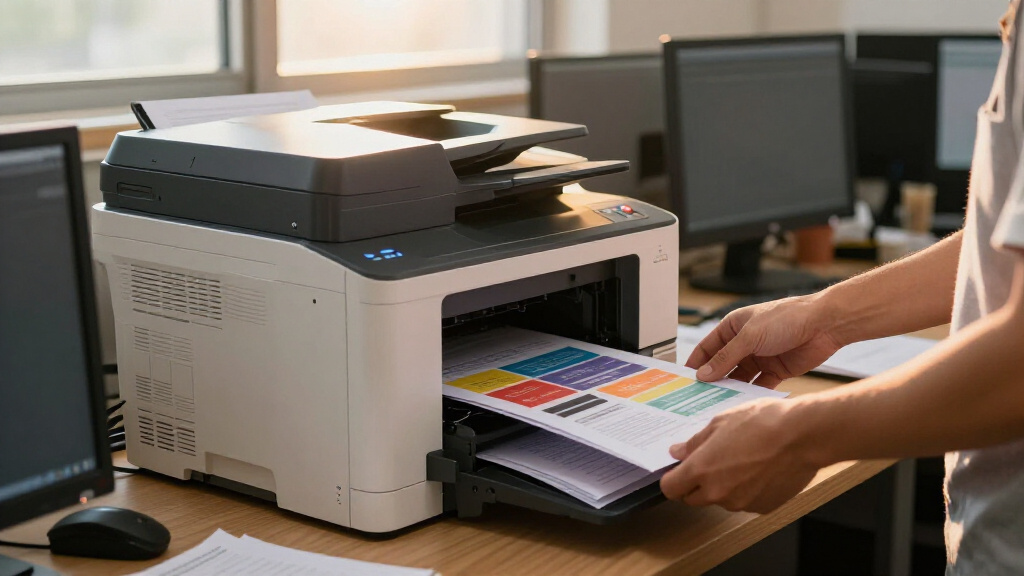
I ranked these models around the demands behind high-volume office use: sustained print speed, available paper capacity, workflow features, networking, and toner details where supplied. A fast engine can still interrupt a busy team if its tray is small, while a large ADF can save more staff time than a modest speed advantage when paperwork needs scanning.
I also separated print-only machines from all-in-ones rather than treating extra functions as an automatic benefit. The Brother HL-6210DW ranks first for print throughput and expandable paper handling. The MFC-L5915DW follows closely because it combines fast output with high-capacity two-sided scanning. HP’s models place lower for heavier workloads, but have clearer roles for smaller teams, compact spaces, or simpler document needs.
Product details supplied for this comparison do not establish the same duty cycle, long-term running cost, or service requirements for every model. I avoid treating those as known quantities. I also count cartridge compatibility as a practical tradeoff: the listed HP cartridge restrictions can affect purchasing flexibility, and firmware updates may be part of maintaining security. Since all five print in black and white, color capability does not distinguish them.
| high volume laser printers for office use | Print speed | Connectivity | Output |
|---|---|---|---|
| Brother HL-6210DW Monochrome D | Up to 50 ppm | Gigabit Ethernet, dual-band wireless | — |
| Brother MFC-L5915DW Profession | Up to 50 ppm | Gigabit Ethernet, dual-band Wi-Fi | Monochrome |
| HP LaserJet Pro 3001dw Wireles | Up to 35 ppm, black and white | Wi-Fi, Ethernet, Bluetooth, USB | Monochrome |
| HP LaserJet Pro MFP 3101sdw Wi | Up to 35 ppm | Wireless Wi-Fi | Black and white |
| HP LaserJet MFP M234dw Wireles | Up to 30 ppm copy speed is specified; print speed not supplied | Wi-Fi, Ethernet, USB 2.0 | — |
Factors to Consider When Choosing High Volume Laser Printers For Office Use
I would start by matching the printer to the work that creates interruptions: large print runs, recurring scans, frequent tray refills, or a need to place the machine in a cramped office. The fastest model is not automatically the best fit if its extra capabilities go unused.Choose speed for the workload, not the headline
The two Brother models list 50 ppm, compared with 35 ppm for the HP 3001dw and 3101sdw. That gap is most useful when print jobs are large or frequent; for occasional short documents, it may matter less than tray size or scanning. The M234dw’s supplied details state a 30-page-per-minute maximum copy speed, not a print speed, so I would not treat that figure as a directly comparable print rating.
Paper capacity can matter as much as pace
The HL-6210DW has the clearest case for uninterrupted print batches: a 520-sheet main tray, a 100-sheet multipurpose tray, and optional expansion up to 1,660 sheets. The HP 3101sdw lists 250 sheets, while the M234dw has one tray with no capacity supplied here. If refill interruptions disrupt a team, favor a printer with documented capacity and check expansion costs before buying.
Decide whether scanning belongs in the same machine
For print-only work, the HL-6210DW avoids paying for features a team may not use. If staff process paper forms or records, the MFC-L5915DW stands out with a 70-page ADF and fast two-sided scanning. The HP 3101sdw has a 50-sheet ADF, while the M234dw lists a flatbed scanner but no ADF. Those distinctions shape how easily each machine handles multipage stacks.
Check toner rules and yield before settling on a model
The supplied Brother details list high-yield toner options of up to 18,000 pages for both Brother printers, giving high-output offices a stated yield to assess. The HP 3001dw blocks cartridges with non-HP third-party chips, and the 3101sdw works only with HP chips or circuitry cartridges. The M234dw’s listed cartridge yield is approximately 700 pages. Compare compatible supplies and yield against the office’s actual use rather than assuming the printer purchase tells the whole operating-cost story.
Match network and security features to office policy
The HL-6210DW and MFC-L5915DW list Gigabit Ethernet and wireless networking, while the HP 3001dw includes HP Wolf Pro Security and a broad mix of Wi-Fi, Ethernet, Bluetooth, and USB. The right choice depends on how the office manages shared devices and its security requirements. The 3001dw’s supplied information calls for periodic firmware updates to maintain security measures, so include update responsibility in the setup plan.
Be clear about monochrome limits and physical space
Every model in this roundup prints in black and white. None is the right choice if routine work includes color charts, branded proposals, or marketing pages. Size also separates the picks: the HL-6210DW is bulky, while the M234dw is specifically compact and listed at 19.4 pounds. I would reserve a stable shared location for the Brother workhorses and choose a compact HP only when its lower capacity fits the office’s real volume.
Frequently Asked Questions
Which printer here is best for the highest print volume?
I would start with the Brother HL-6210DW for print-heavy work because it combines 50 ppm output with a 520-sheet main tray and optional expansion up to 1,660 sheets. If the office also needs a scanner and copier, the MFC-L5915DW is the more capable multifunction alternative, though the supplied details do not list its input capacity.
Which model is best when the office scans paperwork every day?
The Brother MFC-L5915DW is the strongest choice for recurring document capture: its 70-page ADF supports batches, and its stated two-sided scan speed is 56 images per minute. The HP 3101sdw is a smaller-team alternative with a 50-sheet ADF, while the M234dw’s flatbed design is better suited to individual pages than stacks.
Are any of these printers suitable for color documents?
No. All five models are described as monochrome printers, so they are designed for black-and-white output. If color charts, proposals, presentations, or marketing materials are part of normal office work, I would choose a color laser model instead of trying to make one of these serve both roles.
Which option makes sense for a small team with limited space?
The HP LaserJet MFP M234dw is the compact pick and adds print, scan, and copy functions. Its single tray has no capacity listed in the supplied details, and no ADF is listed, so I would not select it for a steady stream of large jobs. For a small team that scans multipage paperwork more often, the HP 3101sdw has a specified 250-sheet tray and 50-sheet ADF.
What should I check before buying an HP model?
Check cartridge compatibility and update expectations before choosing. The 3001dw blocks non-HP cartridges that use third-party chips and may require periodic firmware updates to maintain security measures; the 3101sdw works only with HP chips or circuitry cartridges. The M234dw lists an approximately 700-page cartridge yield. These details can affect supply planning, especially for offices that print frequently.
Conclusion
My recommendation depends on what the office needs the printer to do. Choose the Brother HL-6210DW for high-volume print-only work and expandable paper capacity. Pick the Brother MFC-L5915DW if fast printing must be paired with frequent, two-sided scanning and copying. For a smaller connected team that values HP security features, the LaserJet Pro 3001dw is a sensible simpler option, subject to its cartridge rules.
If your team needs an HP all-in-one with a specified input tray and ADF, I would favor the LaserJet Pro MFP 3101sdw over the more compact M234dw. Choose the M234dw only when a small footprint and basic multifunction tasks outweigh tray capacity and batch-scanning needs. None of these models handles color printing, so a color-dependent office should shop beyond this list.
Halloween Picks

Spirit Halloween 54-Inch Sitting Scarecrow Animatronic

ELAMAS 11ft Animatronic Flying Witch Halloween Decoration

Fun Costumes Creepy Twin Boys Halloween Animatronic
As an affiliate, we earn on qualifying purchases.