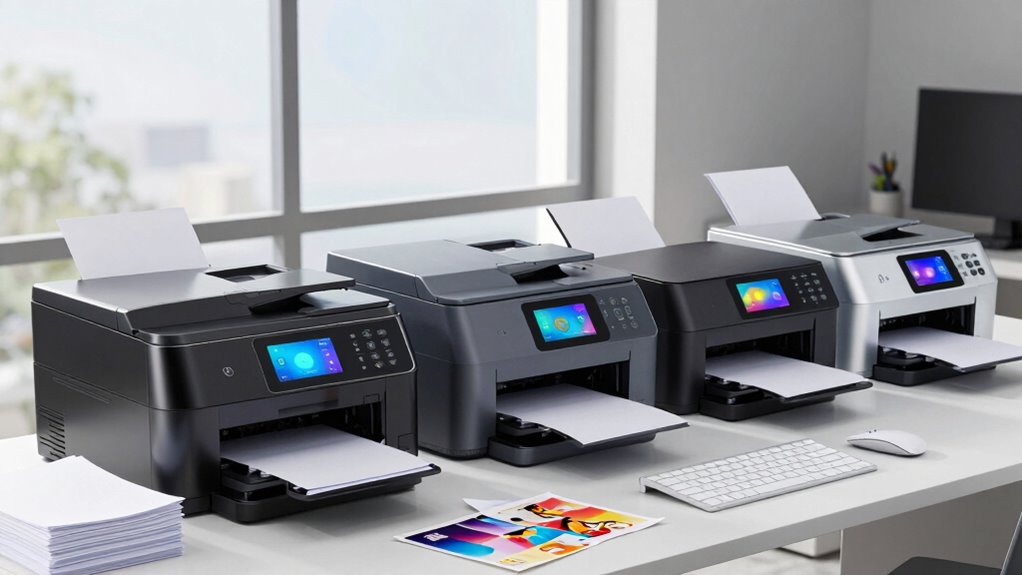

For an office printer that can keep several jobs moving, I’d start with the Brother MFC-L5915DW for its 50 ppm output and 70-page feeder, the MFC-L5710DW for fast duplex scanning and expandable paper capacity, or the MFC-L8930CDW if color documents are part of the daily workload. These models serve different versions of multitasking: raw monochrome throughput, document workflow flexibility, and color-capable team printing.

Get business pricing on office and shipping supplies
- Business-only prices and quantity discounts
- Tax-exempt purchasing
- Multiple users, one account, clear invoices
The tradeoffs are practical. The fastest machines here are monochrome, while the color-capable Brother is slower at printing and asks users to learn a broader control system. Smaller-office options such as the MFC-L2820DW and HP LaserJet Pro MFP 3101sdw take less space and cover core print, scan, and copy tasks, but they offer less advanced workflow capacity. I rank these five by how well their speed, scanning, connectivity, and capacity support overlapping office jobs—not by speed alone.
Key Takeaways
- The Brother MFC-L5915DW leads for heavy monochrome workloads, pairing 50 ppm printing with a 70-page feeder and single-pass two-sided scanning.
- The Brother MFC-L5710DW is a stronger fit when duplex scanning, security features, and the option to expand paper capacity matter more than the fastest listed print speed.
- The Brother MFC-L8930CDW is the only color pick here and offers an 80-page feeder with scanning up to 104 ipm, but prints more slowly than the monochrome leaders.
- The Brother MFC-L2820DW and HP LaserJet Pro MFP 3101sdw suit smaller teams with basic multifunction needs; neither matches the larger Brothers’ document-handling breadth.
- All five are monochrome-only except the MFC-L8930CDW, so I’d choose based on actual color-document needs before prioritizing print speed.
| Brother MFC-L5915DW Monochrome Laser All-in-One Printer |  | Best Overall for High-Volume Multitasking | Print technology: Monochrome laser | Print speed: Up to 50 ppm | Scan speed: Up to 56 ipm | VIEW ON AMAZON | See Our Full Breakdown |
| Brother MFC-L5710DW Business Monochrome Laser All-in-One Printer |  | Best for Scanning Workflows and Expandable Capacity | Print speed: Up to 48 ppm | Scan speed: Up to 60 ipm | ADF capacity: 50 pages | VIEW ON AMAZON | See Our Full Breakdown |
| Brother MFC-L8930CDW Business Color Laser All-in-One Printer |  | Best Color Option for Shared Office Work | Print speed: Up to 33 ppm | Scan speed: Up to 104 ipm | ADF capacity: 80 pages | VIEW ON AMAZON | See Our Full Breakdown |
| Brother MFC-L2820DW Wireless Monochrome All-in-One Laser Printer |  | Best for Small Offices and Straightforward Workflows | Print speed: Up to 36 ppm | Scan speed: Up to 23.6/7.9 ipm | ADF capacity: 50 pages | VIEW ON AMAZON | See Our Full Breakdown |
| HP LaserJet Pro MFP 3101sdw Wireless Black and White All-in-One Laser Printer |  | Best for Small Teams Wanting a Simple Print-Scan-Copy Device | Print speed: Up to 35 ppm | Paper capacity: 250 sheets | ADF capacity: 50 sheets | VIEW ON AMAZON | See Our Full Breakdown |
| business laser printers for multitasking | Print speed | ADF capacity | Connectivity | Scan speed |
|---|---|---|---|---|
| Brother MFC-L5915DW Monochrome | Up to 50 ppm | 70 pages | Dual-band Wi-Fi, Gigabit Ethernet | Up to 56 ipm |
| Brother MFC-L5710DW Business M | Up to 48 ppm | 50 pages | Gigabit Ethernet, dual-band wireless | Up to 60 ipm |
| Brother MFC-L8930CDW Business | Up to 33 ppm | 80 pages | Dual-band Wi-Fi, Gigabit Ethernet | Up to 104 ipm |
| Brother MFC-L2820DW Wireless M | Up to 36 ppm | 50 pages | 2.4GHz and 5GHz wireless, Ethernet, USB | Up to 23.6/7.9 ipm |
| HP LaserJet Pro MFP 3101sdw Wi | Up to 35 ppm | 50 sheets | Wireless Wi-Fi | — |
More Details on Our Top Picks
Brother MFC-L5915DW Monochrome Laser All-in-One Printer
I rank the Brother MFC-L5915DW first because it combines the highest listed print speed in this group, up to 50 ppm, with a 70-page feeder and single-pass two-sided scanning. That mix is especially useful when a team is printing long reports while another employee digitizes double-sided paperwork. Its scan rate reaches 56 ipm, giving it a strong document-handling profile without requiring a much larger feeder than its peers.
Compared with the MFC-L5710DW, this model prints slightly faster and has a larger feeder, while the L5710DW lists a higher scan rate and paper expansion to 1,390 sheets. I’d choose the L5915DW when print queues and sizable scan batches are the daily pressure points; I’d look to the L5710DW when future paper capacity and its stated security features carry more weight. Gigabit Ethernet and dual-band Wi-Fi also give the L5915DW flexible placement and network options.
The key limitation is black-and-white-only output, which rules it out for teams producing color proposals, charts, or marketing pieces. Its included toner is listed at 3,000 pages, below the maximum 18,000-page yield available from a replacement option, so buyers should account for the difference between what arrives in the box and the high-yield configuration. This is the most capable all-round monochrome multitasker here, but its advantage matters most when the office regularly uses that throughput.
Pros:- Up to 50 ppm print and copy speed for busy queues
- 70-page feeder with single-pass two-sided scanning
- Dual-band Wi-Fi and Gigabit Ethernet
- Replacement toner options listed up to 18,000 pages
Cons:- Prints only in monochrome
- Included toner yield is 3,000 pages, well below the listed maximum replacement yield
Best for: Busy offices that print large monochrome batches and scan multipage, two-sided documents throughout the day.
Not ideal for: Teams that need color output, or low-volume offices unlikely to benefit from a 50 ppm engine and high-yield toner options.
- Print technology:Monochrome laser
- Print speed:Up to 50 ppm
- Scan speed:Up to 56 ipm
- ADF capacity:70 pages
- Connectivity:Dual-band Wi-Fi, Gigabit Ethernet
- Duplex:Automatic two-sided printing; single-pass two-sided scanning
- Included toner yield:3,000 pages
- Maximum toner yield:Up to 18,000 pages with TN920UXXL
Our verdict“I’d choose the MFC-L5915DW for the strongest blend of fast monochrome printing and hands-off batch scanning in this lineup.”
Brother MFC-L5710DW Business Monochrome Laser All-in-One Printer
The Brother MFC-L5710DW earns second place by leaning into document workflow rather than trying to beat the L5915DW on every measure. Its print speed reaches 48 ppm, just below the lineup leader, while its stated scan speed of up to 60 ipm is higher than the L5915DW’s. With duplex scanning, a 50-page feeder, and cloud support, it makes a good case for offices that digitize forms, invoices, or signed paperwork as often as they print.
Paper capacity starts at 250 sheets but can expand to 1,390 sheets with optional trays. That gives it a useful growth path that the supplied details for the L5915DW do not list. The 3.5-inch color touchscreen and Gigabit Ethernet plus dual-band wireless support a more involved shared-office setup, and Brother lists triple-layer security. Compared with the smaller MFC-L2820DW, this is the better option for larger scan queues, network administration, and an office expecting its paper demand to grow.
The drawback is that those capabilities can bring setup and purchasing complexity. Optional trays cost extra, and the listed configuration may be more machine than a small office needs. It also remains monochrome, so it cannot replace a color printer for client-facing graphics. I put it behind the L5915DW because it prints a little more slowly and has a smaller feeder, but for scan-heavy work and expandable paper handling, it may be the more fitting choice.
Pros:- Up to 48 ppm printing and copying
- Duplex scanning with scan speed up to 60 ipm
- Paper capacity expandable from 250 to 1,390 sheets
- Gigabit Ethernet, dual-band wireless, and triple-layer security
Cons:- Optional paper trays add equipment and setup complexity
- Advanced configuration may be challenging for less technical users
- Monochrome-only printing
Best for: Office teams that scan two-sided documents frequently and may need to increase paper capacity as workloads grow.
Not ideal for: Small offices seeking a simple, inexpensive-to-configure machine, or teams that need color printing.
- Print speed:Up to 48 ppm
- Scan speed:Up to 60 ipm
- ADF capacity:50 pages
- Paper capacity:250 sheets, expandable to 1,390 sheets with optional trays
- Display:3.5-inch color touchscreen
- Connectivity:Gigabit Ethernet, dual-band wireless
- Scanning:Duplex scanning and cloud support
- Security:Triple Layer Security
Our verdict“I’d pick the MFC-L5710DW over the faster L5915DW when scan throughput, network features, and expandable paper supply lead the decision.”
Brother MFC-L8930CDW Business Color Laser All-in-One Printer
If multitasking means handling both routine paperwork and color-ready business documents, the Brother MFC-L8930CDW is the distinct choice in this group. It is the only color model, and its 80-page feeder plus scan speeds up to 104 ipm make it particularly suited to offices that digitize large batches while producing color handouts or reports. A 7-inch touchscreen gives staff a broad control surface for its more involved set of functions.
The tradeoff is print speed: up to 33 ppm is well below the 48–50 ppm monochrome leaders and slightly below the smaller Brother MFC-L2820DW’s listed 36 ppm. For a black-and-white-only workload, the L5915DW can clear print queues faster and offers a higher listed maximum toner yield. But speed is not the whole comparison. The L8930CDW can handle color output, includes dual-band Wi-Fi and Gigabit Ethernet, and lists an NFC card reader alongside triple-layer security—features that make it better suited to shared use in a color-dependent office.
Buyers should factor in color toner management and the learning curve of its advanced controls. Included toner yields are listed as 3,000 pages for black and 1,800 for color, while replacement options reach 7,500 black and 6,500 color pages. Those figures make the difference between initial supplies and replacement capacity worth checking against actual volume. I rank it third because color versatility and fast scanning do not outweigh the monochrome models’ print throughput for every business.
Pros:- Color printing alongside print, copy, and scan functions
- Up to 104 ipm scanning with an 80-page feeder
- Dual-band Wi-Fi, Gigabit Ethernet, and NFC card reader
- 7-inch touchscreen and listed security features
Cons:- Print speed tops out at 33 ppm, below the leading monochrome options
- Included color toner yield is 1,800 pages
- Advanced functions may take time for new users to learn
Best for: Teams that need color business documents and fast batch scanning from a shared all-in-one.
Not ideal for: Offices that print almost entirely in black and white and value maximum pages-per-minute throughput above color capability.
- Print speed:Up to 33 ppm
- Scan speed:Up to 104 ipm
- ADF capacity:80 pages
- Connectivity:Dual-band Wi-Fi, Gigabit Ethernet
- Display:7-inch color touchscreen
- Included toner yield:3,000-page black; 1,800-page color
- Maximum toner yield:7,500-page black; 6,500-page color
- Security and certifications:Triple Layer Security, NFC card reader, EPEAT Gold, ENERGY STAR
Our verdict“I’d choose the MFC-L8930CDW when color documents and high-volume scanning justify giving up some monochrome print speed.”
Brother MFC-L2820DW Wireless Monochrome All-in-One Laser Printer
The Brother MFC-L2820DW is the most approachable fit for a small office that needs one device for everyday printing, copying, scanning, and faxing without the larger workflow emphasis of the top-ranked models. Its 36 ppm print speed is respectable for routine team use, and a 50-page feeder helps with multipage jobs. A 250-sheet tray and 2.7-inch touchscreen keep the setup familiar rather than adding the bigger displays and expansion options found on the L5710DW and color L8930CDW.
It also offers wireless connections on 2.4GHz and 5GHz, Ethernet, and USB. That range can help a small team share the printer across devices or wire it into an office network. Compared with the HP LaserJet Pro MFP 3101sdw, the L2820DW lists fax capability, Ethernet, and a touchscreen; the HP’s supplied details focus on print, scan, and copy with Wi-Fi. Compared with the L5915DW, though, the L2820DW is substantially slower and its scan speed is lower, making it a less convincing choice for continuous document traffic.
This model is best for modest volume, not a growing office with long print runs and large scan batches. It is monochrome-only, and toner savings require enrollment in a subscription service according to the supplied product information. Buyers who prefer to manage supplies without a program should check those terms before deciding. I place it fourth because its compact, broadly connected setup is useful, but its listed workflow capacity is more limited than that of the higher-ranked Brothers.
Pros:- Print, scan, copy, and fax functions in one device
- Up to 36 ppm printing with a 50-page feeder
- Wireless, Ethernet, and USB connectivity
- Compact design with a 2.7-inch touchscreen
Cons:- Monochrome-only output
- Toner savings require enrollment in a subscription service
- Less suited to heavy scanning and print queues than the higher-ranked Brothers
Best for: Small offices that want a compact monochrome device for routine printing, scanning, copying, and faxing.
Not ideal for: High-volume departments, color-document users, or buyers who want to avoid a toner-savings subscription requirement.
- Print speed:Up to 36 ppm
- Scan speed:Up to 23.6/7.9 ipm
- ADF capacity:50 pages
- Paper tray capacity:250 sheets
- Display:2.7-inch touchscreen
- Connectivity:2.4GHz and 5GHz wireless, Ethernet, USB
- Functions:Print, copy, scan, fax
- Compatible toner:TN830, TN830XL
Our verdict“I’d choose the MFC-L2820DW for a compact small-office setup, but not for the sustained throughput of the L5915DW or L5710DW.”
HP LaserJet Pro MFP 3101sdw Wireless Black and White All-in-One Laser Printer
The HP LaserJet Pro MFP 3101sdw is aimed at small teams that need dependable core functions without a long feature list. It prints up to 35 ppm, has automatic duplex printing, and pairs a 250-sheet input tray with a 50-sheet feeder. That makes it a reasonable fit for shared paperwork, routine copying, and scanning without demanding the paper expansion or larger touchscreens associated with the upper-ranked Brother machines.
Compared with the Brother MFC-L2820DW, its listed print speed is close, but the supplied details do not include fax, Ethernet, USB, touchscreen controls, or a scan-speed figure. The Brother is the more clearly documented pick for teams wanting those features. Against the MFC-L5915DW, the HP gives up substantial print speed and feeder capacity, yet may suit a small team that values a simpler stated function set over heavy-duty throughput. Its wireless connection supports shared use, though buyers who need a wired network should confirm connectivity before purchase.
The most distinctive restriction is its HP-chip or circuitry cartridge requirement, which narrows cartridge choices. It also prints only in black and white and offers print, scan, and copy rather than the fax function listed for the MFC-L2820DW. I rank it fifth because its basics are solid for a compact team, but the information supplied shows fewer connectivity and workflow options than the Brother alternatives. It makes sense when those limits match the office’s needs; otherwise, the L2820DW offers a broader listed feature set.
Pros:- Up to 35 ppm printing
- Automatic duplex printing
- 250-sheet input tray and 50-sheet feeder
- Wireless all-in-one print, scan, and copy functions
Cons:- Cartridges require HP chips or circuitry
- Monochrome-only output
- The supplied specifications do not list fax, wired networking, or scan speed
Best for: Small teams needing wireless monochrome printing, copying, scanning, and automatic two-sided printing.
Not ideal for: Buyers who need color, fax, specified wired networking, or wider cartridge flexibility.
- Print speed:Up to 35 ppm
- Paper capacity:250 sheets
- ADF capacity:50 sheets
- Connectivity:Wireless Wi-Fi
- Functions:Print, scan, copy
- Duplex:Automatic two-sided printing
- Output:Black and white
- Cartridge restriction:Works with HP chips or circuitry cartridges
Our verdict“I’d consider the HP 3101sdw for straightforward wireless office work, but the MFC-L2820DW lists more functions and connection choices.”
How We Picked
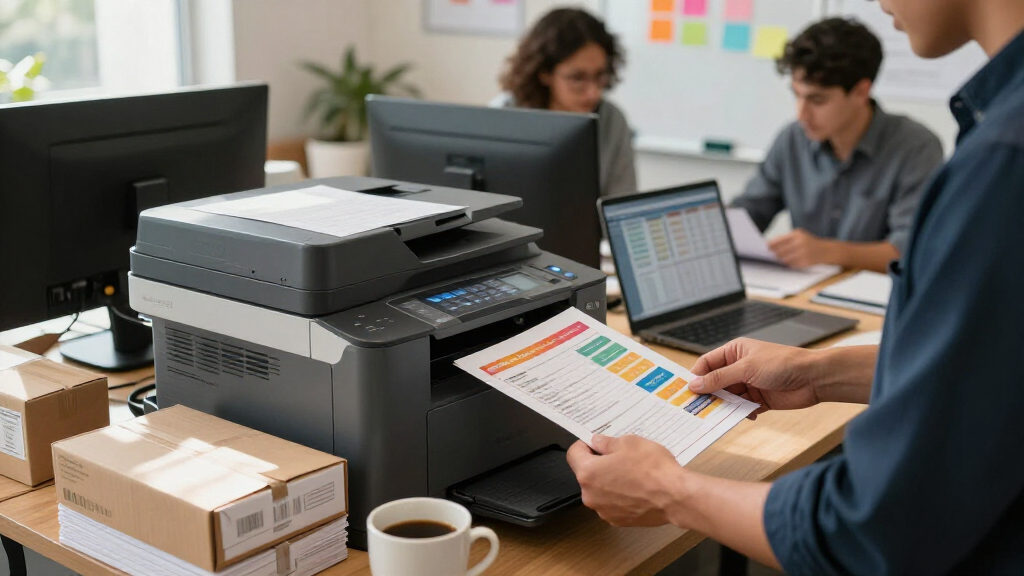
I ranked these models around the demands implied by business multitasking: printing a queue while staff scan, copy, or send documents; handling multipage originals without constant supervision; and connecting reliably to more than one workstation or office network. Print speed matters, but a fast engine is less useful if the feeder, paper supply, or network setup becomes the bottleneck.
I gave extra weight to automatic document handling, including feeder capacity and stated scan speed, because these features help office staff process batches instead of feeding pages one by one. I also compared connectivity, paper expandability, color capability, touchscreen controls, and security details where supplied. The MFC-L5915DW ranks first for its combination of 50 ppm printing and a 70-page feeder; the MFC-L5710DW follows closely with duplex scanning, a faster stated scan rate, and optional paper expansion.
Smaller models rank lower not because they cannot serve a business, but because their listed features support lighter, less complex workloads. The MFC-L2820DW and HP 3101sdw provide essential print, scan, and copy functions for compact teams, with fewer described workflow and capacity advantages. I have not treated unprovided specifications as confirmed capabilities: where details such as fax support, scan duplexing, or wired networking are not specified, buyers should verify them before ordering.
These are feature-based recommendations, not claims of hands-on testing. I considered the stated specifications and the tradeoffs attached to each model, including monochrome-only output, toner yields, setup complexity, optional accessories, and cartridge restrictions. That keeps the ranking focused on how each machine is likely to fit a different office workflow.
| business laser printers for multitasking | Print speed | Scan speed |
|---|---|---|
| Brother MFC-L5915DW Monochrome | Up to 50 ppm | Up to 56 ipm |
| Brother MFC-L5710DW Business M | Up to 48 ppm | Up to 60 ipm |
| Brother MFC-L8930CDW Business | Up to 33 ppm | Up to 104 ipm |
| Brother MFC-L2820DW Wireless M | Up to 36 ppm | Up to 23.6/7.9 ipm |
| HP LaserJet Pro MFP 3101sdw Wi | Up to 35 ppm | — |
Factors to Consider When Choosing Business Laser Printers For Multitasking
I’d match the printer to the work that tends to pile up at the same time. Print speed is only one part of that equation: feeder size, duplex scanning, network access, paper supply, and color needs all affect whether an all-in-one can keep a team moving.Start with the kind of work that overlaps
If staff mainly print reports and forms while a second person scans signed pages, prioritize both print speed and feeder capability. The MFC-L5915DW pairs 50 ppm output with a 70-page feeder and single-pass two-sided scanning, a strong combination for busy monochrome workflows. The L5710DW prints at 48 ppm but lists scanning up to 60 ipm and duplex scanning, so it may suit a team where digitizing paperwork is just as routine as printing.
A higher print speed alone does not guarantee a smoother shared workflow. If scan jobs are small and intermittent, a compact option like the MFC-L2820DW may handle the office’s actual demand without the added complexity of a business-focused high-throughput model.
Check feeder size and scan details
An automatic document feeder lets a user load a stack and return to other tasks, but capacity and scan functions still matter. Here, feeder capacity ranges from 50 pages on the L5710DW, L2820DW, and HP 3101sdw to 70 pages on the L5915DW and 80 on the color L8930CDW. For double-sided originals, look for a stated duplex or single-pass scanning capability rather than assuming that automatic two-sided printing also means two-sided scanning.
The L8930CDW lists the highest scan speed, up to 104 ipm, while the L5710DW lists up to 60 ipm. The HP’s supplied details do not include scan speed. If scanning is a core job, compare confirmed scan specifications and workflow support, not just the print ppm figure.
Decide whether color is a real requirement
Four models in this comparison are monochrome-only. That can be a good match for text-heavy offices, where crisp black-and-white documents are the routine output. The MFC-L8930CDW is the sole color choice, so it is the option to shortlist for color reports, charts, or handouts without adding a separate color printer.
Color comes with a tradeoff: its stated print speed is up to 33 ppm, compared with up to 48 or 50 ppm for the fastest monochrome Brothers. It also uses separate black and color toner supplies, and the listed included color yield is lower than its replacement maximum. Choose color because your documents need it, not because it sounds like a feature every office should pay attention to.
Match connectivity and controls to the office
For a shared printer, consider how computers will connect and who will manage the machine. The L5915DW and L5710DW list both Gigabit Ethernet and dual-band Wi-Fi; the MFC-L2820DW also lists Ethernet, wireless, and USB. The HP 3101sdw’s supplied information specifies wireless Wi-Fi, so I’d confirm wired-network needs before choosing it. The L8930CDW adds Gigabit Ethernet, dual-band Wi-Fi, a large touchscreen, and an NFC card reader.
More controls and security features can help a larger shared office, but they may ask for more setup time. The L5710DW’s advanced features and optional trays may suit a managed workplace better than a tiny team wanting a plug-in-and-print experience. Consider who will configure network access and how many staff members will use the device.
Plan for paper and toner over time
A 250-sheet tray is listed for the L5710DW, L2820DW, and HP 3101sdw. For heavier demand, the L5710DW can expand to 1,390 sheets with optional trays, while the L5915DW stands out for its listed 18,000-page maximum toner option. Those figures help explain where each model’s workload headroom comes from, but they are not interchangeable: toner yield and paper capacity solve different interruptions.
Check the included toner yield, not only the maximum replacement yield. The L5915DW includes 3,000 pages, while the L8930CDW lists 3,000 black pages and 1,800 color pages. Also review supply conditions: the MFC-L2820DW’s toner savings require subscription enrollment, and the HP 3101sdw requires cartridges with HP chips or circuitry.
Frequently Asked Questions
Which printer is best for a busy monochrome office?
I’d start with the Brother MFC-L5915DW if print queues and batch scanning are both regular demands. It has the highest listed print speed at up to 50 ppm, a 70-page feeder, and single-pass two-sided scanning. If expandable paper capacity and a higher stated scan rate matter more than the last two ppm, compare it with the MFC-L5710DW.
Which model can print color documents?
The Brother MFC-L8930CDW is the only color printer in this lineup. The other four are monochrome-only, so they are suited to text-heavy documents rather than color charts or client handouts. The color model prints more slowly than the top monochrome Brothers, making it a fit when color output is a genuine workflow need.
Are print speed and scan speed equally important for multitasking?
They matter in different workflows. Print speed helps clear queued pages, while scan speed and feeder capacity affect how quickly staff can process paperwork without standing at the machine. For print-heavy work, the MFC-L5915DW leads on listed ppm; for scan-heavy work, the MFC-L8930CDW lists up to 104 ipm and an 80-page feeder, while the MFC-L5710DW combines duplex scanning with up to 60 ipm.
Which printer is a better fit for a small office?
The Brother MFC-L2820DW and HP LaserJet Pro MFP 3101sdw are the more straightforward choices for smaller teams. The L2820DW lists print, scan, copy, and fax, plus wireless, Ethernet, and USB. The HP lists print, scan, and copy with wireless connectivity and automatic duplex printing. I’d compare required functions and network connections before choosing between them.
What should I check before buying a laser all-in-one for shared use?
I’d confirm whether the model supports the office’s required color output, wired or wireless network, duplex scanning, feeder volume, and paper supply. Then check included toner yield and any supply conditions: the MFC-L2820DW requires subscription enrollment for toner savings, and the HP 3101sdw requires HP-chip or circuitry cartridges. For the HP, the supplied specifications do not list fax or wired networking, so verify those needs directly.
Conclusion
For the broadest high-volume monochrome workload, I recommend the Brother MFC-L5915DW: it combines 50 ppm printing with a 70-page feeder and two-sided scanning. Choose the MFC-L5710DW if duplex scanning, network security, and expandable paper capacity better match your office’s workflow. If color documents are a regular requirement, the MFC-L8930CDW is the clear pick, with the tradeoff of slower printing than the monochrome leaders.
For a compact office with everyday multifunction needs, I’d compare the MFC-L2820DW and HP LaserJet Pro MFP 3101sdw. The Brother lists fax and more connection types; the HP covers print, scan, and copy with wireless networking. Match the machine to the tasks your team actually shares, and check supply requirements before committing. That is the practical way to choose a printer that can keep several office jobs moving without paying in complexity for features the team will not use.
Halloween Picks
halloween
As an affiliate, we earn on qualifying purchases.