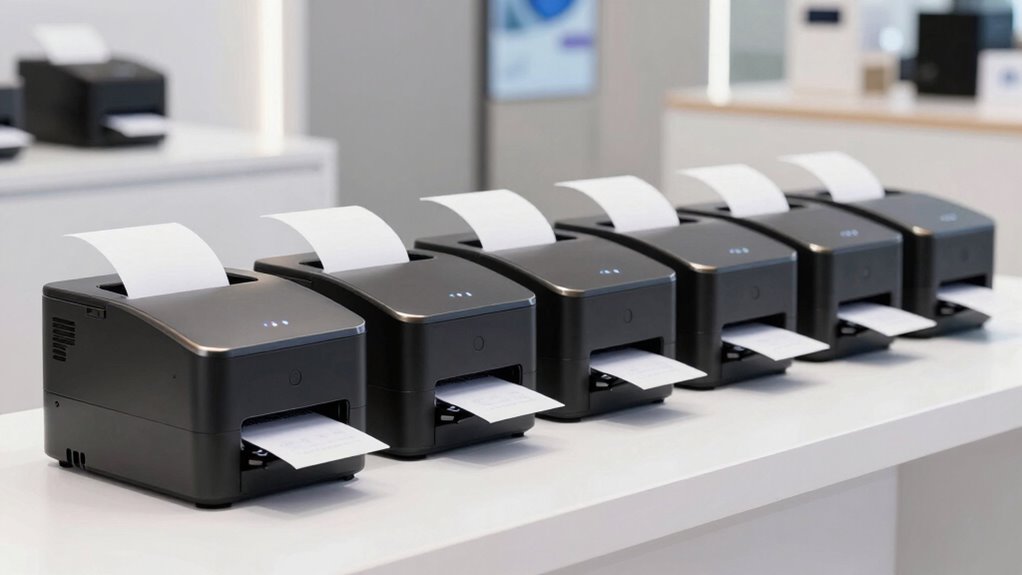

Choosing the right thermal receipt printer for a pop up shop involves balancing portability, speed, and ease of use. The Star Micronics TSP143IIIU stands out as the best overall thanks to its reliable USB connection and automatic cutter, ideal for quick transactions. For those prioritizing portability, the Mini Thermal Receipt Printer offers compact design and Bluetooth connectivity, perfect for mobile setups. Meanwhile, the Epson TM-T20IV delivers fast performance and energy efficiency, suited for more established pop up locations. Each option involves tradeoffs, such as size versus functionality or price versus durability. Keep reading to see which model aligns best with your specific needs.

Get business pricing on office and shipping supplies
- Business-only prices and quantity discounts
- Tax-exempt purchasing
- Multiple users, one account, clear invoices
Key Takeaways
- The top picks balance speed, connectivity options, and portability, with no one-size-fits-all solution.
- Wireless and Bluetooth models excel for mobile vendors, but often come at a higher price or shorter battery life.
- Auto-cutters are a valuable feature for efficiency, though they can add to maintenance needs and initial costs.
- Compatibility with different operating systems (Windows, Mac, Android) varies and impacts ease of setup.
- Price ranges widely; more expensive models often provide faster printing and better build quality, but budget options remain viable for basic needs.
| Star Micronics TSP143IIIU USB Thermal Receipt Printer with Auto-cutter and Internal Power Supply |  | Best Overall for Quick Setup and Reliable Performance | Printer Type: Thermal | Output Type: Monochrome | Special Features: Auto-cutter, Internal Power Supply | VIEW ON AMAZON | See Our Full Breakdown |
| Rongta POS Printer, 80mm Thermal Receipt Printer with Auto Cutter, USB/Serial/Ethernet, Support Windows/Mac/Linux |  | Best for Multi-Interface Flexibility in Fixed Locations | Print Width: 72mm/48mm | Paper Width: 80mm/58mm | Interface: USB, Serial, Ethernet | VIEW ON AMAZON | See Our Full Breakdown |
| Mini Thermal Receipt Printer – Portable USB & Bluetooth 58mm for Android and Windows |  | Best for Portable, On-the-Go Printing Needs | Print Width: 58mm | Resolution: 203dpi | Print Speed: 70mm/s | VIEW ON AMAZON | See Our Full Breakdown |
| Epson TM-T20IV Thermal Receipt Printer C31CL47022, USB Ethernet Serial, 310 mm/s, Auto Cutter, 80mm Paper, Energy Star |  | Best for Fast, Eco-Friendly, Multi-Platform Use | Print Speed: 310 mm/s | Paper Width: 80mm | Connectivity: USB, Ethernet, Serial | VIEW ON AMAZON | See Our Full Breakdown |
| Rongta 80mm Thermal POS Receipt Printer |  | Best Cost-Effective Option with Fast Printing | Printing Speed: 250mm/sec | Print Width: 80mm | Paper Width: 80mm | VIEW ON AMAZON | See Our Full Breakdown |
| Portable Mini Thermal Receipt Printer 2 inch Wireless USB |  | Best for Ultra-Portability and Wireless Convenience | Paper Width: 58mm | Print Width: 48mm | Print Speed: 70mm/s | VIEW ON AMAZON | See Our Full Breakdown |
| Vretti Thermal Receipt Printer, 3 1/8″ 80mm Direct Thermal Printer |  | Best for High-Speed and Versatile Installation | Paper Width: 80mm | Print Width: 72mm | Speed: 260mm/s | VIEW ON AMAZON | See Our Full Breakdown |
| MUNBYN IMP001 58mm Wireless Thermal Receipt Printer |  | Best for Balance of Portability, Clarity, and Battery Life | Printer Type: Thermal Receipt Printer | Print Width: 58mm | Connectivity: Wireless (Android), USB (Windows) | VIEW ON AMAZON | See Our Full Breakdown |
| thermal receipt printers for pop up shop | Print Width | Paper Width | Connectivity | Compatibility |
|---|---|---|---|---|
| Star Micronics TSP143IIIU USB | — | — | — | — |
| Rongta POS Printer | 72mm/48mm | 80mm/58mm | — | — |
| Mini Thermal Receipt Printer | 58mm | — | USB, Bluetooth | — |
| Epson TM-T20IV Thermal Receipt | — | 80mm | USB, Ethernet, Serial | — |
| Rongta 80mm Thermal POS Receip | 80mm | 80mm | USB, Serial, Ethernet | WIN2003, WINXP, WIN7, WIN8, WIN10, LINUX, Mac |
| Portable Mini Thermal Receipt | 48mm | 58mm | Bluetooth, USB | Android, Windows 7/8/10 |
| Vretti Thermal Receipt Printer | 72mm | 80mm | — | Windows, Mac, Linux |
| MUNBYN IMP001 58mm Wireless Th | 58mm | — | Wireless (Android), USB (Windows) | Android (Loyverse POS, CashSale POS), Windows |
More Details on Our Top Picks
Star Micronics TSP143IIIU USB Thermal Receipt Printer with Auto-cutter and Internal Power Supply
The Star Micronics TSP143IIIU stands out as the best overall choice for pop-up shops that need fast, dependable printing with minimal fuss. Its high-speed printing of 43 receipts per minute outpaces many competitors like the Rongta 80mm models, making it ideal for busy environments. The plug-and-play setup and internal power supply simplify deployment, especially when space is tight. However, it is limited to monochrome printing, which might be a drawback for businesses needing colorful or detailed receipts. Compared with the Epson TM-T20IV, it offers easier installation but lacks the same eco-friendly features. This printer suits vendors prioritizing ease of use, speed, and compact design, but those requiring multi-color printing or advanced connectivity options might find it restrictive.
Pros:- High printing speed of 43 receipts per minute for quick service
- Easy to set up with Plug and Print, reducing downtime
- Compact design with internal power supply saves counter space
- Compatible with iOS, Android, and Windows devices
Cons:- Limited to monochrome printing, restricting creative options
- Requires thermal paper which can be more costly over time
Best for: Small retail or hospitality pop-up vendors who need quick, reliable receipt printing with minimal setup.
Not ideal for: Businesses requiring color receipts or extensive customization, as this model only prints in monochrome.
- Printer Type:Thermal
- Output Type:Monochrome
- Special Features:Auto-cutter, Internal Power Supply
- Item Weight:3.8 pounds
- Item Dimensions:5.59″D x 8.03″W x 5.2″H
- Controller Type:iOS
- Print Media:Thermal Paper
- Maximum Copy Speed:43 pages per minute
Our verdict“This printer is perfect for vendors seeking fast, straightforward printing in a compact form factor.”
Rongta POS Printer, 80mm Thermal Receipt Printer with Auto Cutter, USB/Serial/Ethernet, Support Windows/Mac/Linux
The Rongta POS Printer offers versatile connectivity options, including USB, serial, and Ethernet, making it well-suited for fixed pop-up shop setups where multiple devices are used. Its fast print speed of 250mm/s surpasses the Star Micronics model, which is ideal for high-volume environments. The wall-mountable design maximizes space efficiency, and support across various operating systems ensures broad compatibility. However, it lacks Wi-Fi and Bluetooth, limiting mobility for on-the-go use, unlike the Mini Thermal Portable Printer. This printer is best for vendors who prioritize a stable, wired connection over wireless mobility, and are prepared for manual driver setup. It isn’t suited for mobile vendors or those looking for simple, wireless print options.
Pros:- Supports multiple interfaces including USB, serial, and Ethernet for flexible setup
- Fast printing speed of 250mm/s for efficient transactions
- Wall-mountable design saves counter space
- Compatible with Windows, Mac, and Linux
Cons:- No wireless connectivity options like Wi-Fi or Bluetooth
- Requires manual driver setup, which can be complex for some users
Best for: Retail or restaurant owners with a fixed POS setup seeking reliable, multi-interface connectivity.
Not ideal for: Mobile vendors or those who prefer wireless printing, as this model doesn’t support Wi-Fi or Bluetooth.
- Print Width:72mm/48mm
- Paper Width:80mm/58mm
- Interface:USB, Serial, Ethernet
- Auto Cutter:Yes
- Supported OS:Windows, Mac, Linux
- Speed:250mm/s
- Wall Mountable:Yes
Our verdict“Ideal for fixed-location pop-up shops that need stable, wired connections over mobility.”
Mini Thermal Receipt Printer – Portable USB & Bluetooth 58mm for Android and Windows
The Mini Thermal Receipt Printer excels in portability, making it a top pick for vendors who operate at multiple locations or need to print receipts on the move. Its support for USB and Bluetooth, combined with a rechargeable battery, allows for convenient printing without being tied to a fixed setup. Its high-resolution printing at 203dpi ensures clear receipts, even on the go. Compared with the Rongta wall-mountable models, this printer sacrifices some speed for mobility, with a print speed of 70mm/s. It’s not compatible with Square POS, which limits its utility for some popular payment platforms. This model is best for mobile vendors, food trucks, or pop-up operators that value flexibility over high-volume throughput.
Pros:- No ink or toner required, reducing long-term costs
- Supports both USB and Bluetooth for versatile connectivity
- Rechargeable battery enables printing anywhere
- High-resolution output for clear receipts
Cons:- Limited to 58mm print width, restricting receipt size
- Not compatible with Square POS or some popular POS systems
Best for: Vendors needing lightweight, portable printing solutions for mobile or pop-up environments.
Not ideal for: High-volume retail setups or businesses requiring color or large-format receipts, as it’s limited to 58mm width and lacks advanced features.
- Print Width:58mm
- Resolution:203dpi
- Print Speed:70mm/s
- Battery Capacity:1500mAh
- Connectivity:USB, Bluetooth
Our verdict“Perfect for mobile vendors demanding compact, wireless printing on the go.”
Epson TM-T20IV Thermal Receipt Printer C31CL47022, USB Ethernet Serial, 310 mm/s, Auto Cutter, 80mm Paper, Energy Star
The Epson TM-T20IV is tailored for busy pop-up shops that need rapid, reliable printing with eco-conscious features. Its impressive speed of 310mm/s outperforms many competitors, reducing wait times during peak periods. The multiple connectivity options—USB, Ethernet, serial—offer flexible integration, especially for setups that may expand over time. Its Energy Star certification underlines a commitment to sustainability, an attractive feature for environmentally conscious vendors. Compared with the Rongta models, it offers more extensive platform support but may require more initial setup effort, especially for non-Windows systems. This printer is ideal for vendors seeking high speed, versatility, and energy efficiency in a compact package.
Pros:- Fast printing at 310mm/s for efficient customer service
- Supports multiple connectivity options for versatile setup
- Energy Star certified for eco-friendly operation
- Compact design with a durable build
Cons:- Requires setup and configuration for multi-platform compatibility
- Auto cutter may need maintenance over time
Best for: High-volume retail or restaurant pop-ups requiring fast, eco-friendly printing with multi-platform support.
Not ideal for: Vendors seeking wireless or mobile printing solutions, as this model relies on wired connections and requires configuration.
- Print Speed:310 mm/s
- Paper Width:80mm
- Connectivity:USB, Ethernet, Serial
- Auto Cutter:Yes
- Energy Star:Yes
- Dimensions:5.5″ x 7.8″ x 5.7″
Our verdict“This printer suits high-traffic pop-up shops needing rapid, eco-friendly printing with flexible connectivity.”
Rongta 80mm Thermal POS Receipt Printer
The Rongta 80mm Thermal POS Receipt Printer offers a straightforward, budget-friendly solution for pop-up shops that prioritize speed and compatibility. Its 250mm/sec print speed is competitive, matching or exceeding other models like the Star Micronics TSP143IIIU, but it sacrifices wireless options like Wi-Fi or Bluetooth, limiting mobility. Supported across many operating systems, including Windows, Linux, and Mac, it provides broad compatibility without the need for expensive ink or ribbons. Its wall-mount capability maximizes space efficiency in fixed setups, though some specifications like weight and dimensions are not specified, which may complicate installation planning. This model is best for budget-conscious vendors who need quick, reliable printing without extra features.
Pros:- Fast printing speed of 250mm/sec with auto cutter
- Supports multiple operating systems including Windows, Linux, and Mac
- Cost-effective with no need for ink or ribbons
- Space-saving wall-mount design
Cons:- Lacks Wi-Fi and Bluetooth support, limiting mobility
- Some specifications like weight and dimensions are not provided, which may affect installation
Best for: Cost-conscious retail or restaurant operators needing dependable, fast printing with flexible OS support.
Not ideal for: Mobile vendors or those requiring wireless printing or compatibility with popular delivery platforms like Uber Eats or Square.
- Printing Speed:250mm/sec
- Print Width:80mm
- Paper Width:80mm
- Paper Thickness:0.06-0.8mm
- Paper Diameter:79.5mm
- Connectivity:USB, Serial, Ethernet
- Compatibility:WIN2003, WINXP, WIN7, WIN8, WIN10, LINUX, Mac
Our verdict“A solid choice for budget-sensitive vendors wanting reliable, high-speed printing with broad OS support.”
Portable Mini Thermal Receipt Printer 2 inch Wireless USB
The Portable Mini Thermal Receipt Printer excels in mobility, making it ideal for pop-up shops that require quick setup and tear-down. Its compact size and lightweight design mean you can carry it effortlessly, and its wireless Bluetooth connectivity simplifies pairing with Android devices—an advantage over larger, wired options like the Vretti 80mm Thermal Printer. However, it’s limited to Android and Windows, excluding iOS users, and doesn’t support popular POS systems like Square. The absence of ink cartridges reduces ongoing costs, but reliance on Bluetooth can introduce pairing issues in noisy environments. Compared to bulkier printers, this model offers streamlined usability for on-the-go scenarios.
Pros:- Lightweight and easy to carry for mobile setups
- No ink cartridges needed, lowering operational costs
- Wireless Bluetooth connectivity for convenience
- Compatible with many retail/inventory apps
Cons:- Limited to Android and Windows; no iOS support
- Not compatible with Square POS system
- Connectivity can be unstable in crowded environments
Best for: Small business owners needing portable printing solutions for outdoor or mobile pop-up shops using Android devices.
Not ideal for: Retailers who rely on iOS devices or need a printer compatible with Square POS systems, as this model doesn’t support iOS or Square integration.
- Paper Width:58mm
- Print Width:48mm
- Print Speed:70mm/s
- Resolution:203dpi
- Battery Capacity:1500mAh
- Connectivity:Bluetooth, USB
- Compatibility:Android, Windows 7/8/10
Our verdict“This pick is perfect for Android-using vendors who prioritize portability and simple wireless printing for mobile pop-up operations.”
Vretti Thermal Receipt Printer, 3 1/8″ 80mm Direct Thermal Printer
The Vretti 80mm thermal printer stands out with its fast printing speed of 260mm/s, making it well-suited for busy retail or hospitality settings where quick transaction processing is vital. Its support for multiple interfaces—USB, serial, and LAN—gives it a flexibility edge over models like the MUNBYN IMP001, which relies solely on wireless and USB. The wall-mount feature adds to its versatility, but the lack of Bluetooth or Wi-Fi support means it’s less ideal for portable or outdoor pop-up shops. Compatibility can also be limited with certain POS systems, making setup more complex. This printer’s strength is in fixed, high-volume environments where speed and multiple connection options are priorities.
Pros:- Supports USB, serial, and LAN interfaces for flexible setup
- High-speed printing at 260mm/s boosts efficiency
- Auto cutter with 1.5 million cuts lifespan reduces maintenance
- Wall mounting capability saves space
Cons:- No Bluetooth or Wi-Fi support limits wireless flexibility
- Compatibility issues with some POS platforms like Shopify
- Less suited for mobile or outdoor pop-up shops
Best for: Retail or restaurant operators who need a reliable, high-speed printer with versatile wired connections and space-saving installation options.
Not ideal for: Mobile vendors or pop-up shops requiring wireless, Bluetooth, or battery-powered options, as this model lacks wireless connectivity and portability.
- Paper Width:80mm
- Print Width:72mm
- Speed:260mm/s
- Auto Cutter:Yes
- Auto Cutter Lifespan:1.5 million cuts
- Compatibility:Windows, Mac, Linux
- Interface:USB, serial, LAN
Our verdict“Ideal for fixed retail or hospitality locations needing fast, multi-connection wired printing, but less suited for mobile pop-up setups.”
MUNBYN IMP001 58mm Wireless Thermal Receipt Printer
The MUNBYN IMP001 offers a compelling mix of portability and print quality, with a removable 1500mAh battery that supports 5-6 days of standby—an advantage over less battery-efficient models like the Portable Mini Printer. Its wireless capabilities are tailored for Android devices, making it suitable for both indoor and outdoor pop-up shops. However, it isn’t compatible with iOS devices, which may exclude some vendors. Its wireless range within 3 meters can be limiting for larger setups, but it compensates with sharp, clear printing and a lightweight design. Compared to wired options, this printer excels in mobile flexibility, though it sacrifices some connectivity stability and platform compatibility.
Pros:- Very portable with a belt for easy carrying
- High-quality, sharp printing output
- Long standby battery life of 5-6 days
- Good for indoor and outdoor pop-up environments
Cons:- Not compatible with iOS devices like iPads or iPhones
- Limited wireless range within 3 meters
- Supports only Android and Windows platforms
Best for: Retail, cafes, or food vendors who need a portable printer with good battery life and straightforward wireless operation on Android devices.
Not ideal for: Business owners using iOS devices or requiring extensive wireless range outside 3 meters, as this model is limited in connectivity scope.
- Printer Type:Thermal Receipt Printer
- Print Width:58mm
- Connectivity:Wireless (Android), USB (Windows)
- Battery Capacity:1500mAh
- Battery Life:5-6 days standby
- Compatibility:Android (Loyverse POS, CashSale POS), Windows
Our verdict“Best suited for vendors who prioritize portability, clear printing, and long battery life within a limited wireless range on Android platforms.”

How We Picked
Products were evaluated based on performance, ease of setup, build quality, connectivity options, and value for money. We prioritized printers that are reliable for high-volume transactions typical of pop up shops, and considered portability for mobile vendors. Compatibility with common operating systems was also crucial, as many pop ups operate across different devices. The ranking reflects a balance between affordability and feature set, aiming to help various types of vendors find suitable options without sacrificing essential functionality.| thermal receipt printers for pop up shop | Connectivity | Compatibility |
|---|---|---|
| Star Micronics TSP143IIIU USB | — | — |
| Rongta POS Printer | — | — |
| Mini Thermal Receipt Printer | USB, Bluetooth | — |
| Epson TM-T20IV Thermal Receipt | USB, Ethernet, Serial | — |
| Rongta 80mm Thermal POS Receip | USB, Serial, Ethernet | WIN2003, WINXP, WIN7, WIN8, WIN10, LINUX, Mac |
| Portable Mini Thermal Receipt | Bluetooth, USB | Android, Windows 7/8/10 |
| Vretti Thermal Receipt Printer | — | Windows, Mac, Linux |
| MUNBYN IMP001 58mm Wireless Th | Wireless (Android), USB (Windows) | Android (Loyverse POS, CashSale POS), Windows |
Factors to Consider When Choosing Thermal Receipt Printers For Pop Up Shops
When selecting a thermal receipt printer for a pop up shop, several factors influence how well it will perform in a dynamic, often mobile environment. Understanding these considerations can help prevent costly mistakes and ensure your setup runs smoothly. From connectivity to size, each aspect plays a role in how effectively the printer supports your sales process and customer experience.Connectivity Options
Deciding between USB, Ethernet, Bluetooth, or Wi-Fi impacts setup ease and flexibility. USB is straightforward for stationary setups, while Bluetooth or wireless models are better suited for mobile vendors who need to move freely. Consider your existing devices and whether you’ll need multiple printers connected simultaneously, which may require Ethernet or Wi-Fi support. Avoid models that lack your preferred connection type, as this can cause integration issues later.
Portability and Size
For pop up shops that rely on mobile sales, compact and lightweight printers are essential. Portable options with Bluetooth enable quick setup and easy transport. However, smaller printers may compromise on speed or durability. Larger, desktop-style models tend to offer faster printing and longer-lasting components but can be cumbersome for on-the-go use. Match your expected sales environment with a size and weight that won’t hinder your workflow.
Print Speed and Paper Size
Fast printing speeds minimize transaction times, especially during busy periods. Look for models capable of 300mm/sec or higher for smooth customer flow. Paper width is also key—80mm is standard and widely compatible with receipt formats, but some vendors prefer narrower or wider options based on their sales setup. Balance speed and paper size to meet your throughput needs without overspending on unnecessary features.
Compatibility and Software
Ensure your chosen printer supports your operating system—whether Windows, Mac, or Android—and integrates smoothly with your POS software. Compatibility issues can lead to delays and frustration, especially during busy hours. Check for driver support, app integrations, and whether the printer is compatible with cloud-based systems if you plan to run a mobile or hybrid setup. Avoid models with limited or outdated software support.
Durability and Maintenance
Pop up shops can be demanding environments, so choose printers with sturdy construction and reliable components. Auto-cutters improve efficiency but may require replacement over time. Consider models with easily accessible parts and clear user maintenance instructions. While cheaper models might save money upfront, investing in a more durable printer can reduce downtime and repair costs over time.
Frequently Asked Questions
Can I use a wireless thermal printer outdoors for my pop up shop?
Yes, wireless thermal printers can be used outdoors, but you should select models with strong Bluetooth or Wi-Fi signals and weather-resistant features if available. Keep in mind that environmental factors like rain, wind, and temperature fluctuations can affect performance. Using a protective cover and ensuring a stable connection will help maintain reliable printing during outdoor events. Always test your setup in real conditions before a major sale to avoid surprises.
What’s the most important feature for a portable thermal receipt printer?
The most important feature for portability is lightweight design combined with reliable wireless connectivity, typically Bluetooth. This allows you to move freely around your sales area without being tethered to a device or power source. Battery life is also critical; longer battery performance ensures you can serve customers without frequent recharging. Prioritizing these features will help you maintain efficiency on the go.
Are auto-cutters necessary for pop up shop printers?
Auto-cutters are a valuable feature that speed up transactions by automatically cutting receipts, reducing manual effort and transaction times. They are especially useful during busy periods or when handling high-volume sales. However, auto-cutters can sometimes increase maintenance needs or be a point of failure. If you prefer simplicity or are on a tight budget, a manual cutter might suffice, but auto-cutters generally improve overall efficiency.
How should I choose between wired and wireless printers for my pop up shop?
Choosing between wired and wireless printers depends on your mobility needs and setup environment. Wired printers tend to be more stable and easier to set up in fixed locations, making them ideal for semi-permanent pop up shops. Wireless models offer greater flexibility, especially for mobile vendors or events where power outlets are limited. Consider your space, power options, and whether you need to move your setup frequently when making your choice.
What should I consider regarding paper size and supply costs?
Most pop up shops use 80mm thermal paper, which balances paper width with cost-efficiency. Larger sizes may offer more printing options but can increase paper and supply costs. Smaller widths save money but might limit your formatting options. Also, check the availability and cost of replacement paper rolls, as frequent re-supply can add up over time. Choosing a common size like 80mm helps ensure compatibility and affordability.