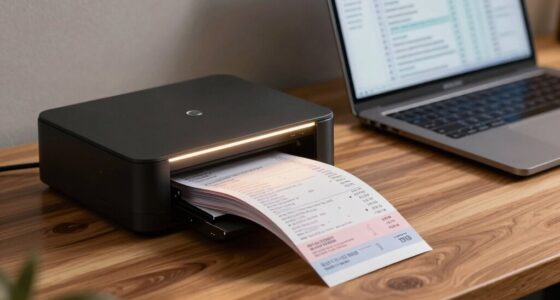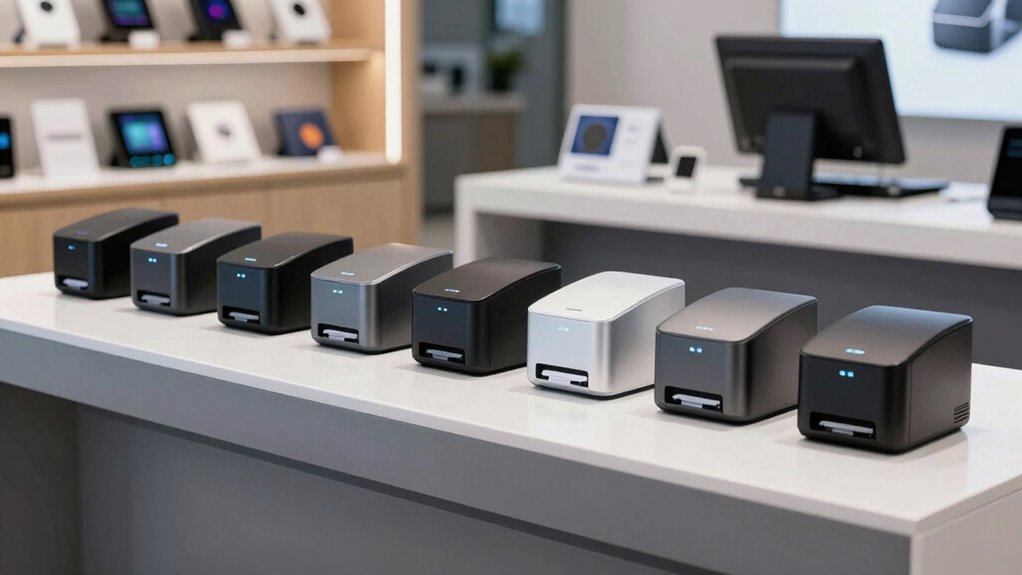

Choosing the right USB receipt printer for a point of sale setup involves balancing speed, compatibility, and ease of maintenance. The Star Micronics TSP143IIIU stands out for its reliability and simple USB connection, making it ideal for most retail environments. For those needing versatile connectivity, the Epson TM-T88VI offers multiple interfaces like Ethernet and serial, though at a higher price point. Budget-conscious buyers might prefer the Rongta RP850P for its affordability and straightforward thermal printing. Keep reading to see how these and others compare, so you can pick the best fit for your business.

Get business pricing on office and shipping supplies
- Business-only prices and quantity discounts
- Tax-exempt purchasing
- Multiple users, one account, clear invoices
Key Takeaways
- The top-ranked printers excel in reliability and speed, essential for busy POS environments.
- Versatility in connectivity options (USB, Ethernet, serial) influences suitability for different setups.
- Auto-cutter features are common but vary in quality, impacting long-term maintenance costs.
- Price differences often reflect build quality and compatibility features, not just printing performance.
- Ease of setup and compatibility with major POS software is a key factor that separates the best options from the rest.
| Rongta RP850P 80mm Thermal Receipt Printer with Auto Cutter and Ethernet |  | Best Overall for Versatile Connectivity and High-Speed Printing | Printer Size: 200×145×142mm | Print Width: 72mm/48mm | Paper Width Support: 80mm/58mm | VIEW ON AMAZON | See Our Full Breakdown |
| Star Micronics TSP143IIIU USB Thermal Receipt Printer with Auto-cutter and Internal Power Supply |  | Best for Ease of Setup and Compact Retail Environments | Printing Speed: 43 receipts per minute | Connectivity: USB | Compatibility: iOS, Android, Windows | VIEW ON AMAZON | See Our Full Breakdown |
| Epson TM-T88VI Thermal Receipt Printer – Ethernet, USB, Serial – Black (Renewed) |  | Best for Versatile Connectivity in High-Performance Environments | Model: TM-T88VI | Type: Thermal Receipt Printer | Connectivity: Ethernet, USB, Serial | VIEW ON AMAZON | See Our Full Breakdown |
| EPSON TM-T88V Monochrome Thermal Receipt Printer (USB/Serial/PS180 Power Supply) (Renewed) |  | Best for Cost-Effective, Reliable Printing with Basic Connectivity | Model: TM-T88V | Type: Thermal Receipt Printer | Color: Monochrome | VIEW ON AMAZON | See Our Full Breakdown |
| Epson TM-U220B POS Receipt Printer |  | Best for Durable, Reliable Daily Transactions | VIEW ON AMAZON | See Our Full Breakdown | |||
| Star Micronics TSP143IIILAN Ethernet Thermal Receipt Printer with Auto-Cutter |  | Best Overall for Ethernet-Connected Retail Settings | Printing Speed: 43 receipts per minute | Connection: Ethernet (LAN) | Compatibility: iOS, Android, Windows | VIEW ON AMAZON | See Our Full Breakdown |
| Epson TM-T20III Monochrome Thermal POS Printer |  | Best for Small Retailers and Hospitality with USB-Only Setup | Compatibility: Square Stand and Square Register | Interface: USB | Color: Monochrome | VIEW ON AMAZON | See Our Full Breakdown |
| Rongta POS Printer, 80mm USB Thermal Receipt Printer with Auto Cutter |  | Best for Versatile Connectivity in Retail and Hospitality | Print Speed: 250mm/sec | Print Width: 79.5±0.5mm | Paper Width: 3 1/8″ (80mm) | VIEW ON AMAZON | See Our Full Breakdown |
| NetumScan USB POS Receipt Printer, 80mm Thermal Receipt Printer with Auto Cutter |  | Best for High-Speed, Space-Saving Environments | Print Width: 80mm | Print Speed: 300mm/sec | Interface: USB | VIEW ON AMAZON | See Our Full Breakdown |
| Epson TM-T20IV Thermal Receipt Printer C31CL47022 |  | Best for High-Speed Multi-Connection Environments | Print Speed: 310 mm/s | Paper Width: 80mm | Connectivity: USB, Ethernet, Serial | VIEW ON AMAZON | See Our Full Breakdown |
| usb receipt printers for point of sale | Connectivity | Compatibility |
|---|---|---|
| Rongta RP850P 80mm Thermal Rec | USB, Serial, Ethernet | — |
| Star Micronics TSP143IIIU USB | USB | iOS, Android, Windows |
| Epson TM-T88VI Thermal Receipt | Ethernet, USB, Serial | — |
| EPSON TM-T88V Monochrome Therm | USB, Serial | — |
| Epson TM-U220B POS Receipt Pri | — | — |
| Star Micronics TSP143IIILAN Et | — | iOS, Android, Windows |
| Epson TM-T20III Monochrome The | — | Square Stand and Square Register |
| Rongta POS Printer | — | Windows, Mac, Linux |
| NetumScan USB POS Receipt Prin | — | Windows, Mac, Linux |
| Epson TM-T20IV Thermal Receipt | USB, Ethernet, Serial | — |
More Details on Our Top Picks
Rongta RP850P 80mm Thermal Receipt Printer with Auto Cutter and Ethernet
The Rongta RP850P excels in environments where reliable, fast printing is essential, offering a robust 300mm/s print speed that surpasses many competitors like the Star Micronics TSP143IIIU, which focuses more on ease of use than raw speed. Its inclusion of Ethernet alongside USB and serial ports provides flexible connectivity options suitable for complex setups. However, its lack of wireless features means it’s less suited for mobile or tablet-based POS systems, and manual driver setup can pose a barrier for less tech-savvy users. Compared to the TSP143IIIU’s plug-and-play simplicity, the RP850P demands more installation effort but rewards with higher throughput and network integration, making it ideal for busy retail or restaurant environments requiring stable wired connections.
Pros:- High-speed printing at 300mm/s reduces wait times
- Multiple connectivity options including Ethernet for network integration
- Supports various operating systems and wall mounting for flexible installation
Cons:- No Wi-Fi or Bluetooth connectivity limits mobile device use
- Requires manual driver installation, which can be complex for some users
Best for: Retailers or restaurants needing high-speed, wired setup with multiple connectivity options
Not ideal for: Small businesses relying on mobile POS solutions or wireless connectivity
- Printer Size:200×145×142mm
- Print Width:72mm/48mm
- Paper Width Support:80mm/58mm
- Connectivity:USB, Serial, Ethernet
- Auto Cutter:Yes
- Supported Operating Systems:Windows, Mac, Linux
Our verdict“This printer suits high-volume retail or restaurant settings that prioritize wired reliability over wireless convenience.”
Star Micronics TSP143IIIU USB Thermal Receipt Printer with Auto-cutter and Internal Power Supply
The Star Micronics TSP143IIIU stands out for its user-friendly USB connection and quick drop-in paper loading, making it a favorite for small retail outlets or quick-service restaurants. Its internal power supply simplifies installation, reducing clutter and setup time compared to models like the Rongta RP850P, which offers broader connectivity but at the cost of complexity. While it’s limited to USB, this makes it less adaptable for networked setups, but its compact design fits well in tight spaces. Its fast printing speed of 43 receipts per minute ensures efficient service, especially when paired with compatible POS software on iOS, Android, or Windows devices.
Pros:- Easy setup via USB with drop-in paper loading
- Compact design saves valuable counter space
- Internal power supply reduces cable clutter
Cons:- Limited to USB connectivity, no wireless options
- Print speed of 43 receipts per minute may be insufficient for very high-volume environments
Best for: Small retail stores or cafes seeking a straightforward, space-saving printer
Not ideal for: Larger venues or businesses requiring networked or wireless printing options
- Printing Speed:43 receipts per minute
- Connectivity:USB
- Compatibility:iOS, Android, Windows
- Power Supply:Internal
- Design:Clamshell with Drop-In loading
- Certifications:Postmates, Square, Chromebook, Clover
Our verdict“This printer makes the most sense for small, low-to-moderate volume shops prioritizing simplicity and space efficiency.”
Epson TM-T88VI Thermal Receipt Printer – Ethernet, USB, Serial – Black (Renewed)
The Epson TM-T88VI is a trusted choice for establishments demanding dependable, multi-interface printing, offering Ethernet, USB, and serial options. Its versatility makes it suitable for larger retail or hospitality settings where different devices and networks are in use, contrasting with the Star Micronics TSP143IIIU’s focus on simplicity. As a renewed product, it provides reliable performance at a lower cost, but buyers should consider potential warranty limitations. While detailed speed and resolution specs are not specified here, Epson’s reputation hints at consistent quality, making it a solid choice for businesses needing flexible, high-volume printing with a professional finish.
Pros:- Multiple connectivity options for flexible setup
- Reliable thermal printing performance
- Includes power supply and AC cable for immediate use
Cons:- Renewed product may have limited warranty or support
- Lacks detailed print speed/resolution info for precise performance expectations
Best for: Established retail or hospitality venues requiring multiple connectivity options and high reliability
Not ideal for: Small startups or mobile businesses that need wireless or plug-and-play solutions
- Model:TM-T88VI
- Type:Thermal Receipt Printer
- Connectivity:Ethernet, USB, Serial
- Color:Black
- Power Supply:PS-180
- Condition:Renewed
- Country of Origin:United States
Our verdict“This printer suits larger or networked businesses seeking adaptable, dependable printing solutions.”
EPSON TM-T88V Monochrome Thermal Receipt Printer (USB/Serial/PS180 Power Supply) (Renewed)
The Epson TM-T88V offers a budget-friendly yet dependable option for retail and hospitality venues that need basic printing capabilities, with USB and serial interfaces providing sufficient connectivity for many setups. Compared to the more versatile TM-T88VI, it sacrifices some flexibility but remains a staple for straightforward POS systems. Its monochrome printing ensures crisp, clear receipts, though it lacks detailed speed metrics here. As a renewed model, it’s suitable for cost-conscious operators but may have limited warranty coverage. This model’s simplicity and affordability make it appealing for establishments where high volume or wireless features are not critical.
Pros:- Reliable thermal printing performance
- Multiple connectivity options including USB and serial
- Cost-effective renewed option for budget-conscious buyers
Cons:- Limited to monochrome printing, no color or advanced features
- No mention of print speed or resolution details, which may matter for high-volume use
Best for: Small to medium retail or hospitality businesses seeking reliable, budget-friendly printers
Not ideal for: Business environments requiring wireless or networked printing solutions
- Model:TM-T88V
- Type:Thermal Receipt Printer
- Color:Monochrome
- Connectivity:USB, Serial
- Power Supply:PS180
- Condition:Renewed
Our verdict“This printer makes sense for budget-minded businesses that prioritize dependable basic printing over advanced features.”
Epson TM-U220B POS Receipt Printer
The Epson TM-U220B has been a trusted workhorse in retail and hospitality for years, emphasizing durability and consistent performance. Its straightforward design and fast printing speeds make it suitable for environments with high daily transaction volume, unlike some newer, feature-rich models that may overcomplicate or increase costs. Limited information on connectivity options suggests it might be less flexible than more modern competitors like the TM-T88VI or Rongta RP850P, but its reputation for durability and speed remains a significant advantage for busy counters needing reliable receipt printing without fuss.
Pros:- Reliable and durable printing performance
- Fast printing speeds for high-volume environments
- Proven track record in retail and hospitality
Cons:- Limited info on connectivity options, possibly less flexible
- Less feature-rich compared to newer models like the Epson TM-T88VI
Best for: High-traffic retail stores or restaurants requiring a durable, fast printer
Not ideal for: Businesses that need wireless or networked printing capabilities
Our verdict“This model is well suited for busy, high-volume environments that need dependable, fast receipt printing without extra bells and whistles.”
Star Micronics TSP143IIILAN Ethernet Thermal Receipt Printer with Auto-Cutter
This model stands out for its high-speed printing of 43 receipts per minute, making it ideal for busy retail environments. Its drop-in paper loading and compact design streamline setup in tight spaces. Compared with the Rongta model, which offers multiple interfaces, the TSP143IIILAN’s Ethernet-only connection simplifies network stability but limits flexibility. It’s perfect for stores with wired networks but less suited for those needing wireless options. The internal power supply reduces clutter and setup time, while Lightspeed certification ensures compatibility with popular POS systems. However, the absence of Wi-Fi or Bluetooth means it can’t support wireless setups, which could be a drawback for portable or flexible POS configurations.
Pros:- Fast printing speed of 43 receipts per minute
- Easy paper loading with clamshell design
- Compatible with iOS, Android, and Windows
Cons:- LAN connection only, no Wi-Fi option
- Limited to Ethernet setup, reducing flexibility
- No Bluetooth connectivity
Best for: Retail stores with fixed Ethernet setups that prioritize fast, reliable printing
Not ideal for: Mobile vendors or restaurants that require wireless receipt printing or flexible device placement
- Printing Speed:43 receipts per minute
- Connection:Ethernet (LAN)
- Compatibility:iOS, Android, Windows
- Power Supply:Internal
- Design:Drop-In and Print clamshell
- Certifications:Lightspeed certified
Our verdict“This printer suits retail environments with stable wired networks that need quick, reliable receipt printing without wireless features.”
Epson TM-T20III Monochrome Thermal POS Printer
The Epson TM-T20III offers reliable, monochrome thermal printing suited for small retail and hospitality setups. Its USB-only interface makes it straightforward for environments already using USB connections, such as those with Square Stand or Square Register. Compared to the Rongta, which provides multiple interfaces, the TM-T20III’s simplicity is an advantage for quick, plug-and-play installations but may limit future connectivity options. It’s less suitable for larger or more complex setups requiring Ethernet or wireless options. Its compatibility with Square systems ensures smooth integration, but the reliance on USB means it’s less flexible for multi-device or networked environments where Ethernet or Wi-Fi are preferred.
Pros:- Reliable thermal printing for POS applications
- Compatible with Square Stand and Square Register
- USB connection ensures easy setup
Cons:- Limited to USB interface, no Wi-Fi or Bluetooth
- Requires Square system for full compatibility
- Less suitable for larger or networked setups
Best for: Small retail or cafe owners using Square POS systems with USB infrastructure
Not ideal for: Larger stores or restaurants needing Ethernet or wireless printing solutions
- Compatibility:Square Stand and Square Register
- Interface:USB
- Color:Monochrome
- Model:TM-T20III
Our verdict“Best suited for small retail or hospitality outlets that rely on USB connections and Square POS systems for simple, reliable printing.”
Rongta POS Printer, 80mm USB Thermal Receipt Printer with Auto Cutter
The Rongta POS printer excels with a high print speed of 250mm/sec and multiple interface options—USB, LAN, and serial—making it adaptable for various environment needs. Its auto cutter and support for Windows, Mac, and Linux simplify daily operations. Compared with the NetumScan, which offers faster speed at 300mm/sec, Rongta provides broader connectivity options, though it doesn’t support Wi-Fi or Bluetooth. Its versatility makes it ideal for restaurants, retail, and hospitality, but it’s less suitable for environments that prefer wireless or tablet-based setups. The requirement for thermal paper is standard, but the multiple interfaces demand careful configuration to maximize its potential.
Pros:- Fast printing speed of 250mm/sec
- Multiple interface options for connectivity
- Auto cutter for efficient receipt handling
- Easy installation and maintenance
Cons:- No Wi-Fi or Bluetooth support
- Limited compatibility with some delivery platforms
- Requires thermal paper for operation
Best for: Restaurants or retail stores needing adaptable wired connections with easy maintenance
Not ideal for: Businesses seeking Wi-Fi or Bluetooth capabilities for mobile or wireless printing
- Print Speed:250mm/sec
- Print Width:79.5±0.5mm
- Paper Width:3 1/8″ (80mm)
- Interface:USB, LAN, SERIAL
- Auto Cutter:Yes
- Compatibility:Windows, Mac, Linux
Our verdict“This printer is ideal for businesses that need flexible wired connectivity and fast printing, but it isn’t suited for wireless or mobile POS setups.”
NetumScan USB POS Receipt Printer, 80mm Thermal Receipt Printer with Auto Cutter
The NetumScan model impresses with a high-speed printing capability of 300mm/sec, making it suitable for busy retail or hospitality settings. Its compact design and wall-mount option save valuable space, while the auto cutter simplifies receipt handling. Compared with Rongta, which offers multiple connection types, the NetumScan’s USB-only approach limits flexibility but provides a straightforward, reliable connection for fixed setups. Its compatibility with Windows, Mac, and Linux broadens its use, but it’s not compatible with mobile POS systems like Square or iOS/Android tablets, which could restrict its deployment in more dynamic environments. Overheating protection adds to its reliability during prolonged use.
Pros:- Fast printing speed up to 300mm/sec
- Auto cutter for easy receipt handling
- Wall mountable saves space
- Reliable overheating protection
Cons:- Not compatible with Square POS or mobile devices
- USB-only interface limits connectivity options
- No support for LAN, Wi-Fi, or Bluetooth
Best for: Large retail or hospitality environments needing fast, space-efficient printing with reliable performance
Not ideal for: Mobile or wireless POS setups, particularly those using iOS or Android devices
- Print Width:80mm
- Print Speed:300mm/sec
- Interface:USB
- Auto Cutter:Yes
- Compatibility:Windows, Mac, Linux
- Wall Mountable:Yes
Our verdict“Ideal for fixed, high-traffic environments prioritizing speed and space efficiency over wireless flexibility.”
Epson TM-T20IV Thermal Receipt Printer C31CL47022
The Epson TM-T20IV offers a high print speed of 310mm/sec, making it one of the fastest in this lineup and suitable for high-volume retail or restaurant settings. Its multiple connectivity options—USB, Ethernet, and serial—provide flexibility for diverse POS setups. Compared with the Star Micronics TSP143IIILAN, which relies solely on LAN, the TM-T20IV’s multi-interface support allows easier integration with different hardware. Its eco-friendly, paper-saving features are an added bonus for environmentally conscious businesses. While setup may require some configuration for multi-platform compatibility, its durable design and three-year warranty support long-term use. This model is well-suited for environments demanding speed and versatility but may be overkill for small setups with simple needs.
Pros:- High-speed printing at 310mm/sec
- Multiple connectivity options (USB, Ethernet, Serial)
- Eco-friendly paper-saving features
- Durable with a 3-year warranty
Cons:- Requires setup for multi-platform compatibility
- Limited to 80mm paper width, not suitable for larger receipts
- Potentially complex installation for non-technical users
Best for: High-volume retail or hospitality environments requiring fast, versatile connectivity options
Not ideal for: Small businesses or setups looking for simple, single-connection printers with minimal configuration
- Print Speed:310 mm/s
- Paper Width:80mm
- Connectivity:USB, Ethernet, Serial
- Auto Cutter:Yes
- Dimensions:5.5″ x 7.8″ x 5.7″
- Warranty:3 years
Our verdict“This printer suits high-volume environments that need fast, multi-connection options with durability and eco-conscious features.”

How We Picked
Our evaluation focused on performance, compatibility, ease of use, durability, and value. We prioritized printers that deliver fast, reliable printing with straightforward setup processes. Features like auto-cutter quality, support for multiple operating systems, and connection stability played a big role in rankings. We also considered user reviews and brand reputation to gauge long-term reliability. The ranking reflects a balance between price and features, ensuring options suitable for various business sizes and budgets.| usb receipt printers for point of sale | Connectivity | Compatibility |
|---|---|---|
| Rongta RP850P 80mm Thermal Rec | USB, Serial, Ethernet | — |
| Star Micronics TSP143IIIU USB | USB | iOS, Android, Windows |
| Epson TM-T88VI Thermal Receipt | Ethernet, USB, Serial | — |
| EPSON TM-T88V Monochrome Therm | USB, Serial | — |
| Epson TM-U220B POS Receipt Pri | — | — |
| Star Micronics TSP143IIILAN Et | — | iOS, Android, Windows |
| Epson TM-T20III Monochrome The | — | Square Stand and Square Register |
| Rongta POS Printer | — | Windows, Mac, Linux |
| NetumScan USB POS Receipt Prin | — | Windows, Mac, Linux |
| Epson TM-T20IV Thermal Receipt | USB, Ethernet, Serial | — |
Factors to Consider When Choosing Usb Receipt Printers For Point Of Sale
Selecting the right USB receipt printer involves more than just looking at specs. You need to consider how well it integrates into your existing POS system, its ease of maintenance, and whether it offers future-proof features. Understanding the key factors can help avoid common pitfalls like incompatibility or high ongoing costs. Here are some core considerations to keep in mind:Compatibility with Your POS System
Ensure the printer supports your POS software and operating systems. Some models are optimized for Windows, Mac, or Linux, which can influence setup and ongoing use. Compatibility issues can lead to driver problems or printing delays, disrupting your sales flow. Always verify the printer’s supported platforms before making a purchase to avoid costly replacements or workarounds.
Connectivity Options and Flexibility
While USB is the most common connection type, consider whether you might need additional options like Ethernet or serial ports for future expansion. Some printers include multiple interfaces, offering more flexibility if your setup evolves. Relying solely on USB can limit options for network integration or multi-device setups, so think ahead about your business’s growth and technical needs.
Print Speed and Reliability
Fast printing reduces wait times and improves customer satisfaction. Look for models with high print speeds, often measured in millimeters per second. Reliability is equally vital—frequent paper jams or inconsistent output can frustrate staff and customers. Reading user reviews can reveal real-world performance, helping you avoid slow or prone-to-failure units.
Build Quality and Maintenance
Durability matters, especially in high-volume environments. Consider models with sturdy construction and easy-to-access components for cleaning and repairs. Auto-cutters should be durable, as they handle frequent use. A well-built printer reduces downtime and maintenance costs, providing better long-term value despite a potentially higher upfront price.
Price and Total Cost of Ownership
While budget options are tempting, they may come with hidden costs like frequent paper jams or limited longevity. Premium models often include features that lower maintenance and improve performance, offering savings over time. Balance initial costs with projected durability and feature set to determine the true value for your business.
Frequently Asked Questions
Will a USB receipt printer work with my existing POS system?
Most modern POS systems support USB receipt printers, but compatibility can vary. It’s essential to verify that your POS software has drivers or support for the specific printer model you’re considering. Checking vendor documentation or seeking advice from your POS provider can prevent compatibility issues and ensure smooth integration.
Is it better to choose a printer with multiple connectivity options?
Opting for a printer with multiple connection types, such as Ethernet, serial, and USB, can increase flexibility for future upgrades or changes in your setup. However, if your current system only requires USB, investing in a dedicated USB model might be more cost-effective. Consider your long-term needs before paying extra for additional interfaces.
How important is auto-cutter quality in a receipt printer?
The auto-cutter is a key component that impacts both convenience and maintenance costs. A high-quality cutter will handle frequent use without jams or tearing issues, reducing downtime. Cheaper cutters may save money initially but tend to wear out faster, leading to more repairs and replacements over time. Investing in a durable cutter can save money in the long run.
Can I use a USB receipt printer with Mac and Linux systems?
Many USB receipt printers support multiple operating systems, including Mac and Linux, but driver availability varies. It’s wise to check the manufacturer’s specifications for support and driver downloads before purchase. Some models come with universal drivers or third-party compatibility options, making them suitable for diverse systems.
Are thermal receipt printers energy-efficient?
Thermal printers generally consume less power than impact or dot-matrix printers, especially models with Energy Star certification. This can lead to lower operational costs over time, especially in high-volume settings. However, energy efficiency can vary based on features like standby modes and power management, so reviewing these specifications is advisable.
Conclusion
For busy retail environments or high-volume needs, the Star Micronics TSP143IIIU offers a reliable, easy-to-set-up solution that balances speed and simplicity, making it ideal for most users. Budget-conscious businesses will find the Rongta RP850P provides good value without sacrificing essential performance. For those seeking a premium, future-proof option, the Epson TM-T88VI delivers versatile connectivity and robust build quality. Beginners or smaller shops should prioritize models with straightforward installation and strong support, while larger operations might lean toward models with multiple interfaces. Understanding your specific needs ensures you select a printer that enhances your POS system for years to come.Halloween Picks

Haunted Hill Farm 4.6‑Ft Head‑Spinning Beatrix Halloween Animatronic Prop

12.5-Foot Lighted Halloween Inflatable Archway

MGparty 10FT Halloween Inflatable Archway with LED Lights
As an affiliate, we earn on qualifying purchases.