
🔍 Read the full analysis: What Kind Of AI-Powered Home Devices Do You Need? on ThorstenMeyerAI.com

Get business pricing on office and shipping supplies
- Business-only prices and quantity discounts
- Tax-exempt purchasing
- Multiple users, one account, clear invoices
TL;DR
ThorstenMeyerAI.com published a beginner’s guide to selecting and setting up AI-powered home devices, with a small system such as a smart speaker, lights, thermostat or plug as its example. It recommends starting with one low-risk device, checking compatibility and security requirements, and reviewing privacy settings; its product recommendations are editorial judgments, not independent test results in the supplied material.
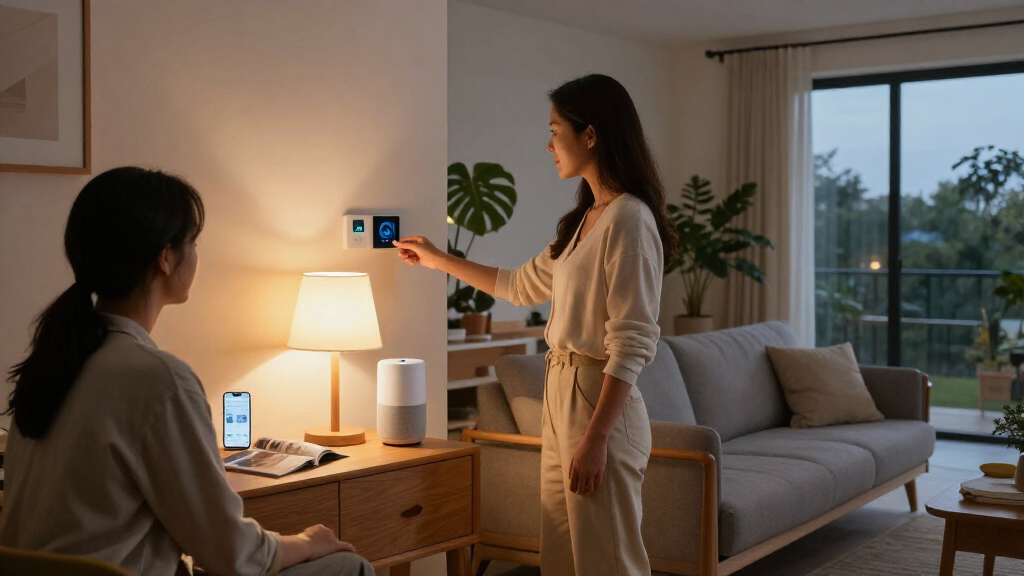
ThorstenMeyerAI.com has published a beginner’s guide to choosing and setting up AI-powered home devices, outlining how to connect equipment such as a smart speaker, lights, thermostat or plug to a phone and home Wi-Fi. The guide says a small setup may take 45 to 90 minutes, depending on the number of devices and whether app updates are needed, and urges readers to check compatibility, account security and privacy before creating automations.
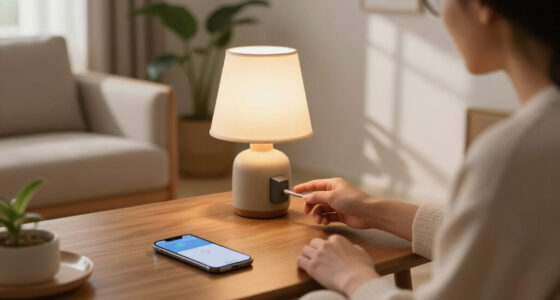
The guide recommends choosing one task and one low-risk device for an initial setup, such as controlling a lamp. Users should check whether the device works with their preferred assistant or smart home platform, whether it needs a separate hub or a particular Wi-Fi band, and whether planned functions require a subscription. A device may support voice commands without supporting every platform routine or AI feature, the guide cautions; AI home automation hubs can help bring compatible devices together.
For setup, the guide calls for a smartphone or tablet, the manufacturer’s official app, the device and power supply, home Wi-Fi credentials, and access to the relevant platform account. It advises downloading the app from the phone’s official app store, installing available updates, following the device’s pairing instructions, and checking that the product appears online in the app. Device names should be distinct and assigned to the right rooms so voice commands and routines can identify them.
Security steps include using a unique account password, enabling multifactor authentication when offered, and checking that the router uses WPA2 or WPA3 and has available updates. The guide also advises reviewing voice recordings, activity history, data sharing and cloud processing, and turning off functions that are not needed. For microphones and cameras, it says users should learn when recording or listening is active and how to pause it, a concern also covered in coverage of smart-device privacy.
Compatibility and Privacy Shape Setup
The practical point is that buying a device is only part of building a working smart home. Wi-Fi band, hub and platform compatibility can determine whether equipment connects at all, while subscriptions or model-specific limits may affect which routines and AI functions are available. Checking those requirements before purchase may prevent a device from failing to meet a household’s intended use.
Connected speakers, cameras, sensors and controls can also involve voice, sensor or usage data. The guide says some features process information locally while others send it to a cloud service, but the supplied material does not compare individual products’ data practices. Readers therefore need to consult the manufacturer’s current privacy and account settings rather than assume all devices handle data in the same way.
Starting with a lamp rather than a lock, alarm or heater gives a beginner a way to test pairing and voice control without immediately automating equipment that can affect home access or safety. That is the guide’s risk-reduction advice; it does not establish that any particular device or setup is safe for every home.
Products Worth Considering
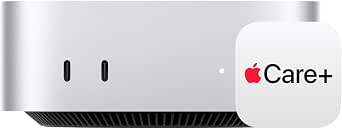
Apple Mac mini Desktop Computer with M5 Pro Chip and AppleCare+ (3 Years)
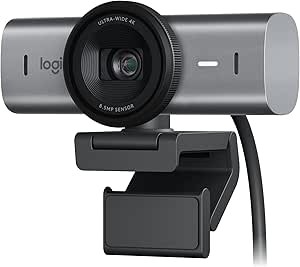
Logitech MX Brio Ultra HD 4K Webcam for Streaming and Collaboration

Apple MacBook Pro 13 with Touch Bar, 10th-Gen Quad-Core Intel Core i7 2.3GHz, 32GB RAM, 512GB SSD, Silver (Mid 2020)
As an affiliate, we earn on qualifying purchases.
A Small System, Not a Full Retrofit
The material is a how-to guide for a beginner-scale setup, not a report of a new device launch or a change to a smart home standard. Its example system may include a speaker, lights, thermostat or plug, and the setup uses a phone, a home network and, where required, a hub. The guide estimates 45 to 90 minutes, but gives that range as a planning estimate rather than a measured result for every household.
Its product verdicts name Hubitat, SwitchBot and Green. The guide says Hubitat is its preferred overall choice when local, multi-protocol automation and subscription-free AI-assisted routine building take priority over simpler setup. It favors SwitchBot for camera-aware, chat-based control and bundled storage if subscription costs and device limits suit the buyer, and describes Green as a quiet, expandable local automation base. The source also discloses that it earns commissions from qualifying Amazon purchases.
Those recommendations are presented as the publisher’s verdicts. The supplied material does not give comparative test methods, prices, model numbers, or independent performance results, so readers should check current product specifications, service terms and compatibility before deciding.
“We recommend Hubitat as the best overall choice when local, multi-protocol automation and subscription-free AI-assisted routine building matter more than beginner-friendly setup.”
— ThorstenMeyerAI.com, on Hubitat
Product Claims Need Current Checks
The source does not provide a publication date, model numbers, a comparison methodology or independent test data for its three product recommendations. It is also unclear from the material which specific devices, regions, Wi-Fi configurations or platform versions support each cited feature. Product capabilities, subscriptions and compatibility can vary by model and may change, so the guide’s verdicts should not be treated as a guarantee that a device will work in a particular home.
The guide describes a range of possible data handling, from local processing to cloud services, but does not specify how each named product handles voice, camera, sensor or usage data. It also does not provide a complete device-by-device setup walkthrough in the supplied text. Readers should confirm details with the manufacturer and the current app before enabling AI features or connecting equipment that affects safety or access.
Check Requirements Before Pairing
The guide’s next step for readers is to select a single task and verify the exact device requirements: platform support, hub needs, Wi-Fi band, regional availability and any subscription. They should then install the official app, update the device and router through their official controls, pair the device, and confirm it shows as connected before adding routines.
After pairing, users can assign a clear name and room, test a simple command or schedule, and review account permissions and privacy controls. The source sets out no announced follow-up from the publisher or manufacturers; specific product and service details remain subject to confirmation through current manufacturer documentation.
Key Questions
What should a beginner buy first?
The guide suggests starting with one low-risk device for a simple task, such as a lamp controlled by voice or a schedule, before connecting locks, alarms or heaters.
How long does setup take?
ThorstenMeyerAI.com estimates 45 to 90 minutes for a small setup. The time depends on how many devices are added and whether apps need updates; it is a guide estimate, not a guaranteed duration.
Do all smart home devices work with the same Wi-Fi and platform?
No. The guide says compatibility varies: devices may require a specific platform, hub or Wi-Fi band, and voice control does not necessarily mean every routine or AI feature is supported. Check the exact model’s requirements before buying.
What privacy settings should I check?
Review voice recordings, activity history, data sharing and cloud processing. For cameras and microphones, check when recording or listening is active and how to pause it; some devices may also have physical controls.
Are the guide’s product recommendations independent test results?
The source presents its recommendations as the publisher’s verdicts and discloses that it earns commissions from qualifying Amazon purchases. The supplied material does not include test methods or independent comparative results, so buyers should confirm current features and terms with manufacturers.
Source: ThorstenMeyerAI.com