
🔍 Read the full analysis: Let AI Help You Plan A Halloween Home Makeover on ThorstenMeyerAI.com

Get business pricing on office and shipping supplies
- Business-only prices and quantity discounts
- Tax-exempt purchasing
- Multiple users, one account, clear invoices
TL;DR
AI can help homeowners create custom Halloween visuals, character dialogue and coordinated lighting, but products described as AI-powered may rely only on motion sensors and prerecorded sounds. A successful display starts with one clear scene, checked product capabilities and a plan for safety, privacy and offline operation.
The original Halloween decor guide explains how homeowners can use generated visuals, character voices and connected effects to build themed displays, while warning that some products marketed as AI-powered only trigger prerecorded sounds. The advice matters to shoppers planning porch or indoor scenes because the technology affects cost, reliability and privacy, as well as what guests will actually experience.
The guide draws a distinction between artificial intelligence and ordinary automation. A motion sensor that plays the same shriek whenever someone approaches can create a scare, but it does not by itself interpret input or generate a response. AI features may create images or dialogue, recognize speech or adapt a character’s reply. Those capabilities can make a display feel more personal, but they also require review and may be less predictable.
Before buying, shoppers are advised to check the product’s current features, pricing, availability and privacy settings. The guide says to find out whether processing happens locally or through an online service. Local playback can be simpler and more dependable, while online services may support more flexible content and responses. Depending on the product, online features may require an internet connection and could send information to an external service.
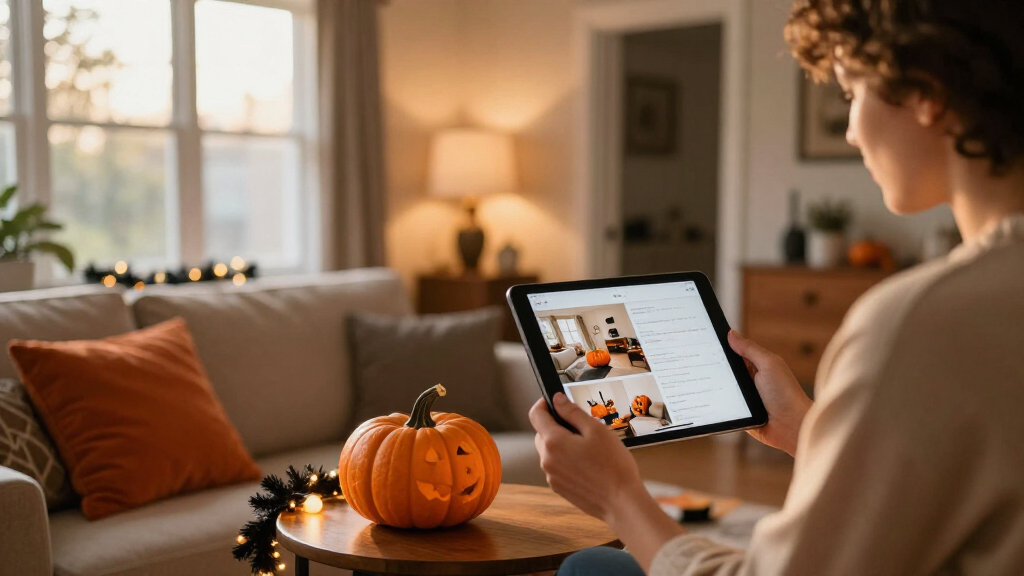
The planning advice starts with a single visitor moment, such as a portrait whispering as a guest approaches. A homeowner could create or edit the portrait and its dialogue, then coordinate a speaker and light. The guide recommends testing from the visitor’s perspective and keeping a basic fallback, such as a local recording or a simple light cue, in case a connected feature fails.
A motion-triggered recording is automation; AI usually means a system generates or interprets content.
Use generated art, voices, or dialogue to personalize a scene, then review the results and usage terms.
Plan one clear visitor moment before choosing sensors, lights, speakers, or controllers.
Test offline behavior, sensor timing, audio, cable placement, and outdoor protection before Halloween night.
Tell visitors when a display processes faces or voices, limit collection, and provide a way to pass without interacting.
A Better Scene Starts With One Cue
A Halloween display is experienced in a few seconds, often outdoors amid conversation, traffic and other competing effects. A clear, well-timed cue may be easier for visitors to notice than several lights, sounds and moving props firing together. Adding more connected parts can increase variety, but it can also introduce delays, conflicting triggers and more troubleshooting.
The choice of technology also changes the work involved. Generating a character image or voice gives the homeowner material to shape, but the result still needs editing for tone and fit. Speech recognition may struggle in a noisy setting, while camera-based features can raise questions about what images are analyzed and where they go. Matching each capability to a specific job helps homeowners judge whether the effect is worth its setup and operating demands.
Reliability matters most during the hours guests are expected. A scene that depends on Wi-Fi may not perform as planned if the connection drops or an online service is unavailable. Keeping a local trigger or simpler backup can help preserve the basic effect even when a more flexible feature is offline.
From Motion Sensors to Generated Dialogue
Halloween props have long used motion sensors and prerecorded audio to react when someone walks by. AI adds other possible functions, including generating themed artwork, creating draft dialogue, recognizing spoken phrases or coordinating multiple devices. These capabilities are often grouped together in marketing, although they do different jobs and may carry different requirements.
A homeowner planning a small display might use an image tool to create a haunted portrait and a speaker to play edited audio. A more involved setup could use speech recognition to select among replies or connect lights, speakers and props into a timed scene. The guide presents these as options rather than necessities: a motion-triggered recording can be a suitable choice for a simple jump scare, while generated or responsive content is more relevant when the scene depends on variation.
Product details can change, so descriptions and privacy settings should be checked before purchase. The guide also advises reviewing the terms for generated audio and images, since licenses may limit commercial use or sharing. For a personal home display, the practical questions remain what the device does, how it connects and whether it suits the intended audience.
Product Features and Data Use Vary
The guide does not identify specific products, current prices or independently tested performance, so it cannot establish which devices offer particular features or how reliably they work. Marketing labels may not explain the underlying technology; shoppers need to check current product details for themselves.
Privacy practices also depend on the device and service. It may not be clear from a general description whether speech or images are processed on the device, sent online or stored, or how long any data is retained. The guide recommends checking those settings and service requirements before using microphones or cameras around visitors.
Generated content can require editing, and speech recognition may not respond as intended in a noisy environment. The guide offers planning considerations, not a guarantee that a particular scene will work or that a connected effect will remain available throughout an event.
Test the Scene Before Guests Arrive
Homeowners can begin by deciding what they want a visitor to see or hear, then choosing the simplest device or tool that can deliver that moment. They can draft the visual or audio content, review it for suitability and check the product’s connection and privacy requirements. A test from the approach guests will take can reveal whether the cue is visible, audible and timed as intended.
Before Halloween night, test the complete setup and its fallback, including what happens if Wi-Fi or a connected service stops working. Keep cables and props arranged to avoid creating hazards, and consider how lights, sound and interactive features will affect children and other visitors. The source material does not name a release date or next product announcement; the next step for shoppers is to verify current product details and test their chosen scene before relying on it.
Key Questions
Does a motion-triggered Halloween prop use AI?
Not necessarily. A prop that plays the same recording when a motion sensor detects someone is using ordinary automation. AI may be involved if the device generates content, recognizes speech or adapts its response.
What is a simple way to use AI in a Halloween display?
One option is to create or edit a themed image or short character line, then play it through a speaker or display as part of a single scene. Review the material and test its timing before guests arrive.
Can AI decorations work without internet access?
It depends on the product. Some features may run locally, while others rely on an online service. Check the requirements and keep a local playback or lighting fallback if the scene needs to work during a connection outage.
What should I check about privacy?
For devices with microphones or cameras, review whether data is processed locally or sent to an online service, what information may be stored and which privacy settings are available. Practices vary by product.
Do AI-generated Halloween visuals and voices need editing?
They may. The guide recommends reviewing generated material for tone, suitability and technical issues. It also advises checking the applicable license if you plan to share or use the content commercially.
Source: ThorstenMeyerAI.com
Fall Picks
fall essentials
As an affiliate, we earn on qualifying purchases.