TL;DR

Get business pricing on office and shipping supplies
- Business-only prices and quantity discounts
- Tax-exempt purchasing
- Multiple users, one account, clear invoices
Building your own AI workstation used to be cheaper, but component shortages and bulk buying now often make prebuilt systems equally or more cost-effective. The choice hinges on time, support, and customization needs, not just price.
Imagine you’re ready to jump into AI training or inference, but the choice isn’t as clear-cut as it used to be. Building your own system was always cheaper, right? Not anymore. The rise of AI workloads, component shortages, and bulk buying has flipped the script. Now, the decision boils down to more than just dollars — it’s about speed, support, and how much control you want over your machine.
This isn’t just about saving a few hundred bucks. It’s about weighing the time to get up and running, the risk of compatibility issues, and whether you want a machine tuned to your exact needs or a ready-to-go system validated by experts. Let’s cut through the confusion and see what really matters in 2026 when choosing to build or buy your AI powerhouse.
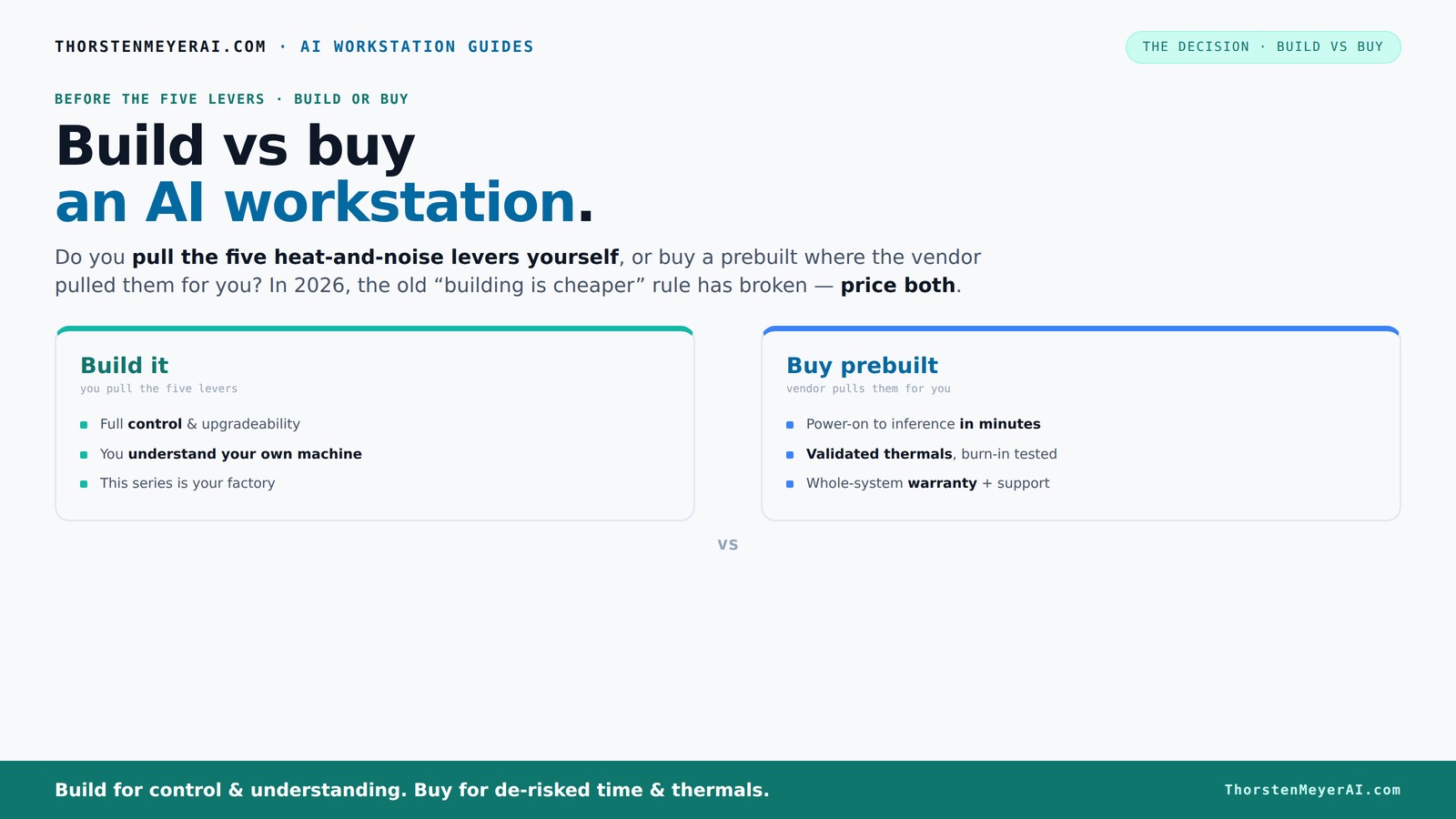
Build vs buy
an AI workstation.
The real question behind this whole series: do you pull the five heat-and-noise levers yourself, or buy a prebuilt where the vendor pulled them for you? And in 2026, the old “building is cheaper” rule has broken. Match your situation in Part 3.
Key Takeaways
- Component shortages and bulk buying have made prebuilt AI workstations often as affordable as DIY builds in 2026.
- Support, warranty, and validated thermals make prebuilt systems attractive for critical workloads.
- Building your own allows maximum customization, control, and learning, but demands time and technical skill.
- Always compare exact prices for your configuration — don’t rely on old assumptions about cost savings.
- Decide based on your priorities: speed and support or control and budget.
Products Worth Considering

Apple Mac mini Desktop Computer with M5 Pro Chip (2026)

Brother TD-2020A 2‑Inch Direct Thermal Desktop Label Printer with USB

Apple iPad Air 13-inch (M4), 128GB, Wi-Fi 7, Space Gray
As an affiliate, we earn on qualifying purchases.
Why the old rule — DIY is always cheaper — no longer holds in 2026
Building your own AI workstation used to be a straightforward way to save money, primarily because you could source individual components at retail or wholesale prices and assemble exactly what you needed. However, recent years have introduced significant complexities. Component shortages, especially in high-demand GPUs, have caused prices to skyrocket, sometimes doubling or tripling previous costs. Additionally, the scarcity of DDR5 RAM and SSDs has led to increased prices and availability issues, making DIY builds more expensive and unpredictable.
On the other hand, large vendors like Dell, BIZON, and Lambda leveraged their purchasing power to buy components in bulk before shortages hit, enabling them to offer systems at prices competitive with or even below what an individual might pay. They also incorporate extensive testing, quality assurance, and warranty coverage, which adds value beyond just the raw component costs. The implication? The traditional cost advantage of building your own system is diminishing because the total cost — including time, troubleshooting, and potential compatibility issues — can now surpass that of a prebuilt system. Therefore, the old rule that DIY always saves money no longer applies universally in 2026. It’s crucial to analyze the full scope of costs and risks before deciding.
The five levers of thermal control: who pulls them? You or the vendor?
Effective thermal management is critical for maintaining performance, longevity, and noise levels in AI workstations. The five levers— undervolting the GPU, matching the cooler, optimizing airflow, tuning fans, and proper placement—are the key tools to achieve this. How these are handled can significantly influence system stability and user experience.
When you buy a prebuilt system, the vendor typically handles these levers for you. They perform rigorous burn-in testing, validate thermals, and often include custom water-cooling solutions designed to operate quietly and efficiently under sustained workloads. For example, companies like Lambda claim to deliver systems with up to 30% lower noise and temperature levels compared to standard builds, thanks to their meticulous thermal tuning before shipping. This validation reduces the risk of thermal throttling, system crashes, or excessive noise, which can be costly in terms of downtime or user distraction.
In contrast, building your own system gives you full control over these levers. You can select custom coolers, undervolt GPUs, and design airflow tailored to your specific environment. However, this requires a good understanding of thermal dynamics, patience, and the time to fine-tune settings. Missteps can lead to overheating, reduced performance, or noisy operation, which might negate the cost savings of DIY. Thus, the choice involves weighing your technical skill and time availability against the convenience and reliability of vendor-validated systems. This decision impacts not only thermal performance but also operational stability and user experience over the system’s lifespan.
Defining Your Priorities: How to Evaluate Your Needs Before Deciding
Before jumping into the build vs buy debate, it’s essential to clearly define what you need from your AI workstation. Are you looking for rapid deployment with minimal hassle? Do you prioritize customization and future upgrade potential? Or are you more concerned with long-term support and reliability? Understanding your core requirements will help you weigh the options more effectively.
Ask yourself: How much time do I have to dedicate to assembly and troubleshooting? What is my budget—not just for initial purchase but for ongoing maintenance and upgrades? Will I need specialized cooling or specific hardware configurations? Are I comfortable managing potential compatibility issues or do I prefer a system that’s ready to run out of the box? Answering these questions creates a clear picture of your priorities and guides your decision-making process.
Remember, the optimal choice aligns with your workload demands, technical skills, and future plans. A well-matched system, whether built or bought, will deliver better performance and user satisfaction than one that simply looks good on paper.
Frequently Asked Questions
Is a prebuilt AI workstation worth it?
Yes, if you value quick setup, validated thermals, and support. Prebuilts come ready to run with the software stack installed and often include warranty coverage, which can save you time and headaches.Is it cheaper to build or buy for AI training or inference?
It depends. Recent shortages and bulk purchasing have made prebuilt systems competitive in price. Building can be cheaper if you already own tools and have the skills, but always compare specific costs before deciding.How much GPU VRAM do I need for my models?
For most AI workloads, 24-48GB of VRAM is ideal for training large models; 8-16GB can suffice for inference or smaller projects. Check your framework’s requirements and model sizes to choose accordingly.Will a prebuilt limit my future upgrades?
Potentially. Prebuilts are often validated for current specs, but upgrading might be limited by the motherboard or power supply. DIY systems offer more freedom to swap parts as needed.What support do I get if something fails?
Prebuilt systems generally include manufacturer support and warranties, making failure management straightforward. DIY builds shift responsibility to you, requiring troubleshooting and compatibility checks.Conclusion
Choosing between build and buy isn’t just a matter of dollars anymore. It’s about what you value most — rapid deployment, support, or full control. In 2026, smart buyers weigh all factors carefully.
Remember, your AI workstation is an investment. Whether you build or buy, aim for a machine that matches your workload, your skills, and your timeline. And don’t forget: sometimes, the fastest way to get started is to let someone else do the tuning for you.