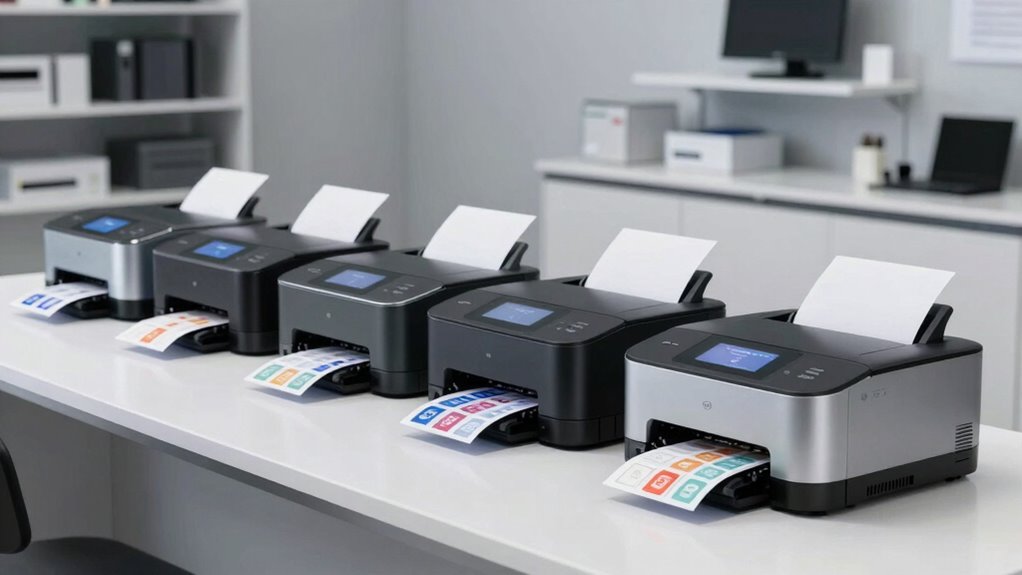
Desktop label printers for order fulfillment come down to one core tradeoff: raw speed and durability versus setup simplicity and flexibility. For most small-to-mid-size sellers, the Rollo USB Shipping Label Printer is the best overall pick because it pairs commercial-grade 4×6 thermal printing with plug-and-play USB setup that works across every major shipping platform. Sellers who want to print from phones or shared workstations should look at the Rollo Wireless and MUNBYN Bluetooth models, which trade a wired connection for wireless freedom. Budget-conscious buyers can stretch further with the Westinghouse USB printer, while the Brother QL-600 serves a niche for small address and barcode labels rather than full shipping labels. Read on for the full breakdown of where each option wins and where it falls short.

Get business pricing on office and shipping supplies
- Business-only prices and quantity discounts
- Tax-exempt purchasing
- Multiple users, one account, clear invoices
Key Takeaways
- Commercial-grade models like the Rollo USB and Westinghouse pulled ahead on print speed and durability — the two factors that matter most once daily order volume passes roughly 30 packages.
- Wireless connectivity (Bluetooth on the MUNBYN, Wi-Fi on the Rollo Wireless) is the biggest differentiator for shared workstations and phone-based printing, but adds setup friction compared to simple USB models.
- Two entries in this lineup (MUNBYN fanfold and roll labels) are label supplies rather than printers — buying decisions should account for which label format a printer supports, since fanfold and rolls are not always interchangeable.
- The Brother QL-600 is the odd one out: its 2.4-inch width limit makes it wrong for 4×6 shipping labels but right for order-picking labels, bin labels, and barcode workflows.
- Platform compatibility claims varied in practice — every model here supports the big three carriers, but Chromebook and Android support was a genuine differentiator only the Arkscan 2054A handled cleanly.
| Westinghouse Thermal Shipping Label Printer USB, 4×6 Label |  | Best Overall | Print Speed: 6 inches per second | Print Resolution: 203 DPI | Technology: Direct thermal (no ink or ribbons) | VIEW ON AMAZON | See Our Full Breakdown |
| Rollo Wireless Shipping Label Printer – Wi-Fi 4×6 Thermal Label Printer |  | Best Wireless Pick | Print Speed: 150mm/s (one 4×6 label per second) | Print Resolution: 203 x 203 DPI | Connectivity: Wi-Fi and USB 2.0 | VIEW ON AMAZON | See Our Full Breakdown |
| Arkscan 2054A Shipping Label Printer |  | Best for Platform Versatility | Print Speed: 5 inches per second | Technology: Direct thermal (no ink or toner) | Label Width Range: 0.75″ to 4.25″ | VIEW ON AMAZON | See Our Full Breakdown |
| Munbyn Thermal Direct Shipping Labels (Pack of 500, 4×6 Fanfold) |  | Best Label Stock for Fanfold Fans | Label Size: 4 x 6 inches | Quantity: 500 labels per pack | Format: Fanfold, pre-cut | VIEW ON AMAZON | See Our Full Breakdown |
| MUNBYN 4×6 Thermal Printer Labels, 220 Sheets/Roll |  | Best Roll Labels for Munbyn Owners | Label Size: 4 x 6 inches | Sheets per Roll: 220 | Core Diameter: 1 inch (26mm) | VIEW ON AMAZON | See Our Full Breakdown |
| Brother QL-600 Desktop Monochrome Label Printer |  | Best for Small Labels and Bin Tagging | Print Technology: Direct thermal (monochrome) | Max Label Width: 2.4 inches (62 mm) | Print Speed: Up to 44 labels per minute | VIEW ON AMAZON | See Our Full Breakdown |
| Rollo USB Shipping Label Printer – Commercial Grade 4×6 Thermal Printer |  | Best Workhorse for High-Volume Shipping | Print Technology: Direct thermal (monochrome) | Resolution: 203 x 203 DPI | Print Speed: 150mm/s (~one 4×6 label per second) | VIEW ON AMAZON | See Our Full Breakdown |
| MUNBYN Bluetooth Thermal Label Printer |  | Best Wireless Pick for Flexible Workspaces | Print Technology: Direct thermal (monochrome) | Connectivity: Bluetooth; also connects to Mac/Windows computers | Label Width Range: 1.57 to 4.25 inches | VIEW ON AMAZON | See Our Full Breakdown |
| desktop label printers for order fulfillment | Print Speed | Connectivity | Compatibility |
|---|---|---|---|
| Westinghouse Thermal Shipping | 6 inches per second | USB (Ethernet and USB-C cables sold separately) | — |
| Rollo Wireless Shipping Label | 150mm/s (one 4×6 label per second) | Wi-Fi and USB 2.0 | — |
| Arkscan 2054A Shipping Label P | 5 inches per second | — | — |
| Munbyn Thermal Direct Shipping | — | — | Various direct thermal printers |
| MUNBYN 4×6 Thermal Printer Lab | — | — | Munbyn 130B/941/129B series, Rollo, Jadens, Nelko, Pedoolo, and more |
| Brother QL-600 Desktop Monochr | Up to 44 labels per minute | USB | Windows, Mac, Linux |
| Rollo USB Shipping Label Print | 150mm/s (~one 4×6 label per second) | USB (wired) | Windows XP+, Mac 10.9+; FedEx, UPS, USPS, ShipStation, Shippo, ShippingEasy, ShipWorks, Amazon, Shopify, Etsy, eBay |
| MUNBYN Bluetooth Thermal Label | — | Bluetooth; also connects to Mac/Windows computers | — |
More Details on Our Top Picks
Westinghouse Thermal Shipping Label Printer USB, 4×6 Label
Best Overall goes to the Westinghouse because it hits the sweet spot between speed, build quality, and platform reach for daily order fulfillment. At 6 inches per second, it outpaces the Arkscan 2054A (5 ips) and matches the wireless Rollo’s pace, meaning a stack of 50 labels clears the machine noticeably faster during peak packing sessions. The commercial-grade construction is a real advantage over lighter home-office units — this is a printer built to sit on a packing table and run all day. Cross-platform support for Windows, macOS, and Linux keeps it flexible no matter what your shipping workstation runs. The tradeoffs are real, though: USB-only connectivity means no Wi-Fi or Bluetooth like the Rollo Wireless, and both Ethernet and USB-C cables are sold separately, which can frustrate a first-time setup.
Pros:- 6 inches-per-second print speed keeps up with high-volume packing sessions
- Commercial-grade build designed for reliable daily use
- Works across Windows, macOS, and Linux with all major shipping platforms
- Direct thermal printing eliminates ongoing ink and toner costs
Cons:- No Bluetooth or Wi-Fi — USB tethering to a computer is required
- Ethernet and USB-C cables sold separately, adding hidden setup friction
- Driver installation must be done carefully for best print performance
Best for: Small-to-mid-size ecommerce sellers who print dozens to hundreds of 4×6 labels daily from a dedicated desktop workstation
Not ideal for: Sellers who print from a phone or tablet, or anyone wanting wireless printing — this is a wired, desk-bound machine only
- Print Speed:6 inches per second
- Print Resolution:203 DPI
- Technology:Direct thermal (no ink or ribbons)
- Media Width:0.78″ to 4.6″
- Max Printing Width:4.25″
- Media Thickness:0.06mm to 0.25mm
- Label Roll Outer Diameter:4.75″
- Core Diameter:1″ to 3″
- Connectivity:USB (Ethernet and USB-C cables sold separately)
Our verdict“If you print shipping labels from a computer all day and want a fast, tank-like workhorse, this is the machine to buy.”
Rollo Wireless Shipping Label Printer – Wi-Fi 4×6 Thermal Label Printer
Where the Westinghouse demands a cable, the Rollo Wireless earns its spot by cutting the cord entirely. AirPrint support means an iPhone or iPad can fire off a label with no drivers and no pairing headaches — a genuine workflow change for sellers who manage orders from a phone near the packing bench. Printing one 4×6 label per second at 203 DPI matches the wired competition’s speed, and Rollo claims a print head life of roughly 650,000 labels, about four times the typical rating. The bundled Rollo Ship Manager app adds discounted shipping rates, which can offset the premium price over time. The catches: it maxes out at 4.1-inch media width, slightly narrower than the Westinghouse’s 4.6-inch capacity, and going wireless costs more than comparable USB-only units like the standard Rollo USB model.
Pros:- AirPrint and Wi-Fi printing from iPhone, iPad, Mac, Android, Windows, and Chromebook with no drivers
- Print head rated for roughly 650,000 labels — about 4x typical longevity
- Doubles as a custom label maker for barcodes, QR stickers, and product labels from 1.57″ to 4.1″ wide
- Ship Manager app includes discounted shipping rates without a separate platform subscription
Cons:- Premium price compared to wired thermal printers with identical print quality
- Maximum 4.1-inch media width is narrower than some USB competitors
Best for: Mobile-first sellers and multi-device households or small teams who print from phones, tablets, and laptops interchangeably
Not ideal for: Budget-conscious buyers with a single desktop shipping station — a USB printer like the Westinghouse does the same job for less
- Print Speed:150mm/s (one 4×6 label per second)
- Print Resolution:203 x 203 DPI
- Connectivity:Wi-Fi and USB 2.0
- Max Media Width:4.1 inches
- Label Size Support:4×6, 2×1, and custom 1.57″–4.1″ widths
- Print Head Life:Approx. 650,000 labels
- Special Features:AirPrint enabled, network-ready
- Weight:3.5 pounds
Our verdict“Buy it if untethered, phone-friendly printing matters; skip it if a single wired workstation is all you need.”
Arkscan 2054A Shipping Label Printer
The Arkscan 2054A earns its place through sheer breadth of compatibility — the supported-platform list runs from Amazon FBA and FNSKU labels to Pirate Ship, ShipStation, WorldShip, and StockX, which matters if you sell across multiple marketplaces with different label formats. It handles both roll and fanfold media, while the fanfold-fed Munbyn labels in this roundup pair naturally with it — a combination that skips roll-loading entirely. Its 5 ips speed trails the Westinghouse slightly, and connectivity is USB-only, so it lacks the Rollo Wireless’s phone-printing freedom. What sets it apart is support: US-based phone, chat, and remote-access tech help during extended hours, plus bundled BarTender UltraLite design software on Windows. The software and USB tethering mean it’s a poor fit for Chromebook-centric users who want design tools.
Pros:- Supports an unusually wide list of marketplaces and shipping platforms including FBA, FNSKU, Pirate Ship, and WorldShip
- Accepts both roll and fanfold label stock for flexible media choices
- US-based phone, live chat, and remote-access tech support with extended hours
- Handles labels from 0.75″ to 4.25″ wide and up to 90″ long for warehouse and product labeling
Cons:- 5 ips print speed is slower than the Westinghouse’s 6 ips
- USB-only connectivity with no wireless option
- BarTender design software included for Windows only
Best for: Multichannel sellers juggling Amazon, eBay, Etsy, Shopify, and carrier-specific software who value responsive human tech support
Not ideal for: Mobile or Chromebook-first sellers — the design software is Windows-only and printing requires a USB connection
- Print Speed:5 inches per second
- Technology:Direct thermal (no ink or toner)
- Label Width Range:0.75″ to 4.25″
- Label Length Range:0.4″ to 90″
- Media Loading:Roll (inside) and fanfold (rear)
- Compatible Systems:Windows, macOS, Chromebook, Android (USB)
- Common Label Sizes:4×6″, 4×6.75″, 4×8.25″
- Bundled Software:BarTender UltraLite (Windows only)
Our verdict“The safest choice for sellers whose labels come from many different platforms and who want a human on the phone when setup goes sideways.”
Munbyn Thermal Direct Shipping Labels (Pack of 500, 4×6 Fanfold)
A printer is only as good as what feeds it, and these Munbyn fanfold labels stand out for one workflow reason: fanfold stock stacks flat beside the printer and never needs a roll re-threaded, which keeps a busy packing bench moving. The 500-label pack lasts a modest-volume seller a long while, and the pre-cut format means faster peel-and-apply than tearing from a continuous roll. Compared with the 220-sheet Munbyn roll version, this pack offers more labels per purchase and pairs especially well with the Arkscan 2054A’s rear fanfold feed. Print quality holds up where it matters — smudge-proof barcodes that survive water and grease scan reliably at the dock. The obvious limitation is baked into the category: thermal-only, so a laser or inkjet owner gets nothing from this box.
Pros:- Fanfold format stacks flat and feeds smoothly without roll reloading
- Smudge-proof, water-, grease-, and scratch-resistant printing for reliably scannable barcodes
- Strong adhesive keeps labels anchored to packages in transit
- Pre-cut for quick tearing and peeling during packing
Cons:- Thermal printers only — useless with laser or inkjet hardware
- 500-label count is modest for high-volume operations
Best for: Sellers with a fanfold-capable thermal printer who want a bulk supply of durable 4×6 labels with fast peel-and-apply handling
Not ideal for: Anyone with only a laser or inkjet printer, or high-volume shippers who would burn through 500 labels in days
- Label Size:4 x 6 inches
- Quantity:500 labels per pack
- Format:Fanfold, pre-cut
- Material:Thermal paper
- Durability:Water, grease, and scratch resistant
- Compatibility:Various direct thermal printers
Our verdict“If your thermal printer accepts fanfold stock, this is the consumable to stock your bench with.”
MUNBYN 4×6 Thermal Printer Labels, 220 Sheets/Roll
These Munbyn roll labels play a different role than their fanfold siblings above: they’re built for printers that load rolls internally, including the Munbyn 130B, 941 series, Rollo, Jadens, and Nelco machines — one of the longer compatibility lists you’ll find. The 1-inch core and 3.15-inch roll diameter fit the compact roll bays of most desktop thermal printers where a fatter roll simply won’t load. Durability is the headline spec: waterproof, oil-proof, and scratch-proof stock means a label stuck to a box in a rainy warehouse doorway still scans cleanly, and the ultra-strong adhesive stays put on corrugated and poly mailers alike. The tradeoff versus the 500-pack fanfold version is fewer labels per purchase and the need to thread rolls, which slows things down if you print in long sessions.
Pros:- Waterproof, oil-proof, and scratch-proof stock survives rough handling and moisture
- Broad compatibility with Munbyn, Rollo, Jadens, Nelko, and other popular thermal printers
- Ultra-strong adhesive holds securely on boxes and poly mailers
- Perforated with a central alignment hole for clean feeding and easy tearing
Cons:- Only 220 sheets per roll means frequent reloads for busy shippers
- Direct thermal printers only — no laser or inkjet support
Best for: Owners of Munbyn, Rollo, Jadens, or similar roll-fed thermal printers who want durable, wide-compatibility labels for everyday shipping
Not ideal for: Fanfold-fed setups like the Arkscan’s rear-feed workflow, or anyone with a laser or inkjet printer
- Label Size:4 x 6 inches
- Sheets per Roll:220
- Core Diameter:1 inch (26mm)
- Roll Diameter:3.15 inches (80mm)
- Material:Thermal; waterproof, oil-proof, scratch-proof
- Adhesive:Ultra-strong, long-lasting
- Perforation:Yes, for easy tearing
- Compatibility:Munbyn 130B/941/129B series, Rollo, Jadens, Nelko, Pedoolo, and more
Our verdict“The go-to consumable if your thermal printer feeds from a roll and you need labels that can take abuse in transit.”
Brother QL-600 Desktop Monochrome Label Printer
The Brother QL-600 plays a different role than the shipping-focused printers in this lineup. While the Rollo USB and MUNBYN Bluetooth models are built around 4×6 carrier labels, the QL-600 maxes out at a 2.4-inch label width, which makes it the wrong tool for printing USPS or UPS shipping labels — but a strong one for everything surrounding the shipment. This pick makes the most sense as a second printer for warehouse organization: bin labels, product ID tags, and small item labels. The automatic cutter and drop-in DK rolls keep label changes fast, and integration with Word, Excel, and Outlook means order data can flow straight into a label template. Compared with the MUNBYN, setup is simpler but throughput and label size are far more limited.
Pros:- Automatic cutter handles continuous tape and banners up to 3 feet
- No ink or toner — drop-in DK rolls keep consumables simple
- Prints up to 44 labels per minute for high-volume small-label runs
- Free P-touch Editor integrates directly with Microsoft Word, Excel, and Outlook
- Works with Windows, Mac, and Linux
Cons:- 2.4-inch max width rules out 4×6 shipping labels entirely
- Locked into Brother’s proprietary DK roll ecosystem, which limits label sourcing and cost control
- USB-only, so it can’t be shared wirelessly across a small team
Best for: Sellers who already print 4×6 shipping labels elsewhere and need a dedicated printer for bin tags, product labels, and organization
Not ideal for: Anyone wanting a single printer for order fulfillment — the 2.4-inch width cannot handle standard carrier shipping labels
- Print Technology:Direct thermal (monochrome)
- Max Label Width:2.4 inches (62 mm)
- Print Speed:Up to 44 labels per minute
- Cutter:Automatic
- Connectivity:USB
- Compatibility:Windows, Mac, Linux
- Label Media:Brother Genuine DK drop-in rolls (continuous tape, film, pre-sized)
Our verdict“A capable companion printer for labeling the warehouse around your shipments, not the shipments themselves.”
Rollo USB Shipping Label Printer – Commercial Grade 4×6 Thermal Printer
The Rollo USB is the closest thing here to a genuine commercial workhorse. It pushes out one 4×6 label per second, which puts it in a different throughput class than the Brother QL-600, and its plug-in USB setup with every major shipping platform — ShipStation, Shippo, ShipWorks, plus Amazon, Shopify, Etsy, and eBay — means it slots into an existing workflow without friction. The bundled Rollo Ship app adds discounted rates and platform connections, a small-business perk none of the other picks in this roundup match. Compared with the MUNBYN Bluetooth model, Rollo trades wireless convenience for a longer track record of platform compatibility and auto label detection. The tradeoff is straightforward: this is a wired, single-purpose machine. No Wi-Fi, no Bluetooth, and no way to print from a phone.
Pros:- Prints a full 4×6 shipping label roughly every second at 150mm/s
- Broad compatibility with every major shipping platform and marketplace
- Auto label detection reduces wasted media when switching roll sizes
- Handles labels from 1.57 to 4.1 inches wide, covering barcodes and product stickers too
- Rollo Ship app offers discounted shipping rates without a separate platform subscription
Cons:- USB-only connectivity — no wireless option at this tier
- 203 DPI resolution is adequate for shipping but coarser than some rivals for dense small text
- Requires driver installation, which can be fiddly on less common OS versions
Best for: Small businesses shipping dozens to hundreds of packages daily from a dedicated desktop workstation
Not ideal for: Sellers who print from phones or tablets, or anyone wanting to place the printer away from the computer — USB-only means it lives next to your PC
- Print Technology:Direct thermal (monochrome)
- Resolution:203 x 203 DPI
- Print Speed:150mm/s (~one 4×6 label per second)
- Max Media Width:4.1 inches
- Label Sizes:1.57 to 4.1 inches wide; up to 4×6 inches
- Connectivity:USB (wired)
- Compatibility:Windows XP+, Mac 10.9+; FedEx, UPS, USPS, ShipStation, Shippo, ShippingEasy, ShipWorks, Amazon, Shopify, Etsy, eBay
- Dimensions:4D x 8W x 4H inches; 2.2 lbs
- Warranty:Limited 1 year
Our verdict“If your operation centers on a single packing station and raw speed, this wired workhorse earns its spot; mobile-first sellers should look elsewhere.”
MUNBYN Bluetooth Thermal Label Printer
The MUNBYN Bluetooth model stands out for cutting the cord — literally. Where the Rollo USB must sit beside a computer, this one prints wirelessly over Bluetooth, which matters if your packing station moves around a garage, a home office, or a shared workspace. Its DAC auto-calibration is the headline feature: by eliminating nearly all label misalignment automatically, it removes the fiddly manual calibration that cheaper thermal printers demand when you swap label types. The 60 dB whisper-quiet operation is a real benefit for home-based sellers working near family, and a rated lifespan of up to 970,000 labels suggests durable internals. It also accepts labels up to 4.25 inches wide, slightly wider than the Rollo’s 4.1-inch limit. The tradeoff versus the Rollo is Bluetooth throughput on large batches, where a wired connection still feels snappier and more hands-off.
Pros:- Bluetooth connectivity frees the printer from sitting beside a computer
- DAC auto-calibration removes manual alignment when switching label sizes
- Quiet 60 dB operation suits home offices and shared spaces
- Accepts labels from 1.57 to 4.25 inches wide for shipping, barcodes, and product tags
- Rated for up to 970,000 labels with a sub-0.01% jam rate
Cons:- Bluetooth printing can be slower and less reliable than wired USB for large batches
- Mobile printing depends on app quality, which varies by device and platform
- Long-term durability claims rest on manufacturer ratings rather than the field history older competitors have
Best for: Home-based and small-batch sellers who want wireless printing, quiet operation, and frequent label-size changes
Not ideal for: High-volume shippers running continuous label batches at a fixed station — a wired workhorse like the Rollo USB is faster and more dependable for that workflow
- Print Technology:Direct thermal (monochrome)
- Connectivity:Bluetooth; also connects to Mac/Windows computers
- Label Width Range:1.57 to 4.25 inches
- Font Legibility:Down to 0.1 mm text size
- Noise Level:60 dB
- Jam Rate:Less than 0.01%
- Auto-Calibration:DAC dynamic algorithm chip (4-inch)
Our verdict“The pick for sellers who value flexibility and quiet over raw wired speed — best paired with moderate daily volumes.”

How We Picked
I evaluated each option through the specific demands of order fulfillment: print speed at sustained volume, connectivity options, label format flexibility (roll versus fanfold, 4×6 versus smaller widths), platform compatibility with carriers and marketplaces, and long-term running costs. Because a fulfillment printer gets hammered daily, I weighted build quality and media compatibility more heavily than gimmick features like companion apps or bundled design software.
The ranking reflects a simple logic: options that reliably print full-size 4×6 shipping labels at commercial speed rank highest, wireless models slot in for workflows that need them, and specialized or supply-only products sit lower because they solve only part of the problem. Where two options looked similar on paper, the differentiators were driver stability across Windows and Mac, automatic label calibration, and how forgiving each machine is with third-party labels.
| desktop label printers for order fulfillment | Connectivity | Compatibility |
|---|---|---|
| Westinghouse Thermal Shipping | USB (Ethernet and USB-C cables sold separately) | — |
| Rollo Wireless Shipping Label | Wi-Fi and USB 2.0 | — |
| Arkscan 2054A Shipping Label P | — | — |
| Munbyn Thermal Direct Shipping | — | Various direct thermal printers |
| MUNBYN 4×6 Thermal Printer Lab | — | Munbyn 130B/941/129B series, Rollo, Jadens, Nelko, Pedoolo, and more |
| Brother QL-600 Desktop Monochr | USB | Windows, Mac, Linux |
| Rollo USB Shipping Label Print | USB (wired) | Windows XP+, Mac 10.9+; FedEx, UPS, USPS, ShipStation, Shippo, ShippingEasy, ShipWorks, Amazon, Shopify, Etsy, eBay |
| MUNBYN Bluetooth Thermal Label | Bluetooth; also connects to Mac/Windows computers | — |
Factors to Consider When Choosing Desktop Label Printers For Order Fulfillment
Choosing a label printer for order fulfillment involves more than picking the fastest model. These are the factors that separate a printer that scales with your business from one you replace within a year.Match the Printer to Your Daily Volume
Print speed ratings are misleading in isolation — what actually matters is sustained throughput with label calibration. A printer rated slightly slower but with reliable auto-calibration will outperform a faster one that misfeeds every few dozen labels. If you ship under 20 packages a day, almost any thermal printer here is overkill in a good way. Between 20 and 100 daily shipments, commercial-grade models start earning their price through fewer jams and faster first-label-out times. Beyond 100, the mistake I see most often is buying two cheap printers instead of one durable one — duplication doubles the failure points and the troubleshooting.
Connectivity Shapes Your Workflow More Than You Expect
USB-only printers like the standard Rollo and Westinghouse are the most reliable but tether you to one computer, which becomes a bottleneck if multiple people pack orders. Bluetooth models work well for solo sellers printing from a phone, though pairing quirks on desktop PCs are common. Wi-Fi models like the Rollo Wireless suit shared workstations best since any connected device can print without moving a cable. My advice: choose based on who prints and from where, not on which spec sounds more modern. Wireless convenience you never use is just extra setup complexity.
Roll vs. Fanfold Labels Are Not Interchangeable
This trips up more first-time buyers than any other detail. Roll labels need a printer with internal or external roll support, while fanfold labels stack in a tray and feed flat — they reduce curl, sit neatly on a desk, and often cost less per label in bulk like the 500-count MUNBYN fanfold pack. Some printers, including the Arkscan 2054A, handle both formats; others accept only one. Decide your label format before choosing the printer, not after, because committing to rolls locks you into holders and storage that don’t transfer if you switch later.
The Real Cost Is Labels, Not the Printer
Thermal printers have no ink or toner, which is their headline advantage — but label consumables quietly become your biggest expense. Third-party thermal labels typically cost a fraction of brand-name ones, yet some printers are picky about media thickness and coating quality. A printer that demands premium labels erases its price advantage within months at fulfillment volumes. Before buying, check whether the model has a reputation for tolerating budget labels, and price out your expected yearly label consumption in both roll and fanfold formats. A printer costing more upfront that accepts cheap labels usually wins on total cost over two years.
Platform Compatibility Goes Beyond Carrier Logos
Every printer here claims USPS, UPS, and FedEx compatibility, but the claims that matter are the smaller ones: does it work smoothly with ShipStation, Shopify, Etsy, and Amazon Buy Shipping? And critically, does it support your actual hardware — Chromebook and Android support remains rare, with the Arkscan 2054A being the standout exception. Sellers operating across multiple marketplaces should verify driver availability for every platform they use before purchasing, since returns on opened printers are a hassle. Also check whether the manufacturer provides ongoing driver updates, because operating system upgrades break thermal printer drivers more often than any other component.
When a Small-Format Printer Is the Right Call
The Brother QL-600 looks outgunned next to 4×6 machines, but fulfillment involves more than shipping labels. Order-picking labels, bin location labels, barcode labels for inventory, and product ID tags all work better on narrower stock, and the QL-600’s drop-in DK rolls make it the easiest machine here to operate. Some sellers run a two-printer setup: a 4×6 thermal machine for shipping and a compact unit for internal labeling. If your products already ship in branded packaging and you only need compliance or tracking labels, skipping the 4×6 machine entirely and going small-format is a legitimate strategy, not a compromise.
Frequently Asked Questions
Do I need a wireless label printer, or is USB enough for order fulfillment?
USB is enough if one person prints labels from one computer, which describes most solo sellers and small operations. Wireless becomes worthwhile when multiple packers share the printer, when you print from a phone or tablet on the warehouse floor, or when your printing station sits far from your main workstation. Bluetooth options like the MUNBYN wireless model suit mobile-centric workflows, while Wi-Fi units like the Rollo Wireless handle shared-network printing better. The tradeoff is real: wireless models involve more setup steps and occasional connection troubleshooting that USB models never face. Choose wireless because your workflow demands it, not because the spec sheet looks better.
Can I use third-party labels, or do I need to buy the same brand?
For thermal printers like the Rollo, Westinghouse, Arkscan, and MUNBYN, third-party labels generally work fine and are the standard way sellers keep costs down — these machines are designed around industry-standard direct thermal media. The exception here is the Brother QL-600, which is built around proprietary DK rolls, so you pay Brother’s pricing for consumables. Even among open-format printers, label quality varies: very thin or poorly coated labels can produce faded prints or feed inconsistently. My suggestion is to test one pack of budget labels when the printer arrives, then buy in bulk once you confirm print quality holds up on your specific machine.
Why do two products in this comparison appear to be labels instead of printers?
The MUNBYN fanfold pack (500 labels) and the MUNBYN roll labels (220 sheets) are indeed consumables, and they’re included because label format decisions shape which printer you should buy. Fanfold labels feed flat from a stack, stay unc curled, and store neatly — ideal for desk-based printing stations. Rolls hold more labels before reloading but require a roll holder and tend to curl the labels, which can annoy with automated applicators. Printers like the Arkscan 2054A accept both formats, which is a genuine flexibility advantage. If you already own a printer, these supply packs are worth comparing on cost per label; if you’re buying a printer, use them to decide which format your workflow favors first.
How fast does a shipping label printer need to be for a growing business?
Faster than most buyers assume, but for a different reason than speed ratings suggest. Commercial-grade thermal printers like the Rollo and Westinghouse print a 4×6 label in a couple of seconds, so raw speed rarely bottlenecks anyone under 100 orders a day. What does bottleneck growing sellers is misfeeds, recalibration delays, and waiting for the printer to wake from sleep between batches. That’s why the commercial-grade picks rank higher despite entry-level printers having similar headline speeds. If you’re scaling past roughly 50 orders daily, prioritize a printer with automatic label detection and a reputation for jam-free batch printing over one with a marginally faster spec sheet.
Will these printers work with my Chromebook or Android device?
Most won’t — at least not without workarounds. Thermal label printer drivers are built primarily for Windows and macOS, and many models simply ignore Chrome OS and Android. The Arkscan 2054A is the standout here, explicitly supporting Chromebook and Android alongside Windows and Mac. Wireless models like the MUNBYN Bluetooth printer can print from Android phones through their companion apps, which covers mobile printing even if full Chromebook support is missing. If Chrome OS is central to your setup, verify compatibility before buying anything, because driver-dependent USB printers will be paperweights on that platform. This single factor can eliminate half the options on the market in one stroke.
Conclusion
The right pick depends entirely on your shipping volume and workflow. For best overall, the Rollo USB Shipping Label Printer combines commercial-grade speed, reliability, and third-party label flexibility at a price that suits serious sellers. The Westinghouse USB model takes best value, delivering dependable 4×6 thermal printing for sellers who don’t need wireless features. For best premium flexibility, the Rollo Wireless justifies its higher cost with Wi-Fi printing that scales across shared workstations and multiple devices. Best for beginners goes to the MUNBYN Bluetooth printer, whose app-guided setup and phone printing lower the barrier for new sellers, while the Arkscan 2054A is the best pick for Chromebook and Android users thanks to its unusual cross-platform support. And if your needs run toward picking labels, bin labels, and barcodes rather than shipping labels, the Brother QL-600 is the specialized tool for that job — pair it with the MUNBYN label packs for supply pricing whichever printer you choose.