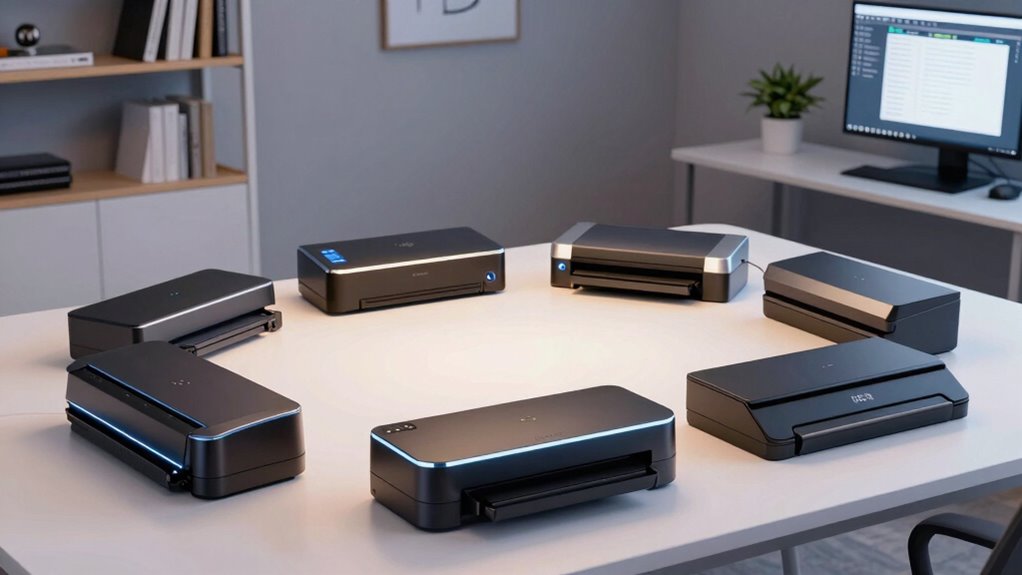

Direct sellers handle a mix of receipts, order forms, product sheets, customer records, and paperwork that needs to be filed before the next appointment. I put the ScanSnap iX2500 first for sellers who want fast duplex scanning, a large feeder, and wireless filing; the Epson WorkForce ES-400 II is my practical desktop pick for organized office batches; and the Brother DS-640 suits sellers who need a compact scanner they can carry between home, events, and client visits. The main choice is between batch capacity and speed, wireless convenience, and portable single-page capture. A larger scanner saves time on paperwork days, while a mobile model takes less space and is easier to bring along.

Get business pricing on office and shipping supplies
- Business-only prices and quantity discounts
- Tax-exempt purchasing
- Multiple users, one account, clear invoices
Key Takeaways
- The ScanSnap iX2500 combines a 100-sheet feeder, 45-ppm duplex scanning, and Wi-Fi 6 for sellers handling large, mixed paperwork batches.
- The Epson WorkForce ES-400 II is a strong desktop option when searchable PDFs and a 50-sheet feeder matter more than wireless access.
- The Brother DS-640 is the more versatile travel pick of the two compact scanners, with a stated 16-ppm speed and broad operating-system compatibility.
- The Epson WorkForce ES-50 handles receipts, IDs, and one-off pages in a small USB-powered setup, but it cannot feed a stack automatically.
- The ScanSnap iX2400 matches the iX2500’s stated 45-ppm speed and 100-sheet capacity, but its wired USB connection makes it less flexible for shared workspaces.
| ScanSnap iX2500 Wireless or USB High-Speed Document Scanner, Black |  | Best Overall for High-Volume Seller Paperwork | Scanning speed: 45 ppm | Scanning: Double-sided | Document feeder: 100 sheets | VIEW ON AMAZON | See Our Full Breakdown |
| Epson WorkForce ES-400 II High-Speed Color Duplex Desktop Document Scanner |  | Best for Searchable Office Records | Document feeder: 50 sheets | Connectivity: USB | Scanning: Duplex | VIEW ON AMAZON | See Our Full Breakdown |
| ScanSnap iX2400 High-Speed One-Touch Button Color Document Scanner, Black |  | Best Wired High-Capacity One-Touch Option | Scanning speed: Up to 45 ppm | Document feeder: 100 sheets | Connectivity: Wired USB | VIEW ON AMAZON | See Our Full Breakdown |
| Brother DS-640 Compact Mobile Document Scanner |  | Best Compact Scanner for Mobile Sellers | Scan speed: Up to 16 ppm | Weight: 1.5 lbs | Size: Less than 1 foot long | VIEW ON AMAZON | See Our Full Breakdown |
| Epson WorkForce ES-50 Compact & Lightweight Mobile Document Scanner |  | Best for Occasional Receipts and Single Pages | Maximum document size: 8.5 x 72 inches | Scanning speed: 5.5 seconds per page | Connectivity: USB 2.0 | VIEW ON AMAZON | See Our Full Breakdown |
| document scanners for direct seller | Connectivity | Scanning speed | Document feeder | OCR |
|---|---|---|---|---|
| ScanSnap iX2500 Wireless or US | Wi-Fi 6, USB-C | 45 ppm | 100 sheets | — |
| Epson WorkForce ES-400 II High | USB | — | 50 sheets | Supported |
| ScanSnap iX2400 High-Speed One | Wired USB | Up to 45 ppm | 100 sheets | — |
| Brother DS-640 Compact Mobile | — | — | — | Included software |
| Epson WorkForce ES-50 Compact | USB 2.0 | 5.5 seconds per page | — | Nuance OCR |
More Details on Our Top Picks
ScanSnap iX2500 Wireless or USB High-Speed Document Scanner, Black
The iX2500 ranks first because it pairs 45-ppm double-sided scanning with a 100-sheet feeder and both Wi-Fi 6 and USB-C. For a seller catching up on orders, receipts, supplier documents, and customer records in one sitting, that mix can reduce the stop-and-start work of loading pages and turning them over. Wireless support also gives it an advantage over the USB-only ES-400 II and wired-only iX2400 when the scanner needs to fit into a shared or flexible workspace.
Its touchscreen and automatic optimizations make it the most self-contained desktop choice in this group. Those features are useful when a seller wants a quick scan destination without managing each page by hand, though wireless connectivity needs setup and a high-capacity feature set may be more than a low-volume business needs. The ES-400 II remains a credible alternative for a seller who values a 50-sheet feeder and OCR over wireless access, while the iX2400 may suit someone who prefers a simpler wired workflow.
I would choose this model for regular paperwork batches, especially where double-sided forms and cloud filing are part of the routine. I would skip it if scanning is occasional, portability matters more than feeder capacity, or the seller wants a basic USB device without wireless setup. Its lead comes from the strongest stated combination of batch capacity, speed, and connection options, not from being the smallest or simplest scanner.
Pros:- 45-ppm double-sided scanning helps move through paperwork batches quickly.
- 100-sheet feeder reduces frequent reloading.
- Wi-Fi 6 and USB-C offer more placement flexibility than the wired-only models.
- Touchscreen and automatic optimizations support a streamlined scanning workflow.
Cons:- Wireless connectivity requires setup before use.
- Its feature set may be unnecessary for sellers with only occasional scanning.
- The supplied details do not specify OCR, so buyers needing searchable text should verify software capabilities.
Best for: Direct sellers who regularly scan multi-page, double-sided paperwork and want wireless or USB-C connectivity with a large feeder.
Not ideal for: Sellers who scan only a few single pages at a time, need a mobile scanner, or want to avoid wireless setup.
- Scanning speed:45 ppm
- Scanning:Double-sided
- Document feeder:100 sheets
- Connectivity:Wi-Fi 6, USB-C
- Controls:Large touchscreen
- Processing:Automatic optimizations
- Cloud support:Supported
Our verdict“For sellers with recurring paperwork batches, the iX2500 is the most flexible all-round choice thanks to its feeder capacity, duplex speed, and wireless options.”
Epson WorkForce ES-400 II High-Speed Color Duplex Desktop Document Scanner
The ES-400 II is my desktop pick for a seller who wants more than quick image capture. Its 50-sheet automatic feeder, duplex scanning, and OCR features are a useful combination for turning invoices, forms, and receipts into searchable files. Automatic file naming and cloud or document-management integration also speak directly to the ongoing task of finding a customer record later, rather than simply scanning paper and leaving the files in an unorganized folder.
Compared with the iX2500, the ES-400 II has a smaller stated feeder and no wireless option, so it is less flexible for larger batches or a shared workspace. In return, the supplied details specifically name OCR and automatic file naming, capabilities not specified for the iX2500 or iX2400 in this comparison. It also offers double-feed detection and image adjustments, which can help protect a batch from missed or poorly captured pages. Its USB-only connection means it is best treated as a dedicated desk scanner.
This model makes sense when a seller has a regular home-office filing routine and values document retrieval over portability. It is a weaker match for casual users: the DS-640 and ES-50 take up less room and travel more easily, while the iX2500 brings a larger feeder and wireless connectivity for bigger workloads. I would pick the ES-400 II when searchable, named files are central to the workflow, and skip it when a simple receipt scan is the main task.
Pros:- 50-sheet feeder supports batch scanning.
- Duplex scanning captures both sides without manual page flipping.
- OCR and automatic file naming help create searchable, organized records.
- Double-feed detection and image adjustments support cleaner batch capture.
Cons:- USB-only connectivity offers less placement flexibility than the iX2500.
- Its desktop feature set may be excessive for occasional receipt scanning.
- The stated feeder capacity is lower than the 100-sheet ScanSnap models.
Best for: Sellers who scan recurring office batches and want OCR, automatic file naming, and cloud or document-management integration.
Not ideal for: Mobile sellers, people who need wireless scanning, or anyone who scans only a few pages now and then.
- Document feeder:50 sheets
- Connectivity:USB
- Scanning:Duplex
- OCR:Supported
- File handling:Automatic file naming
- Image tools:Auto crop and background removal
- Feed protection:Double-feed detection
- Software integration:Cloud services and document-management software
Our verdict“The ES-400 II is a practical choice for sellers who prioritize searchable, organized office files over wireless convenience or maximum feeder capacity.”
ScanSnap iX2400 High-Speed One-Touch Button Color Document Scanner, Black
The iX2400 suits sellers who want fast, straightforward batch scanning without needing wireless access. Its stated 45-ppm speed and 100-sheet feeder match the iX2500 on those headline measures, while one-touch operation, automatic document detection, and image cleanup point toward a simpler routine: load papers, start a scan, and organize them through ScanSnap Home. That can be a good fit for a dedicated office desk where the scanner stays connected to one computer.
The tradeoff is connection choice. Unlike the iX2500, the iX2400 is specified as wired USB only, so it is less convenient if the device needs to move between rooms or serve multiple users. Compared with the ES-400 II, it offers a larger stated feeder and higher stated speed, but the supplied description does not list OCR or automatic file naming. A seller who needs searchable text should check the software details before choosing it over Epson’s office-focused model.
I rank it below the ES-400 II because the available details make the Epson’s record-search features clearer, and below the iX2500 because wireless connectivity adds practical flexibility. Still, its high capacity and one-touch workflow are compelling for a seller who wants repeatable scanning at a fixed desk. It is less suited to occasional users who would not make use of the feeder, or to anyone who wants to scan from a mobile device or a location without a direct USB connection.
Pros:- 45-ppm stated speed supports high-volume scanning.
- 100-sheet feeder reduces reloading during larger paperwork jobs.
- One-touch operation and automatic document detection simplify repeat scans.
- Automatic image cleanup helps prepare scans for filing.
Cons:- Wired USB connection limits placement and sharing flexibility.
- OCR is not specified in the supplied product details.
- Its batch-focused design may be more than an occasional scanner user needs.
Best for: Sellers who process large batches at a fixed workstation and prefer one-touch operation over wireless connectivity.
Not ideal for: Sellers who need wireless placement, mobile scanning, or clearly specified OCR for searchable records.
- Scanning speed:Up to 45 ppm
- Document feeder:100 sheets
- Connectivity:Wired USB
- Operation:One-touch button
- Document handling:Automatic document detection
- Image processing:Automatic image cleanup
- Software:ScanSnap Home
- Color:Black
Our verdict“Choose the iX2400 for a fixed desk and frequent batches; choose the iX2500 if wireless flexibility matters or the ES-400 II if specified OCR is a priority.”
Brother DS-640 Compact Mobile Document Scanner
The DS-640 is the mobile pick for sellers who need to capture paperwork away from a permanent office. At 1.5 pounds and less than a foot long, it is easier to carry to a market, appointment, or product event than either desktop ScanSnap or Epson model. USB-powered operation also avoids carrying a separate power supply, and its stated 16-ppm speed gives it a quicker pace than the ES-50’s single-page approach.
Its image tools—automatic color detection, rotation, bleed-through prevention, background removal, and text enhancement—are useful when receipts and forms arrive in varied conditions. OCR software and several scan destinations support digital filing, while Windows, Mac, and Linux compatibility gives it a broader stated system range than the ES-50. The compromise is that this is a mobile document scanner, not a batch desktop feeder: there is no listed automatic document feeder, Wi-Fi, or wireless connection, and full feature use requires software installation.
Compared with the ES-50, the DS-640 is the stronger choice when speed and operating-system range matter. The ES-50 can be more appealing for simple individual receipts and ID cards, while the DS-640 offers a richer set of image corrections. Neither replaces the iX2500 or ES-400 II for regular stacks of paperwork. I would choose the Brother for scanning on the move, but skip it if most of the work involves long batches or if a wireless workflow is a requirement.
Pros:- Compact 1.5-pound design is easy to carry.
- USB-powered operation avoids a separate power supply.
- Stated 16-ppm speed is faster than the ES-50’s per-page rate.
- OCR, multiple destinations, and image enhancement tools support practical filing.
Cons:- No built-in Wi-Fi or wireless connectivity.
- Full feature use requires software installation.
- No automatic document feeder is listed, making large batches less convenient.
Best for: Direct sellers who scan documents at events, client visits, or multiple work locations and want a lightweight USB-powered device.
Not ideal for: Sellers who need an automatic feeder for stacks, wireless scanning, or an always-ready desktop batch workflow.
- Scan speed:Up to 16 ppm
- Weight:1.5 lbs
- Size:Less than 1 foot long
- Power:USB 3.0-powered
- Compatibility:Windows, Mac, Linux
- OCR:Included software
- Image tools:Color detection, rotation, bleed-through prevention, background removal, text enhancement
- Destinations:Multiple scan destinations
Our verdict“The DS-640 is the most capable carry-along choice here, but its mobile format is a poor substitute for an automatic-feeder desktop scanner.”
Epson WorkForce ES-50 Compact & Lightweight Mobile Document Scanner
The ES-50 is the simplest fit for a seller who mainly needs to digitize receipts, IDs, and individual pages without adding a desktop scanner to the office. It is compact, powered through USB, and scans a page in a stated 5.5 seconds. Epson ScanSmart and Nuance OCR offer a route to organizing and searching files, which gives this small scanner a useful record-keeping role despite its limited paper handling.
The central limitation is also what defines its place in this roundup: it handles one sheet at a time. That is manageable for a handful of expense receipts, but a poor match for batches of customer forms or two-sided paperwork. The DS-640 is a better mobile choice for sellers who value its stated 16-ppm speed, image corrections, and broader operating-system compatibility. For desk-based batch work, the ES-400 II’s 50-sheet feeder is in a different class.
I would choose the ES-50 when low bulk and straightforward single-page capture matter more than automation. It can also handle documents up to 8.5 by 72 inches, useful for some long receipts or forms, but it still relies on a USB connection and does not provide wireless scanning. Sellers who expect their paperwork volume to grow should consider the DS-640 for travel or a desktop feeder model for routine batches rather than buying around occasional use alone.
Pros:- Small, lightweight design is easy to store or carry.
- USB-powered operation does not require a separate power supply.
- Stated 5.5-second page speed suits occasional single-page capture.
- Nuance OCR and ScanSmart support searchable, organized files.
Cons:- Single-sheet scanning slows down batches.
- USB 2.0 connection means no wireless scanning.
- Large recurring workloads are better matched to a model with an automatic feeder.
Best for: Part-time or low-volume sellers who mostly scan individual receipts, IDs, and occasional pages at home or on the go.
Not ideal for: Sellers processing stacks of forms, needing wireless access, or wanting a scanner that can feed multiple pages automatically.
- Maximum document size:8.5 x 72 inches
- Scanning speed:5.5 seconds per page
- Connectivity:USB 2.0
- Power:USB-powered
- Software:Epson ScanSmart
- OCR:Nuance OCR
- Compatibility:Windows, Mac
- Cloud access:Cloud storage supported
Our verdict“The ES-50 is a tidy option for occasional receipts and IDs, but sellers with regular paperwork batches should step up to the DS-640 or a feeder-equipped desktop model.”

How We Picked
I ranked these scanners around the jobs direct sellers commonly need to finish: digitizing receipts and order paperwork, keeping customer documents searchable, processing stacks without constant feeding, and scanning away from a desk. I gave weight to automatic document feeding and duplex capture because batches of forms and invoices often contain multiple pages, and to OCR and image cleanup because a searchable file is easier to retrieve than a pile of image-only scans.
I also separated desktop workhorses from mobile tools rather than treating portability as a universal advantage. The iX2500 leads for sellers prioritizing wireless, high-volume use; the ES-400 II offers a capable office workflow over USB; and the iX2400 provides similar stated batch speed and capacity with a simpler wired setup. The DS-640 and ES-50 serve different mobile needs: one offers faster stated scanning and broader system compatibility, while the other is a straightforward choice for occasional single pages. Product details here are based on the supplied specifications; I do not assume capabilities that were not listed.
My order reflects the balance of seller-specific convenience, throughput, and flexibility—not a claim that every seller needs the most capable scanner. A part-time seller scanning a few receipts each week may be better served by a compact model, while someone managing frequent orders, returns, and customer forms can benefit more from an automatic feeder and duplex scanning. Each pick has a limitation that could make another model a better fit.
| document scanners for direct seller | Connectivity | OCR |
|---|---|---|
| ScanSnap iX2500 Wireless or US | Wi-Fi 6, USB-C | — |
| Epson WorkForce ES-400 II High | USB | Supported |
| ScanSnap iX2400 High-Speed One | Wired USB | — |
| Brother DS-640 Compact Mobile | — | Included software |
| Epson WorkForce ES-50 Compact | USB 2.0 | Nuance OCR |
Factors to Consider When Choosing Document Scanners For Direct Sellers
I would start with the paperwork routine, not the headline speed. A scanner for direct selling should fit how often you capture documents, where you work, and how you plan to find them afterward.Match the feeder to your paperwork volume
An automatic document feeder matters when a seller regularly scans several pages at once. The iX2500 and iX2400 each list a 100-sheet feeder, while the ES-400 II lists 50 sheets. Those capacities can reduce interruptions during larger runs of forms, invoices, or supplier paperwork. The DS-640 and ES-50 are compact mobile models, but no automatic feeder is listed for either, so expect to feed pages individually. If you scan only a few receipts each week, that may be a fair exchange for smaller size; if paperwork piles up, a desktop feeder is the more practical choice.
Duplex scanning can cut manual handling
Some order documents, forms, and customer records contain printing on both sides. A scanner with duplex capture records both sides in one pass, avoiding manual page flipping and making it less likely that a reverse side gets missed. The ES-400 II specifically lists duplex scanning, and the iX2500 specifies double-sided scanning. The supplied iX2400 details do not list duplex scanning, so I would confirm that capability if it is a must-have. The mobile models are better suited to individual pages and quick captures than substantial two-sided batches.
Choose connections around where you work
For a scanner that stays beside one computer, a wired connection may be all a seller needs. The ES-400 II and iX2400 use wired USB, while the ES-50 and DS-640 also rely on USB and do not list wireless connectivity. The iX2500 stands apart with Wi-Fi 6 as well as USB-C, offering more options for placement and connection. Wireless can be helpful in a shared workspace, but it adds setup; it is not a reason to buy a larger scanner if a simple fixed desk connection already suits the routine.
Think about how you will retrieve files
A scan is only useful later if it is easy to locate. OCR turns document text into searchable content, while automatic naming and cloud or document-management integration can support a more organized filing routine. The ES-400 II explicitly lists OCR and automatic file naming, and both Epson mobile scanners list OCR-related software. The DS-640 also includes OCR software. OCR is not specified in the supplied details for either ScanSnap model, so sellers who rely on searching within documents should check the software workflow before selecting one of those picks.
Portability is a separate kind of convenience
If you scan at events, at a client’s home, or between work locations, a compact USB-powered device can be more useful than a high-capacity desktop model. The Brother DS-640 is the faster stated mobile option at up to 16 ppm and supports Windows, Mac, and Linux. The ES-50 is especially suited to occasional receipts, IDs, and single pages, with a stated 5.5 seconds per page and a long-document size limit of 8.5 by 72 inches. Neither is designed to replace a feeder-equipped scanner for repeated paperwork batches.
Pay attention to the workflow, not just the speed figure
Speed numbers help compare models, but they do not describe the whole job. A 100-sheet feeder and one-touch operation can matter more than a fast scan rate if a seller regularly processes a large pile. Image cleanup, double-feed detection, OCR, and automatic file naming can also reduce follow-up work. For light use, simple setup and easy storage may matter more than maximum throughput. My ranking favors models that solve distinct seller tasks rather than treating the fastest listed scanner as the automatic winner for everyone.
Frequently Asked Questions
Which scanner is the best fit for a direct seller who scans paperwork every week?
For recurring batches, I would start with the ScanSnap iX2500 because it combines a 100-sheet feeder, 45-ppm double-sided scanning, and Wi-Fi 6 or USB-C. The Epson WorkForce ES-400 II is a strong alternative if specified OCR and automatic file naming matter more than wireless connectivity. A seller who scans only a few pages at a time may not need either desktop model.
Which of these scanners is easiest to carry to sales events?
The Brother DS-640 is the more capable mobile pick for many sellers, with a 1.5-pound weight, compact dimensions, USB-powered operation, and a stated 16-ppm speed. The Epson ES-50 is another compact option for occasional single pages, receipts, and IDs. Neither is a substitute for an automatic-feeder scanner when there is a large stack to process.
Do I need OCR for receipts and customer records?
OCR can make a scanned document searchable by its text, which helps when a seller needs to locate an invoice, customer form, or receipt by name or other written details. The ES-400 II and both compact Epson and Brother models list OCR features or software. OCR is not specified in the supplied descriptions for the ScanSnap iX2500 or iX2400, so I would verify the available software workflow before relying on either for searchable records.
Is a wireless scanner necessary for a direct-selling business?
No. A wired USB scanner works well when it stays beside one computer and the seller prefers a fixed setup. Wireless connectivity is more useful when the scanner needs flexible placement or a shared workspace; among these five, the iX2500 lists Wi-Fi 6. The other models rely on USB connections, so the right choice depends on where scanning happens rather than on wireless access alone.
Should I choose a mobile scanner or a desktop document feeder?
I would choose a mobile scanner if portability, quick receipt capture, and small storage space are the main needs. A desktop model with an automatic feeder is a better match for frequent batches of order forms, invoices, and multi-page records. The DS-640 and ES-50 are the carry-along options here; the ES-400 II, iX2400, and iX2500 are more suited to a permanent workspace and larger jobs.
Conclusion
My pick for a seller who handles paperwork in regular, substantial batches is the ScanSnap iX2500, especially when wireless placement and double-sided scanning are useful. For a dedicated office workflow built around OCR and automatic file naming, I would choose the Epson WorkForce ES-400 II. The ScanSnap iX2400 is the better fit for a fixed desk where a large feeder and one-touch scanning matter, but wireless does not.
For sellers who carry their scanner between home, appointments, and events, the Brother DS-640 offers the stronger mix of mobility and stated speed. Choose the Epson ES-50 if your scanning is mostly occasional receipts, IDs, and single sheets. The practical dividing line is straightforward: buy for the volume and location of your real paperwork, not for a feature you are unlikely to use.
Fall Picks
fall essentials
As an affiliate, we earn on qualifying purchases.