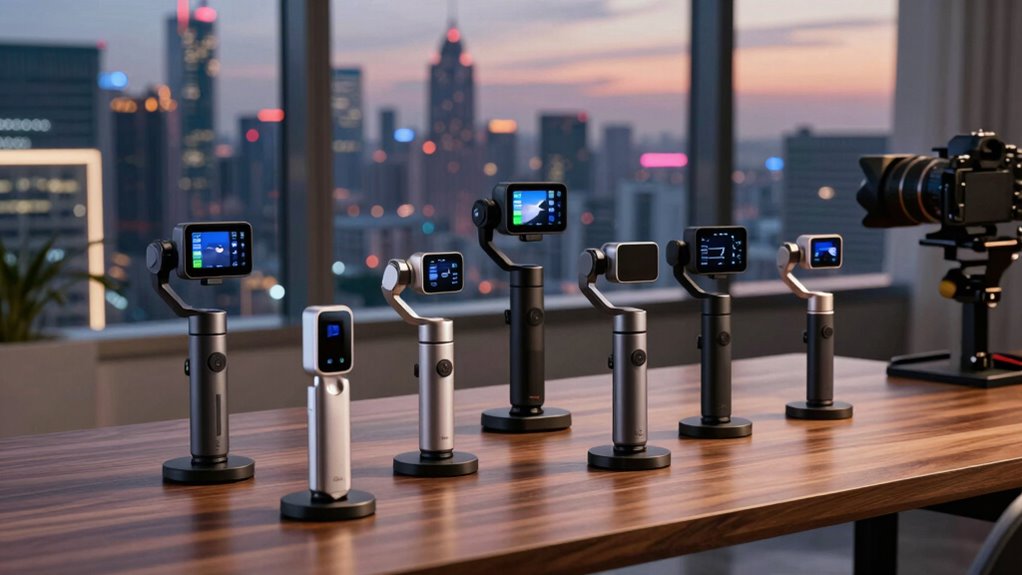
The best travel gimbal for most business owners is the Insta360 Flow 2 Pro Creator Bundle, which pairs phone-based filming with tracking tools for solo presentations and travel content. The DJI Osmo Pocket 4 Creator Combo is a stronger fit if you want a dedicated camera, while the Hohem iSteady X3 SE offers a simpler, compact route for phone videos. The main tradeoff is between portability and control: smaller phone gimbals travel easily, while more capable bundles can take extra setup and space. Your phone, preferred apps, and need to film yourself should guide the choice as much as stabilization does. Read on for the full comparison and advice on matching a gimbal to your work trips.

Get business pricing on office and shipping supplies
- Business-only prices and quantity discounts
- Tax-exempt purchasing
- Multiple users, one account, clear invoices
Key Takeaways
- The Flow 2 Pro Creator Bundle leads for solo business filming: its phone-first design and tracking features suit owners who need to record presentations or social clips without a camera operator.
- The Osmo Pocket 4 Creator Combo serves a different purpose: it is the dedicated-camera choice, not simply another phone stabilizer, so it makes sense for buyers who want a separate filming device.
- The Hohem iSteady X3 SE is the simpler travel pick: its appeal is a compact phone-gimbal setup, though it does not offer the same creator-bundle positioning as the leading Insta360 option.
- The two Insta360 Flow 2 Pro packages should not be treated as identical: the Creator Bundle and standalone gimbal differ in package contents, so buyers should check which accessories they actually need.
- Phone compatibility can shape the ranking: DockKit support is a specific advantage for compatible Apple devices, while Android owners should confirm app and tracking support before choosing.
| Hohem iSteady X3 SE 3-Axis Gimbal Stabilizer for iPhone & Android, Black |  | Best Lightweight Value | Compatibility: iPhone and Android smartphones | Stabilization: iSteady 8.0, 3-axis gimbal | Battery life: Up to 11 hours | VIEW ON AMAZON | See Our Full Breakdown |
| Insta360 Flow 2 Pro Creator Bundle Grey – Foldable AI Phone Gimbal with Apple DockKit and 360º Pan Tracking |  | Best Premium Phone-Gimbal Bundle | Compatibility: iPhone 12 or later with MagSafe; Android listed | Stabilization: 3-axis stabilization | Tracking: 360-degree pan tracking and multi-person tracking | VIEW ON AMAZON | See Our Full Breakdown |
| DJI Osmo Pocket 4 Creator Combo |  | Best for Professional-Looking Footage | Sensor: 1-inch CMOS | Video resolution: Up to 4K/240fps | Stabilization: 3-axis mechanical gimbal | VIEW ON AMAZON | See Our Full Breakdown |
| DJI Osmo Mobile 7 Gimbal Stabilizer for iPhone & Android |  | Best for Straightforward Business Travel | Compatibility: iPhone and Android | Stabilization: 3-axis stabilization | Tracking: ActiveTrack 7.0 | VIEW ON AMAZON | See Our Full Breakdown |
| AOCHUAN Smart X3 360° Pan Rotation Gimbal Stabilizer for iPhone |  | Best Compact iPhone Selfie-Stick Gimbal | Compatibility: iPhone | Pan rotation: 360 degrees | Extension rod: 20 inches | VIEW ON AMAZON | See Our Full Breakdown |
| Insta360 Flow 2 Pro Gimbal Stabilizer for Smartphone with AI Tracking, Fill Light, Selfie Stick & Tripod – Grey |  | Best for Solo Business Creators | Compatibility: iPhone and Android smartphones | Stabilization: 3-axis | Tracking: Native AI tracking, multi-person tracking, active zoom, and infinite pan | VIEW ON AMAZON | See Our Full Breakdown |
| travel gimbals for business owner | Compatibility | Stabilization | Weight | Battery life |
|---|---|---|---|---|
| Hohem iSteady X3 SE 3-Axis Gim | iPhone and Android smartphones | iSteady 8.0, 3-axis gimbal | 0.79 lb | Up to 11 hours |
| Insta360 Flow 2 Pro Creator Bu | iPhone 12 or later with MagSafe; Android listed | 3-axis stabilization | — | Up to 10 hours |
| DJI Osmo Pocket 4 Creator Comb | — | 3-axis mechanical gimbal | 190.5 g | 240 minutes at 1080p/24fps |
| DJI Osmo Mobile 7 Gimbal Stabi | iPhone and Android | 3-axis stabilization | 300 g | — |
| AOCHUAN Smart X3 360° Pan Rota | iPhone | — | 14.4 oz | — |
| Insta360 Flow 2 Pro Gimbal Sta | iPhone and Android smartphones | 3-axis | Not specified | — |
More Details on Our Top Picks
Hohem iSteady X3 SE 3-Axis Gimbal Stabilizer for iPhone & Android, Black
For owners who want steadier phone footage on client visits without carrying a camera kit, the Hohem iSteady X3 SE keeps the setup light at 0.79 pounds and folds for travel. Its detachable remote lets you start or control shots without staying beside the phone, while 11-hour battery life suits a full day of intermittent filming. Compared with the feature-rich Insta360 Flow 2 Pro Creator Bundle, Hohem offers a simpler, lighter phone-gimbal approach rather than a larger suite of included filming tools. The iSteady 8.0 stabilization and app features such as AI tracking can help with walk-throughs and quick social clips, but full functionality depends on app setup. Its 0.66-pound payload limit also makes it a poorer fit for heavier phone setups, and intensive use can shorten runtime.
Pros:- Lightweight, foldable design is easy to pack for work trips.
- Detachable magnetic remote supports control away from the phone.
- Up to 11 hours of stated battery life suits extended filming days.
- AI tracking and gesture control add hands-free shooting options through the app.
Cons:- The 0.66-pound payload capacity limits heavier phones and add-ons.
- Access to full functionality requires app setup.
- Battery life can vary with filming intensity and feature use.
Best for: Business owners who carry a compatible phone and want a lightweight gimbal for meetings, property walk-throughs, or travel updates.
Not ideal for: Owners using a large phone or a heavier phone-and-accessory setup, or anyone who wants advanced features without configuring a companion app.
- Compatibility:iPhone and Android smartphones
- Stabilization:iSteady 8.0, 3-axis gimbal
- Battery life:Up to 11 hours
- Weight:0.79 lb
- Payload capacity:0.66 lb
- Remote:Detachable magnetic remote
- Charging time:2 hours
Our verdict“Choose the Hohem iSteady X3 SE if low carry weight and long stated runtime matter more than a broad bundle of filming accessories.”
Insta360 Flow 2 Pro Creator Bundle Grey – Foldable AI Phone Gimbal with Apple DockKit and 360º Pan Tracking
The Insta360 Flow 2 Pro Creator Bundle suits business owners who want a phone-based filming kit that can handle more than stabilization. Its foldable design combines a built-in tripod and selfie stick, while the included spotlight and 360-degree pan tracking support solo product demos, presentations, and moving follow shots. Compared with the lighter, more stripped-back Hohem iSteady X3 SE, this bundle provides more shooting tools and tracking options, but asks for more setup and practice. The feature set is a better match for regular content production than occasional travel clips. Compatibility needs attention too: the magnetic mount is intended for MagSafe-compatible iPhone 12 or later, while Android is also listed as supported. Buyers should check their phone and mounting arrangement before relying on the bundle for work.
Pros:- 360-degree pan and multi-person tracking support dynamic solo or group filming.
- Built-in tripod and selfie stick reduce the need to pack separate supports.
- Included spotlight adds a lighting option for indoor work clips.
- Foldable design and creative shooting modes suit varied travel content.
Cons:- The wide feature set can take time to learn and configure.
- Magnetic mounting is aimed at MagSafe-compatible iPhone 12 or later; buyers should verify fit for their phone.
- More elaborate than necessary for occasional, simple stabilized clips.
Best for: Business owners who regularly make solo presentations, product videos, or social content and want a tripod, selfie stick, and spotlight in one kit.
Not ideal for: Casual users seeking a straightforward stabilizer, or owners whose phone setup is not compatible with the magnetic mount and included accessories.
- Compatibility:iPhone 12 or later with MagSafe; Android listed
- Stabilization:3-axis stabilization
- Tracking:360-degree pan tracking and multi-person tracking
- Battery life:Up to 10 hours
- Included accessories:Magnetic phone clamp, spotlight, USB-C cables, protective pouch
- Additional features:Built-in tripod, selfie stick, and free-tilt mode
- Warranty:1 year
Our verdict“Pick the Flow 2 Pro Creator Bundle if you will use its tracking, lighting, and built-in support tools often enough to justify the extra setup.”
DJI Osmo Pocket 4 Creator Combo
The DJI Osmo Pocket 4 Creator Combo is the outlier here: it is a pocket camera with a built-in 3-axis gimbal, not a stabilizer that holds your phone. That distinction makes it appealing to business owners who want a dedicated camera, 1-inch CMOS sensor, and 107GB of internal storage for polished travel updates without depending on phone storage. The Creator Combo adds a transmitter microphone, fill light, wide-angle lens, and mini tripod, giving it a fuller production setup than the phone-based DJI Osmo Mobile 7. It also records 4K at up to 240fps, though that capability may be more than routine business clips need. Its stated battery figure is 240 minutes at 1080p/24fps; the camera is not water resistant, and a charger is not included.
Pros:- 1-inch CMOS sensor and 4K/240fps recording offer broad video capabilities.
- 107GB of internal storage reduces reliance on separate memory cards.
- Creator Combo includes a microphone transmitter, fill light, and wide-angle lens.
- Compact 190.5-gram camera combines capture and 3-axis stabilization.
Cons:- It records with its own camera rather than stabilizing a smartphone.
- Not water resistant, limiting use in rain or wet environments.
- A battery charger is not included.
Best for: Business owners who prioritize a dedicated camera, onboard storage, and included audio and lighting gear for planned promotional or travel videos.
Not ideal for: Owners who want to stabilize footage directly from their existing phone, or who need a camera for wet-weather work.
- Sensor:1-inch CMOS
- Video resolution:Up to 4K/240fps
- Stabilization:3-axis mechanical gimbal
- Internal storage:107GB
- Battery life:240 minutes at 1080p/24fps
- Weight:190.5 g
- Connectivity:Bluetooth and Wi-Fi
- Water resistance:Not water resistant
- Included accessories:DJI Mic 3 transmitter, fill light, wide-angle lens, mini tripod, selfie stick, protective film, magnetic mount
Our verdict“Choose the Osmo Pocket 4 Creator Combo if a dedicated, self-contained video camera matters more than keeping your phone as the camera.”
DJI Osmo Mobile 7 Gimbal Stabilizer for iPhone & Android
The DJI Osmo Mobile 7 is a practical middle ground for owners who want to stabilize their existing phone without carrying a dedicated camera or a creator-focused accessory bundle. At 300 grams, it folds for travel and has a built-in tripod for setting up a quick remote presentation or hands-free clip. Its ActiveTrack 7.0 and 10-hour operating time make it better suited to repeated filming across a workday than a basic hand grip. Compared with the Insta360 Flow 2 Pro Creator Bundle, the Osmo Mobile 7 has a simpler listed setup, but it does not include the same spotlight-and-accessory collection. Buyers should note that DJI Mimo must be downloaded from DJI’s official website due to platform restrictions, and the optional Tracking Kit is separate. Some users may find the app features involved at first.
Pros:- Works with iPhone and Android smartphones.
- ActiveTrack 7.0 helps keep a moving subject in frame.
- Built-in tripod supports hands-free recording without a separate stand.
- Up to 10 hours of operating time suits extended work travel.
Cons:- DJI Mimo must be downloaded from DJI’s official website due to platform restrictions.
- The Tracking Kit is sold separately.
- The feature set and app may feel involved for beginners.
Best for: Owners who already shoot on iPhone or Android and want foldable stabilization, subject tracking, and a built-in tripod for routine business content.
Not ideal for: Buyers who want a dedicated camera, included advanced lighting, or a setup that avoids downloading an app outside their platform’s usual store.
- Compatibility:iPhone and Android
- Stabilization:3-axis stabilization
- Tracking:ActiveTrack 7.0
- Maximum operating time:Up to 10 hours
- Weight:300 g
- Design:Foldable, with built-in tripod
- Charging:USB-C
Our verdict“Pick the Osmo Mobile 7 if you want a foldable phone gimbal with tracking and a tripod, but do not need the dedicated camera or accessories of the Osmo Pocket 4 Creator Combo.”
AOCHUAN Smart X3 360° Pan Rotation Gimbal Stabilizer for iPhone
For iPhone-owning business travelers who want extra reach without packing a separate selfie stick, the AOCHUAN Smart X3 combines a foldable gimbal with a 20-inch extension rod. Its 14.4-ounce weight and 6.9-inch folded size make it easy to stow, while the remote’s stated 33.8-foot range can help when recording a presenter or group from a short distance. The 360-degree pan rotation supports follow shots, giving it a more movement-focused role than the straightforward DJI Osmo Mobile 7. The tradeoff is narrower compatibility: this model is listed for iPhone only, so it is a poor shared-office choice if staff use Android. The standard edition also lacks an AI fill light, and phone mounting and setup remain part of the filming routine.
Pros:- Folds to 6.9 inches and weighs 14.4 ounces for compact packing.
- 20-inch extension rod adds reach for solo and group framing.
- Remote control has a stated range of up to 33.8 feet.
- 360-degree pan rotation and multiple shooting modes support varied clips.
Cons:- Listed compatibility is limited to iPhone.
- The standard edition has no AI fill light.
- Phone mounting and setup are still required before filming.
Best for: iPhone-using business owners who want a compact travel gimbal with extra reach for solo updates, group clips, or follow shots.
Not ideal for: Android users, teams sharing equipment across phone platforms, or anyone who needs built-in AI fill lighting.
- Compatibility:iPhone
- Pan rotation:360 degrees
- Extension rod:20 inches
- Remote control range:33.8 ft
- Weight:14.4 oz
- Folded size:6.9 inches
- Charging:USB-C cable included
- Warranty:1 year
Our verdict“Choose the AOCHUAN Smart X3 if you use an iPhone and value a compact fold with extra reach more than broad phone compatibility or built-in lighting.”
Insta360 Flow 2 Pro Gimbal Stabilizer for Smartphone with AI Tracking, Fill Light, Selfie Stick & Tripod – Grey
The Insta360 Flow 2 Pro suits business owners who film presentations, product demos, or social clips without someone behind the camera. Its AI tracking can follow one person or multiple people, while 3-axis stabilization helps keep walking footage steady. The built-in tripod and selfie stick also make it easier to switch from handheld travel shots to a fixed-frame recording without packing separate supports.
Compared with the DJI Osmo Mobile 7, this model’s included fill light and teleprompter give it a more self-contained setup for talking-head content and dim interiors. That versatility comes with a learning curve: the tracking and creative modes may feel like extra setup for owners who only need basic stabilization. Its weight and dimensions are unspecified, so frequent flyers cannot readily judge its packed size from the available details.
Pros:- AI tracking supports solo filming and multi-person scenes without a dedicated camera operator.
- Built-in fill light can help keep faces visible in dim offices, hotel rooms, or evening settings.
- Tripod, selfie stick, and teleprompter support several business-video setups with one device.
- Compatible with iPhone and Android smartphones.
Cons:- Advanced tracking and creative modes may take time to learn if basic stabilization is all you need.
- Weight and dimensions are not provided, making travel-bag fit harder to judge.
- The included accessories and features may be unnecessary for owners who mainly capture quick, casual footage.
Best for: Solo consultants, founders, and small-business marketers who regularly record themselves, lead live streams, or make product videos while traveling.
Not ideal for: Travelers who want a simple, lightweight gimbal for occasional clips, or buyers who need confirmed weight and folded dimensions before choosing carry-on gear.
- Compatibility:iPhone and Android smartphones
- Stabilization:3-axis
- Tracking:Native AI tracking, multi-person tracking, active zoom, and infinite pan
- Lighting:Built-in fill light
- Modes:Free tilt, AI tracking, and 360-degree pan
- Included accessories:Magnetic phone mount, USB-C to USB-A cable, built-in tripod, selfie stick, teleprompter, and mirror
- Dimensions:Not specified
- Weight:Not specified
Our verdict“Choose the Flow 2 Pro if you need one phone rig for tracked, well-lit business videos on the road; skip it if simple operation and verified travel dimensions matter more.”

How We Picked
I ranked these options around the work-trip tasks business owners are likely to face: filming a short introduction, recording a presentation alone, capturing steady travel footage, and packing a setup that will not be a burden. I weighed stabilization and tracking alongside setup effort, portability, phone compatibility, included tools, and whether the product depends on a smartphone or works as a dedicated camera. Features matter here only when they help produce usable business content with fewer interruptions.
The Insta360 Flow 2 Pro Creator Bundle takes the top spot for its creator-focused phone setup and solo-filming appeal. The DJI Osmo Pocket 4 Creator Combo ranks as the dedicated-camera alternative, while the standard Flow 2 Pro serves buyers who want its core phone-gimbal approach without choosing the bundle. The Hohem iSteady X3 SE, DJI Osmo Mobile 7, and AOCHUAN Smart X3 round out the list for shoppers prioritizing a simpler phone setup or particular tracking and rotation features. Because package contents and compatibility can vary by configuration and phone, I treat those as purchase checks rather than assuming every buyer will benefit equally.
| travel gimbals for business owner | Compatibility | Included accessories |
|---|---|---|
| Hohem iSteady X3 SE 3-Axis Gim | iPhone and Android smartphones | — |
| Insta360 Flow 2 Pro Creator Bu | iPhone 12 or later with MagSafe; Android listed | Magnetic phone clamp, spotlight, USB-C cables, protective pouch |
| DJI Osmo Pocket 4 Creator Comb | — | DJI Mic 3 transmitter, fill light, wide-angle lens, mini tripod, selfie stick, protective film, magnetic mount |
| DJI Osmo Mobile 7 Gimbal Stabi | iPhone and Android | — |
| AOCHUAN Smart X3 360° Pan Rota | iPhone | — |
| Insta360 Flow 2 Pro Gimbal Sta | iPhone and Android smartphones | Magnetic phone mount, USB-C to USB-A cable, built-in tripod, selfie stick, teleprompter, and mirror |
Factors to Consider When Choosing Travel Gimbals For Business Owners
Business travel puts constraints on filming that a feature list cannot capture. Before choosing, decide what you need to record, how much setup time you can spare, and whether your phone is already the camera you trust. These factors can prevent paying for accessories or tracking features that do not fit your routine.
Match the Setup to Your Actual Work Content
Start by listing the clips you need to make on a typical trip: a direct-to-camera update, a walkthrough, an event recap, or scenery for a company post. A phone gimbal works naturally when your phone also handles calls, edits, and uploads, while a dedicated pocket camera separates filming from those tasks. Do not assume a gimbal will improve every video; clear audio, good light, and a steady place to speak can matter more for a simple talking-head clip. If most content is recorded at a desk or hotel room, a travel gimbal may see less use than a compact stand or microphone. For frequent movement shots, stabilization has a more direct payoff. Choose for the clips you publish regularly, not the most ambitious video you might make once.
Check Phone and App Compatibility Before Buying
Tracking and control features can depend on the phone model, operating system, camera app, and the gimbal maker’s companion app. A feature described as automatic tracking may not work in every third-party app you use for business content. Apple DockKit support is relevant to compatible Apple devices, but Android buyers should confirm the exact supported functions for their handset. Also check whether your phone’s size, case, or attached lens fits the clamp and balances correctly. A common mistake is treating a shared product name as proof that every package has the same compatibility or accessories. Verify the current product listing and manufacturer support information against your specific phone before ordering.
Weigh Solo Tracking Against Manual Control
Automatic tracking is most useful when you need to present, demonstrate a product, or move through a space without asking someone else to film. It can save a second person’s time, but tracking is not a substitute for framing a shot or checking that the camera has not lost you. For interviews, client meetings, or carefully composed walkthroughs, a colleague or fixed camera position may produce more predictable footage. Think about the places where you will film: crowded rooms, narrow hotel spaces, and busy event floors can make movement harder to manage. If you rarely film alone, tracking may be less valuable than a lighter setup or simpler controls. Choose the feature for a recurring task rather than for its novelty.
Account for Total Carry and Setup Time
A travel setup includes more than the gimbal itself: add its case, charging cable, phone, microphone, light, and any tripod or extension accessories you plan to carry. Bundles can reduce the need to source separate tools, yet they may also add bulk and setup steps. For back-to-back meetings, a device that folds quickly and is easy to deploy may be more useful than one with a larger accessory set. Check how the gimbal stores, how it is powered, and whether it can stand on its own when you need both hands free. Avoid buying accessories on the assumption that you will use them; prioritize those that solve a specific filming problem. The best travel kit is the one you will bring on ordinary work trips.
Decide Whether a Separate Camera Is Worth It
A dedicated pocket camera can keep business filming separate from messages, navigation, and calls, which is useful when a phone is already busy during a trip. A phone gimbal, by contrast, lets you work with a camera and editing workflow you may already know. A separate camera means another device to charge, carry, transfer files from, and learn. Phone footage can also simplify quick sharing, but it may be affected by phone storage, notifications, or app limitations. Consider your upload and editing routine before choosing between these approaches. Pay for a separate camera when its independent role solves a real workflow problem, not just because it looks more specialized.
Prioritize Reliability Over Feature Count
For business content, a missed recording can cost more than a missing creative effect. Look for straightforward controls, a dependable way to start and stop recording, and a setup you can repeat without consulting instructions every time. Check manufacturer guidance for balancing, supported phone loads, charging, and firmware or app requirements. Extra modes can be useful for planned shoots but add little if you only need steady movement and a reliable solo frame. Before a client event or presentation, practice with the exact phone, app, microphone, and lighting combination you intend to use. A familiar, adequately equipped gimbal is often a better work tool than a feature-rich one that takes too long to prepare.
Frequently Asked Questions
Should I choose a phone gimbal or the DJI Osmo Pocket 4 Creator Combo for business travel?
Choose a phone gimbal if your phone is already your main camera and you want a familiar path from recording to editing and sharing. The Osmo Pocket 4 Creator Combo makes more sense if you want a separate filming device that does not occupy your phone while you work. That separation can help on trips when your phone must stay available for navigation, calls, or client messages. It also adds another device and workflow to manage. Decide based on how you record and transfer footage, not on the assumption that a dedicated camera will automatically fit your routine better.
Is Apple DockKit support a reason to choose the Insta360 Flow 2 Pro?
It can be a strong reason if you use a compatible Apple device and want the tracking experience supported by DockKit. It is not a universal advantage for every phone owner, and Android users should confirm which tracking and app features work with their handset. Check the specific phone model and the recording apps you rely on before choosing. If your existing workflow depends on a third-party app, confirm that the features you want work there rather than only in a companion app. Compatibility matters more than the feature name alone.
Is the Insta360 Flow 2 Pro Creator Bundle worth choosing over the standard Flow 2 Pro?
The bundle is the better fit when its included accessories address filming tasks you already have, such as presenting alone or setting up a more complete mobile recording kit. The standard Flow 2 Pro may be a cleaner choice if you only need the gimbal and plan to use gear you already own. Compare the package contents line by line, since bundle names can refer to different accessories and configurations. Extra items add little value if they stay packed away, and they can add weight for frequent travelers. Choose based on your actual kit rather than assuming the larger package is automatically the better business purchase.
Can a compact gimbal replace a tripod for recording business presentations?
Some gimbals include a tripod or can be used with one, but a gimbal and a tripod solve different problems. A tripod is usually simpler when the camera can stay fixed and you need a steady, repeatable frame. A gimbal is more useful when you need movement or want tracking while presenting. Check how the device stands, how stable it is on the surfaces where you will film, and whether it can hold your phone at the right height. If most of your recordings are stationary, do not buy a gimbal solely to solve a tripod problem.
What should I test before relying on a new gimbal at a client event?
Practice the complete setup with your own phone, case, recording app, and any microphone or light you intend to use. Confirm that the phone fits and balances, the app connects, recording starts as expected, and tracking behaves correctly from the distance you plan to use. Record a short sample and check framing, sound, and file access before the event. Learn how the gimbal powers on, folds, and recovers if tracking stops or the phone becomes unbalanced. A brief rehearsal can expose workflow problems while there is still time to adjust.
Conclusion
For most owners who film on a phone and need to work alone, I recommend the Insta360 Flow 2 Pro Creator Bundle as the best overall fit. The Hohem iSteady X3 SE is my best-value-style pick for buyers who want a straightforward, compact phone setup without making a creator bundle the priority; check the package and phone compatibility before buying. For a best premium, dedicated-camera choice, consider the DJI Osmo Pocket 4 Creator Combo if separating filming from phone duties suits your workflow. The standard Insta360 Flow 2 Pro is the better match when you want its phone-gimbal approach but do not need the Creator Bundle’s additional kit. Beginners who want a familiar phone-first setup can start with the DJI Osmo Mobile 7, while the AOCHUAN Smart X3 is a specific-fit option for shoppers drawn to its 360-degree pan rotation. Match the pick to your phone and the clips you actually make, and confirm current compatibility and package contents before committing.
Halloween Picks
halloween
As an affiliate, we earn on qualifying purchases.